Hello!
This is probably a silly question, but how does one enrol people on journeys in the first place? Is it possible to make them buy a journey on FluentCart and then they're automatically enrolled to start?
Hello Dragan! Long time no see ;)
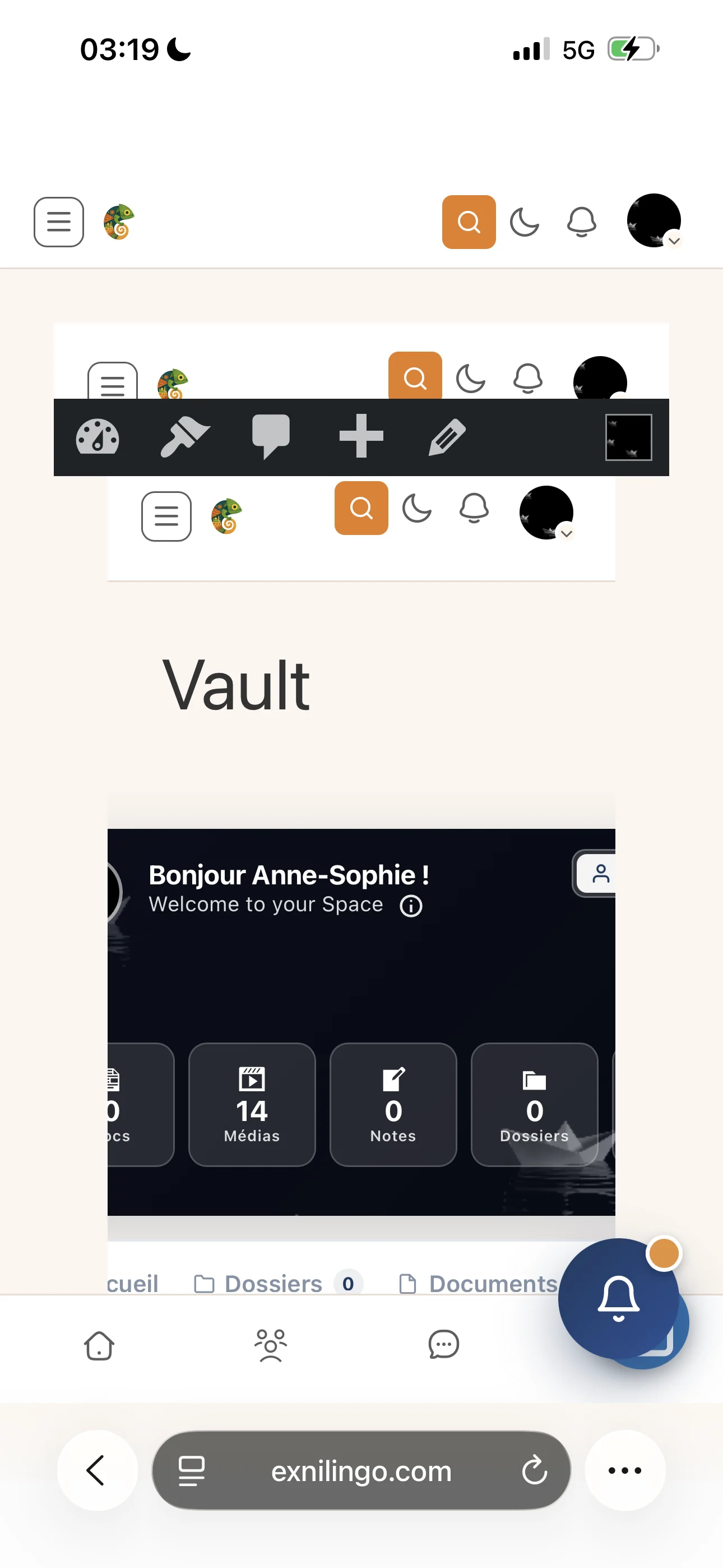
I haven’t tried it on the computer, but this is what my phone displays when I try to log into my vault. Is the addon’s frontend optimized for smartphone screens ? I was quite impressed by how intuitive the backend was on my smartphone.
I still haven’t figured out how to rename “Client Vault” and redesign its logo so that the signup/login page looks like my brand.. and i am not sure I understand well how a user from my community can access it - need another account or can use the same one? Thank you! :)

Hello everyone,
I hope you're all doing well. I have a few updates for you. I've been working hard on content these past few days, and you'll see it coming this week: lots of explanatory videos to make using Client Vault even easier. The documentation will also be updated with more interactive content.
And later this week, I'll also be sharing the announcement of a new plugin I'm launching in the VIP group. I hope you'll like it, because I already love it as much as Client Vault.
If you have any questions, feel free to contact me through support or directly here in the community.
See you 👍
Take care of yourself and your loved ones
Hey everyone,
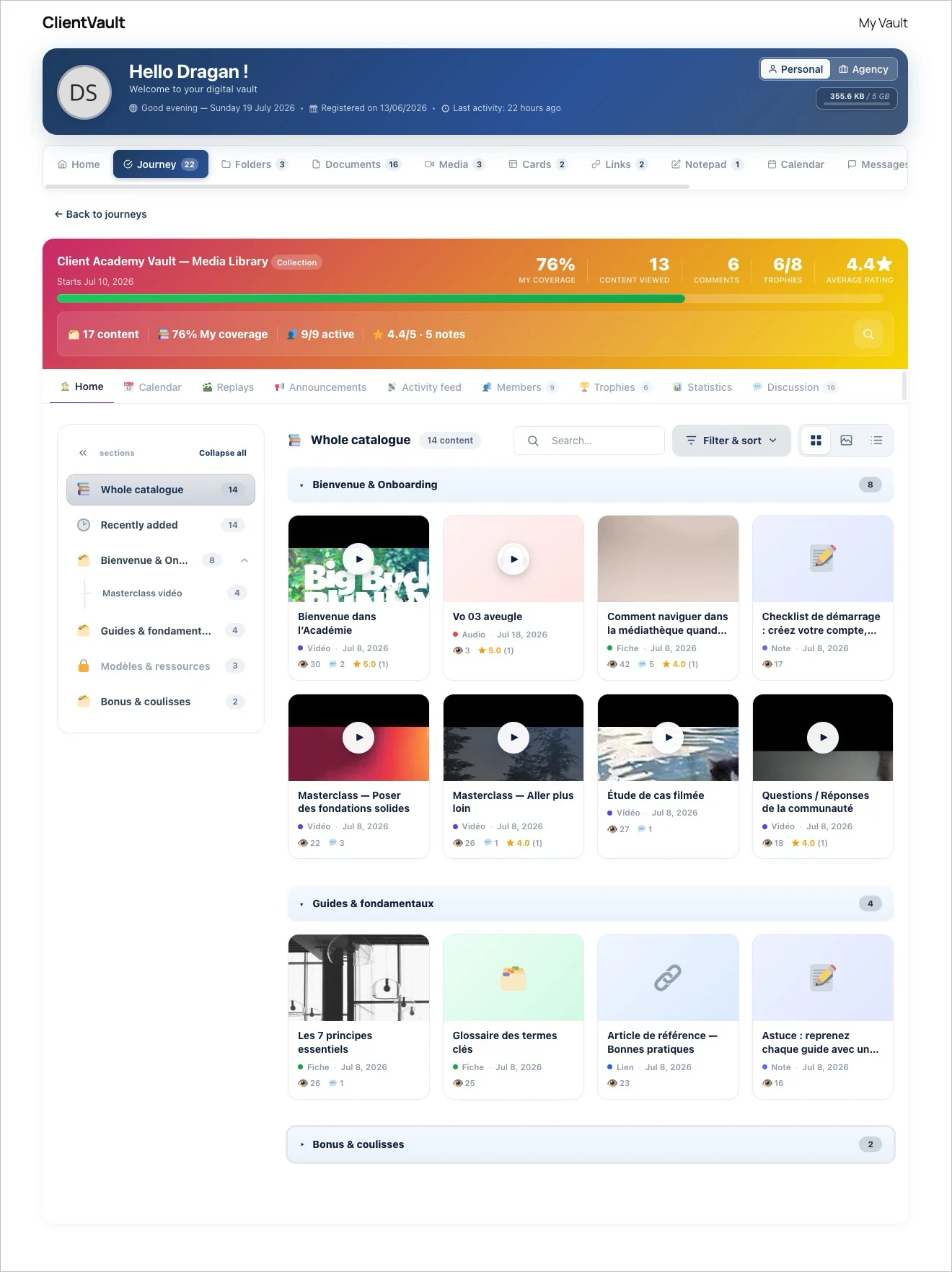
This is a big one. You can now publish your videos, audio, PDFs, images and links as a Collection: a catalog your clients browse at their own pace. Not a rigid course — a library they explore.
Here's what it does:
Organize & discover — Structure everything into sections and subsections with custom icons, and let people switch between List, Grid, or an immersive Gallery view. Search, filter by content type or tag, sort by rating.
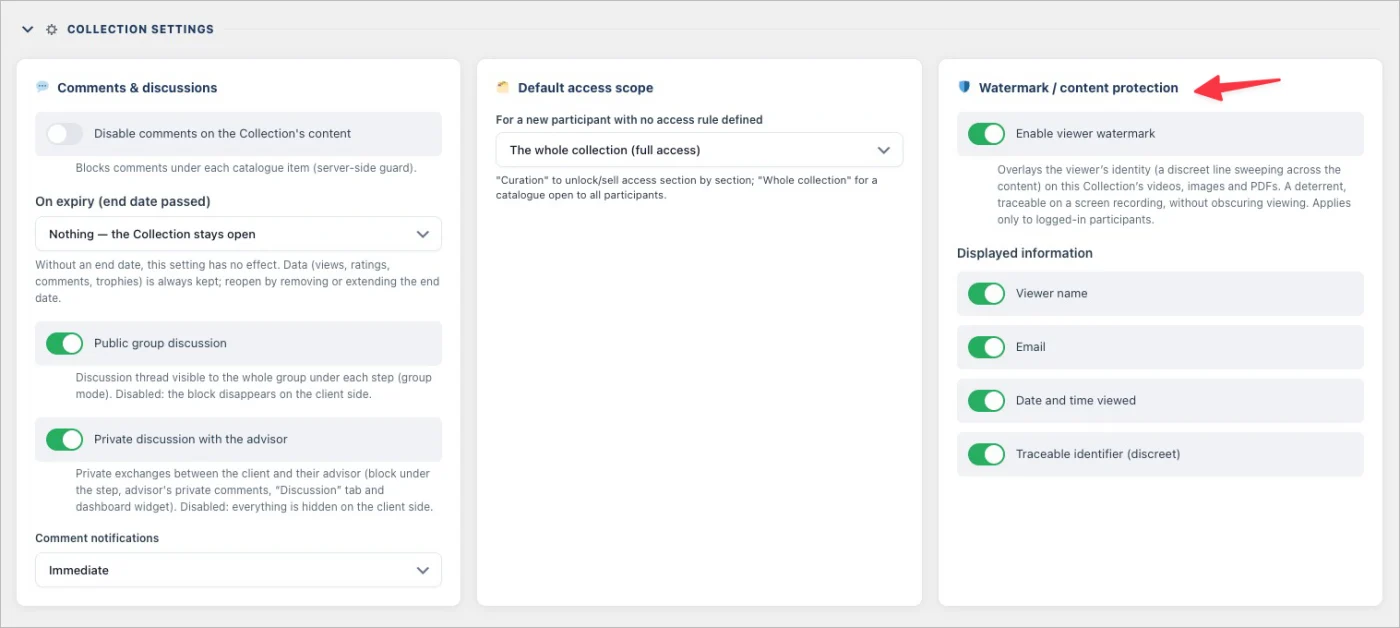
Protect every file natively — Content is encrypted on your own server and delivered through signed streams, re-verified on every request. No downloads, no PDF toolbar, no image swiping, no cross-site playback. Switch on viewer watermarking and each screen carries the logged-in member's name, email and a traceable ID.
Monetize section by section — Lock any section behind a FluentCart purchase. Locked sections show a sales pitch with a built-in buy button, buyers get participant access to exactly what they paid for, and FluentCRM automations fire automatically on purchase.
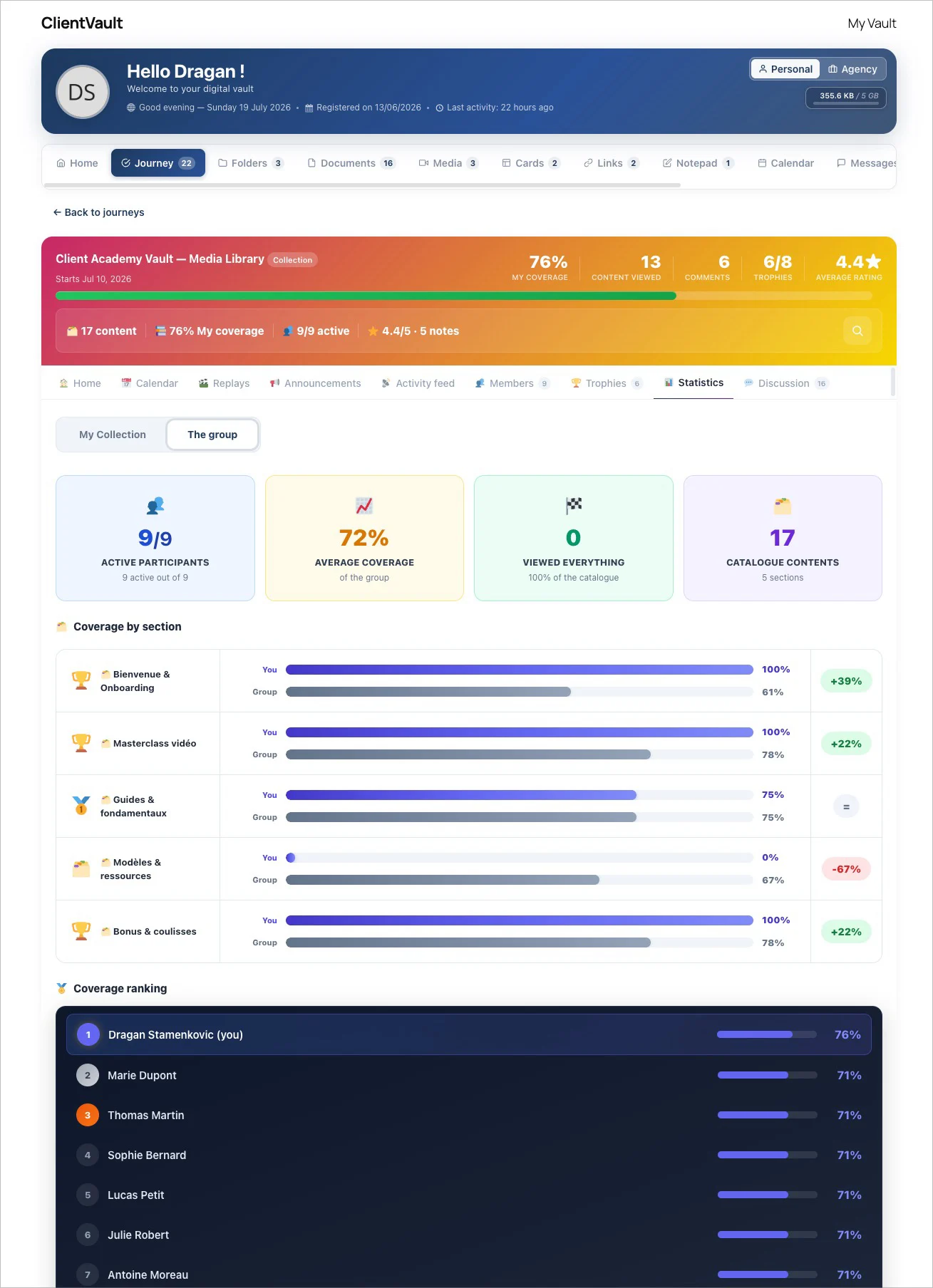
Measure coverage, not progress — Instead of a completion bar, you see how much of your catalog each participant has actually viewed, plus rating distributions, most-viewed items and per-person records. Adaptive trophies reward 25 / 50 / 75 / 100% coverage — quietly, without spamming notifications.
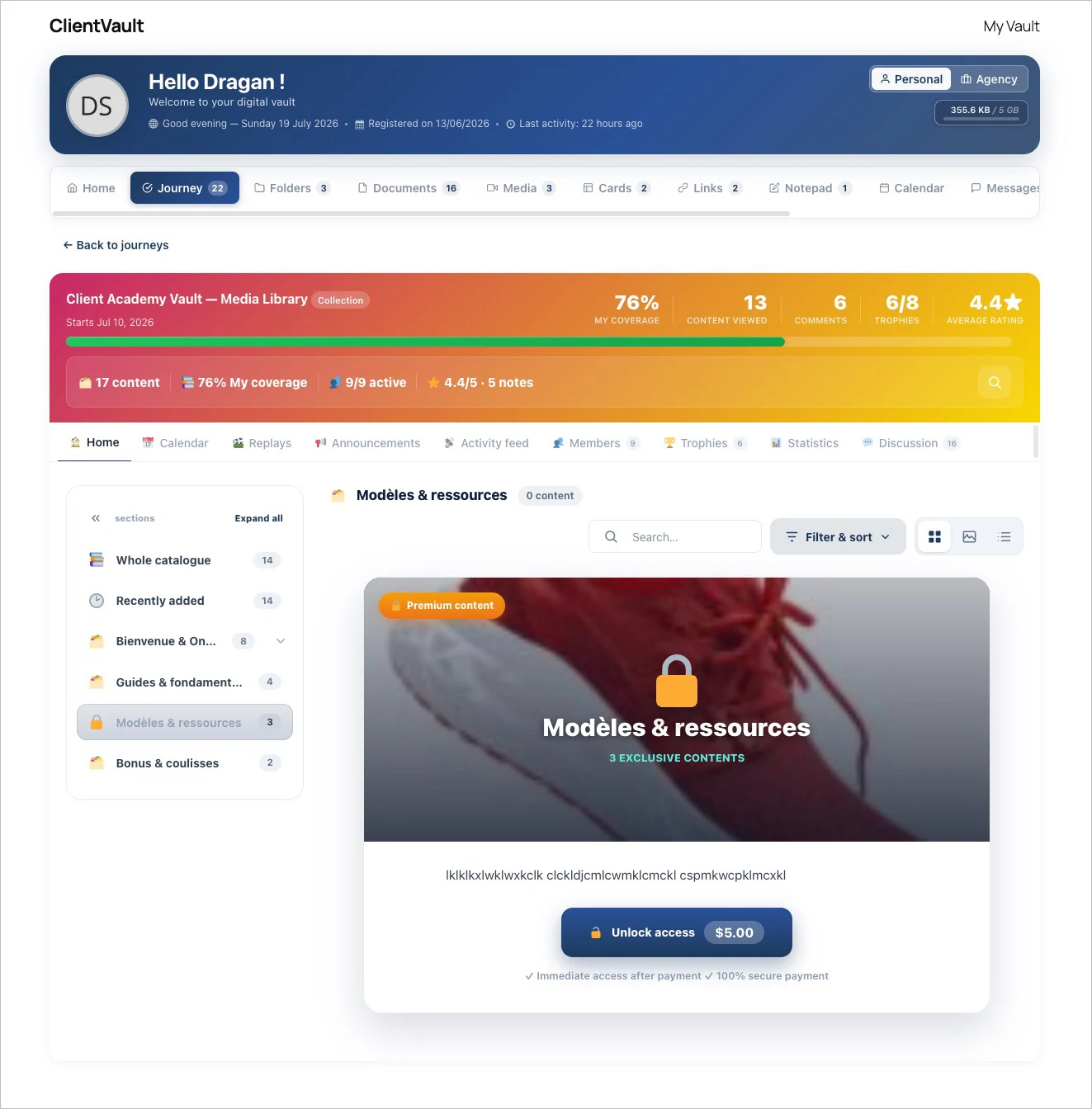
Keep the conversation going — A discussion thread sits under every item. Members reply with text, video, audio or a screenshot, at three visibility levels: public, advisor-only, or anonymous.
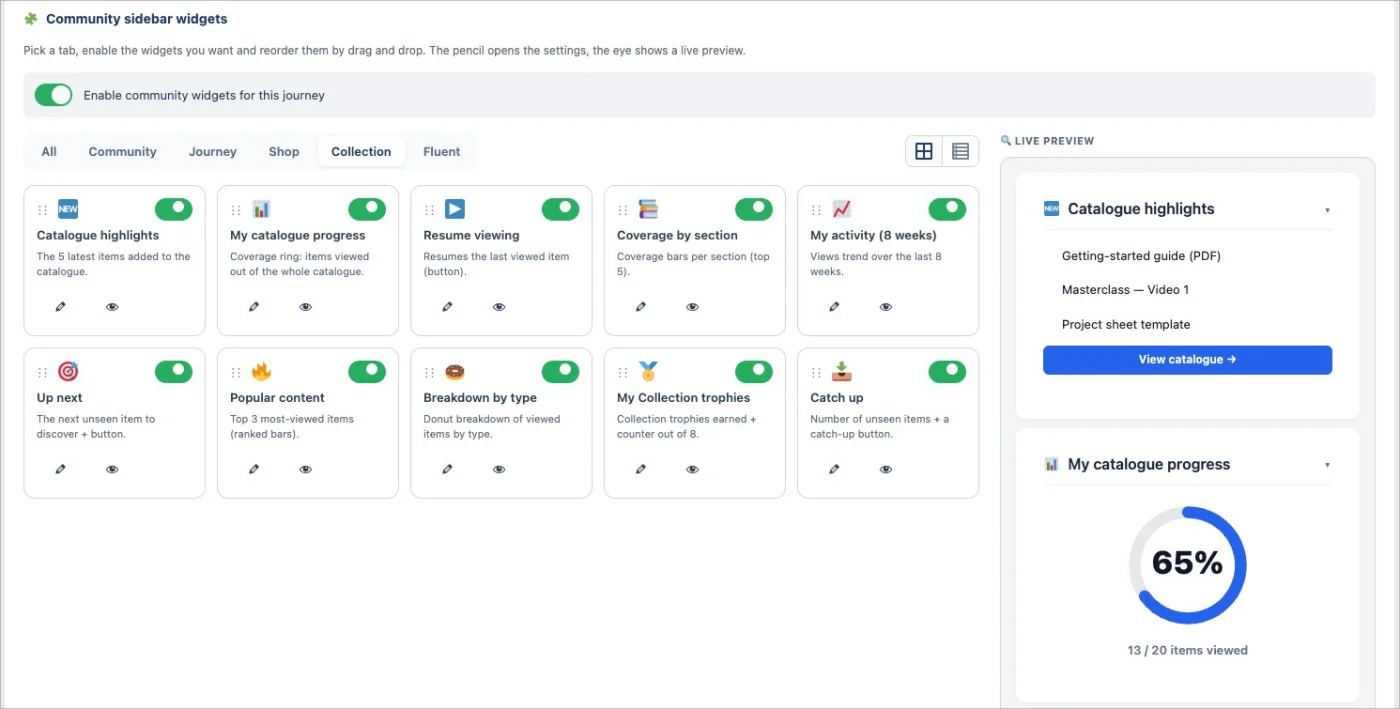
10 new Fluent Community widgets, built for Collections — Your Collection also comes to life right inside your Fluent Community sidebar. Ten new widgets your members see every time they log in — no page to open:
- 🆕 What's new in the catalog - the latest items you've added
- 📊 My catalog progress - a gauge of how much each member has covered
- 📚 Coverage by section - a breakdown, section by section
- 📈 My activity (8 weeks) - a rolling view of each member's engagement
- ▶️ Resume watching - pick up exactly where they left off
- 🎯 Next to discover - a smart nudge toward the next item
- 🔥 Popular content - what everyone's watching most
- 🍩 Breakdown by type - videos vs audio vs PDFs, at a glance
- 🏅 My Collection trophies - the adaptive rewards, front and center
- 📥 To catch up - the items they still haven't opened
Each widget is optional, reorderable, and only shows when the space is mapped to a Collection.
And as always: it all lives on your own WordPress. Your content, your data, your domain — no third-party video platform, no external hosting, nothing leaving your walls.
Want the full walkthrough, with every setting and screenshot?
→ Read the full article : https://clientvault.pro/en/collection-mode-distribute-protect-and-monetize-your-content-with-your-secure-vault/
Everything that shipped in this release is here:
→ Changelog : https://clientvault.pro/en/changelog/
See you
Update is online 😀 The introductory article and videos will be available in a few days.
I hope you'll like this new version. Not revolutionary, but so much fun. It further improves chest customization, enhances many small things here and there that make it more user-friendly, and of course, stabilizes the plugin by fixing numerous bugs. Nothing critical; most were minor.
See changelog : https://clientvault.pro/en/changelog

I created a new test client and immediately it says, created 4 hours ago under last activity in the Client Management area - https://prnt.sc/Ha9VFLqXBiDO
Also, statistics is inconsistent in terms of "Total Clients"
I think I've hunted down most of the bugs I've come across and shared the areas that were the most confusing to me.
Sorry for the flood of messages! I know it's a lot, but I also know this community exists to help improve the product, so I hope this feedback is useful.
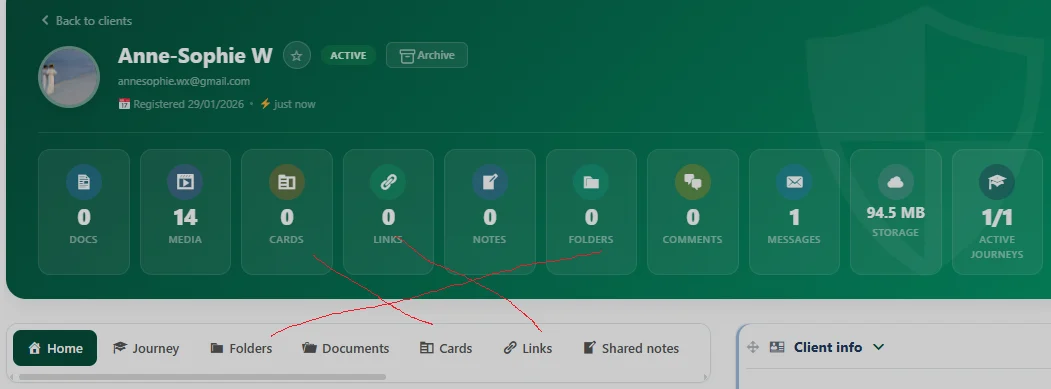
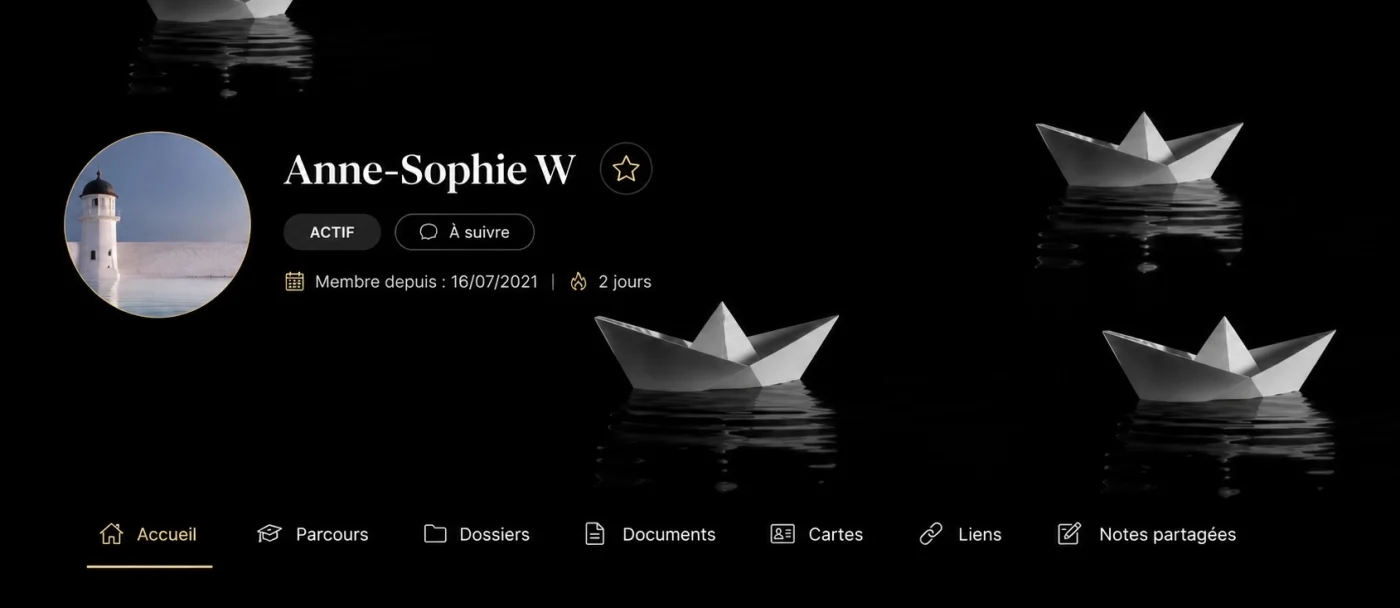
While I'm at it, I'd also like to make a small design suggestion. Although I appreciate that the banner colors are customizable, I'd much rather be able to upload my own banner for the entire Vault—or even let clients choose their own, similar to how FC does it.
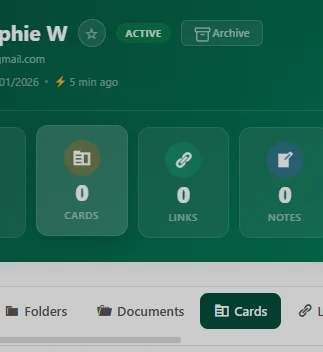
I also find the dashboard blocks a bit unnecessary. Some of the same information appears both inside the banner and below it, and for Vaults with only a handful of files, the result is mostly a series of blocks displaying "0" or "1" items. Personally, I think a cleaner interface would make the experience feel more polished.
Of course, that's just my opinion, and I completely understand if this isn't an area you want to prioritize. I just think thoughtful aesthetics can make a product significantly more enjoyable to use for both the clients and Admin.
Thanks again for your tremendous work!
NB) an AI generated example with a banner I would have chosen. Of course some elements such as the date are missing (it’s very hard to make do a specific illustration to AI as it tends to hallucinate and ignore your previous input). Notice that it made the banner larger, which I personally find very good looking.
In your latest update, you mentioned that Collections would include "content protection features, specifically making files non-downloadable and adding a traceable, personalized watermark."
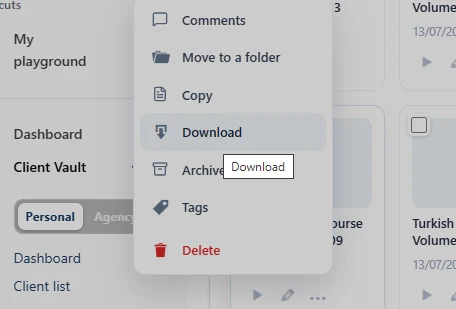
This is a feature I'm very interested in. However, I can still download the files I see in my own Vault (personal account).
I'm still a bit unclear on how the Personal view works... does it represent the same experience that a client would have when accessing a Collection, or does the account owner have different permissions?
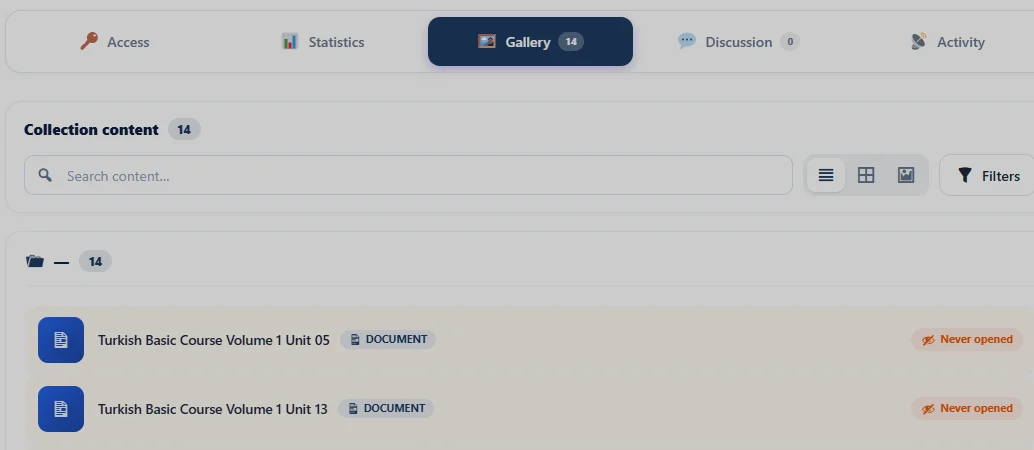
When I enrolled in one of my own Journeys to see the student experience, all of my audio files appeared as Documents instead of audio files. Also, I think Gallery isn't the best label for that section. Media would be better.
I ran into several issues with the audio player. I could listen to the file, but I couldn't pause it, fast-forward, or rewind. Once playback ended, the waveform kept moving as if the audio were still playing. On top of that, when I went back to the Journey, it still showed that I had never opened the file, so I'm not sure how playback progress is being tracked between the Vault, Journeys, and my personal profile.
Besides, while uploading audio files today, I lost a lot of time, because several uploads either disappeared after completing or never appeared at all. I never uploaded more than five files at once, so I don't think it was a batch size issue. They all eventually uploaded after several attempts, but I thought I'd give you a heads-up.
A couple of feature requests as well: it would be great to be able to upload a custom cover image for audio files and attach a properly formatted transcript. Right now, the comment section only allows plain text, which isn't really suitable for transcripts.
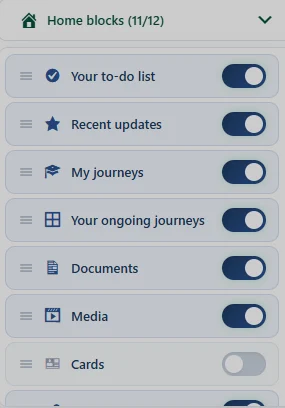
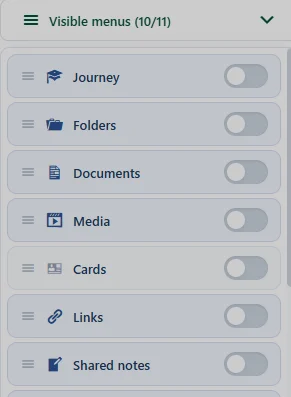
It doesn't seem possible to reliably deactivate blocks. Even after unticking them in both the Home and Vault block settings, the cards remain visible.
Update: After a while, all of the blocks unticked themselves automatically for some reason. However, they are still visible both within and below the banner, despite being disabled.