


Hi Dragan,
With FC extensions, Fluent community has become more like a mini social network with many features. As with any social network like youtube, facebook , instagram etc.... there is monetization options for creators who create quality content , bring value and earn money after becoming eligible for monetization , so i was thinking why not our communities offer this monetization feature for the community members?
I would love to have this feature in our community if you have time to make this happen. With multi-instructors extension only course creators and instructors can earn money, but with creator monetization feature every member has the chance to earn money by just creating content and building followers etc. This would be a win-win situation for all..... community owners can get revenue from sponsors and ads, members from the monetization feature and advertisers get good advertising and exposure for their service and products.
I can post this in the roadmap but i wanted every one to see this and know their opinion. What do you say community?

🎬 Take 5 minutes to watch the video. It shows Post Boost in action, from writing the post to the results.
Post Boost is the new premium extension from FC Extensions. With it, everything is set right as you write your post, with the new Audience button, right next to Post.
Three examples of what you will be able to do:
🔒 Keep a post for a level, a course, a space or a role: the others see the beginning, with a friendly invitation to level up
📣 Let the right members know by notification, email and push, at the best moment, with an automatic reminder
📊 See how many members were reached, opened it and unlocked it, day by day and channel by channel
Every important post finds its audience.
👉 All the details: Post Boost, the right post to the right members
⏳ Post Boost is included in the Founder offer, which ends on Sunday, November 22 at 11:59 pm (Paris time). Every premium extension, for life, including the ones to come: Become a Founder
Tell me in the comments: which post will you keep for your members first?
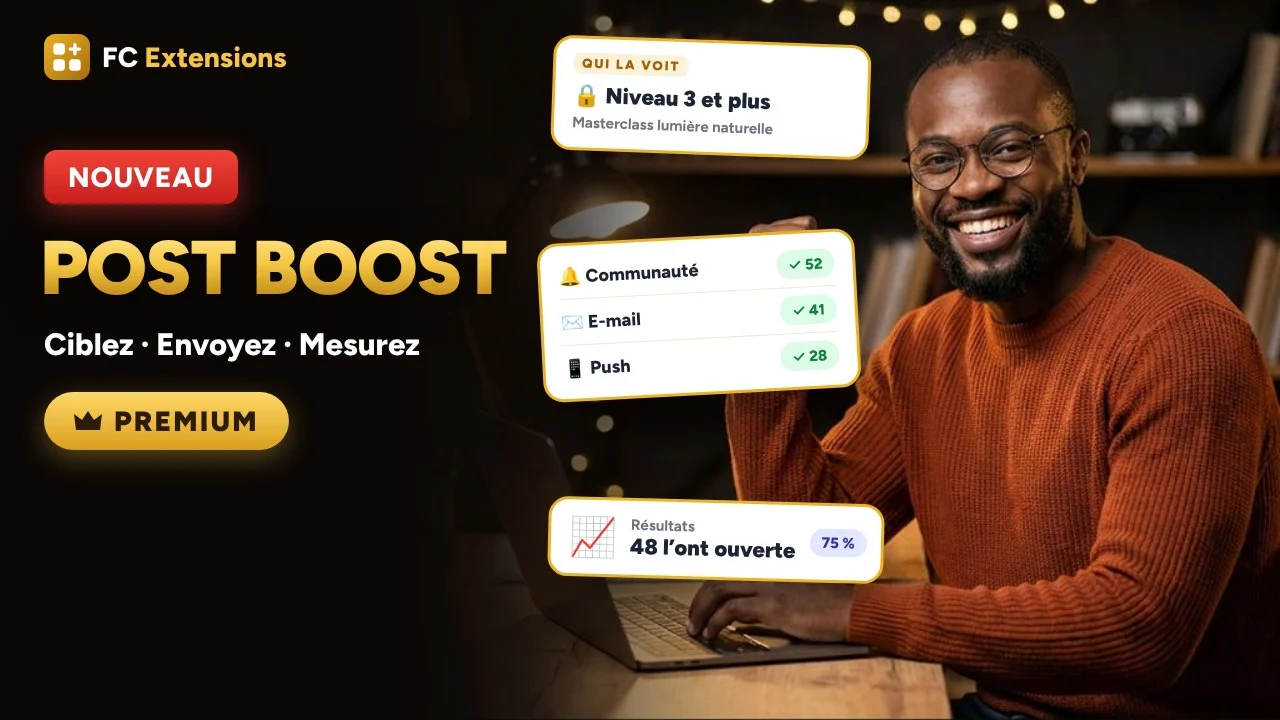
Post Boost : la bonne publication, aux bons membres, au bon moment
🎬 Prenez 5 minutes pour regarder la vidéo. Elle vous montre Post Boost en action, de l’écriture de la publication jusqu’aux résultats. https://youtu.be/nk40FQxpfEo
Post Boost est la nouvelle extension premium de FC Extensions. Avec elle, tout se règle au moment même où vous écrivez votre publication, grâce au nouveau bouton Public, juste à côté de Publier.
Trois exemples de ce que vous allez pouvoir faire :
🔒 Réserver une publication à un niveau, un cours, un espace ou un rôle : les autres voient le début, avec une belle invitation à progresser
📣 Prévenir les bons membres par notification, e-mail et téléphone, au meilleur moment, avec une relance automatique
📊 Voir combien de membres ont été prévenus, l’ont ouverte et ont débloqué la lecture, jour par jour et canal par canal
Chaque publication importante trouve son public.
👉 Tous les détails : Post Boost, la bonne publication aux bons membres
⏳ Post Boost est incluse dans l’offre Founder, qui se termine dimanche 22 novembre à 23 h 59, heure de Paris. Toutes les extensions premium, à vie, y compris celles à venir : Devenir Founder
Dites-moi en commentaire : quelle publication allez-vous réserver en premier ?
Sidebar is the new premium extension from FC Extensions. With it, you design the left column and the right column of your community in one live editor, right on your real community.
Three examples of what you’ll be able to do:
🧭 Your left column, your way: six models, your links wherever you want, and New, Promo or Live labels
🧩 The blocks of all your extensions in the right column: events, countdown, ads, directory and many more
🎯 For every member, what matters to them: each line and each block for the right audience, checked with “See as”
Both columns become real showcases, on every page.
👉 All the details: Sidebar, both columns of your community
⏳ Sidebar is included in the Founder offer, which ends on Sunday, November 22 at 11:59 pm (Paris time). Every premium extension, for life, including the ones to come: Become a Founder
Tell me in the comments: what will you put first in your columns?
🎬 Take 3 minutes to watch the video. It shows you every new feature in action, step by step.
Theme Studio goes even further in customizing your community.
What’s new for you:
🌍 Worlds: a theme for each course, space or page
🎯 For everyone, or for specific people: visitors, level, role, tag
🎨 Three matching themes, suggested from your course image
📅 Worlds between two dates, like Christmas, that disappear on their own
👤 Every member picks their theme from “Appearance”
🔒 Themes as rewards, unlocked as members progress
👀 “View as”: your community seen by a visitor, a member or a level
Your community takes on a thousand faces, and everyone feels at home.
Update in one click from FC Extensions.
👉 All the details: Theme Studio, what’s new
https://fcextensions.com/en/theme-studio-worlds-fluent-community/
⏳ Only a few days left before the fourth premium extension comes out. Now is the time to go premium with the Founder offer: Become a Founder
https://fcextensions.com/en/#founder
Tell me in the comments: which world will you create first?
--
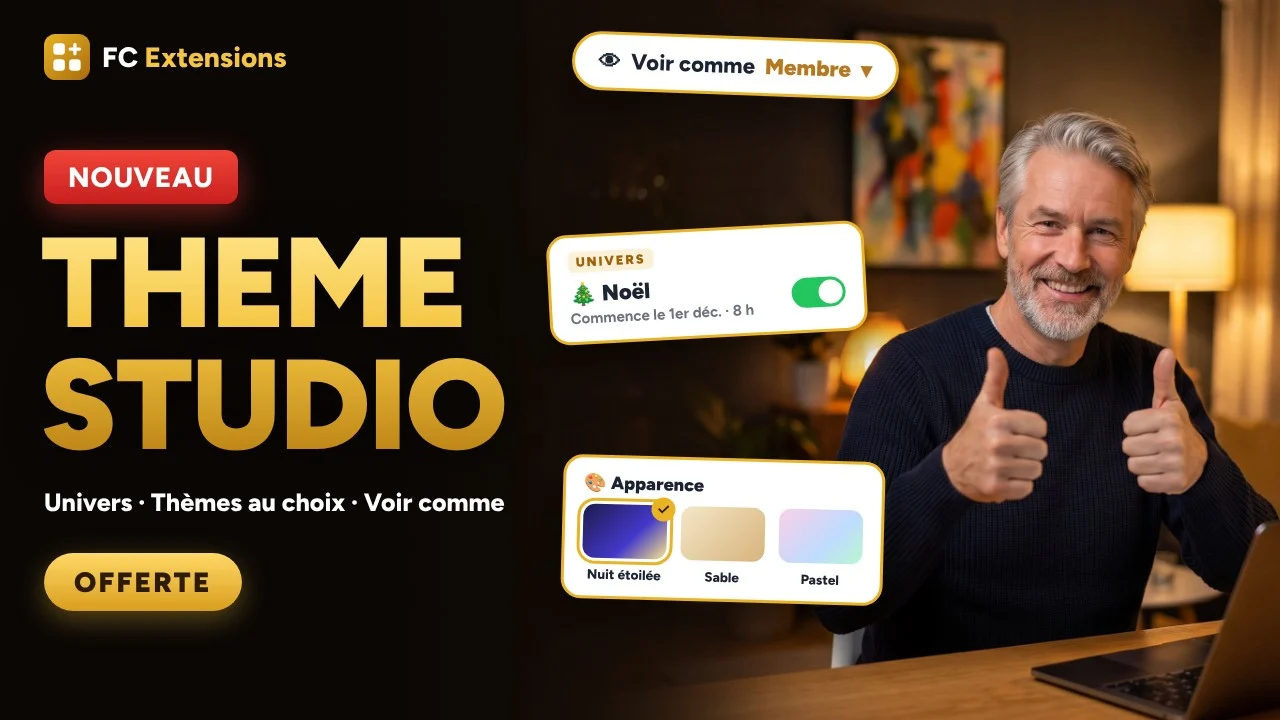
Theme Studio : un univers pour chaque endroit, un thème au choix pour chaque membre
🎬 Prenez 3 minutes pour regarder la vidéo. Elle vous montre chaque nouveauté en action, pas à pas.
Theme Studio va encore plus loin dans la personnalisation de votre communauté.
Ce qui change pour vous :
🌍 Les univers : un thème pour chaque formation, espace ou page
🎯 Pour tout le monde, ou pour un public précis : visiteurs, niveau, rôle, étiquette
🎨 Trois thèmes assortis, conseillés à partir de l’image de votre formation
📅 Des univers entre deux dates, comme Noël, qui disparaissent tout seuls
👤 Chaque membre choisit son thème depuis « Apparence »
🔒 Des thèmes en récompense, qui se débloquent en progressant
👀 « Voir comme » : votre communauté vue par un visiteur, un membre ou un niveau
Votre communauté prend mille visages, et chacun s’y sent chez lui.
La mise à jour se fait en un clic depuis FC Extensions.
👉 Tous les détails : Theme Studio, les nouveautés
https://fcextensions.com/fr/theme-studio-univers-fluent-community/
⏳ Plus que quelques jours avant la sortie de la quatrième extension premium. C’est le moment de passer premium avec l’offre Founder : Devenir Founder
https://fcextensions.com/#founder
Dites-moi en commentaire : quel univers allez-vous créer en premier ?
Your directory takes a new step forward, thanks to your feedback. Thank you to everyone who shared it here.
What’s new for you:
✨ Pages in the Events style, drawn as soon as they start loading
🗺️ A display for each category: map, grid or list
🧭 A form in three clear steps, starting with big category cards
👀 A full-page preview before you publish
💼 Job offers, posted with the same form
📩 One-click applications, with a message and a CV
✅ Real follow-up for the recruiter, all the way to “Position filled”
🔎 Job offers ready for Google for Jobs
Your community becomes the place to get seen, to hire and to find a job.
Update in one click from FC Extensions.
👉 All the details: Directory, what’s new in November
🎬 Take 4 minutes to watch the video. It shows you every new feature in action, step by step.
Tell me in the comments: will you open job offers in your community?
--
Annuaire : un nouveau visage, un formulaire encore plus simple et les offres d’emploi
Votre annuaire franchit une nouvelle étape, grâce à vos retours. Merci à tous ceux qui les ont partagés ici.
Ce qui change pour vous :
✨ Des pages au style d’Événements, qui se dessinent dès le chargement
🗺️ Un affichage pour chaque catégorie : carte, grille ou liste
🧭 Un formulaire en trois étapes claires, avec le choix de la catégorie en grandes cartes
👀 Un aperçu en pleine page avant de publier
💼 Les offres d’emploi, publiées avec le même formulaire
📩 Des candidatures en un clic, avec un message et un CV
✅ Un vrai suivi pour le recruteur, jusqu’au « Poste pourvu »
🔎 Des offres prêtes pour Google pour l’emploi
Votre communauté devient l’endroit où l’on se montre, où l’on recrute et où l’on trouve un poste.
La mise à jour se fait en un clic depuis FC Extensions.
👉 Tous les détails : Annuaire, les nouveautés de novembre
🎬 Prenez 4 minutes pour regarder la vidéo. Elle vous montre chaque nouveauté en action, pas à pas.
Dites-moi en commentaire : allez-vous ouvrir les offres d’emploi dans votre communauté ?
Events 2.0 is our biggest update since launch. It was built from your ideas: thank you to everyone who shared them here.
What’s new for you:
✨ A visual editor: your calendar, pages, tickets and certificates, in your style
🗂️ A redesigned event window: categories, series, team, FAQ, files, replay
💳 Selling your way: several prices, pay what you want, options and passes
🎟️ A QR code ticket for every seat, scanned at the door with any phone
📜 Attendance certificates sent automatically the day after
⭐ Reviews from your attendees, with the average rating
📊 Richer statistics, with a dashboard for each organiser
Update in one click from FC Extensions.
👉 All the details: Events 2.0, everything new
🎬 Take the time to watch the video to the end. In 12 minutes, it shows you every new feature in action, step by step. It’s the best way to get the most out of everything Events 2.0 brings you.
Tell me in the comments which new feature you’ll try first!
🎬 Événements 2.0 est là : préparez, vendez, accueillez et gardez le lien
Événements 2.0 est la plus grande mise à jour depuis le lancement. Elle est née de vos idées : merci à tous ceux qui les ont partagées ici.
Ce qui change pour vous :
✨ Un éditeur visuel : calendrier, pages, billets et attestations à votre image
🗂️ Une fenêtre d’édition repensée : catégories, séries, équipe, questions fréquentes, fichiers, replay
💳 Une vente à votre façon : plusieurs tarifs, prix libre, options et Pass
🎟️ Un billet avec QR code pour chaque place, scanné à l’entrée avec un téléphone
📜 Des attestations de présence envoyées toutes seules le lendemain
⭐ Les avis de vos participants, avec la note moyenne
📊 Des statistiques plus riches, avec un tableau de bord pour chaque organisateur
La mise à jour se fait en un clic depuis FC Extensions.
👉 Tous les détails : Événements 2.0, toutes les nouveautés
🎬 Prenez le temps de regarder la vidéo jusqu’au bout. En 12 minutes, elle vous montre chaque nouveauté en action, pas à pas. C’est le meilleur moyen de profiter de tout ce qu’Événements 2.0 vous apporte.
Dites-moi en commentaire la nouveauté que vous allez essayer en premier !
Our biggest update since launch, built from your ideas.
✨ A visual editor for your calendar, pages and tickets
🎟️ QR code tickets, scanned with any phone
📜 Attendance certificates sent automatically
💳 Selling for every case: pay what you want, Pass, ticket bundles
⭐ Reviews from your attendees
Everything new in the article 👇
https://fcextensions.com/en/events-2-0-fluent-community/
Update in one click from FC Extensions.
🎉 Événements 2.0 est disponible !
La plus grande mise à jour depuis le lancement, née de vos idées.
✨ Un éditeur visuel pour votre calendrier, vos pages et vos billets
🎟️ Des billets avec QR code, scannés avec un simple téléphone
📜 Des attestations de présence envoyées toutes seules
💳 La vente pour tous les cas : prix libre, Pass, carnets de places
⭐ Les avis de vos participants
Toutes les nouveautés dans l’article 👇
https://fcextensions.com/fr/evenements-2-0-fluent-community/
La mise à jour se fait en un clic depuis FC Extensions.

Would love recommendations on how to setup an event that I would like members of certain Spaces to be able to register at no cost, while non-members of that same Space have to pay?
I have 2 membership levels Free and Premium and I run certain events for Premium that is included in their plan but Free members would need to pay.
I see I can set who sees the event by Space and who can register for the event by Space so I'm looking for the best setup to achieve what I've explained. Thanks!
Your courses, your spaces, your members and each profile show up in the order you choose.
You could already choose the order of your courses. Now Sort Order works on four zones:
- your courses, dragged into place or sorted automatically;
- your spaces, with exactly the same screen;
- your members: your team at the top of the Members page and in each space;
- each profile: their spaces and courses, set in one go.
And more: something new at the top until the date you choose, the page seen as a visitor or one of your members, and an Undo button. You can also let each member pin their favorites.
When you update, nothing moves for your members until you change it.
Thank you to everyone who shared ideas here: several of these new features come from you. 🙏
🎬 Watch the video and read the article:
👉 Sort Order: your whole community, in the order you choose
📖 The Sort Order page
Update Sort Order and FC Extensions from your dashboard. If the update doesn’t show up yet, open the extension list and click Refresh the list.
So, what will you put at the top first? Tell me in the comments!
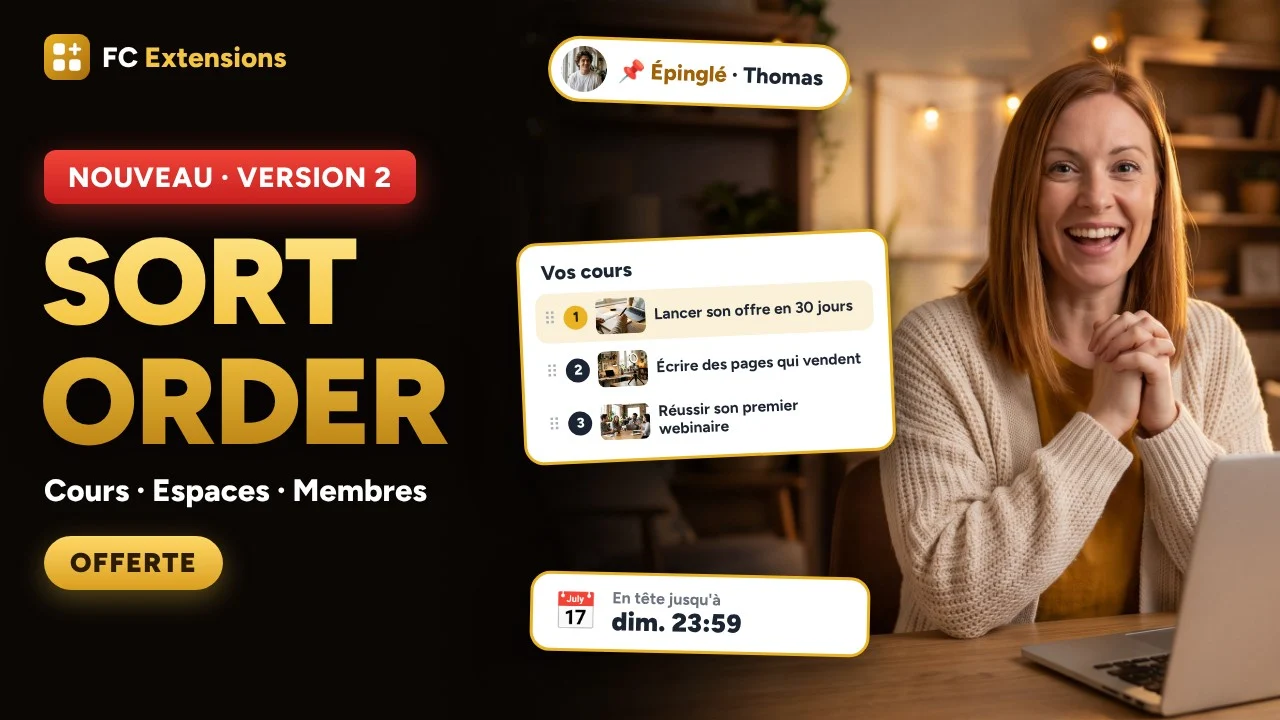
🚀 NOUVEAUTÉ : Ordre des cours devient Sort Order et range toute votre communauté pour vous
Vos cours, vos espaces, vos membres et le profil de chacun s’affichent dans l’ordre que vous choisissez.
Vous choisissiez déjà l’ordre de vos cours. Maintenant, Sort Order agit sur quatre zones :
- vos cours, à glisser à leur place ou à ranger automatiquement ;
- vos espaces, avec exactement le même écran ;
- vos membres : votre équipe en tête de la page Membres et dans chaque espace ;
- le profil de chacun : ses espaces et ses cours, réglés d’un seul coup.
En plus : une nouveauté en tête jusqu’à la date de votre choix, la page vue comme un visiteur ou l’un de vos membres, et un bouton Annuler. Vous pouvez aussi laisser chaque membre épingler ses préférés.
À la mise à jour, rien ne bouge chez vos membres tant que vous n’y touchez pas.
Merci à ceux qui m’ont partagé leurs idées ici : plusieurs de ces nouveautés viennent de vous. 🙏
🎬 Regardez la vidéo et lisez l’article :
👉 Sort Order : toute votre communauté, dans l’ordre que vous choisissez
📖 La fiche Sort Order
Mettez à jour Sort Order et FC Extensions depuis votre tableau de bord. Si la mise à jour n’apparaît pas encore, ouvrez la liste des extensions et cliquez sur Actualiser la liste.
Et vous, qu’allez-vous mettre en tête en premier ? Dites-le-moi en commentaire !
I’m really happy to introduce version 2 of Quick Access. Until now, it set up your access bar. Now, it also takes care of your left menu. And you’ll see, it changes a lot.
With version 2:
- 📂 your left menu is set up directly in Quick Access, exactly as your members see it. And you can finally create submenus: drag one space under another, and that’s it;
- 👥 every member gets the menu that fits them. On top of Fluent Community’s choices, you can keep a line for a role, a FluentCRM tag or list, or a Gamification level. Your spaces, your groups and what your extensions add are set the same way;
- ⏰ your links can be scheduled: they appear and disappear on their own, right on time;
- 👀 before publishing, “Seen by” shows you the menu of a visitor, a student or any group;
- 📊 once it’s live, the statistics tell you which links your members really click.
Your menu becomes simpler for your members, and more powerful for you.
You can already see it at work right here, in the FC Extensions community: it’s already live.
👉 Read the full article: Quick Access 2: your left menu, shaped for every member
📖 The Quick Access page
Quick Access is one of the free extensions in FC Extensions. The update is waiting for you in your FC Extensions.
So, which submenu will you create first? Tell me in the comments!

🧭 Accès rapide 2 : votre menu de gauche, à l’image de chaque membre
Je suis très heureux de vous présenter la version 2 d’Accès rapide. Jusqu’ici, elle réglait votre barre d’accès rapide. Maintenant, elle s’occupe aussi de votre menu de gauche. Et vous allez voir, ça change beaucoup de choses.
Avec la version 2 :
- 📂 votre menu de gauche se règle directement dans Accès rapide, tel que vos membres le voient. Et vous créez enfin des sous-menus : vous glissez un espace sous un autre, et c’est fait ;
- 👥 chaque membre a le menu qui lui correspond. En plus des choix de Fluent Community, vous réservez une ligne à un rôle, à une étiquette ou une liste FluentCRM, ou à un niveau de Gamification. Vos espaces, vos groupes et ce qu’ajoutent vos extensions se règlent de la même façon ;
- ⏰ vos liens se programment : ils apparaissent et disparaissent tout seuls, pile au bon moment ;
- 👀 avant de publier, « Vu par » vous montre le menu d’un visiteur, d’un élève ou de n’importe quel groupe ;
- 📊 une fois en ligne, les statistiques vous disent quels liens vos membres cliquent vraiment.
Votre menu devient plus simple pour vos membres, et plus puissant pour vous.
Vous pouvez déjà la voir à l’œuvre ici, dans la communauté FC Extensions : elle est déjà active.
👉 Lisez l’article complet : Accès rapide 2 : votre menu de gauche, à l’image de chaque membre
📖 La fiche Accès rapide
Accès rapide fait partie des extensions offertes de FC Extensions. La mise à jour vous attend dans votre FC Extensions.
Et vous, quel sous-menu allez-vous créer en premier ? Dites-le-moi en commentaire !