Hi everyone,
One of you asked me a simple question: “When a client fills in my form, can their journey be created automatically?” The answer is yes, starting today.
Template journeys
You prepare an individual journey just once and set it to “Template”. Every new client gets their own copy, with due dates calculated from the day they arrive.
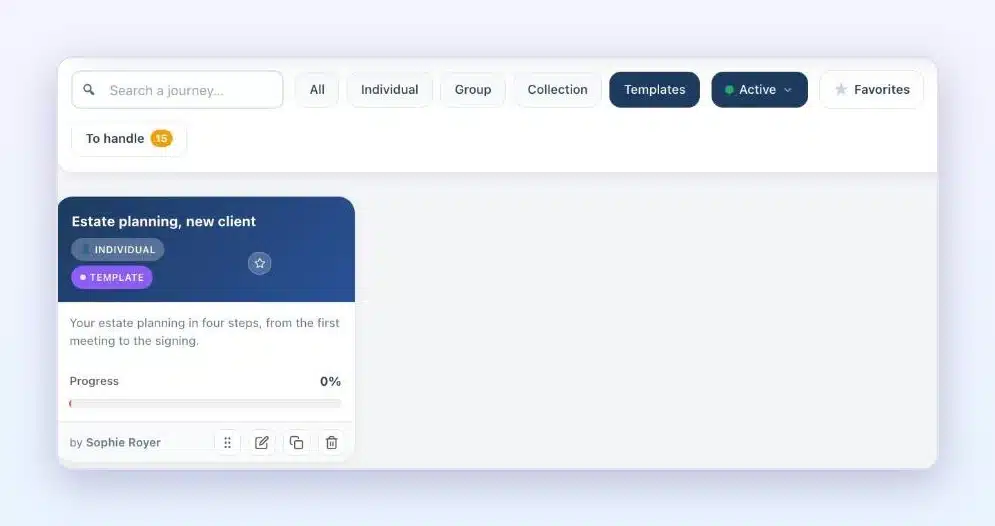
FluentCRM creates the journey for you
Two new actions: “Create a journey from a template” and “Create a folder from a template”. A submitted form or an added tag, and your client has their journey.
[capture : action FluentCRM]
Team mode benefits too
A folder template linked to a template journey gives each client their own journey, with the right owners.
[capture : modèle de dossier]
More complete copies
Duplicating a journey now also copies step documents, sessions and unlocking rules. Each copy gets its own webhook address.
[capture : bandeau webhook]
And journey and media library emails now have a button that opens the right space for your client directly.
The update is waiting in your WordPress admin.
Read the full article: https://clientvault.pro/en/client-vault-20-43-update/
French version : https://clientvault.pro/fr/client-vault-20-43/
Tell me in the comments which journey you’ll turn into a template first
Here is a tutorial on how the new team mode works
Hi Client Vault family,
That’s it, it’s out. Team mode is the biggest project Client Vault has seen since its launch. I’ve been working on it for a long time: I built it, tested it, and reworked it screen by screen so it stays simple. Today, I’m proud to introduce it to you. And the result is amazing. Well, I hope you’ll enjoy it.
You asked for it many times: working as a team on the same client. With Client Vault 20.42, your team, your client and their loved ones move forward together in the same vault.
Your team in the same vault
You invite your collaborators, and each one follows the clients you assign to them. Your client’s partner or business associate joins the file.
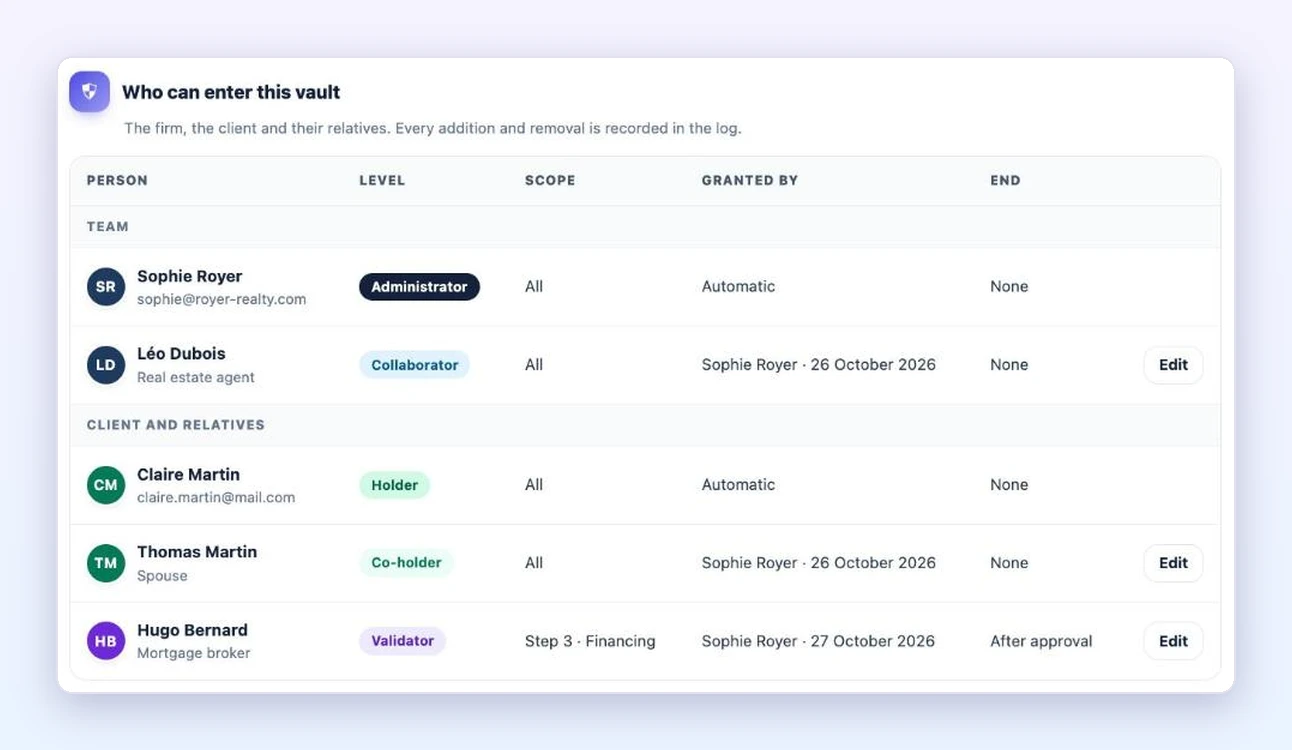
Every step has its owner
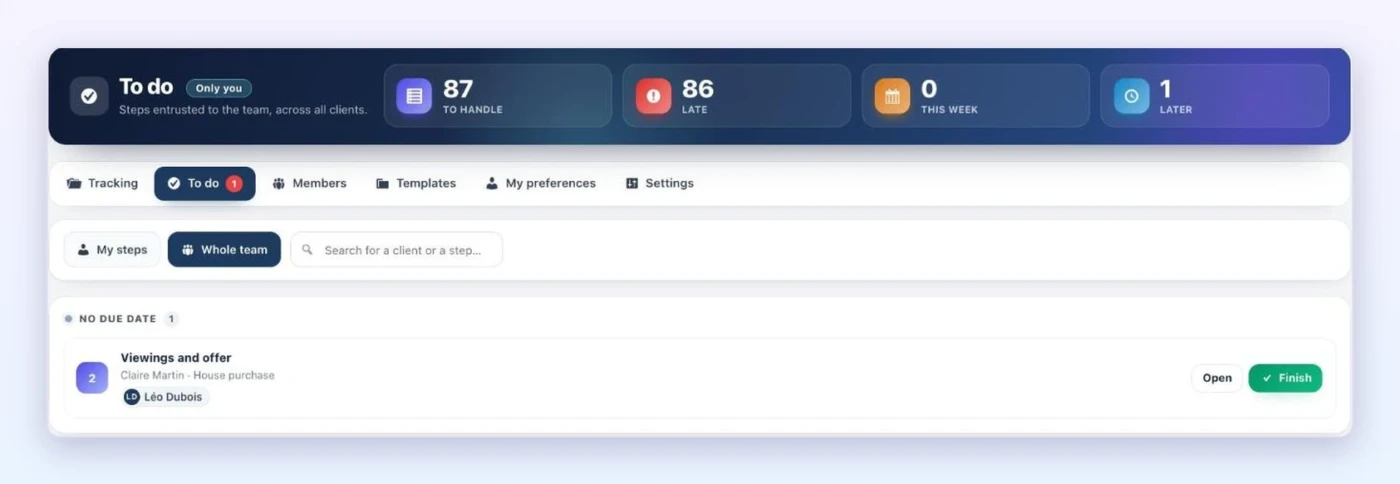
In a journey, you choose who handles each step. Everyone finds their steps in their “To do” list and completes them in one click.
A partner approves their step
Your client’s mortgage broker or accountant receives a link. They see their step and its documents, and approve it in one click.
Tracking for all your files
You see where every file stands, and who needs to act.
[screenshot: Tracking]
And more: file templates, files created from a Fluent Forms form, automatic reminders, a stand-in during an absence, FluentBoards tasks connected to your journey, and file closing with its archive.
Team mode is included in multi-site licenses. The update is waiting in your WordPress admin.
▶ The presentation, in under 2 minutes: https://youtu.be/DxT3IUuQkCg
▶ The step-by-step tutorial, in 3 minutes: https://youtu.be/9F8FWQ9xCbo
Read the full article: https://clientvault.pro/en/client-vault-20-42-update/
Thank you for your patience, it was worth it. Tell me in the comments how you’ll use it in your business.
Thanks,
Dragan
Hi everyone,
Big announcement: Client Vault’s Team mode launches on Friday, October 23. 🎉
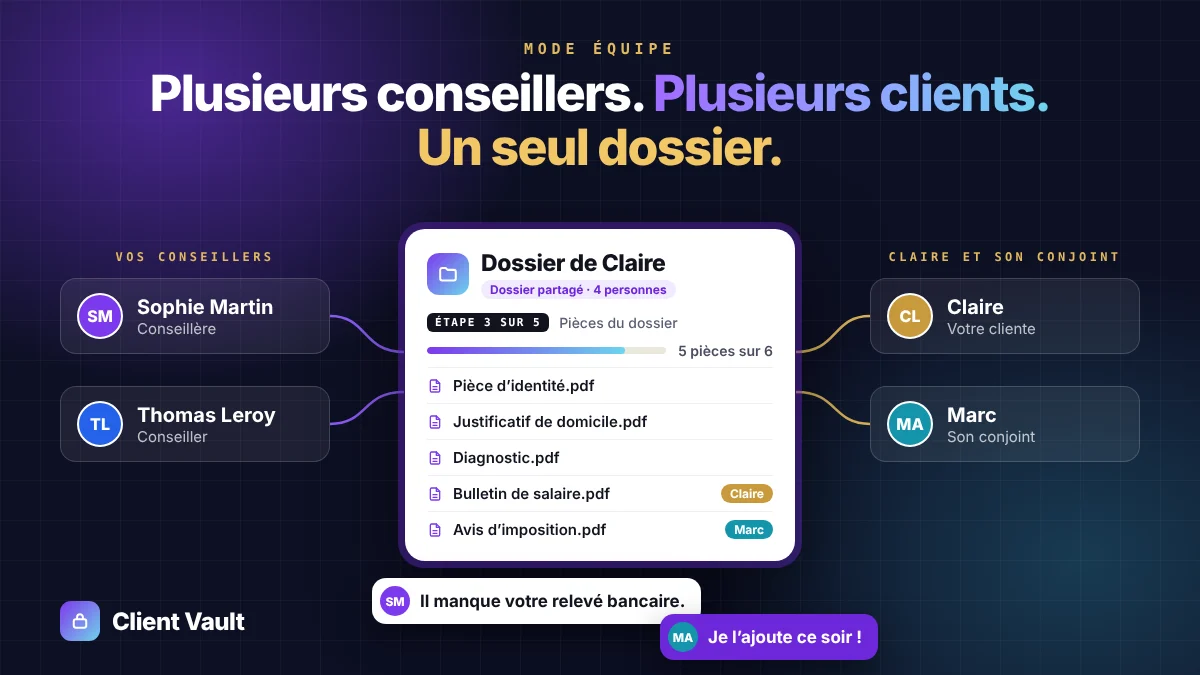
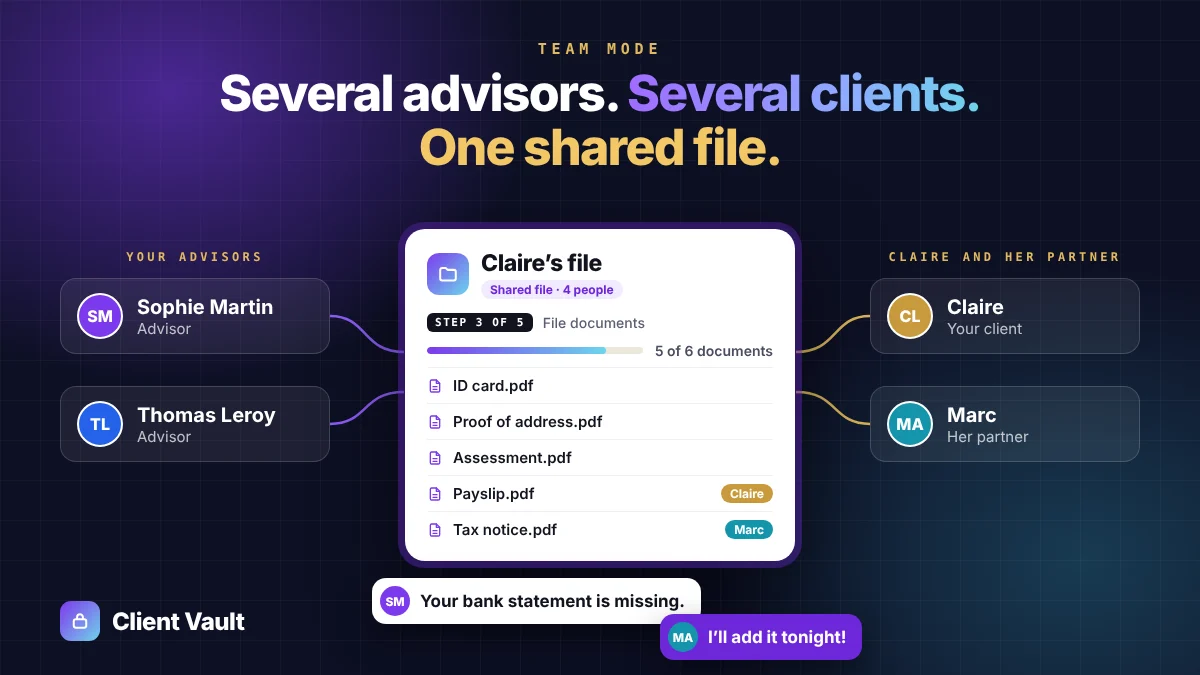
The idea is simple: several advisors, several clients, one shared file. Your team members work together on the same client, each with their own permissions. And on their side, your client can share their file with their partner, their accountant or a relative: each of them adds documents and replies. Truly collaborative follow-up.
⚠️ On Friday at noon, the current offer ends for good.
👉 Lifetime license from €399 instead of €699
👉 Your number of sites doubled
After Friday, prices go up and the number of sites is no longer doubled. These terms won’t come back. This is your last chance to get them.
💡 Team mode is included with licenses for 2 sites or more.
🔗 https://clientvault.pro/en/#tarifs
The offer ends Friday, October 23 at 12:00 Bucharest time (11:00 Paris, 5:00 a.m. New York, 9:00 UTC).
Thank you to everyone who has followed Client Vault from the start. 🙏
Dragan
⏳ Le mode Équipe sort vendredi, et l’offre actuelle s’arrête au même moment
Bonjour à toutes et à tous,
Petite annonce importante : le mode Équipe de Client Vault sort vendredi 23 octobre. 🎉
Le principe est simple : plusieurs conseillers, plusieurs clients, un seul dossier. Vos collaborateurs travaillent ensemble sur le même client, chacun avec ses droits. Et de son côté, votre client peut partager son dossier avec son conjoint, son comptable ou un proche : chacun ajoute ses documents et répond. Un suivi vraiment collaboratif.
⚠️ Vendredi à midi, l’offre actuelle s’arrête définitivement.
👉 La licence à vie dès 399 € au lieu de 699 €
👉 Le nombre de sites doublé
Après vendredi, les prix augmentent et le nombre de sites ne sera plus doublé. Ces conditions ne reviendront pas. C’est donc votre dernière chance d’en profiter.
💡 Le mode Équipe est inclus dans les licences de 2 sites et plus.
🔗 https://clientvault.pro/fr/#tarifs
Fin de l’offre : vendredi 23/10 à 12 h (heure de Bucarest), soit 11 h à Paris.
Merci à tous ceux qui suivent Client Vault depuis le début. 🙏
Dragan
New promo video !
Find out what Client Vault does in two minutes.
So, what do you think?
Thanks to Teddy for his feedback. What he saw came from a specific server configuration. We took the opportunity to review the whole plugin.
- Vault agenda: your clients see all their deadlines, from journey steps to document requests.
- Journeys: duplicate a journey, a step or a sub-step in one click.
- Reliability: your vault and your admin stay clean, on every hosting setup.
- New banner: the admin tells you when WordPress error display is on, with the setting to change.
- Personal data: deleting a client's data now covers all their journey data.
Recommended update, one click from your WordPress dashboard.
Any question, or a doubt about compatibility with your server? Post in the community or contact support: I reply quickly.
Thanks again to Teddy!
Hi Client Vault family,
Version 20.36 is out. It answers requests you have often sent me.
Your brand instead of mine
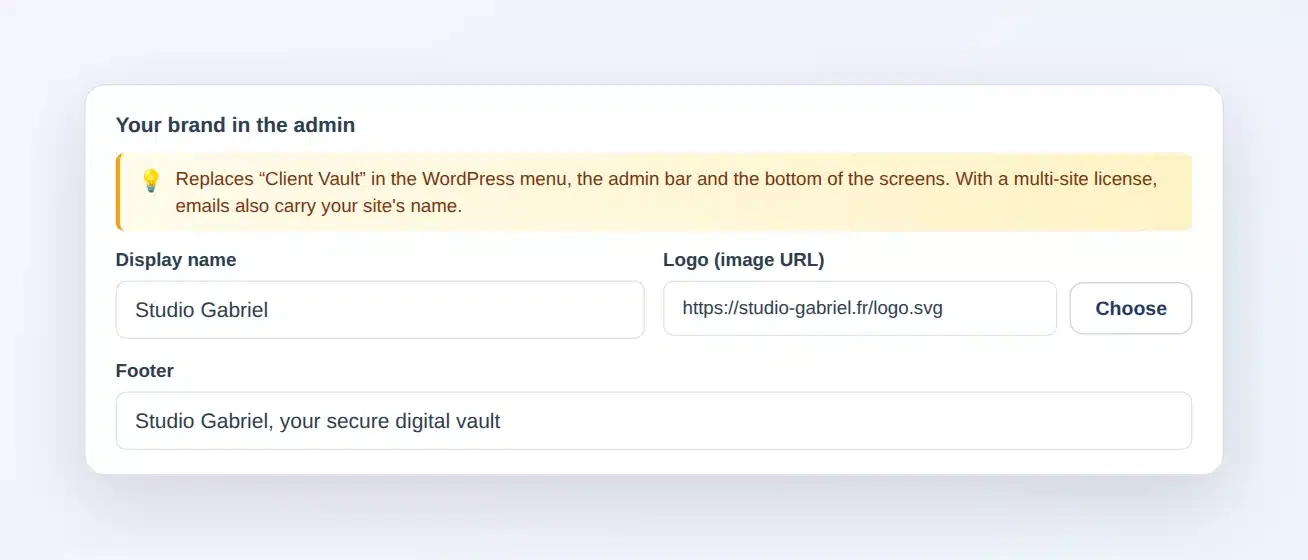
In the settings, Appearance tab, you enter your name, your logo and your footer. They replace "Client Vault" everywhere in the admin, and emails are sent in your site's name. It is included in multi-site licenses.
Your encryption key in one click
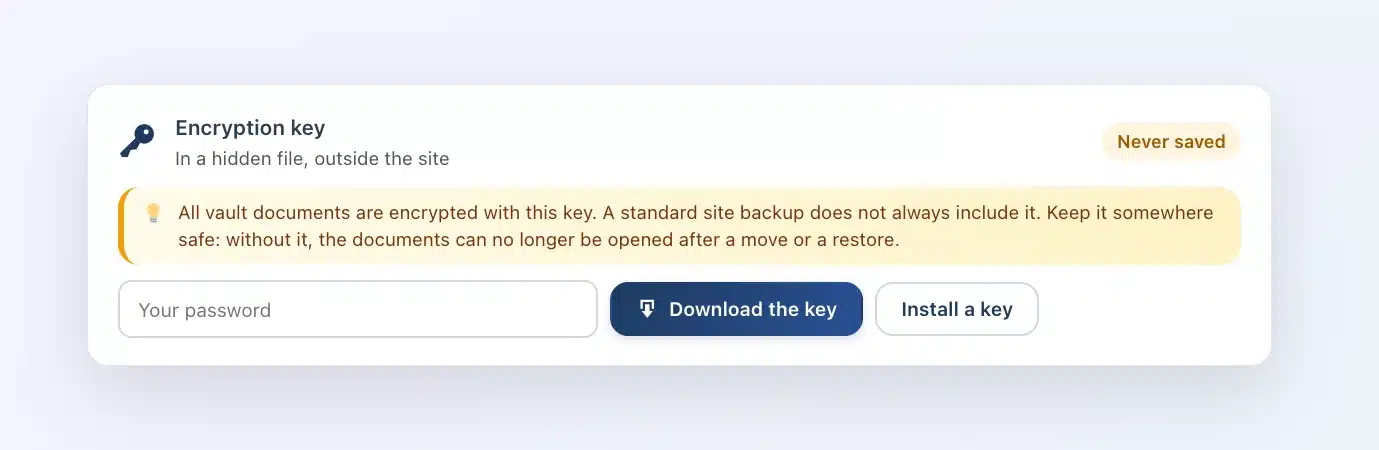
In the Security tab, you download your key. After changing hosts, you put it back, and Client Vault checks that it opens your documents.
A guided start
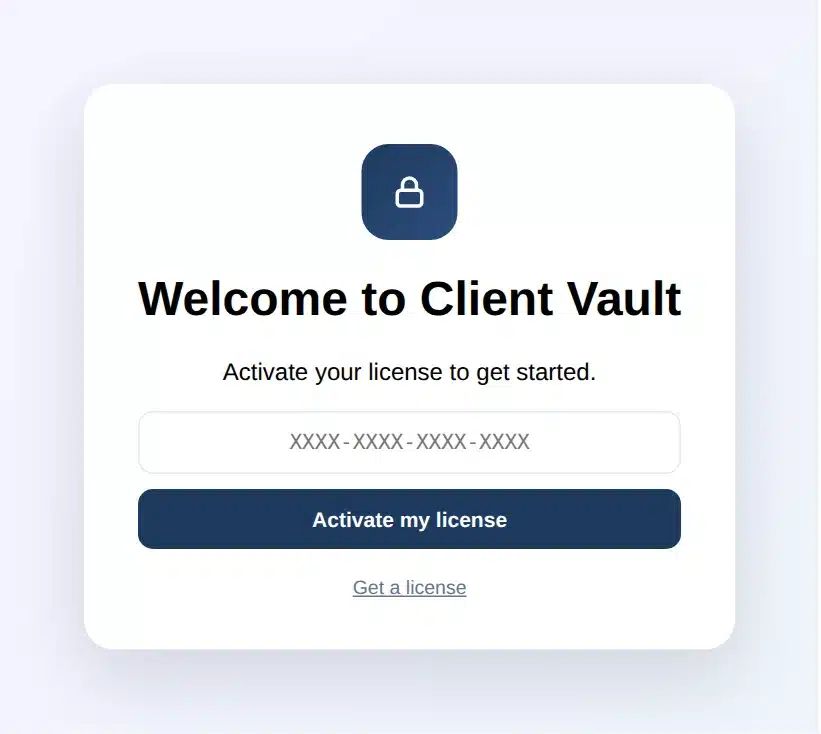
On activation, a welcome screen greets you. The wizard then walks you through to your first client.
Keep everything or erase everything
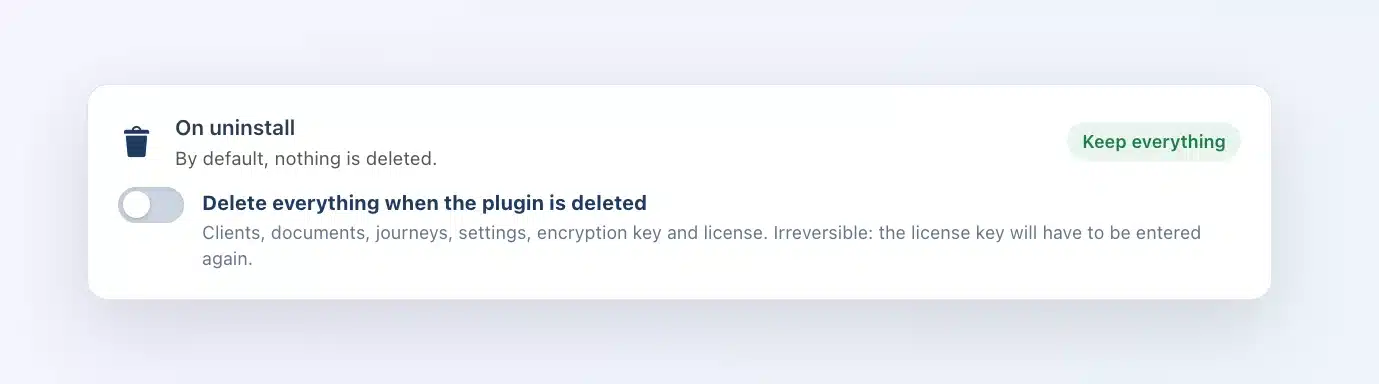
By default, deleting the plugin leaves everything in place. A new switch, "On uninstall", lets you erase everything, license included, the day you want to start from scratch.
The update is waiting in your WordPress admin. Remember to download your key right after: it takes a minute.
Full article: https://clientvault.pro/en/client-vault-20-36-update/
Thank you all,
Dragan
Hi Client Vault family,
I’ll be straight with you: you told me more than once that when you landed on clientvault.pro, you didn’t always know where to start. Client Vault has grown a lot since it opened in May, and the website kept adding each new feature after the last one.
So I rebuilt the website from scratch. It’s live in our seven languages.
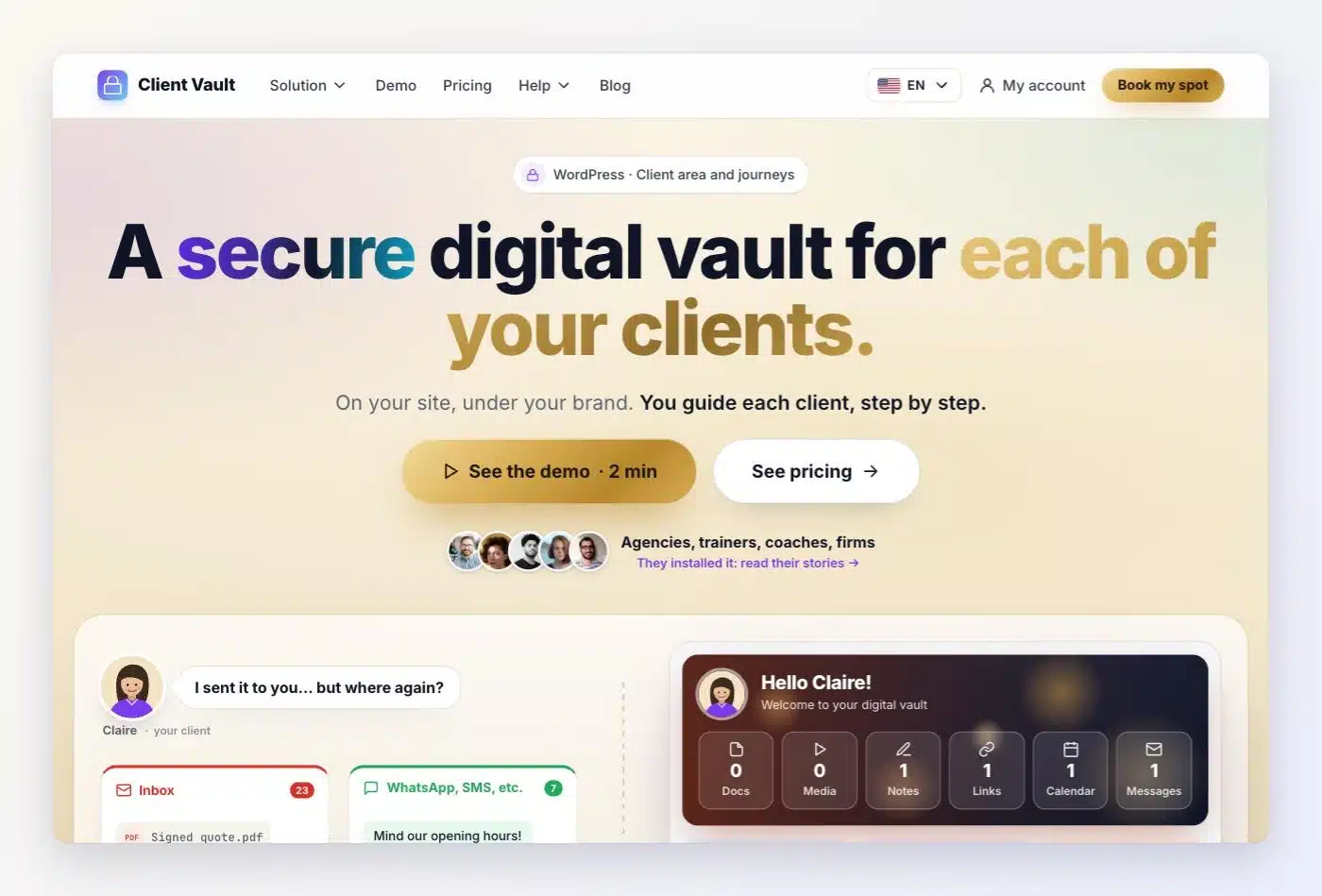
A clear page, with the real screens
At the top, one promise: a secure digital vault for each of your clients. Then one section per feature, little text and the real screens of the plugin. The website shows both sides: you, who install Client Vault, and your client, who opens their vault.
The same logic as every Sdravobiz website
The menu fits in five items: Solution, Demo, Pricing, Help and Blog. Under Solution, each feature has its own line and a short description. It’s the same structure as FunnelCart, BookingLeads, Maymoune and Pricati: once you know one of our websites, you know your way around all of them.
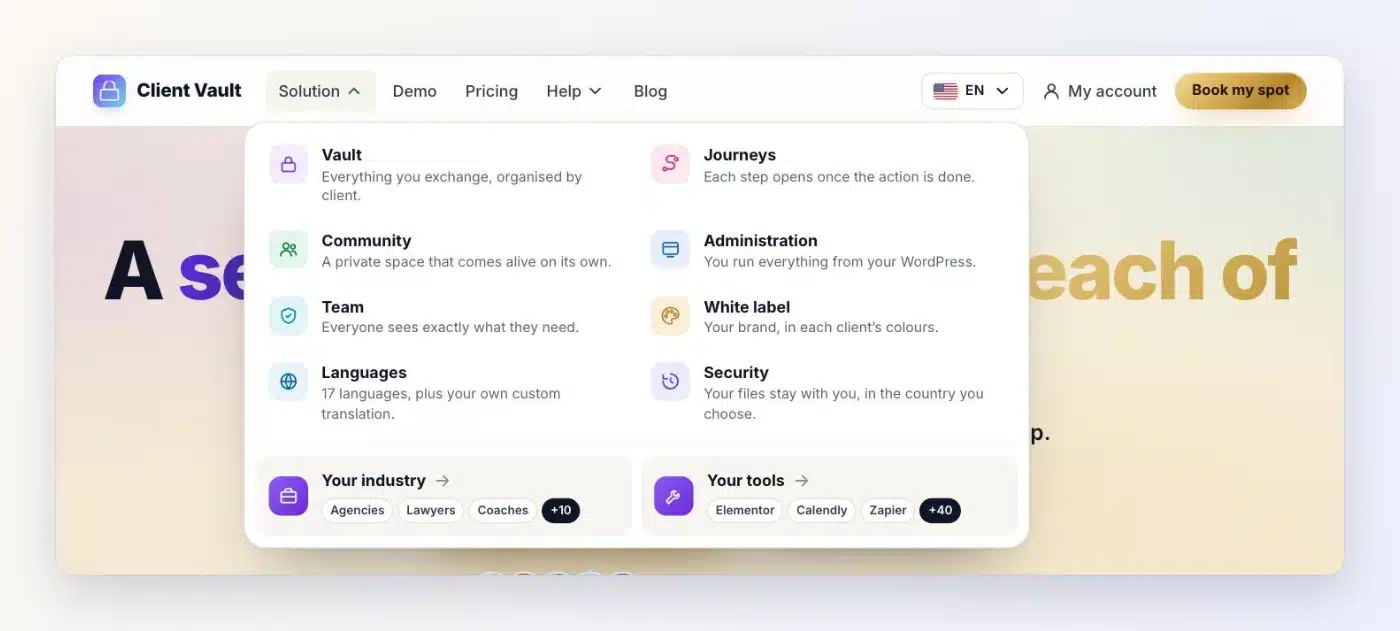
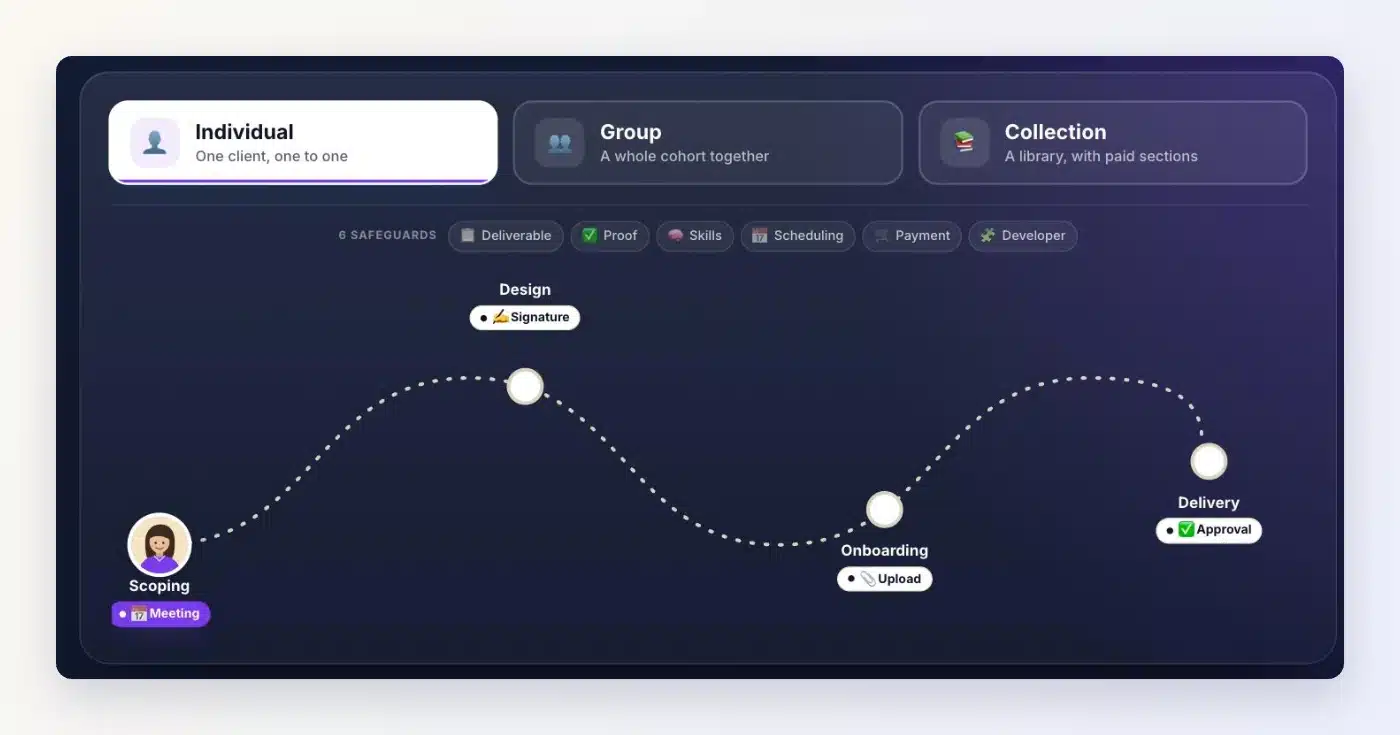
The vault and journeys, explained simply
The vault organises everything you exchange with each client: documents, media, notes, links, calendar and messages. Journeys guide a client step by step, as an individual, a group or a collection, even with no documents in their vault.
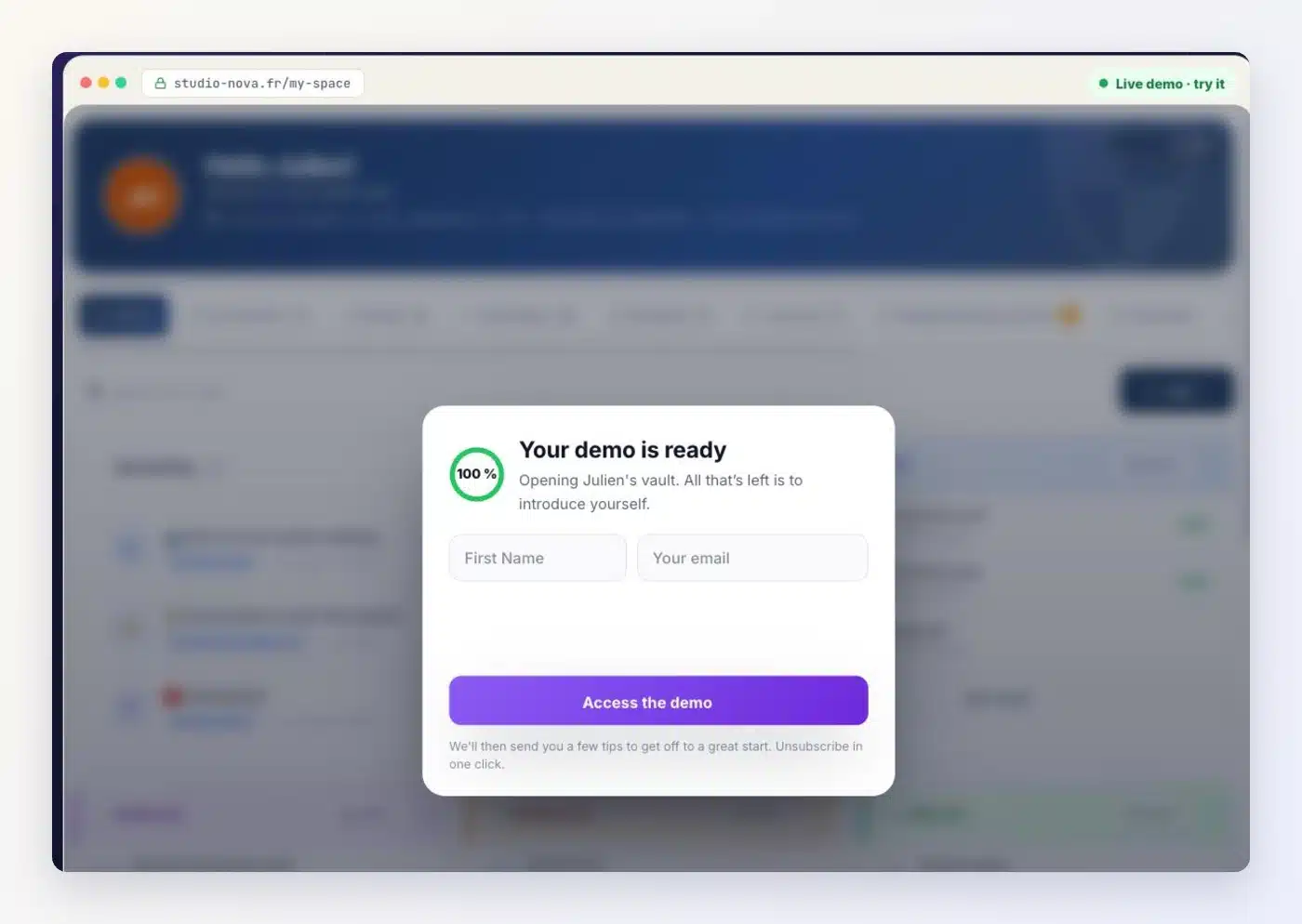
The demo, ready in a few seconds
It’s the request I’ve heard most. On the Demo page, you enter your first name and your email, and the real screens open in a few seconds: the vault, journeys, the community, the admin. Click around as much as you like. The guided video tour and the video demo are still there if you prefer.
On the plugin side, everything keeps moving: updates keep coming, and your data stays on your server.
Read the full article: The new Client Vault website
Try the demo: Client Vault live demo
The other pages of the website will follow the same path. Tell me in the comments which page you’d like me to make clearer first.
Thanks,
Dragan


Hi Dragan, Client Vault is so awesome. It's upto one's imagination what can be achieved with Client Vault and its features.
I have a feature request. Can you add fluent affiliate sales as a step or action in Journey? If it is possible, please add this feature. So that the members or clients complete this step to progress to next step and unlock more journeys and earn affiliate commission at the same time.
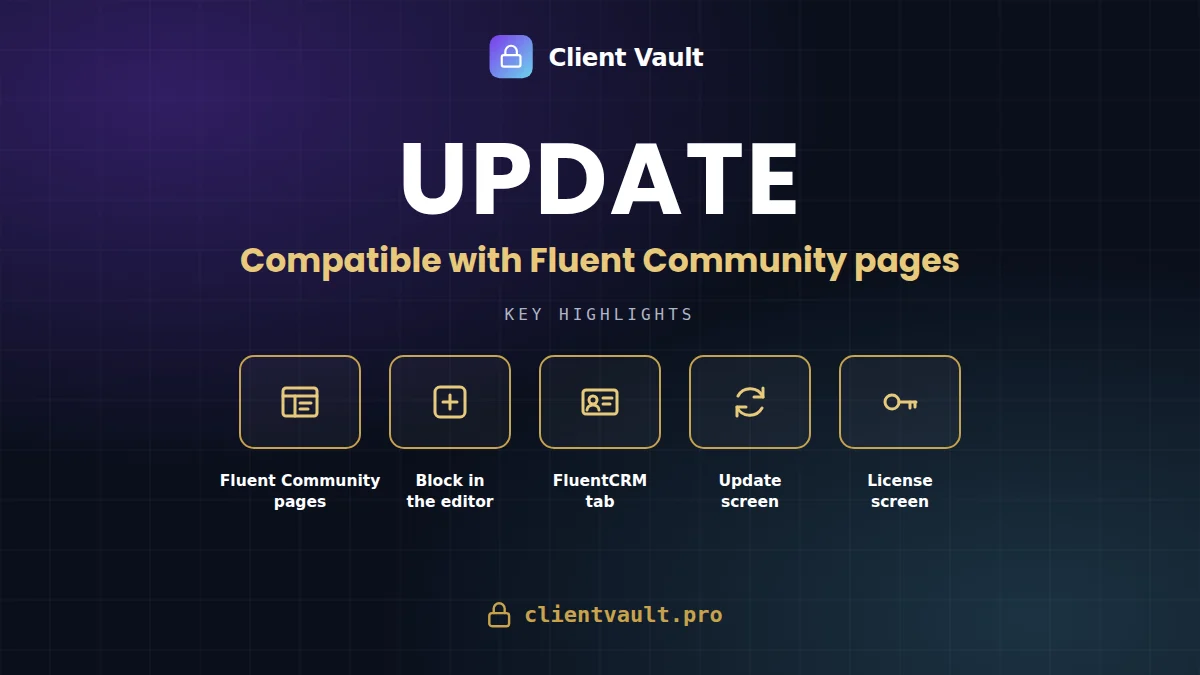
Client Vault 20.33 is compatible with the new Fluent Community Space Pages. The complete vault is displayed there, with a dedicated block in their editor. The vault in the FluentCRM contact record now fits into a single tab, and updates are handled via a new clear screen. Your data remains on your server.
Since 20.22, I have delivered a long series of versions. Some fix issues, others add entire new features. I prefer to explain what’s new rather than letting it remain unnoticed in a technical log: this reflects the same commitment to transparency I apply to the product. I won’t list everything here; I’ve grouped the essentials by theme. The version-by-version details remain in the complete changelog.
What’s new, at a glance
- Fluent Community Space Pages : the complete vault is displayed within the new Pages feature, spanning the full width of each template.
- Client Vault Block in the Fluent Community editor : it appears in the block list, with its logo and a preview of the actual vault.
- Vault in FluentCRM : everything fits into a single ‘Client Vault’ tab, with Contents, Activity, and Message.
- New Update Screen: full screen, visible steps, version new features, automatic return to the dashboard.
- Automatic Updates: can be activated with one click from the Extensions page.
- New License Screen: plan, key, expiry date, and update status gathered in one place.
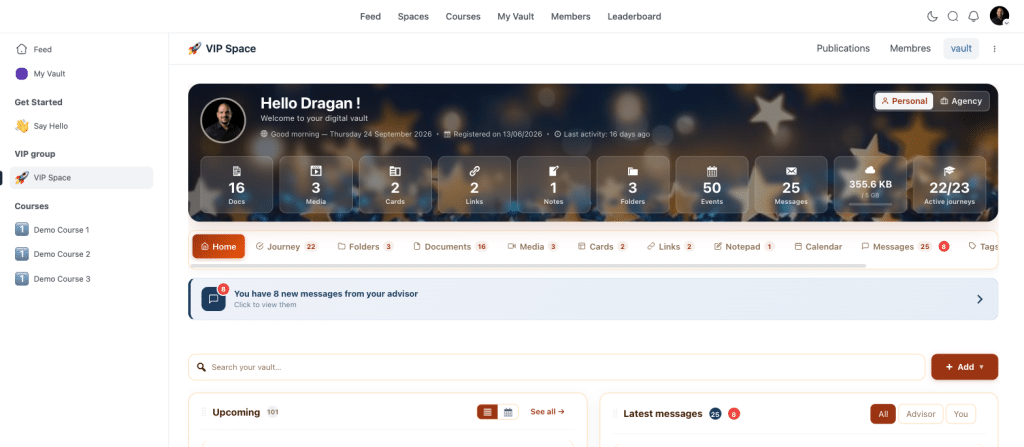
Compatible with new space pages
Client Vault already works with Fluent Community, as well as with extensions that allowed integrating pages into a space. Fluent Community now offers its own feature: space pages, built directly into its editor. Client Vault 20.33 is compatible with this new feature.
In a space page, the vault displays in its entirety, exactly as on a normal page: dashboard, documents, journeys, messaging, calendar. It respects the page templates offered by Fluent Community and occupies the full available width. Internal vault links remain within the space; links to the rest of the site open normally.
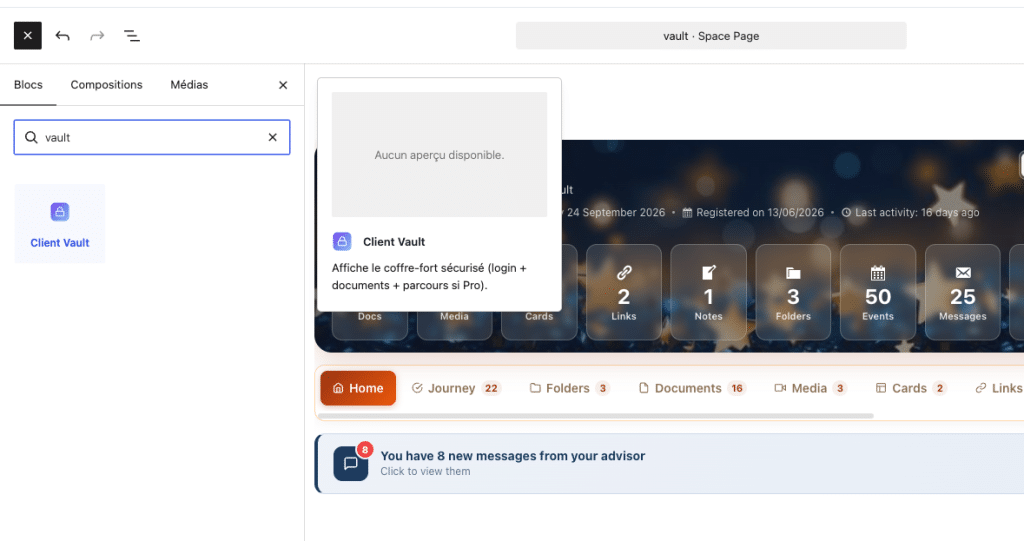
From a construction standpoint, the space page editor only accepts a closed list of blocks. The Client Vault block is now included. Type “vault” in the block search, and it appears with the Client Vault logo. Once placed, the editor shows a full preview of the actual vault, allowing you to assess the layout before publishing. Existing pages where the block was marked “unsupported” automatically repair themselves upon opening.
A final detail that matters in use: the vault’s scrollbar is discreet and only appears during scrolling. The vault blends into the space instead of looking like a window placed on top. All combinations with your other tools are described on the community integration page.
For WordPress agencies, two filters allow adjusting behavior without touching the plugin’s code: cv_afficher_en_cadre decides if the vault is displayed in its integrated frame, and cv_charger_assets_coffre forces the loading of vault files on a page built differently. Deployment remains reproducible from one client to another: same block, same page, same result.
The vault in FluentCRM, clarified
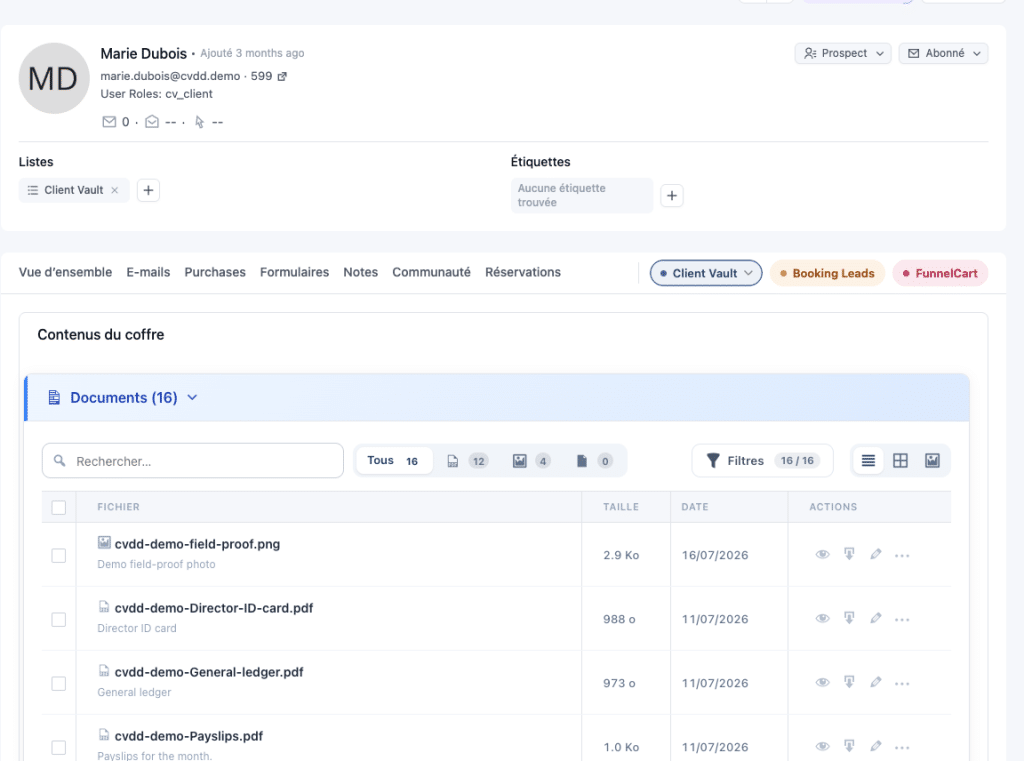
The client’s vault was already viewable in their FluentCRM contact record. This version evolves it: everything now fits into a single “Client Vault” tab, with three entries: Contents, Activity, and Message. You view the client’s documents, track what they’ve done in their vault, and write to them, without leaving your CRM.
This tab shares the same style as my other extensions present in the record, such as BookingLeads and FunnelCart. The record remains readable, even when multiple tools add their information to it. Everything you see there is read from your own database: nothing passes through a third-party service. To go further, see the email and CRM integration page.
Stress-free updates, a readable license
An update should never be a moment of anxiety. When you launch a Client Vault update, a full-screen display takes over: a progress bar, current steps, new features in the version, then an automatic return to the dashboard. You always know where you stand.
Under the hood, I have made the process more robust. If the primary download fails, a backup download takes over, with the same security controls. Update verification remains fast even when the license server is unresponsive, and no longer delays the detection of updates for your other extensions. Several installation blocks, which affected certain configurations, have been corrected.
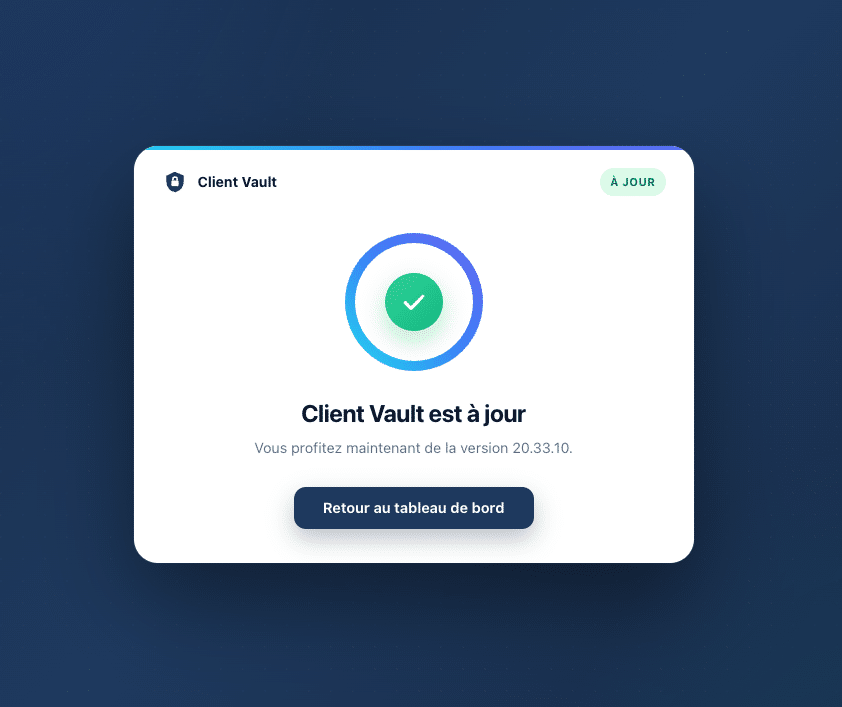
You can also enable automatic updates directly from the Extensions page, just like any other WordPress extension. The Client Vault line clearly indicates the publisher, Sdravobiz, with links to the official website, documentation, FAQ, and support. The store, licenses, and support are now consolidated on sdravobiz.com.
Finally, the new License screen displays the essentials in a single view: your plan, your license, your key, its expiry date, and the update status. A lifetime license no longer displays a false expiration date, and the old, outdated price table has been removed. Current offers are on the pricing page.
Also, useful corrections
Several corrections improve daily use. The language chosen by a client applies only to their vault, and the rest of the site retains its own language. Vault files are loaded only on the pages where it is displayed, which keeps your other pages lightweight. And the vault placed using the Gutenberg block or a page builder retains all its formatting.
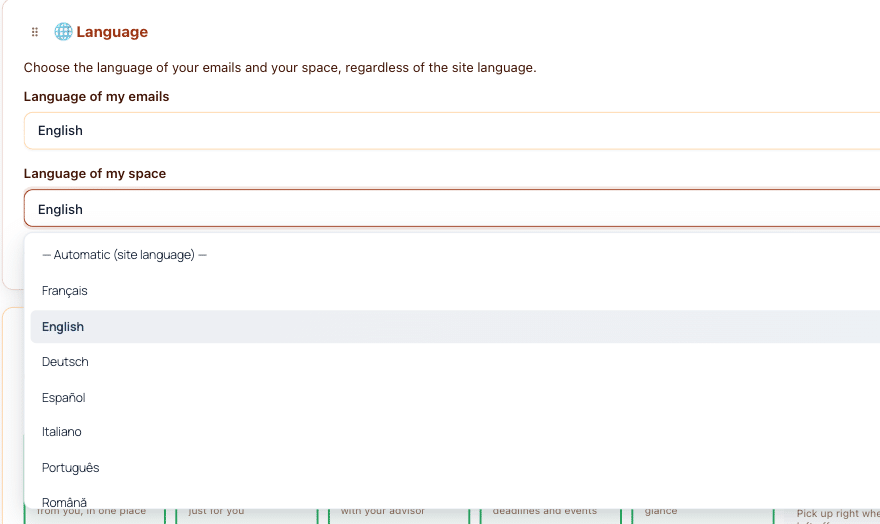
Choisissez facilement la langue de vos e-mails et de votre espace personnel.
Our course remains unchanged
None of these new features move your data. The vault displayed in Fluent Community is the same vault, served by your WordPress, on your hosting. The FluentCRM card reads your database. Updates check your license, not your clients’ content. I do not see anything you store, and that is by design.
One limitation, to be honest : in Fluent Community, the vault appears within a frame integrated into the space page, and the preview in the editor is for judging the layout, not for using the vault. The vault is configured from the vault itself. And the Fluent Community editor evolves quickly : I validated this integration on its current version, and I will adapt it if their editor undergoes significant changes.
Next step
If you already use Client Vault, the update will appear in your WordPress dashboard. If you are still hesitant, the easiest way is to see the vault in action in a real Fluent Community space, via a video demo. The offers are detailed on the pricing page.