


New promo video !
Find out what FunnelCart does in one minute.
So, what do you think?
Hi FunnelCart family,
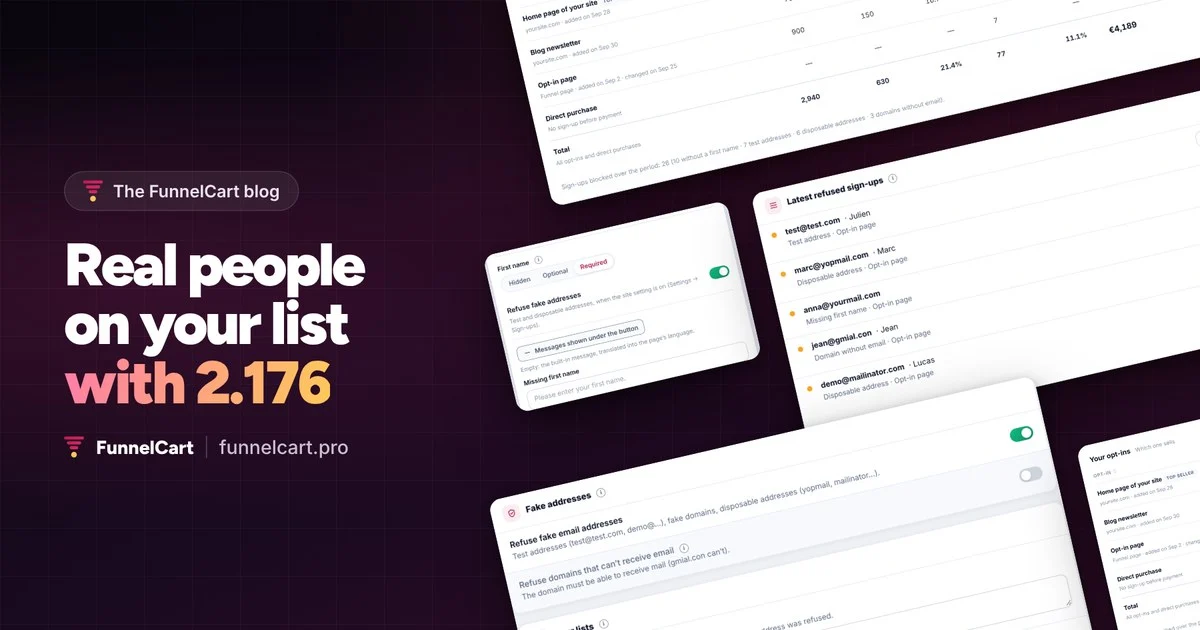
FunnelCart 2.176 is out. This release looks after the quality of your list: every subscriber is a real person, with a first name and an address that gets your emails.
The first name, page by page
Each opt-in page chooses: first name hidden, optional or required. Your welcome sequences greet everyone by name, and the server checks what comes in, compound and accented names included.
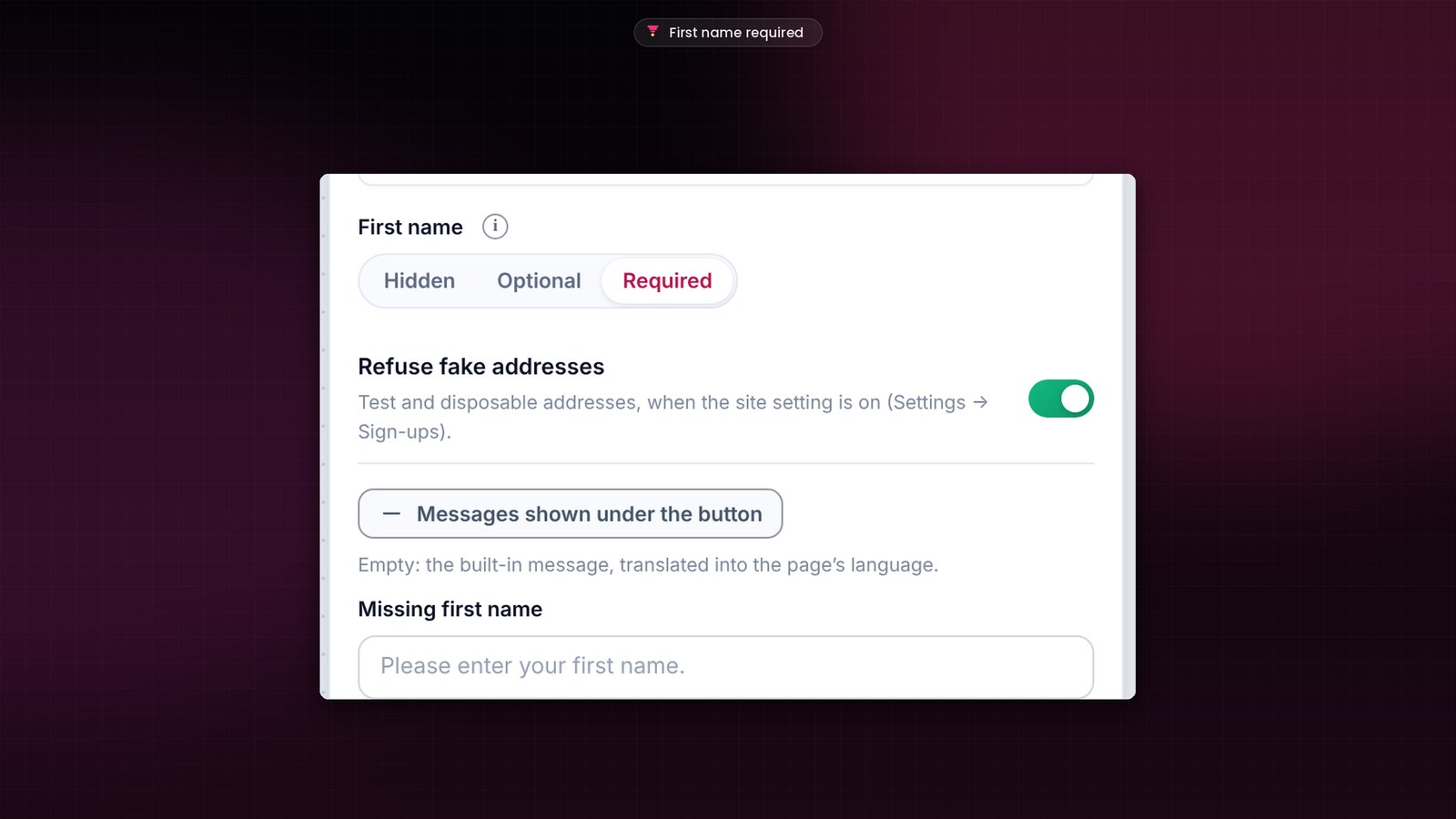
Real addresses only
The new Settings, Sign-ups screen refuses test addresses, made-up domains and nearly 10,000 disposable domains, right at sign-up. A second setting checks that the domain can receive mail. Your “Always accept” and “Always block” lists give you the final say.
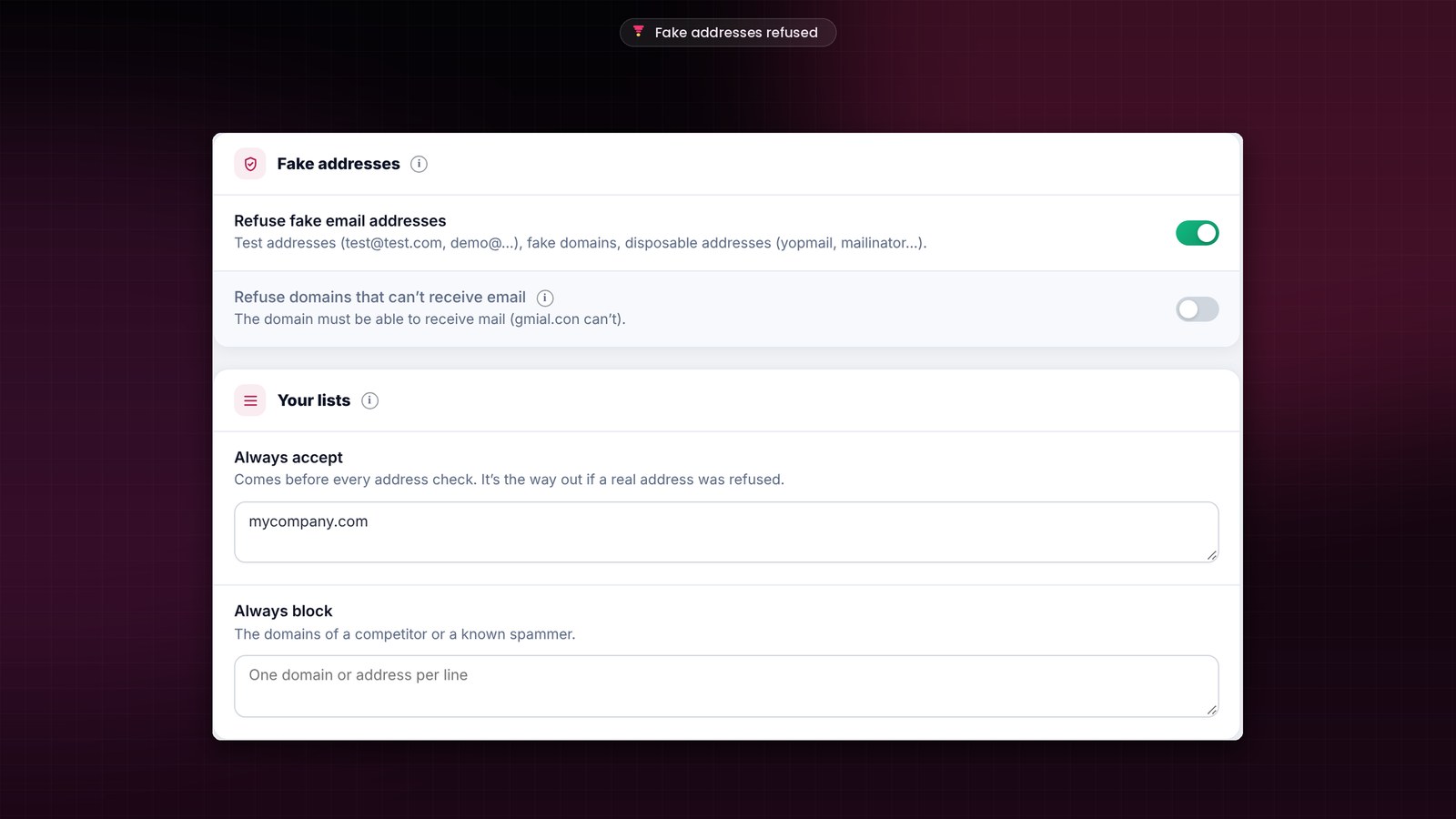
You see everything the funnel sorted out
Each refusal is listed with its reason, and one click accepts a domain. In the analytics, under “Your opt-ins”, you see how many sign-ups were blocked over the period.
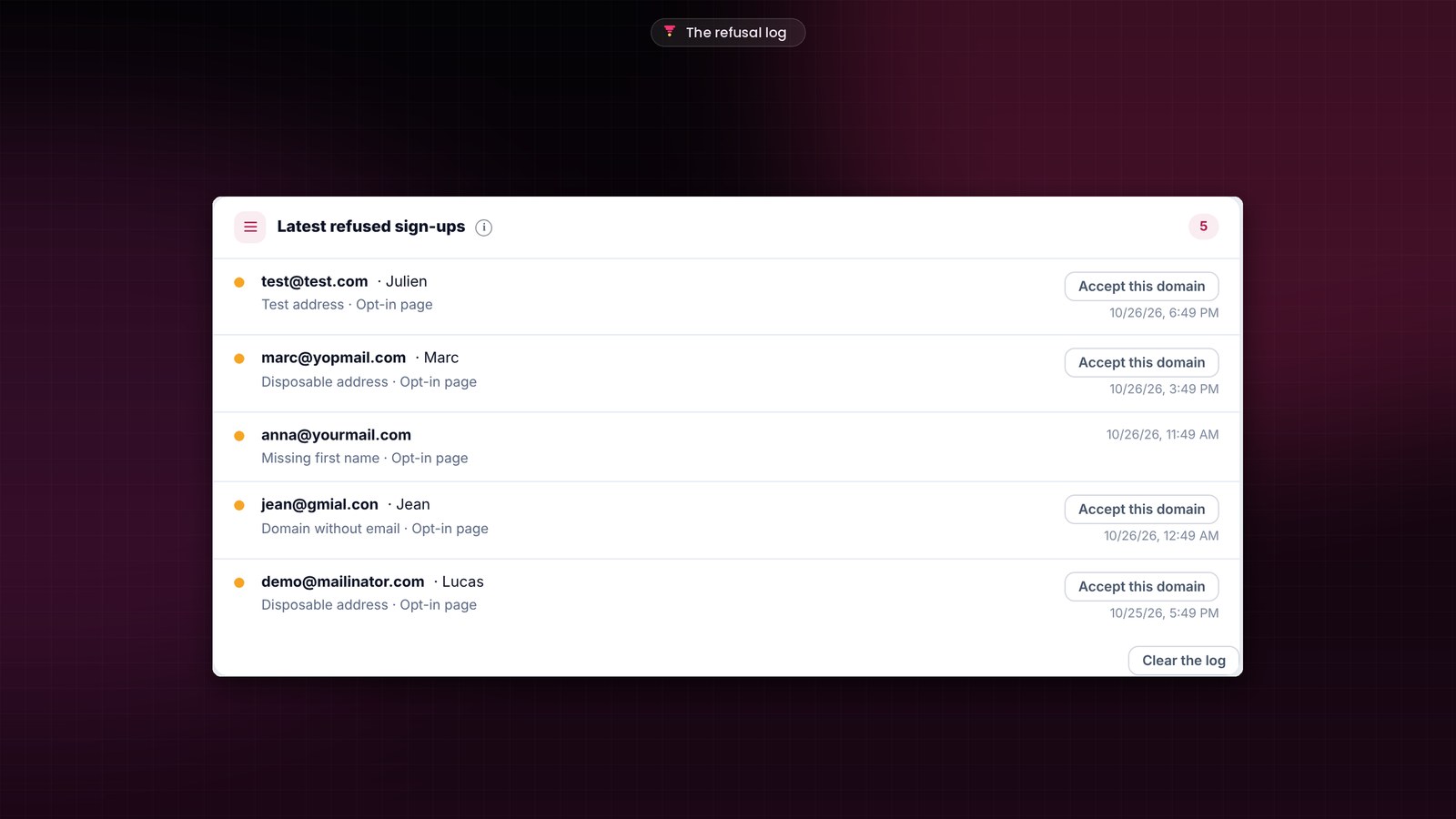
The messages under the button show in the page’s language, and you can write your own. Only accepted sign-ups enter your funnel and your CRM. And purchases made in the store, outside any funnel, keep their FluentCart receipt.
The update installs in one click, from your WordPress banner. Your funnels, pages and settings stay in place.
The full story, with screenshots: https://funnelcart.pro/en/funnelcart-2-176-release/
The full changelog: https://funnelcart.pro/en/changelog/
Which opt-in page will you switch to a required first name first?
Thanks for your trust!
Dragan
Hi FunnelCart family,
FunnelCart 2.175 is out. It’s the biggest update since launch: your leads don’t all come through the same door, and now each of them can follow its own path to the purchase.
Several journeys in one funnel
Your funnel now holds several opt-ins and several sales pages, linked the way you want. New visitors read your full sales page, your newsletter subscribers a short one, and everyone reaches the same checkout. It’s like having several small funnels inside a single one.
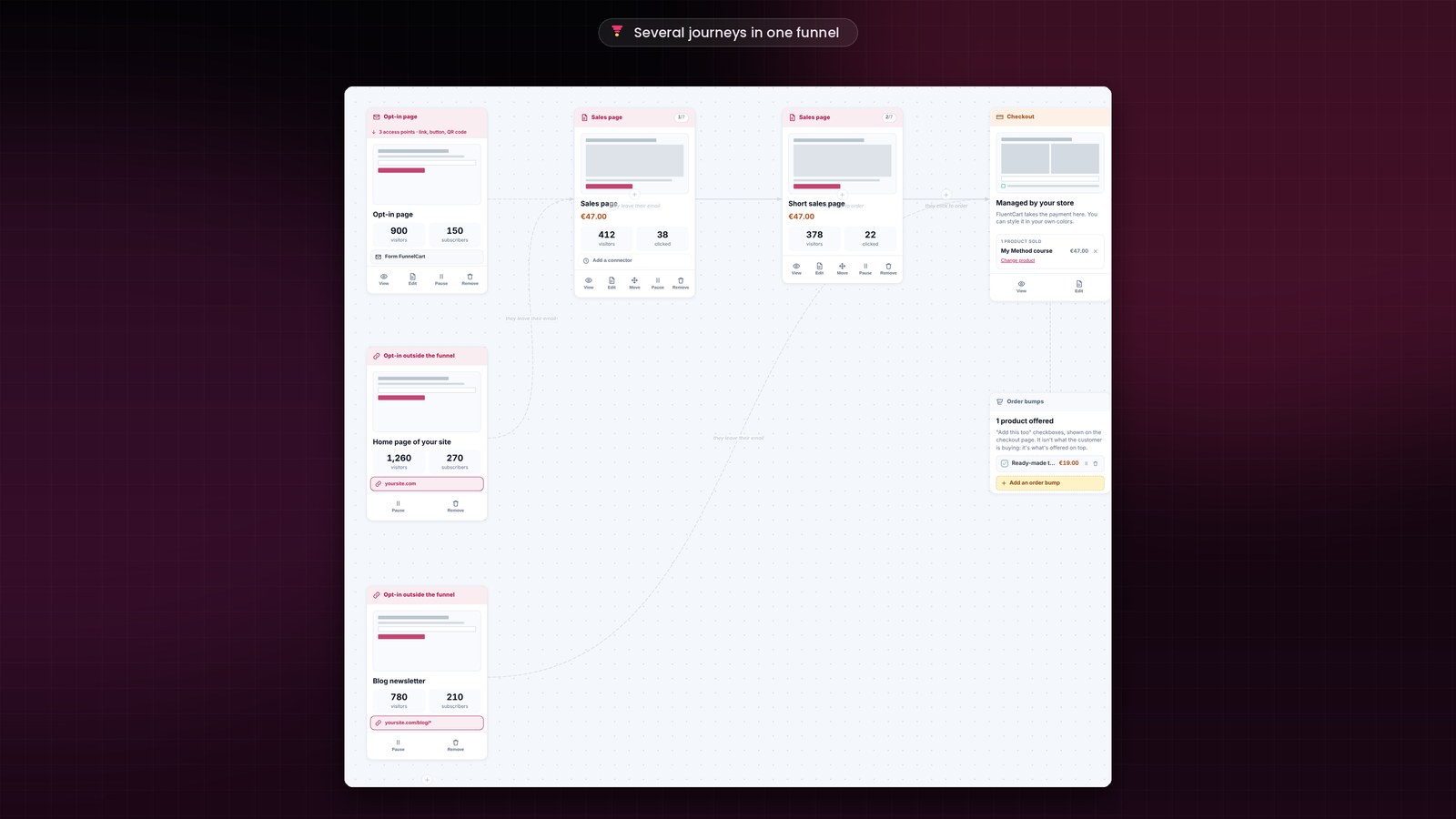
Your forms, wherever they are
For each opt-in, you choose: an opt-in page in the funnel, or an opt-in outside the funnel, on your website, on another site or in an online tool through the webhook. I already do this for Sdravobiz: the forms on clientvault.pro are synced with the Client Vault funnel in my store.
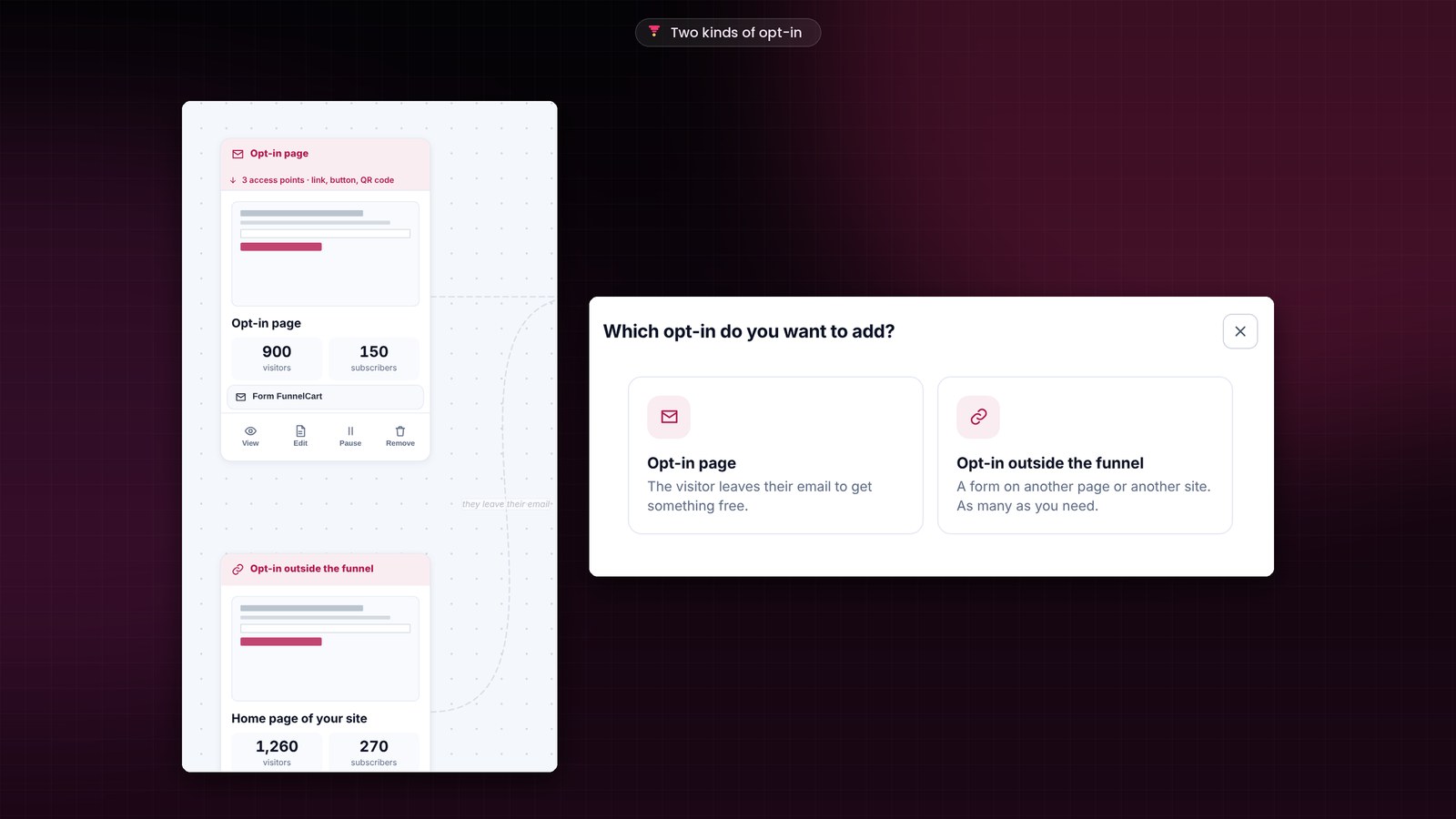
You know which journey makes you sell
The “Your opt-ins” and “Your sales pages” tables put your sources side by side: visitors, subscribers, buyers, revenue. You keep the journey that sells the most.
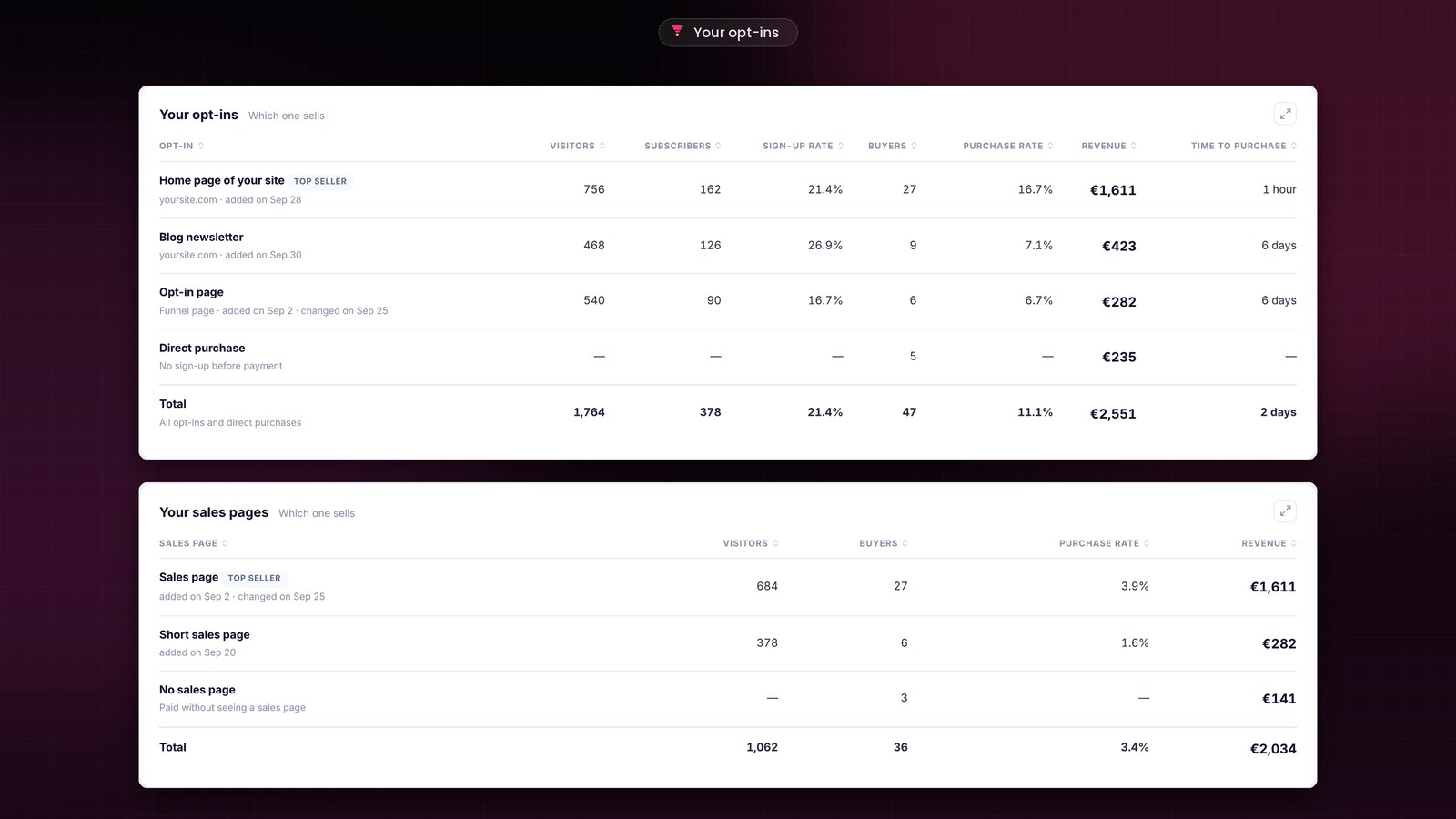
Every table can now be sorted, with a Total row. A paused page sends its visitors where you want, and you erase your tests down to the hour.
The update installs in one click, from the banner in your WordPress admin. Your funnels, pages and settings stay in place.
Full details, with screenshots: https://funnelcart.pro/en/funnelcart-2-175-release/
Full changelog: https://funnelcart.pro/en/changelog/
Which journey will you build first?
Thanks for your trust!
Dragan
Hi FunnelCart family,
FunnelCart 2.174 is out. It comes from my own funnels: I check my numbers every day, and I wanted them to read at a glance.
Your revenue, broken down
Your revenue now reads in four parts: product, order bump, upsell and downsell. At the top of the funnel list, you see your revenue, your add-on sales, your average order value and your top-earning funnel.
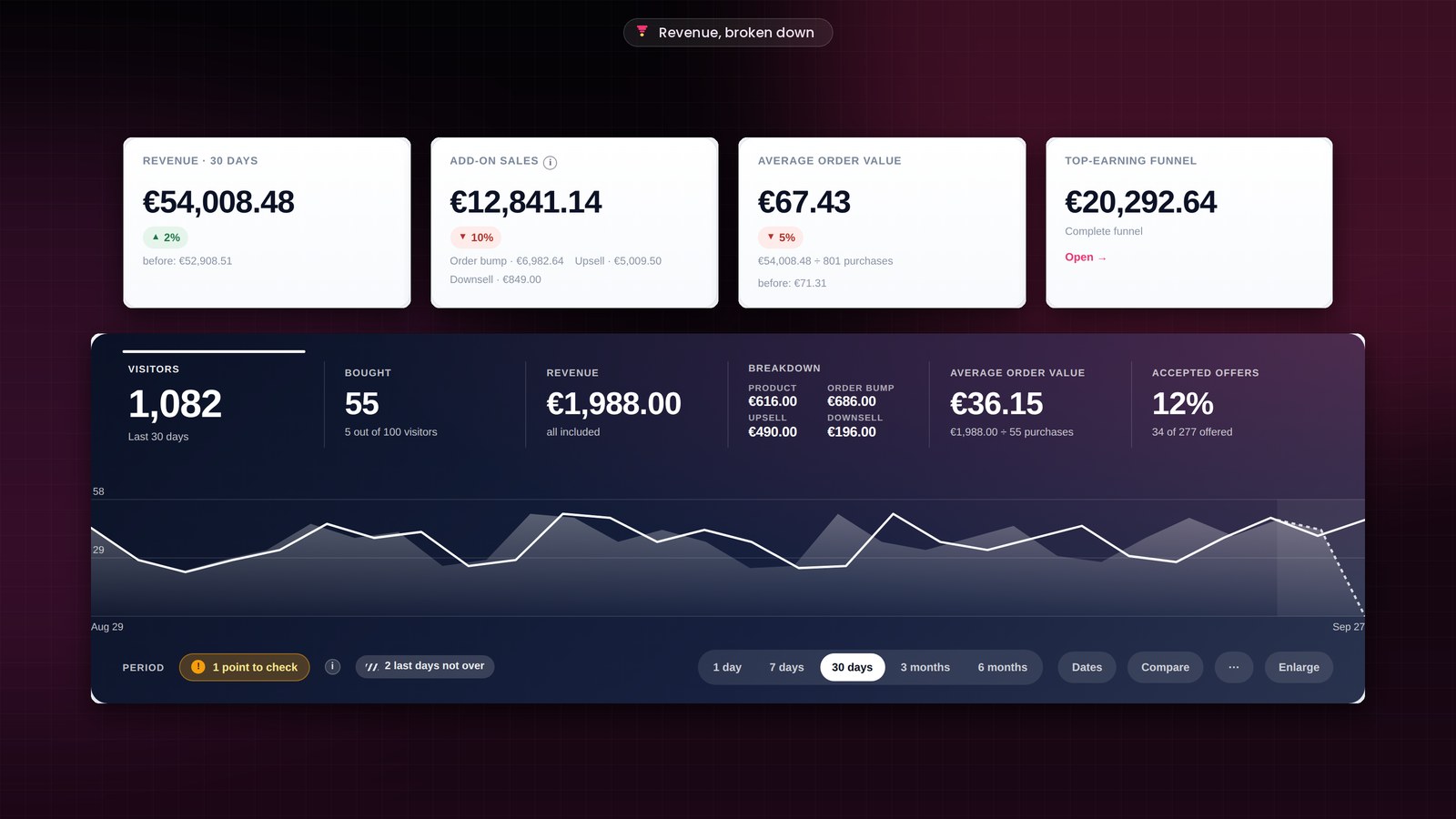
Erase your test data, keep your customers
Erase the data of one funnel, several or all of them, and keep the people you choose. Your FluentCart orders and your contacts stay in place.
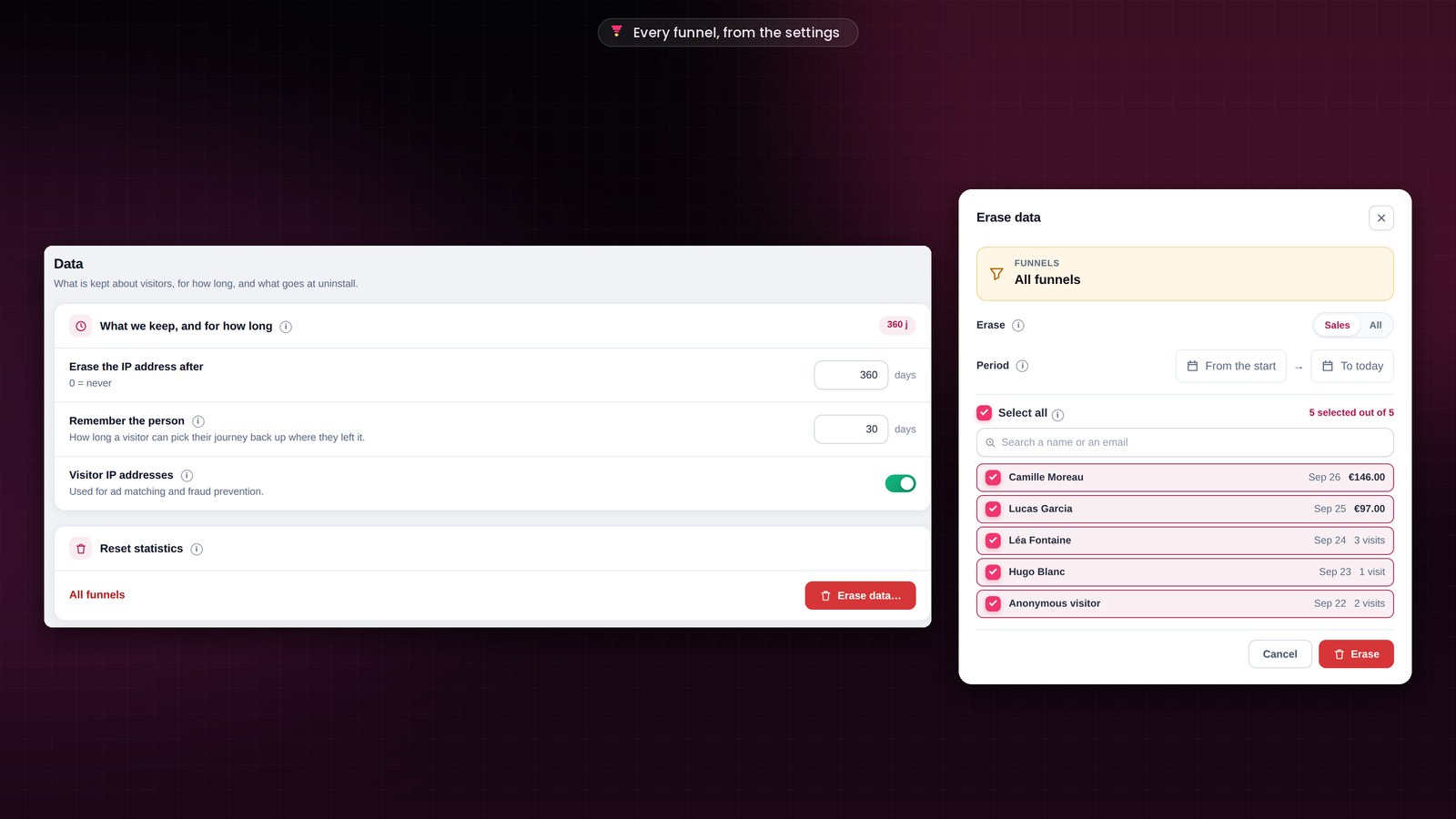
Full-page setup and a new update screen
The license and setup screens open full page, right after activation. And future updates install on a new screen: you follow each step, in a few seconds.

I also checked every screen with numbers, one by one. Everything is accurate to the cent, and the same total shows everywhere. With Stripe, the upsell is a one-click charge even when the customer didn't tick the box to save their card.
The update installs in one click, from the banner in your WordPress admin. Your funnels, pages and settings stay in place.
Full details, with screenshots: https://funnelcart.pro/en/funnelcart-2-174-release/
Full changelog: https://funnelcart.pro/en/changelog/
What would you like to see in the next version?
Thanks for your trust!
Dragan

Welcome to our new FunnelCart WordPress plugin.
More informations here -> https://funnelcart.pro