


It’s finally here: Client Vault Team mode is live!
Hi Client Vault family,
That’s it, it’s out. Team mode is the biggest project Client Vault has seen since its launch. I’ve been working on it for a long time: I built it, tested it, and reworked it screen by screen so it stays simple. Today, I’m proud to introduce it to you. And the result is amazing. Well, I hope you’ll enjoy it.
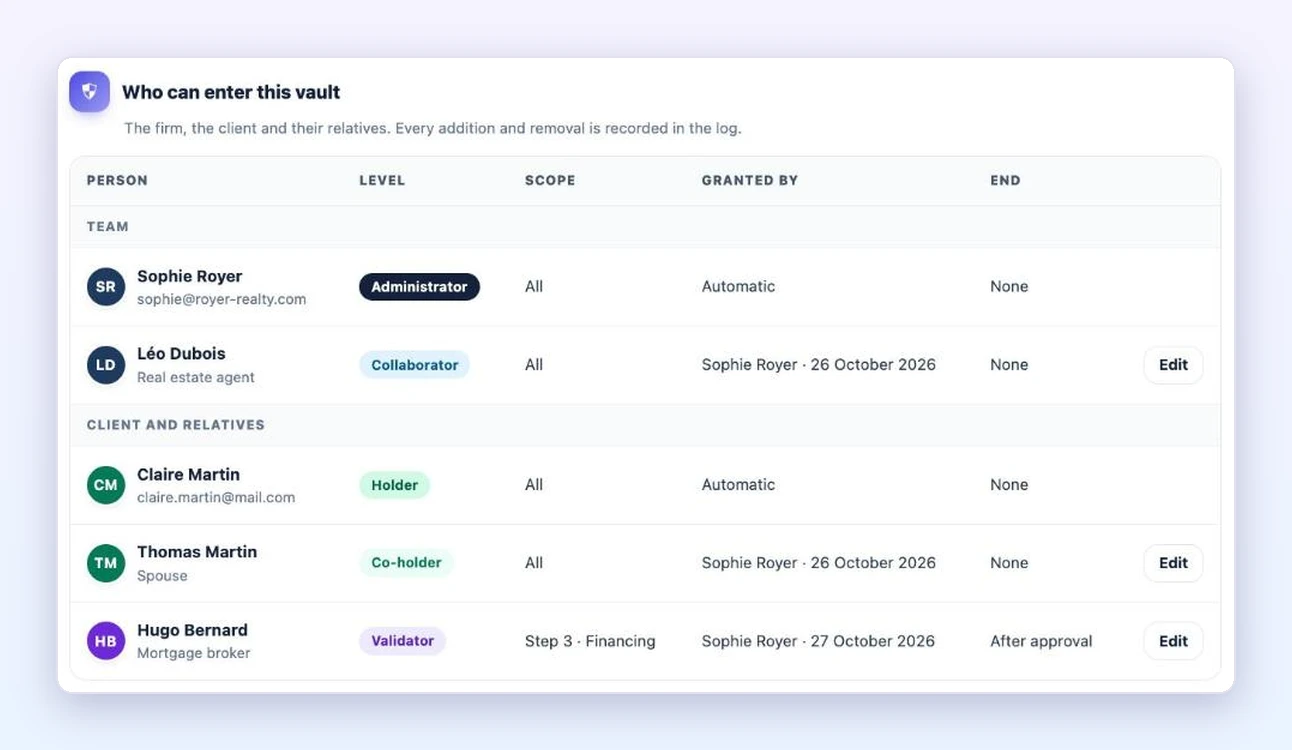
You asked for it many times: working as a team on the same client. With Client Vault 20.42, your team, your client and their loved ones move forward together in the same vault.
Your team in the same vault
You invite your collaborators, and each one follows the clients you assign to them. Your client’s partner or business associate joins the file.
Every step has its owner
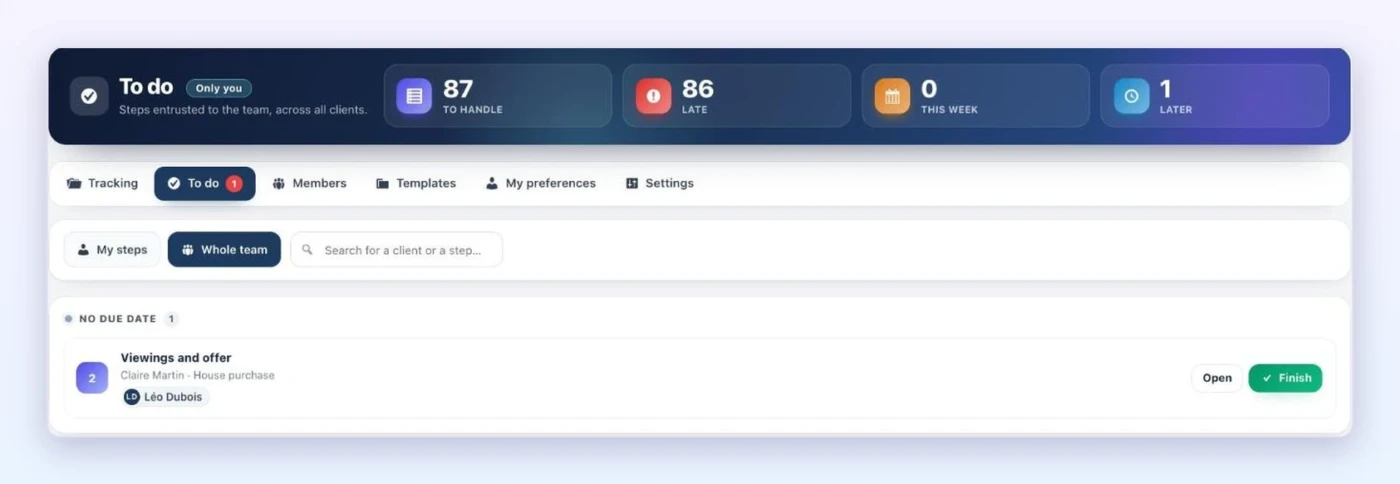
In a journey, you choose who handles each step. Everyone finds their steps in their “To do” list and completes them in one click.
A partner approves their step
Your client’s mortgage broker or accountant receives a link. They see their step and its documents, and approve it in one click.
Tracking for all your files
You see where every file stands, and who needs to act.
[screenshot: Tracking]
And more: file templates, files created from a Fluent Forms form, automatic reminders, a stand-in during an absence, FluentBoards tasks connected to your journey, and file closing with its archive.
Team mode is included in multi-site licenses. The update is waiting in your WordPress admin.
▶ The presentation, in under 2 minutes: https://youtu.be/DxT3IUuQkCg
▶ The step-by-step tutorial, in 3 minutes: https://youtu.be/9F8FWQ9xCbo
Read the full article: https://clientvault.pro/en/client-vault-20-42-update/
Thank you for your patience, it was worth it. Tell me in the comments how you’ll use it in your business.
Thanks,
Dragan

Awesome! Sounds like it's exactly what I need. Thank you!