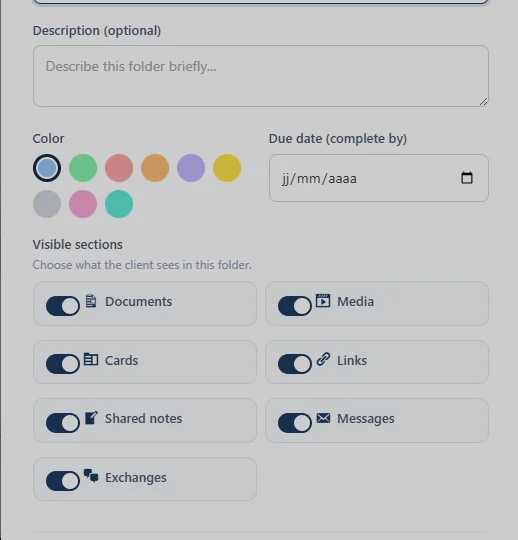
I noticed that there doesn't appear to be a Save or Create button when creating a new folder.
I'm wondering if this is also why nothing happens when I try to move a file into a folder... perhaps the folder isn't actually being created.
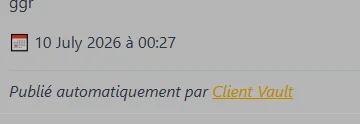
Would you consider letting us change the name of our vault ? MyVault / ClientVault is the default name everywhere (as a slug, as a login page, in announcements - see screenshot below). I'd like to call mine differently. :)

Tomorrow, I'll be sharing another update with yet another game-changing feature.
It's going to be all about courses, and you'll never think of them as courses again :)
Do you have any idea what it is?
PS: There will be one more major update (which will make an even bigger difference) before the arrival of Team Mode, which will have its own dedicated plan. The only difference between Team Mode and Pro Mode will be the ability to add team members for both admins and users. The vault will become shared within a team environment.
After that, the launch offer (with double licenses) will end. So don't hesitate to migrate your offer, as it will never return. Now's the time to earn even more money with Client Vault!

These past weeks, I've barely looked up: I listened to your feedback, opened the hood, and added the bricks many of you had been asking for. The thread running through this release is simple — take manual work off your plate (collecting payments, unlocking steps, chasing deadlines, tracking dates) without ever moving your data off your own server. It's by far the biggest update since 2.0.
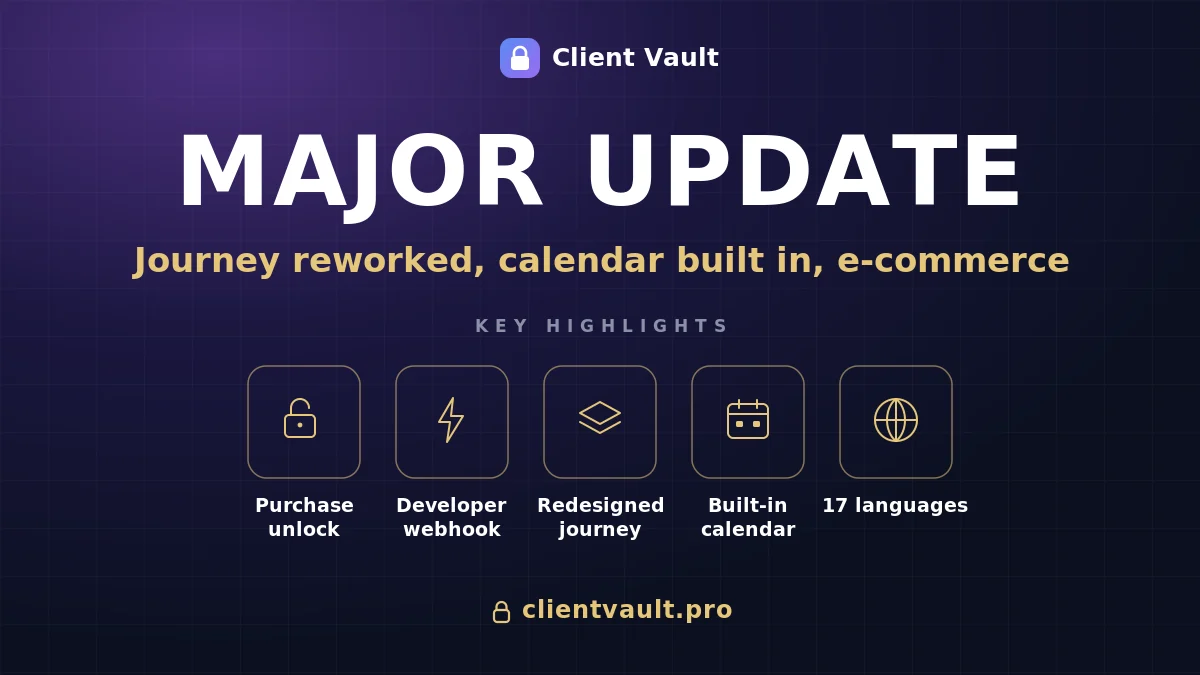
Here are the highlights, plainly:
- A journey step unlocks after a purchase. The client pays right inside the step, and it opens on its own. No more confirming payments by hand.
- A shop built into the journey. A per-journey product showcase, the client's purchases, and an "unlocks step X" badge on the product page: content, sales and progress finally in one place.
- A fully redesigned journey. Cards that take on your journey's color, an icon and color per step, collapsible sessions, and a sliding schedule that gives each client their own pace.
- A real calendar inside the vault. Due dates and expiry dates on all your content, a calendar synced with Google, Apple and Outlook, and email reminders.
Safeguards E-commerce with Fluent Cart
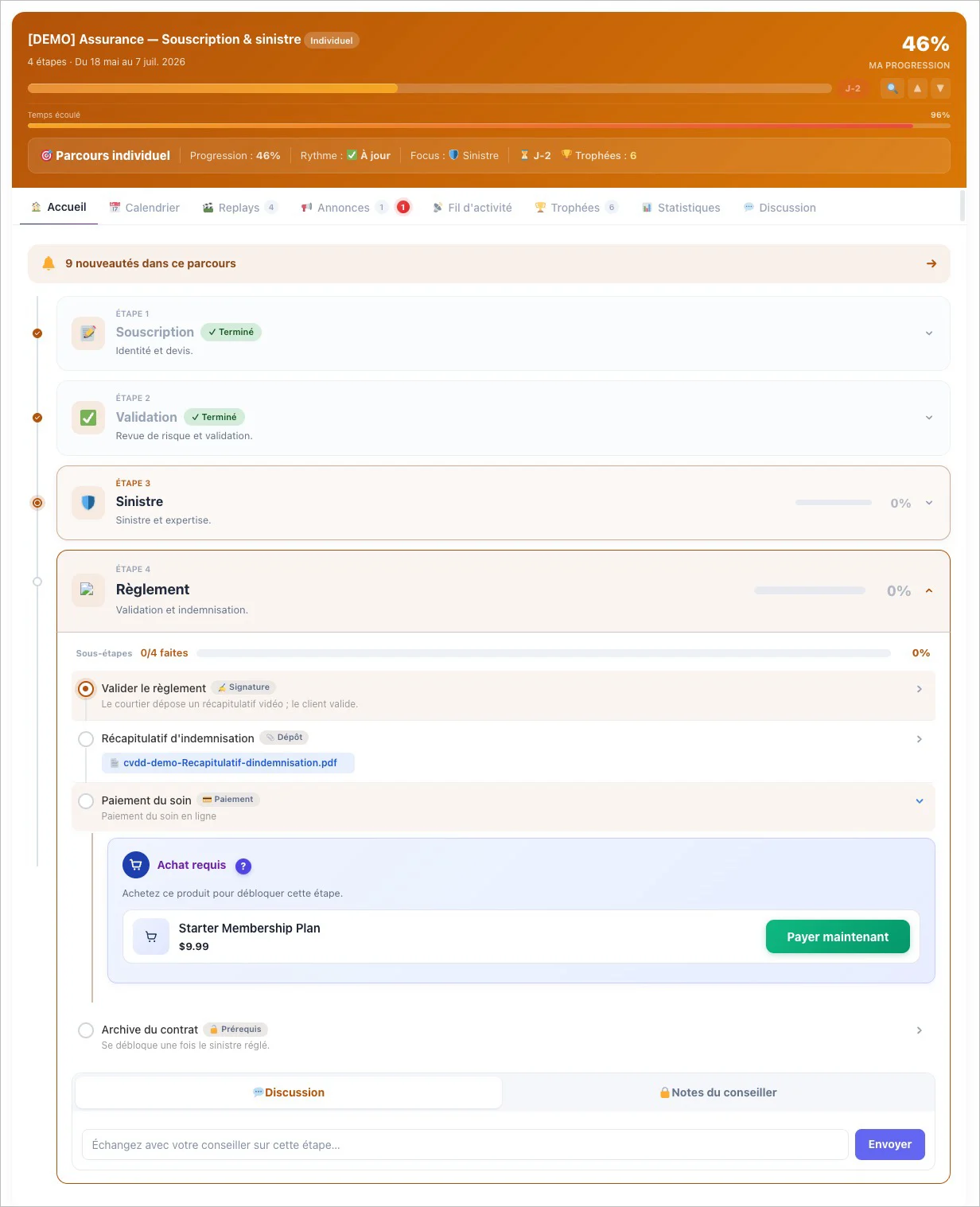
The first big piece is the e-commerce and webhook checkpoints. The first ties a step to a product: the client buys, the step opens, and if the purchase is cancelled it re-locks on its own. It's full automatic and native integration with Fluent Cart
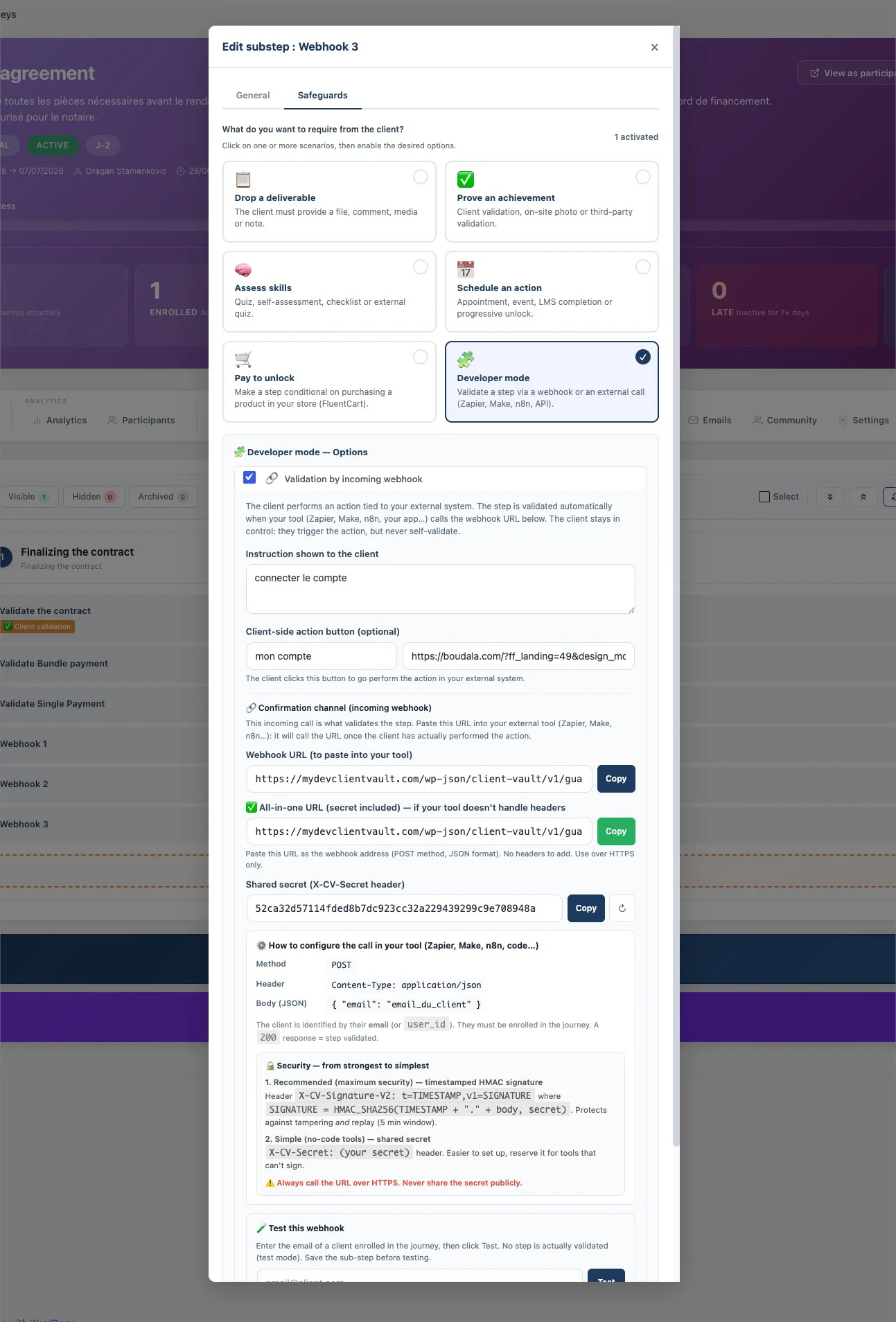
Safeguards Universal Webhook
The second — for more technical profiles and agencies — validates a step through an inbound external call (Zapier, Make, n8n), so you plug your client's ecosystem in without coding a custom flow. And so the purchase happens without leaving the space, I added the shop widgets in the sidebar: a showcase you tune journey by journey, the client's purchases, and that badge which clearly ties the purchase to progress.
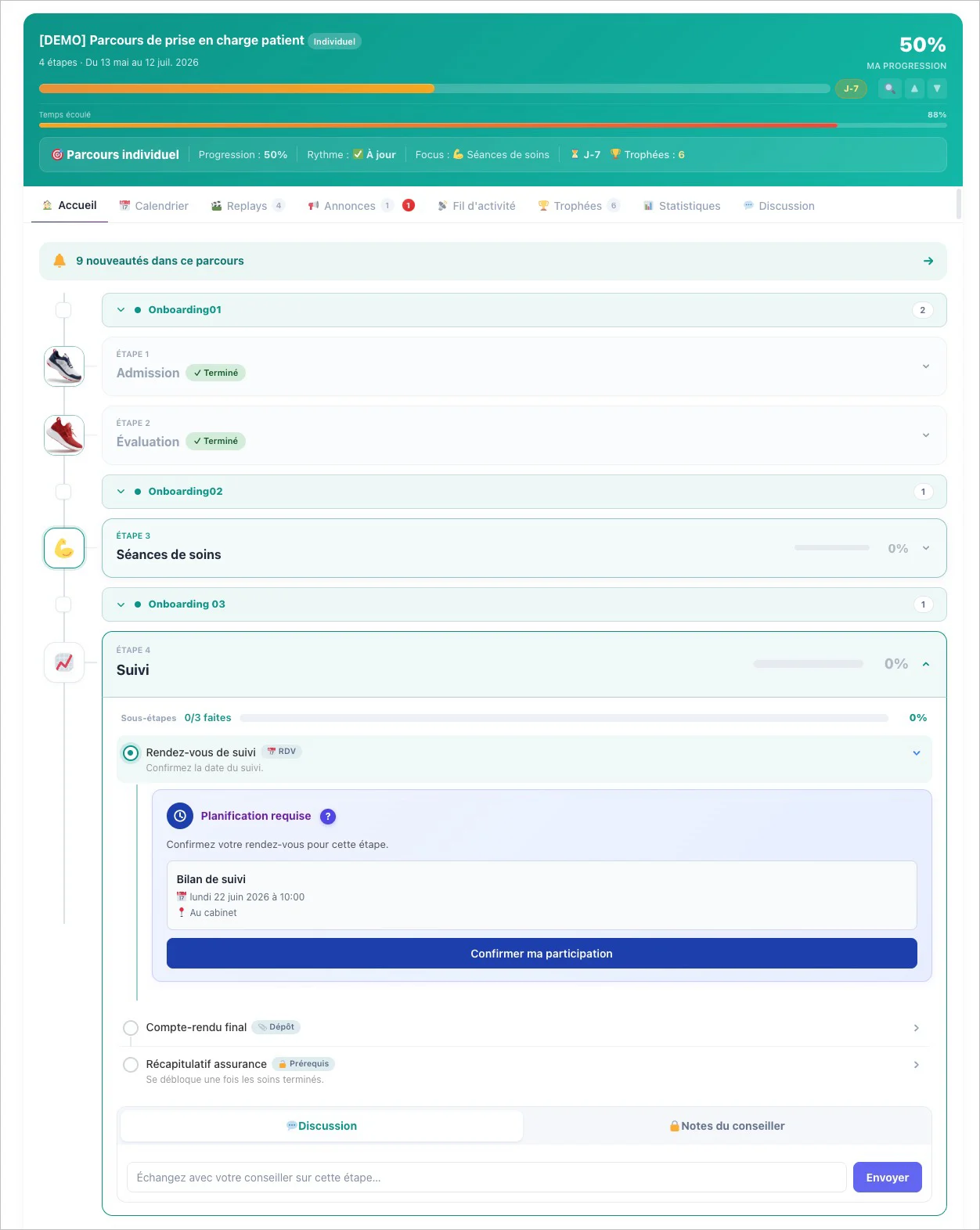
New modern design Journey
Next, I rethought the journey from top to bottom. The step cards are clean, modern, and finally take on your journey's color. Each step can have its own icon and color badge. Sessions organize long programs into collapsible blocks, and the sliding schedule anchors due dates to each person's enrollment date — two clients who signed up on different dates each follow their own calendar, with no manual setup. A life-changing bonus: the reset button now clears all of a client's progress while keeping your conversations — no more step stuck on "Purchase confirmed".
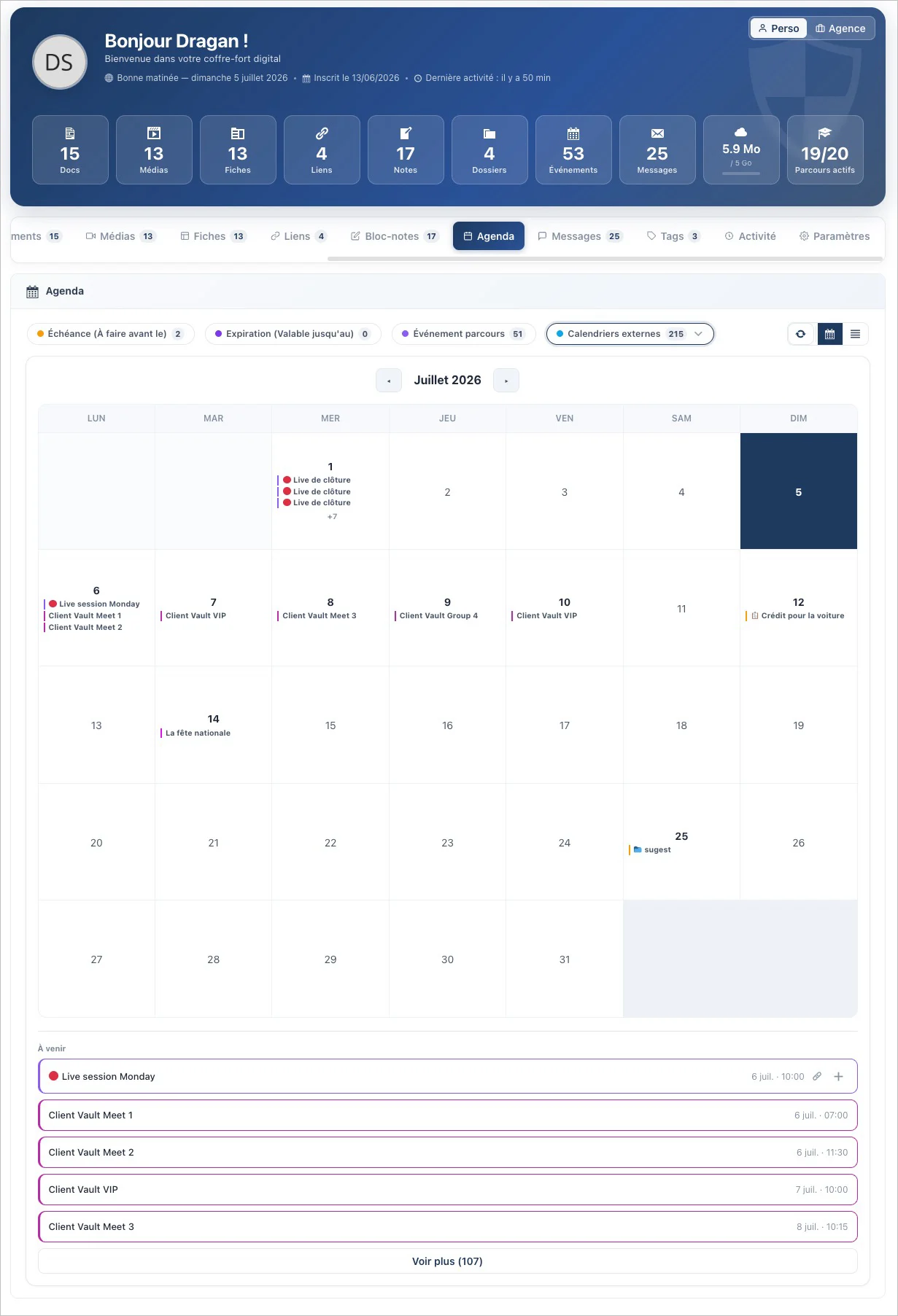
New calendar for organize your Vault and other meets
The third big project is the calendar inside the vault. A real calendar, on the same level as your Documents or Media. Every item can carry a due date and an expiry date, which flow automatically into the calendar — with an email reminder a few days before. And it syncs with Google Calendar, Apple Calendar and Outlook, true to my rule: no third-party service, the subscription link stays with you and can be revoked in one click.
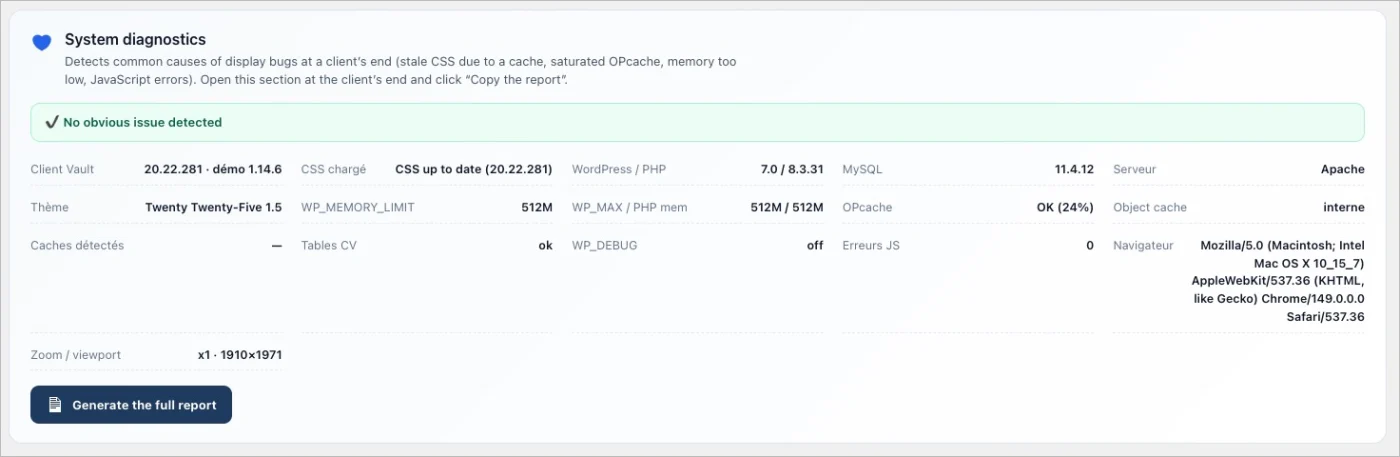
There's also all the everyday polish: document requests file themselves into the right folder, folder creation becomes governed (self-service or subject to approval), a diagnostic report gives you the state of the install in one click, the interface has been audited across all 17 languages, and a long list of bugs is fixed.
And above all, what will never change: your data stays with you, on your server. No one else — me included — has access. Even the calendar that talks to Google, even the shop that takes a payment: it all lives on your hosting.
I've detailed everything here:
👉 The full article: https://clientvault.pro/en/e-commerce-and-webhook-safeguards-are-revealed-the-user-journey-gets-a-refresh-and-the-scheduling-feature-arrives/
🧾 The version-by-version changelog: clientvault.pro/changelog
Thank you for being here, and thank you for your feedback — you're the ones moving this product forward. Let me know what you think 💙
Dragan
I'll be sharing the update in a few hours. I preferred to take an extra day to double-check everything. This update will include many new features, and to avoid splitting it into three separate updates, I decided to release it as a single update.
However, there will be three separate articles to present each major new feature. You're already familiar with the first one, the arrival of the payment safeguard and webhook developer mode? But you're not familiar with the next two, which will be just as important and useful to you.
What do you think they could be? 😀
See you 👍

Developer mode with webhooks allows you to connect your learning path to any external system (such as SaaS) or even to other WordPress plugins that don't have native integrations. It's complete, automated, and secure openness.
I have a surprise in store for you regarding the e-commerce module. If you use Fluent Community, you're sure to love it. I already do! 😍
Stay tuned this weekend, the next update will bring more surprises... 🫢
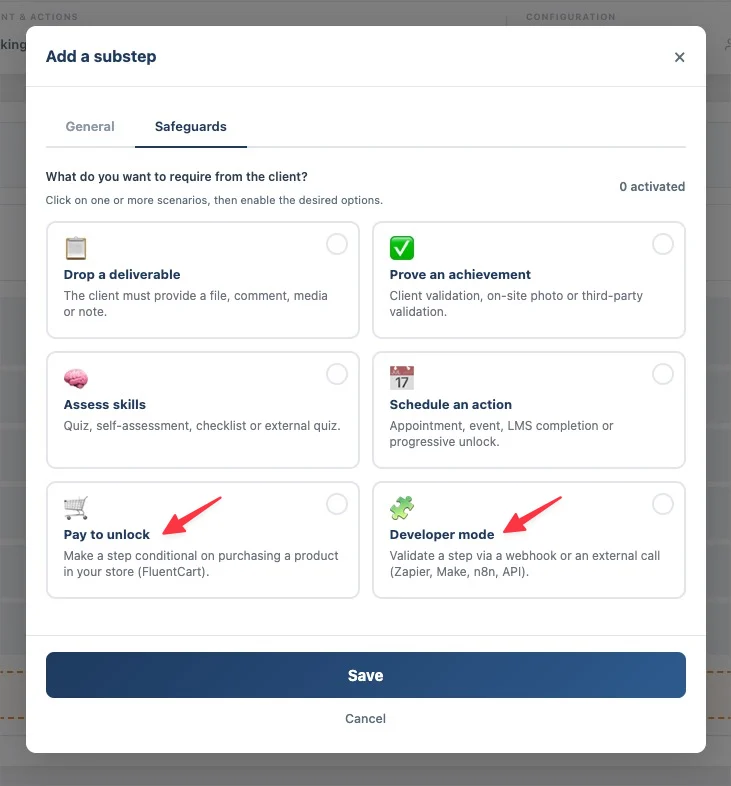
I wanted to share with you this exclusive first demo of FluentCart's integration into a customer journey. You'll be able to pay, charge for product bundles, or charge for individual products.
I've completely rewritten the FluentCart checkout process to keep the user within the process. Payment setup takes just seconds, as does setting up the safeguards.
The launch is planned for the end of the week.
So, what do you think?

Dragan Stamenkovic How would I setup my 12 week coaching program where there is no universal start/end date. However, each client's 12 weeks span will be tracked from whenever they join the program and end after they complete the 12 weeks of the program?
🎉 The second surprise of the weekend has arrived!
Hello everyone,
Two surprises were promised this weekend… here is the second one. 😊
Client Vault is updating to 2.2, and it breaks down two walls at once: a real messaging system inside the vault, and a native integration with FluentCRM like we've never seen before.
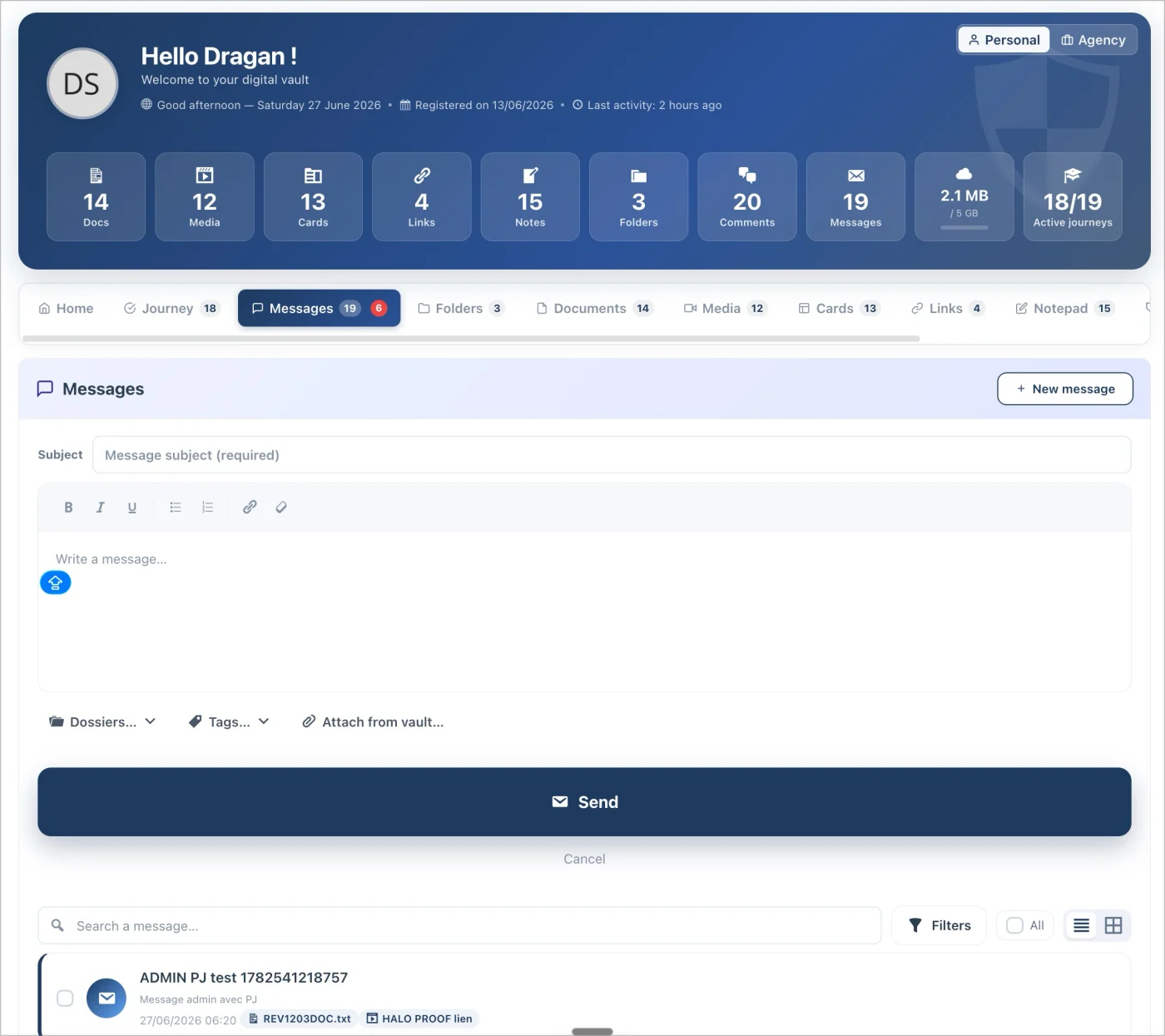
💬 A Native and Sovereign Advisor ↔ Client Messaging System
Many of you pointed out this missing feature. The majority wanted to be able to bring their emails into their vault. Except there was a major problem: using an intermediary like Gmail or other email software. This presented a serious issue with a significant lack of privacy.
So, I started from scratch without losing the intended purpose.
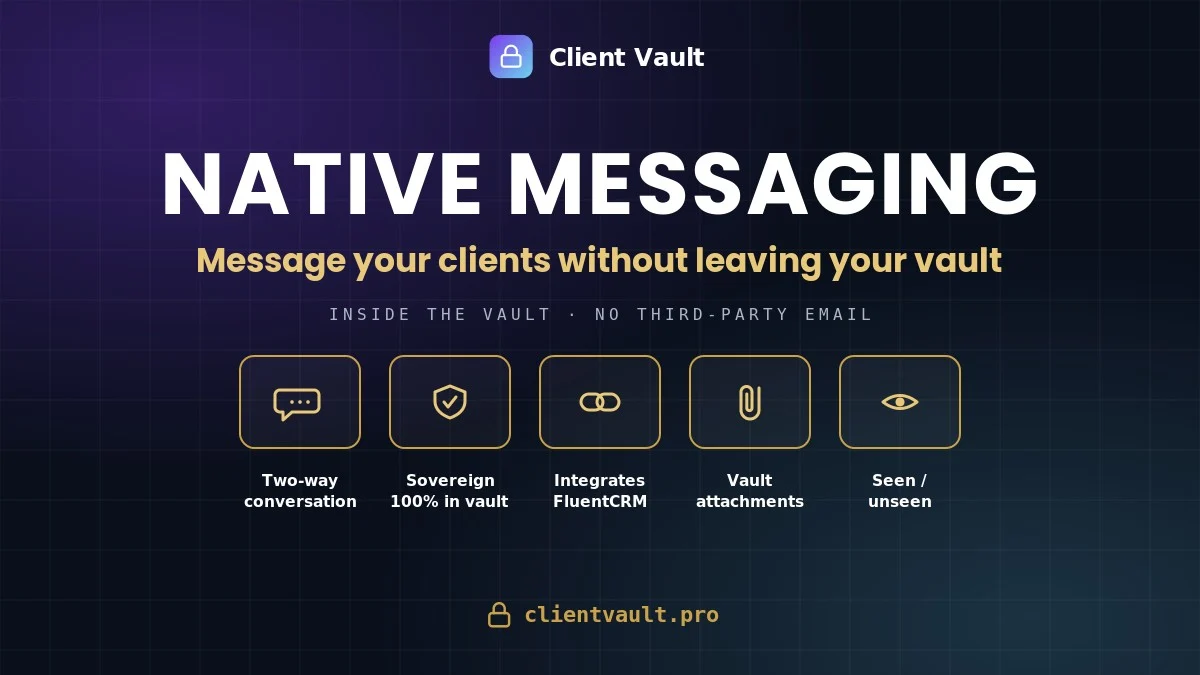
You can now talk to your clients without leaving your workspace, and without going through an external email service. The content stays on your servers; the email is just an alert. It’s a real two-way conversation — the client can write to you first — featuring attachments, folders, tags, search, "Seen / Unseen" statuses, and an unread messages digest.
🔗 FluentCRM, Finally Connected to Your Vaults — A First
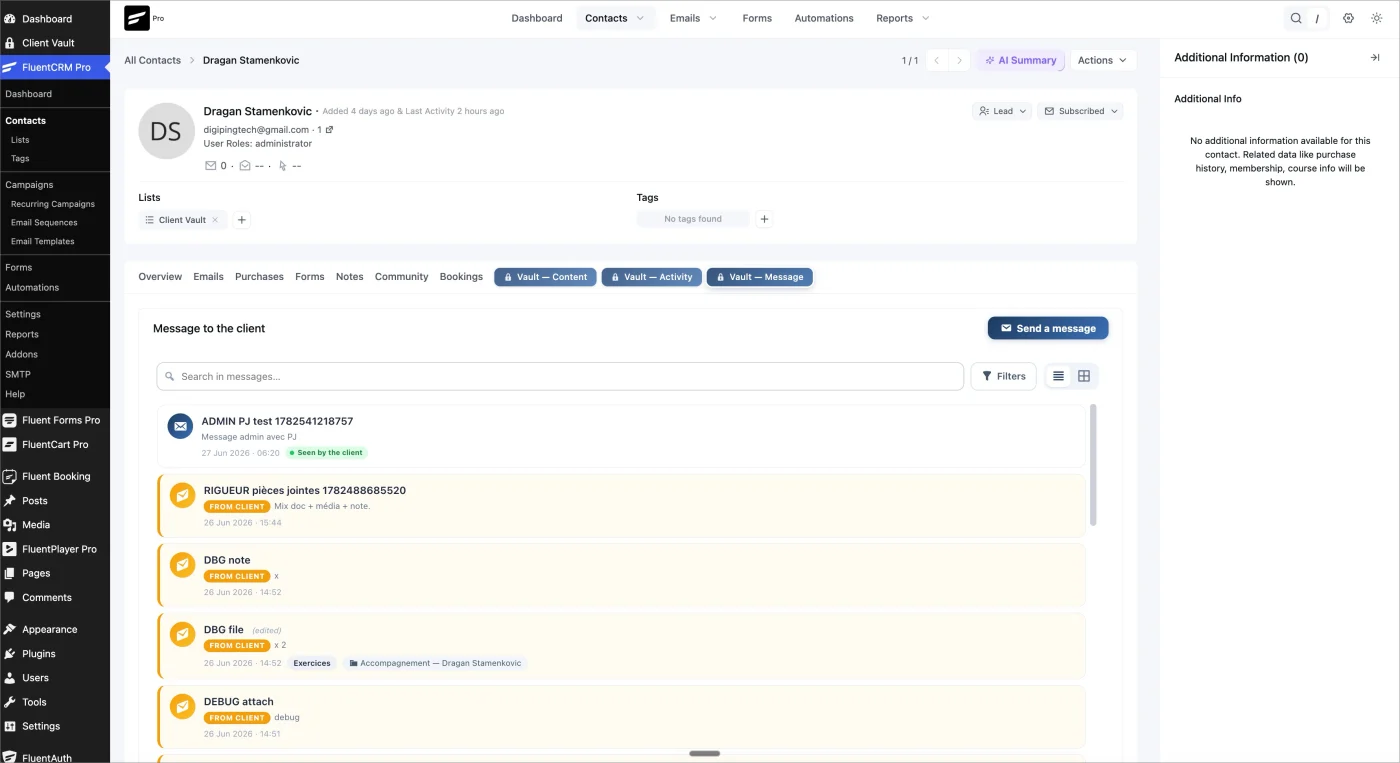
This is also a new feature I am really excited about! FluentCRM manages your contacts and automations, but it didn't allow you to engage in discussions.
We had already pushed the integration of Client Vault with FluentCRM very far, especially regarding automations for user journeys. Now, we are going even further!
Internal messaging to quickly chat with a client right inside FluentCRM!
From now on, directly in the contact profile, without leaving the ecosystem and without any extra plugins, you have 3 new menus:
- 🗂️ An Activity tab — the vault's timeline, featuring clickable and commentable documents and media;
- 📁 A Contents tab — the 5 content types available in list / grid / gallery views, real thumbnails, and bulk actions;
- ✉️ A Message tab — containing your conversation history and the ability to send or reply to a client in 1 click.
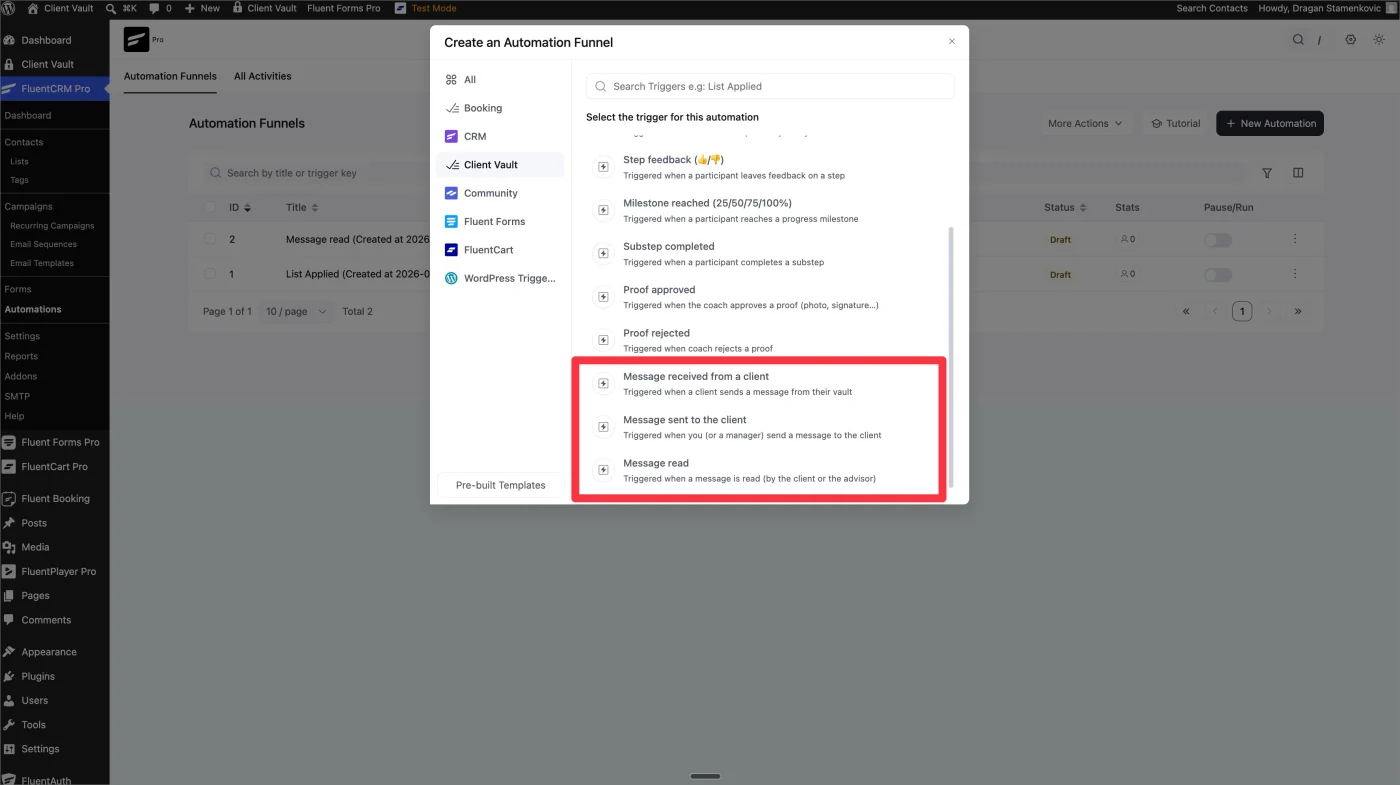
BONUS for automations:
3 triggers and 1 automation action, with client targeting. The vault and the CRM are no longer two separate worlds.
Clientbolt is already optimized for mobile, but it is true that on recent versions, since the update, we hadn't optimized the display. You love clean interfaces, and so do I. Go take a look at the mobile version. (Note: kept as "Clientbolt" to match the original text, though it may be a typo for Client Vault).*
📱 Smoother, Even on Mobile
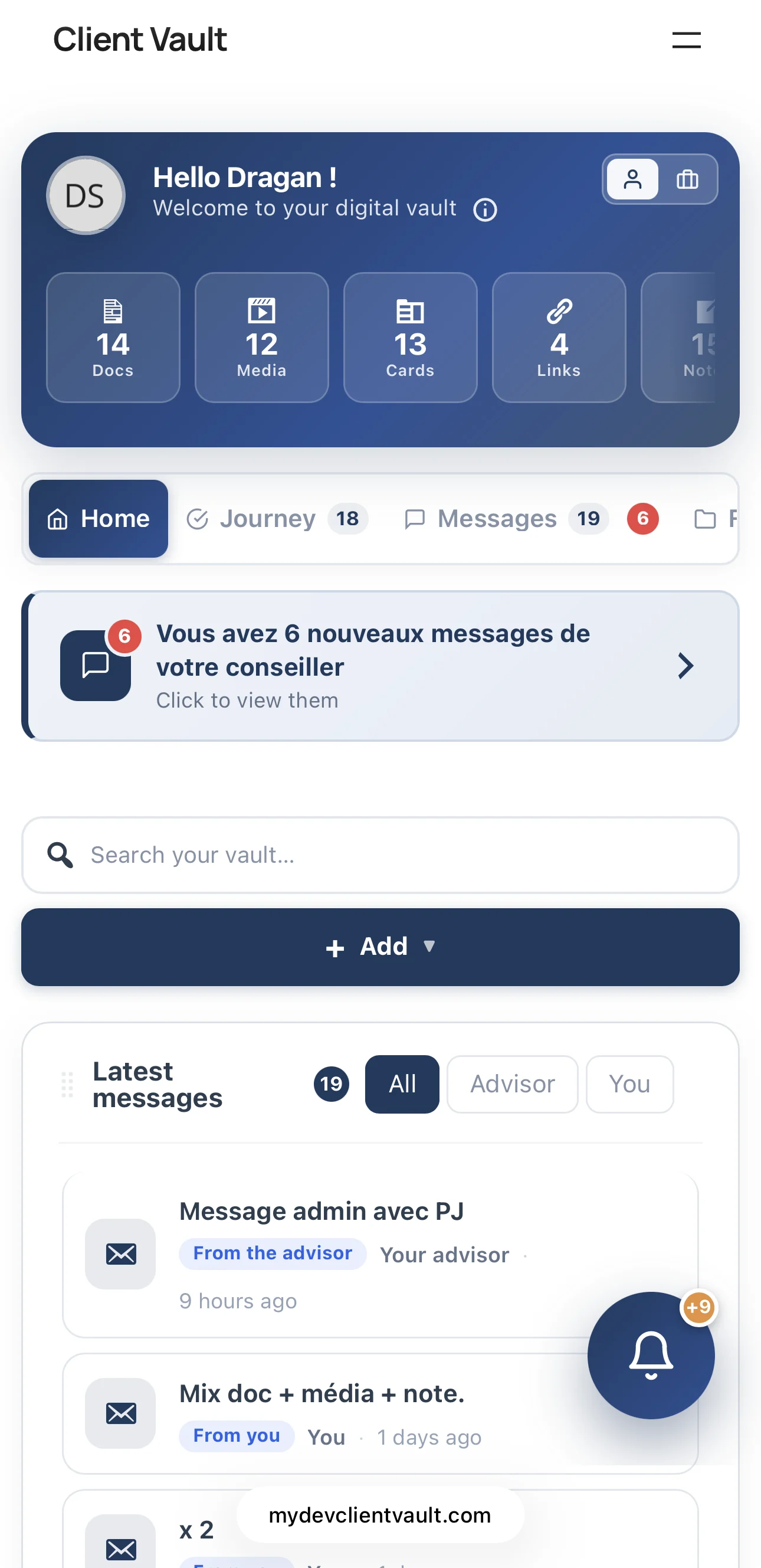
A clean header, swipeable ribbon statistics, and list views that are finally readable on phones — on both the client and agency sides.
The core principle remains the same: your data stays with you, with no access given to third parties. This was true for your documents, and it is now true for your conversations.
- 👉 Everything is detailed in the article: https://clientvault.pro/en/client-vault-2-2-native-fluent-crm-messaging-speak-to-your-clients-without-third-party-email/
- 📝 The complete changelog: https://clientvault.pro/changelog/
Thank you to everyone who inspired these new features — you asked for them, and I built them. I would love to hear your feedback on both 2.0 and this 2.2 release: what you like, what isn't working, and what we should push next. We are building Client Vault together. 🙏
See you very soon,
Dragan
Hello everyone,
A French saying goes that only fools never change their minds 🙂
I talk with you every day, with this growing community, and I learn something new every day.
I have a clear vision for Client Vault, and I know full well that I can't use the same methods as other popular plugins. And above all, I don't want to, because Client Vault has its own identity, and I have my own philosophy for this plugin, whether it's in terms of vision, innovations, or even the relationship I have with my clients.
However, I don't say I'm right about everything, and that's why I question myself every day:
- on every request you make
- on every testimonial you share with me
- on every idea you suggest
- on every problem you point out.
I take everything into consideration, and obviously, I have to make choices, but please believe me, I listen to you and pay close attention. Each of your requests, each of your reactions, is valuable for the development of Client Vault.
One request has come up regularly, almost by the majority recently, and that's the ability to upgrade one's license. I believe that a customer who purchases a license does so with full responsibility. Given the launch offer and the numerous advantages, I think the customer also makes the decision regarding their license choice.
And in this spirit of responsibility, that's also why I didn't allow license upgrades. The second point is that I can't afford to use the same techniques as the big publishers. I'm still very small in comparison, and what a large publisher can do with its financial resources, I can't necessarily do on the scale of Client Vault.
It's not a question of being right or wrong, because in this situation, all arguments are valid, whether they're from your side or mine. As I've always told you, we're building Client Vault together, and your opinion will always be important.
And I don't appreciate deadlocks, because ultimately, no one is satisfied.
That's why, after telling you privately that license migration wasn't available, I've decided to change my mind and offer this option for all plans.
And since this is an important decision, it will remain active going forward.
So, of course, it will only be available for current plans. Currently, migration is only available for launch plans. And when this launch period ends, migration will be possible for current plans. There's no going back.
And since I never do things halfway, and I want you to succeed with Client Vault and also make money selling it to your clients, I need to do more for you.
We're in the launch phase, and it's not just about money; it's also about building trust in the future and demonstrating the value of my actions.
So, in addition to the option to migrate from one plan to another, I also want you to purchase significantly more licenses, especially during this launch period. I've activated a special migration discount. So, here's how it works.
- Annual Solo License -> Lifetime License
- Annual PRO License -> 5 sites / 15 sites / 50 sites
- Lifetime PRO License 1 site -> Lifetime PRO License 10 sites + 5% discount
- Lifetime PRO License 10 sites -> Lifetime PRO License 30 sites + 15% discount
- Lifetime PRO License 30 sites -> Lifetime PRO License 100 sites + 20% discount
- Lifetime PRO License 30 sites (split payment) -> Lifetime PRO License 100 sites (split) + 10% discount
Of course, the price is prorated, and you'll only pay the difference, plus you'll get an additional discount.
So, if you support Client Vault, it's also a way to contribute to the plugin's development and help make it even better. So, if you've been wanting to upgrade your package, you can now do so at a lower cost, while also benefiting from a discount. And if you'd like to upgrade your tier (which I highly recommend), it will be even more advantageous.
These offers are only available during the launch period, which is ending soon. So, take advantage of it. Don't hesitate.
This is my way of letting you know that I hear you, that I understand you, and that I'm also open to changing my mind. This isn't about ego or some over-optimized sales strategy. Sometimes, discussing this with so many of you makes me realize that there's a real need on your end. It's not a financial calculation; it's simply common sense. After all, we support each other as both merchants and customers, and we owe it to each other to listen.
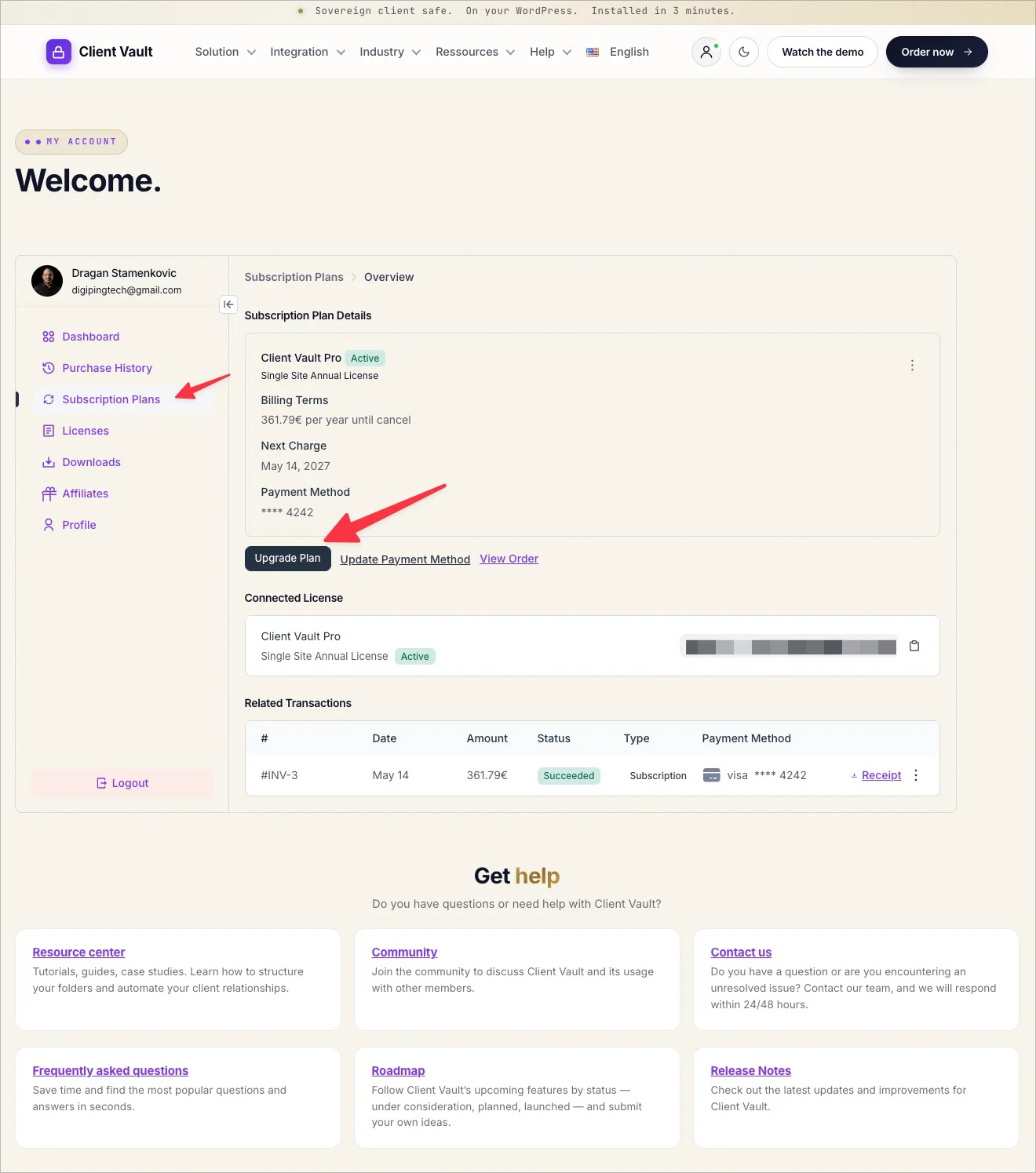
I hope you appreciate this gesture. To complete the migration, go to your account, under the "Subscription" tab, where you can also upgrade your plan.
I'll see you very soon, because there's also a new update coming today with other surprises inside. Stay tuned!
Dragan