

Client Vault 2.2: Native client messaging + Fluent CRM : talk to your customers without third-party email
🎉 The second surprise of the weekend has arrived!
Hello everyone,
Two surprises were promised this weekend… here is the second one. 😊
Client Vault is updating to 2.2, and it breaks down two walls at once: a real messaging system inside the vault, and a native integration with FluentCRM like we've never seen before.
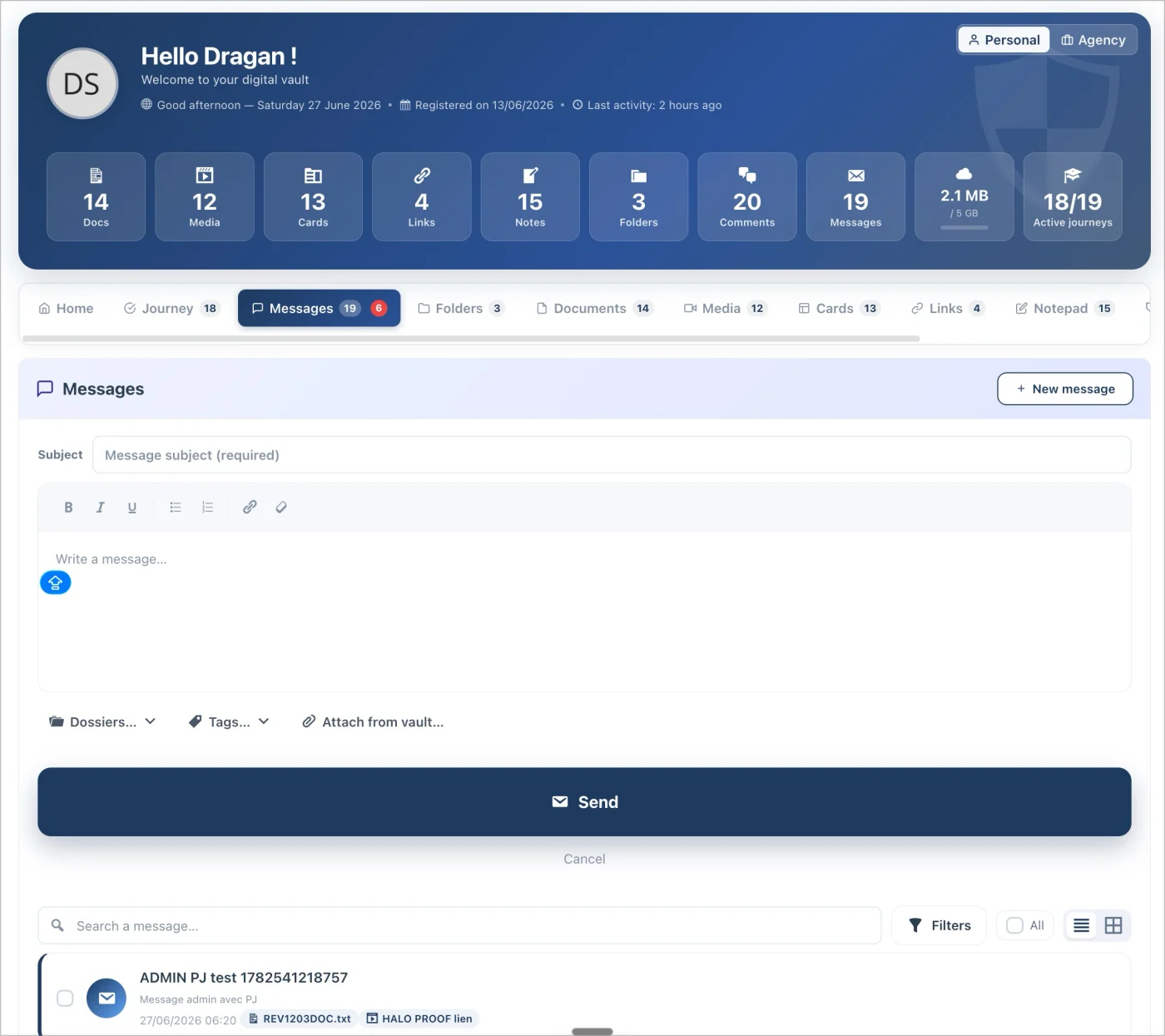
💬 A Native and Sovereign Advisor ↔ Client Messaging System
Many of you pointed out this missing feature. The majority wanted to be able to bring their emails into their vault. Except there was a major problem: using an intermediary like Gmail or other email software. This presented a serious issue with a significant lack of privacy.
So, I started from scratch without losing the intended purpose.
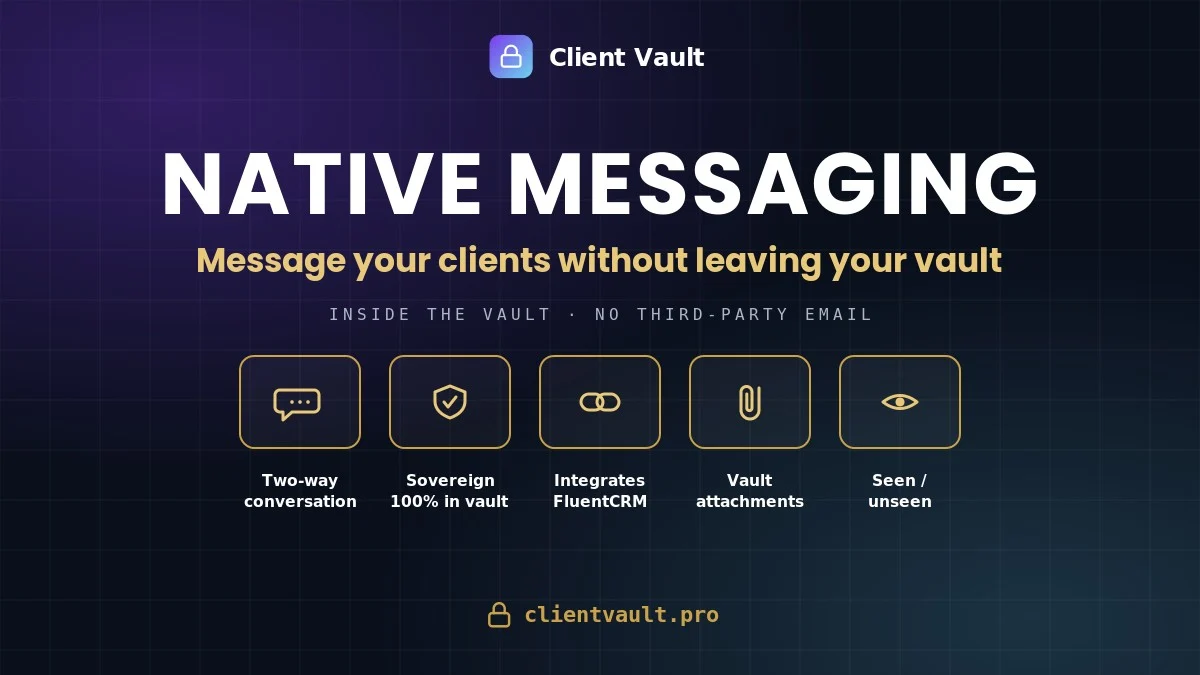
You can now talk to your clients without leaving your workspace, and without going through an external email service. The content stays on your servers; the email is just an alert. It’s a real two-way conversation — the client can write to you first — featuring attachments, folders, tags, search, "Seen / Unseen" statuses, and an unread messages digest.
🔗 FluentCRM, Finally Connected to Your Vaults — A First
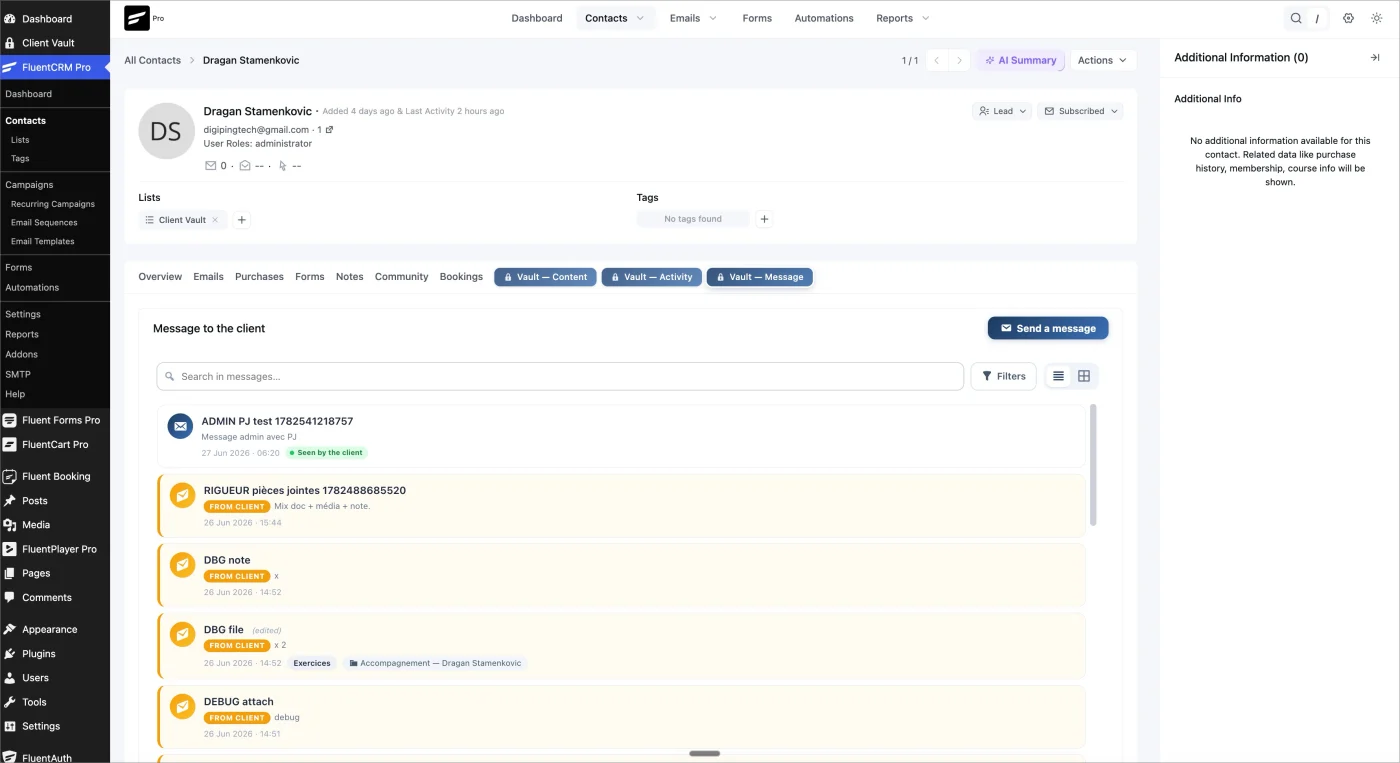
This is also a new feature I am really excited about! FluentCRM manages your contacts and automations, but it didn't allow you to engage in discussions.
We had already pushed the integration of Client Vault with FluentCRM very far, especially regarding automations for user journeys. Now, we are going even further!
Internal messaging to quickly chat with a client right inside FluentCRM!
From now on, directly in the contact profile, without leaving the ecosystem and without any extra plugins, you have 3 new menus:
- 🗂️ An Activity tab — the vault's timeline, featuring clickable and commentable documents and media;
- 📁 A Contents tab — the 5 content types available in list / grid / gallery views, real thumbnails, and bulk actions;
- ✉️ A Message tab — containing your conversation history and the ability to send or reply to a client in 1 click.
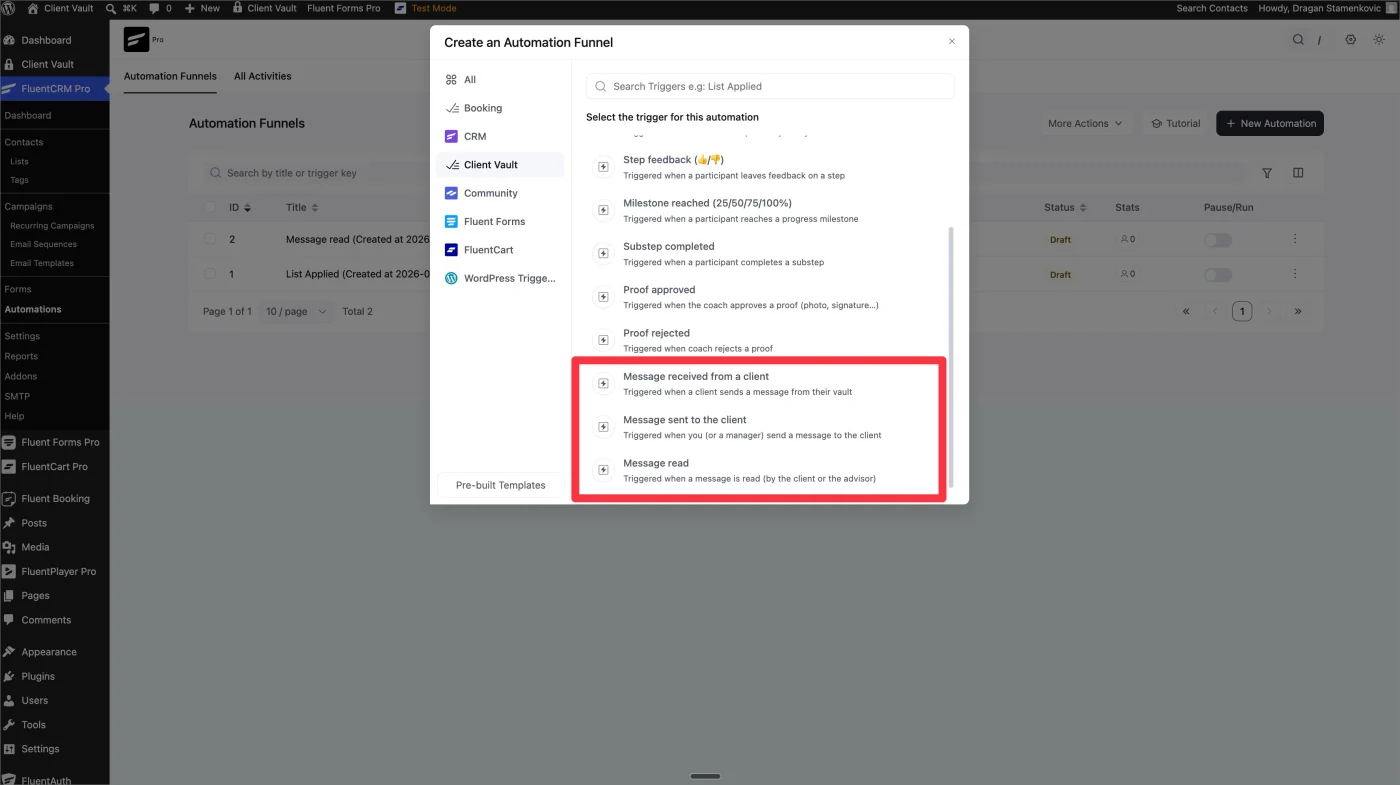
BONUS for automations:
3 triggers and 1 automation action, with client targeting. The vault and the CRM are no longer two separate worlds.
Clientbolt is already optimized for mobile, but it is true that on recent versions, since the update, we hadn't optimized the display. You love clean interfaces, and so do I. Go take a look at the mobile version. (Note: kept as "Clientbolt" to match the original text, though it may be a typo for Client Vault).*
📱 Smoother, Even on Mobile
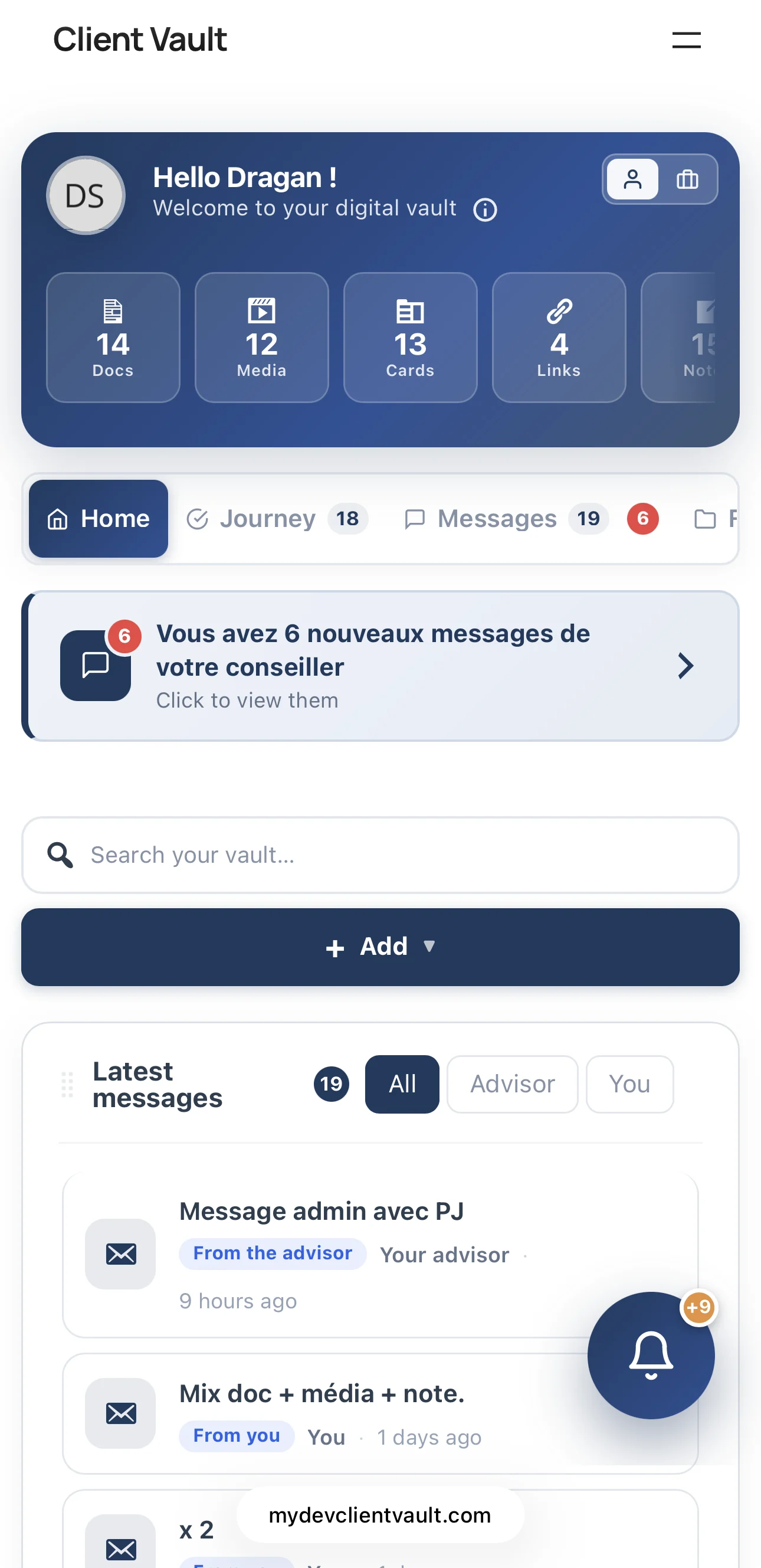
A clean header, swipeable ribbon statistics, and list views that are finally readable on phones — on both the client and agency sides.
The core principle remains the same: your data stays with you, with no access given to third parties. This was true for your documents, and it is now true for your conversations.
- 👉 Everything is detailed in the article: https://clientvault.pro/en/client-vault-2-2-native-fluent-crm-messaging-speak-to-your-clients-without-third-party-email/
- 📝 The complete changelog: https://clientvault.pro/changelog/
Thank you to everyone who inspired these new features — you asked for them, and I built them. I would love to hear your feedback on both 2.0 and this 2.2 release: what you like, what isn't working, and what we should push next. We are building Client Vault together. 🙏
See you very soon,
Dragan

Dragan Stamenkovic Just a few of my observations upon upgrading to client vault 2-2:
- Clicking on Agency - https://prnt.sc/SumganAOITDV
- Personal Dashboard (text overflow - make text 2 lines in each box?) - https://prnt.sc/YjVAHqxyJpy
-FluntCRM contact Great idea, not so good implementation. This should be text only links (no button), fonts, text color, etc consistent with the existing other links. The text links could be - the lock icon + Content, lock icon + Activity, lock icon + Messages - https://prnt.sc/UtMLDUHV46lc

1 - You're experiencing the same problem every time. I can't reproduce it. Please submit a ticket and explain the specific context of your installation.
2 - I think you have a problem with your installation or another plugin that's causing a conflict. The display shouldn't be like that.
For Fluent CRM, I want Client Vault to be separate from the other menus. The menus are displaying normally, and I think your problems are related. Please submit a detailed ticket if you want me to resolve your issue.
Dragan Stamenkovic I may need to uninstall and start fresh! What is the process to completely uninstall including database?
Debo Ogunrinde It's all in the settings. It's very easy to understand.
Dragan Stamenkovic I can’t find it…I am sharing with you the screenshots of what is on my installation. You seem to be discounting my experience of Client Vault as "my install and you're not able to duplicate". I want you to provide me similar screenshots and the parameters of your installation so I have something to compare...
in the meantime, i have submitted a support ticket on these issues.
Debo Ogunrinde As I told you, it's very easy to find in the settings. I think you didn't look hard enough. You have the search function in the settings. It only takes 2 seconds :)
If you want to delete all the data from your vault, you have two options:
1 - Use the feature in the settings. It's available since version 2.0. By confirming the deletion, your vault will be reset without removing the plugin.
2 - Delete the plugin from the Plugins section in WordPress