

Collection mode is here - turn your content library into a secure, browsable catalog
Hey everyone,
This is a big one. You can now publish your videos, audio, PDFs, images and links as a Collection: a catalog your clients browse at their own pace. Not a rigid course — a library they explore.
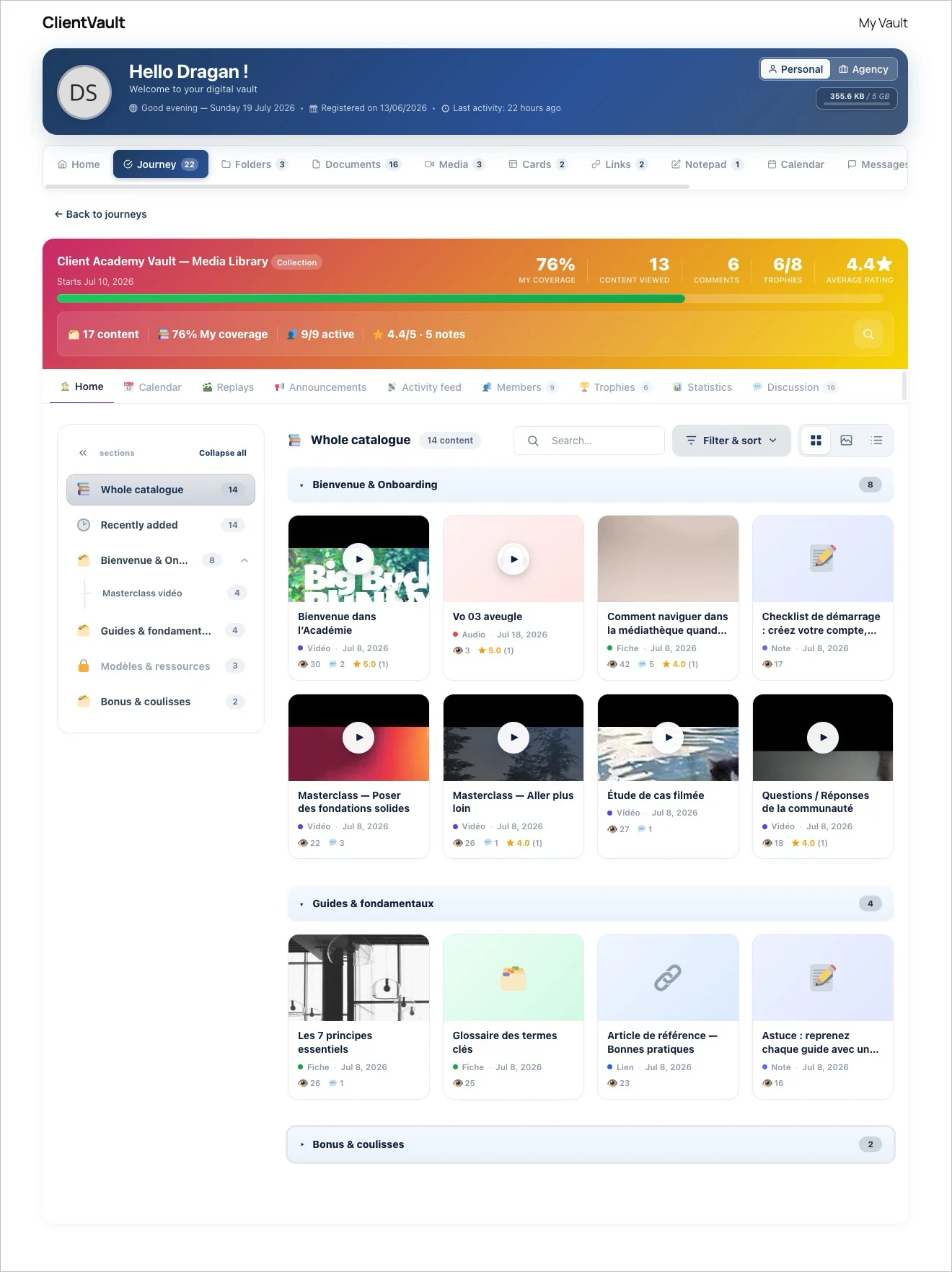
Here's what it does:
Organize & discover — Structure everything into sections and subsections with custom icons, and let people switch between List, Grid, or an immersive Gallery view. Search, filter by content type or tag, sort by rating.
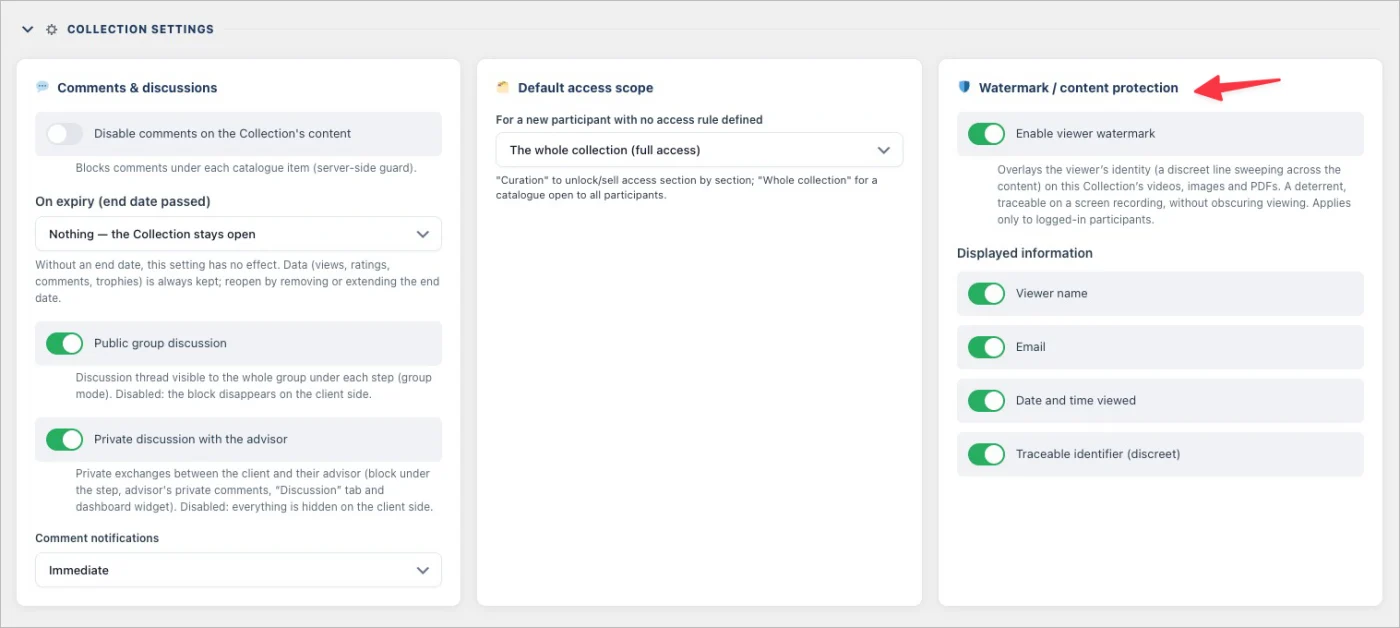
Protect every file natively — Content is encrypted on your own server and delivered through signed streams, re-verified on every request. No downloads, no PDF toolbar, no image swiping, no cross-site playback. Switch on viewer watermarking and each screen carries the logged-in member's name, email and a traceable ID.
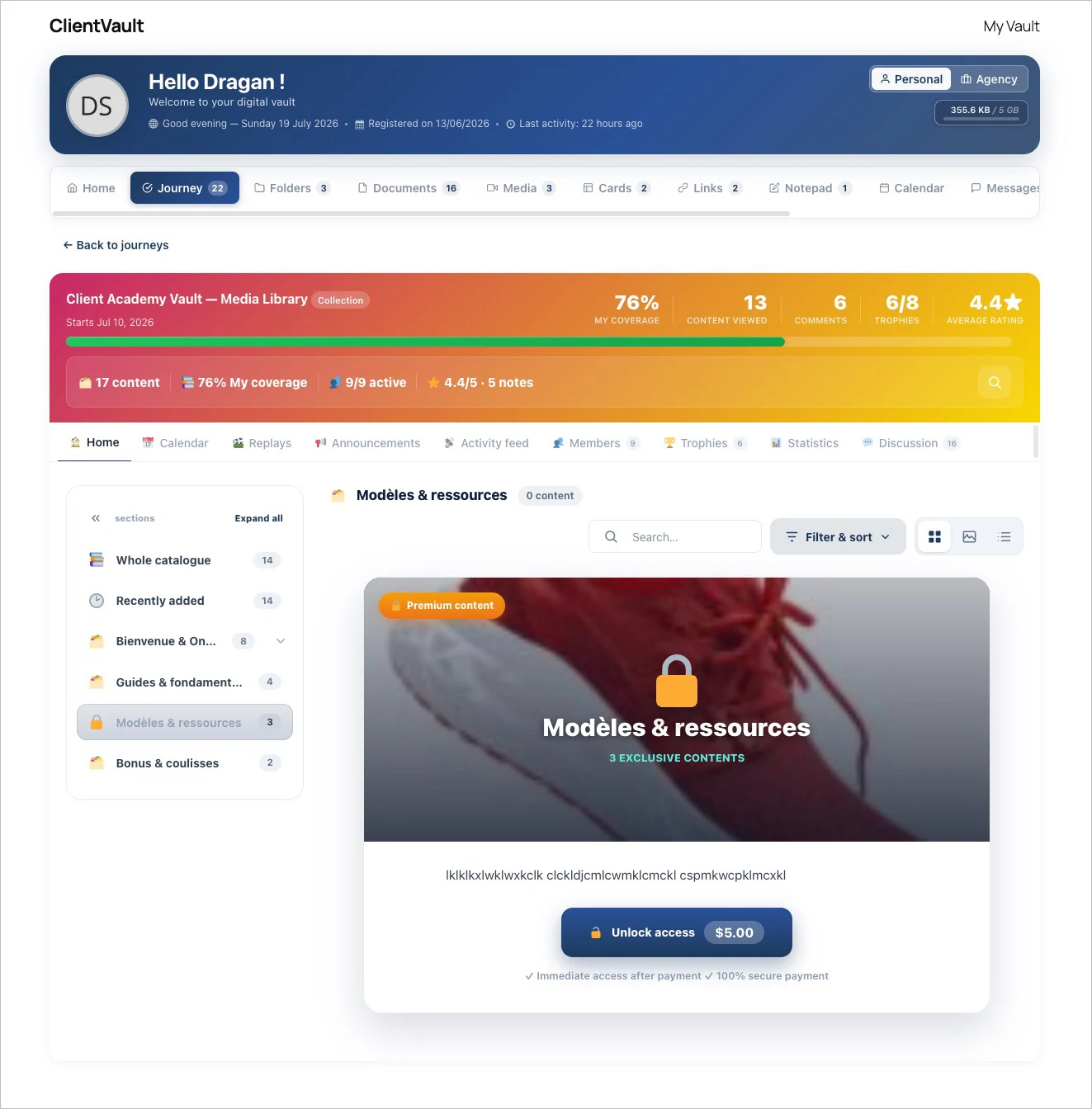
Monetize section by section — Lock any section behind a FluentCart purchase. Locked sections show a sales pitch with a built-in buy button, buyers get participant access to exactly what they paid for, and FluentCRM automations fire automatically on purchase.
Measure coverage, not progress — Instead of a completion bar, you see how much of your catalog each participant has actually viewed, plus rating distributions, most-viewed items and per-person records. Adaptive trophies reward 25 / 50 / 75 / 100% coverage — quietly, without spamming notifications.
Keep the conversation going — A discussion thread sits under every item. Members reply with text, video, audio or a screenshot, at three visibility levels: public, advisor-only, or anonymous.
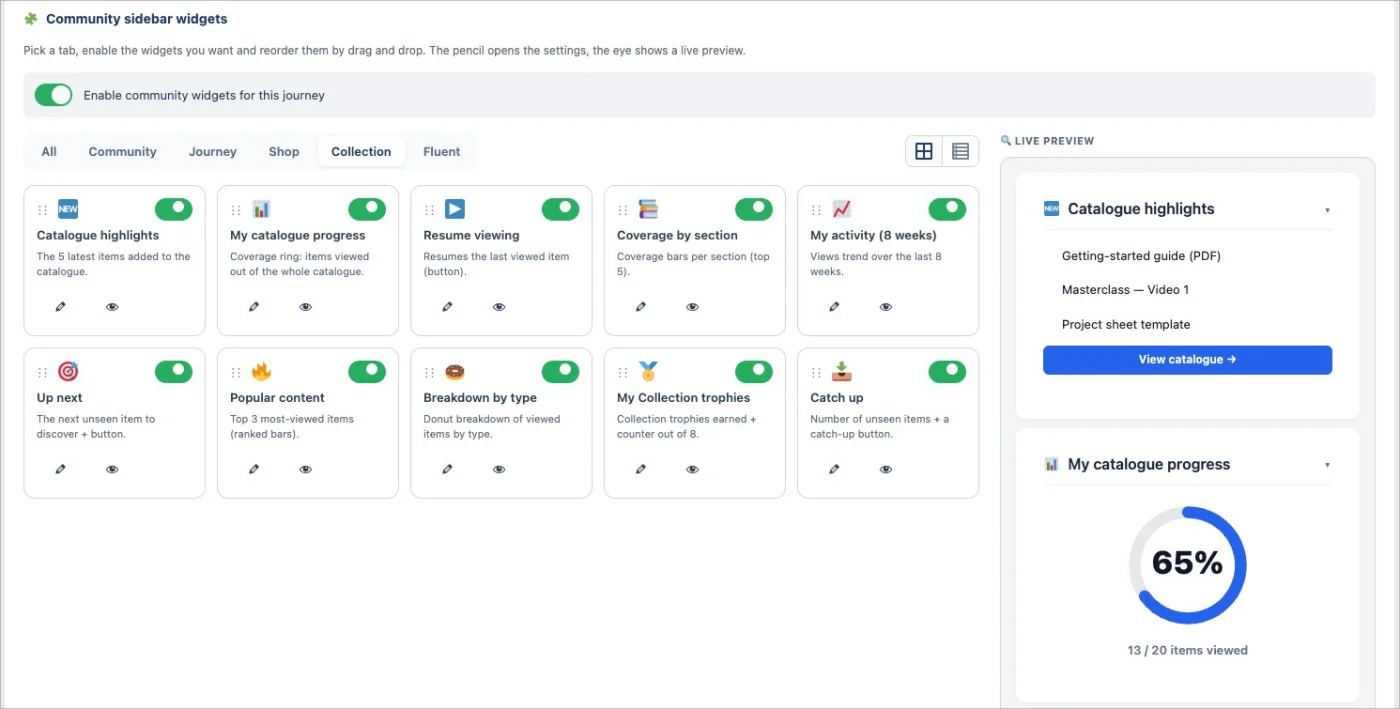
10 new Fluent Community widgets, built for Collections — Your Collection also comes to life right inside your Fluent Community sidebar. Ten new widgets your members see every time they log in — no page to open:
- 🆕 What's new in the catalog - the latest items you've added
- 📊 My catalog progress - a gauge of how much each member has covered
- 📚 Coverage by section - a breakdown, section by section
- 📈 My activity (8 weeks) - a rolling view of each member's engagement
- ▶️ Resume watching - pick up exactly where they left off
- 🎯 Next to discover - a smart nudge toward the next item
- 🔥 Popular content - what everyone's watching most
- 🍩 Breakdown by type - videos vs audio vs PDFs, at a glance
- 🏅 My Collection trophies - the adaptive rewards, front and center
- 📥 To catch up - the items they still haven't opened
Each widget is optional, reorderable, and only shows when the space is mapped to a Collection.
And as always: it all lives on your own WordPress. Your content, your data, your domain — no third-party video platform, no external hosting, nothing leaving your walls.
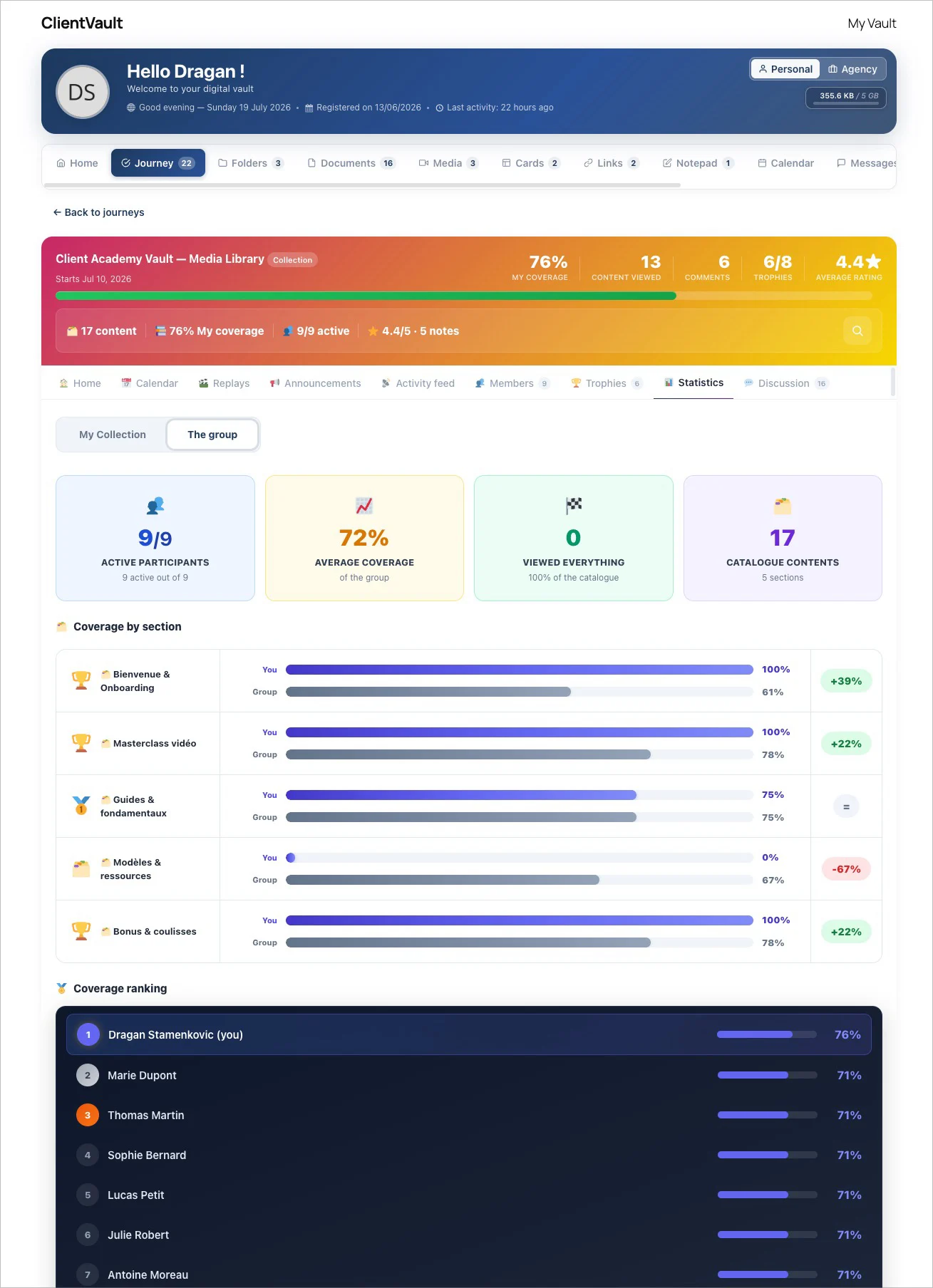
Want the full walkthrough, with every setting and screenshot?
→ Read the full article : https://clientvault.pro/en/collection-mode-distribute-protect-and-monetize-your-content-with-your-secure-vault/
Everything that shipped in this release is here:
→ Changelog : https://clientvault.pro/en/changelog/
See you
Very much needed. I love it!!
Though I have never managed to see this view from my end. Perhaps an educational video will show that?

Anne sophie Did you perform the latest update on July 19th?
(Client Vault 20.22.540)
Have you installed the latest update from July 19th?
As usual, this is done in two parts.
Part 1: In the administration panel, under Settings and Appearance:
You decide the desired behavior for your users (and for yourself).
Part 2:
You need to go to your vault, then to the settings section, and customize it as you wish. The settings you chose in the administration panel will be applied automatically.
Of course, videos will be shared starting tomorrow on everything you can do and how to do it with Client Vault.
Dragan Stamenkovic yes I have but I still don’t see what’s on the screenshot I shared
Anne sophie Send a screenshot of your administration panel with the corresponding settings, as well as a screenshot of the frontend settings.
Anne sophie Wait, I might have jumped the gun a bit. What do you want? Do you want to display a collection or do you want to change the design for your vault? Because those are two completely different things.
Dragan Stamenkovic I know there are two different things. I was just talking about two different things in the same message.
I’ll send you a screenshot. Thank you!
I also know that it should be easy by just integrating a short code. But I find Pages to be very difficult to manage on Wordpress so I find it confusing.