




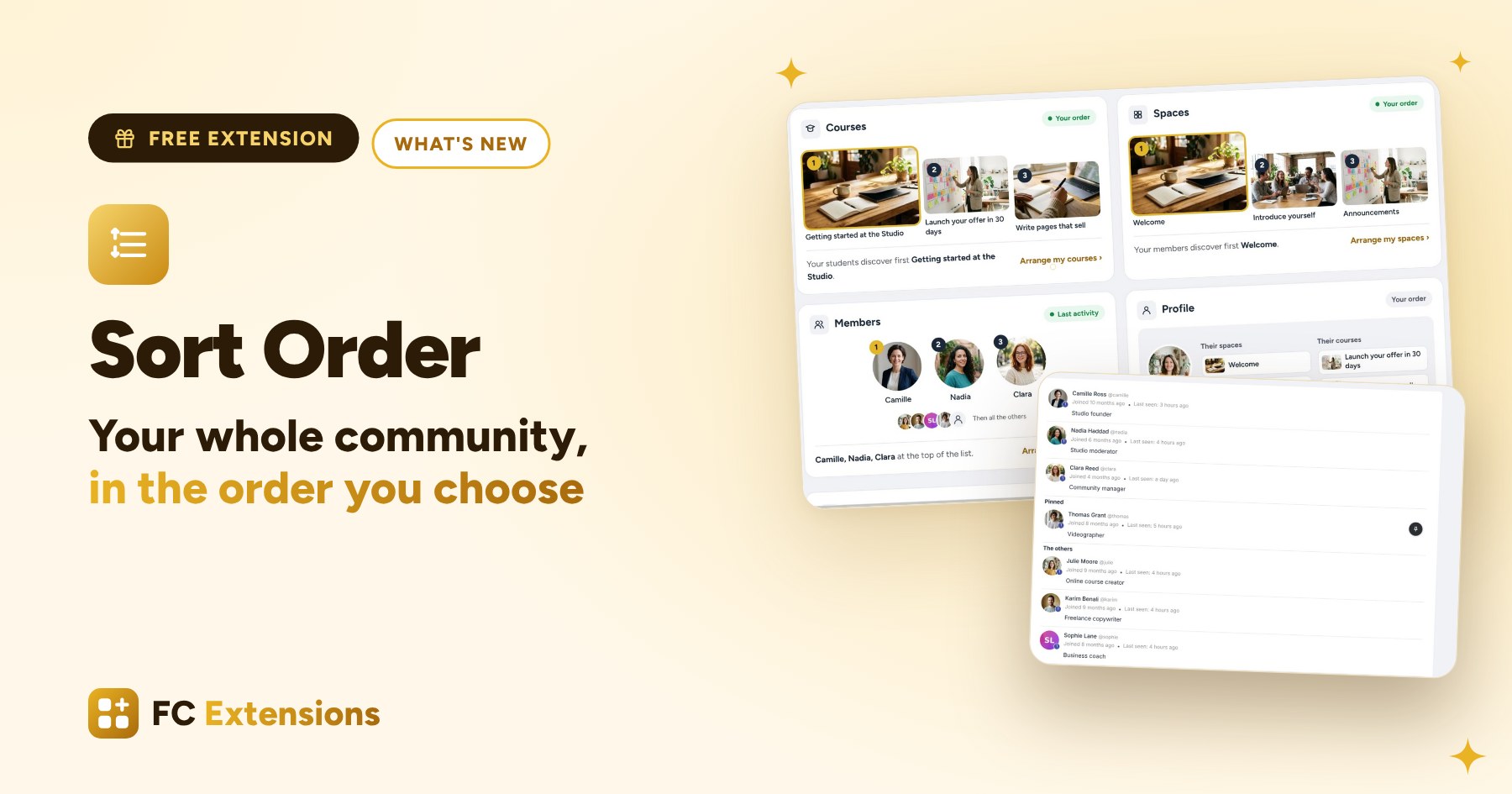
The first course, the first space, the first person a member discovers: that is often where they click. The more your community grows, the more order matters.
On November 6, two free extensions of FC Extensions grew on the same day. Sort Order arranges your pages. Quick Access 2 arranges your menu. Together, they give members a clear community from the very first click.
Sort Order: your whole community in the order you choose
Course Order becomes Sort Order. It already arranged your Courses page. It now handles your courses, spaces, members and everyone’s profile, each area with its own tab. The full article on fcextensions.com shows it in detail.
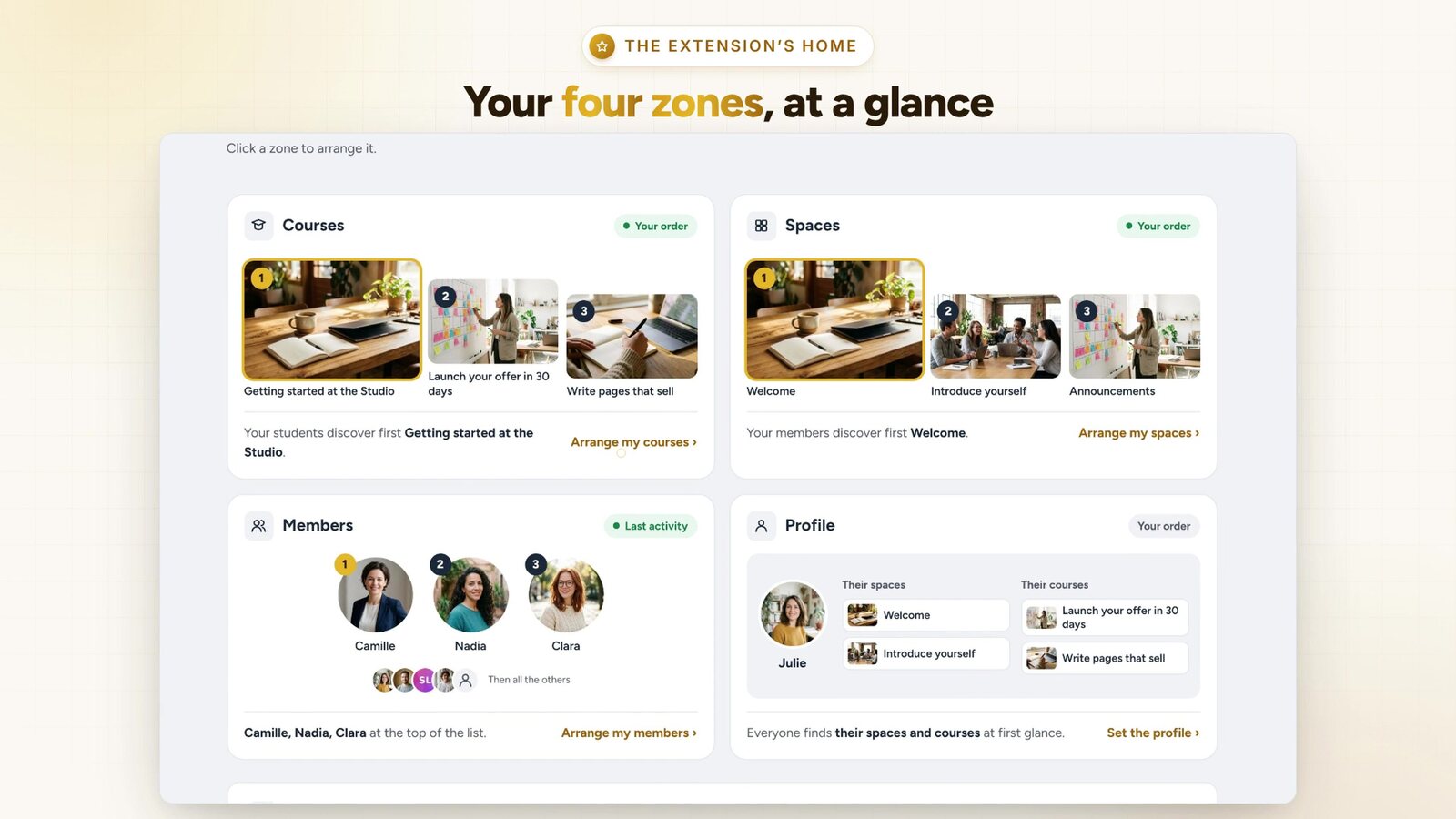
Drag your courses into place, or sort them automatically then adjust. Launching a course? One click on “Pin to top”, a date, and it comes first. On the day, it goes back to its place on its own.

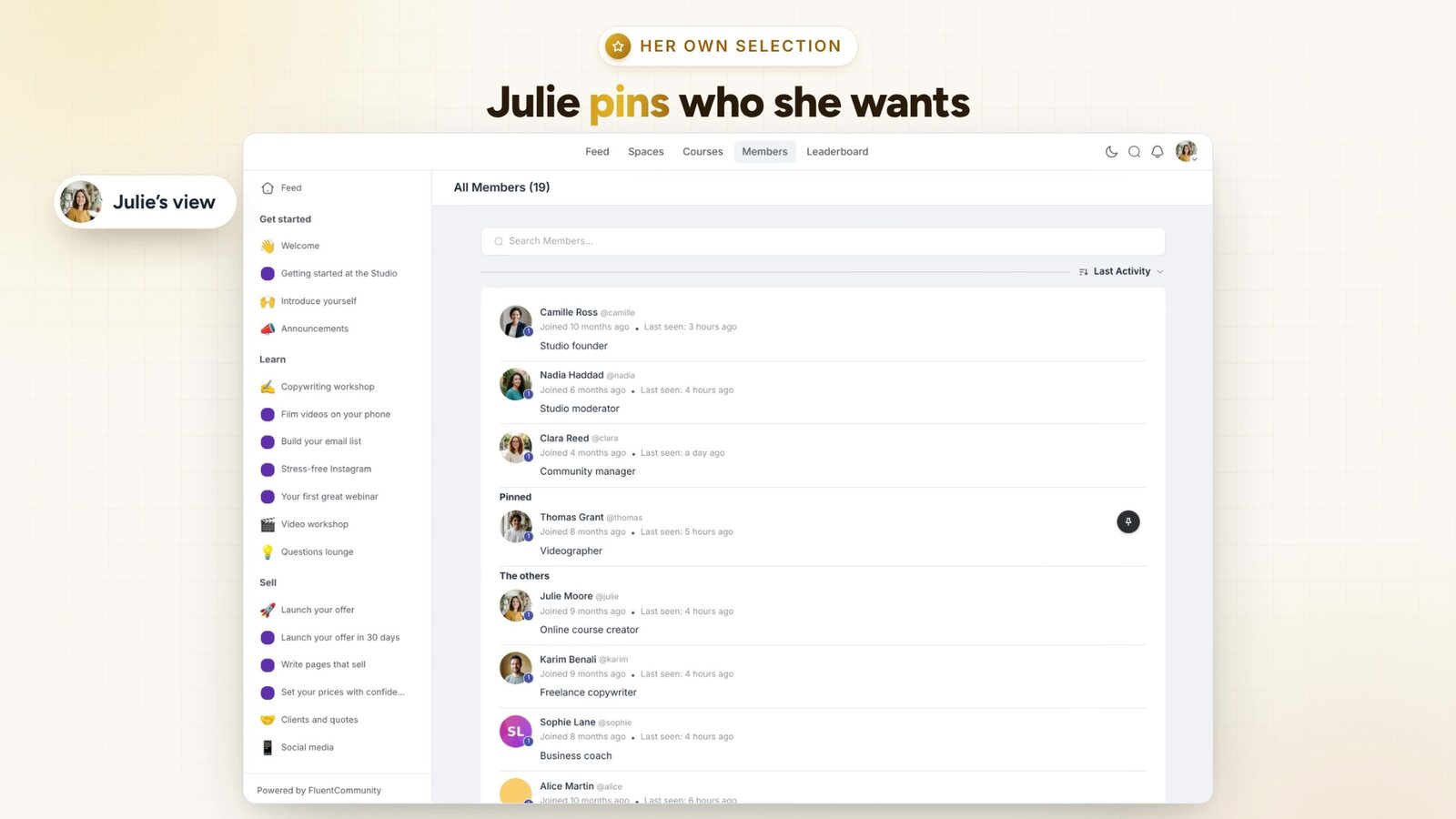
Spaces use the same screen. On the Members page, your team, coaches or mentors come first, and everyone else sorts itself. Each member can also pin the people they want to find again.
Quick Access 2: a left menu shaped for each member
Quick Access already handled your community shortcut bar. Version 2 also takes care of the left menu, the path members take every day. Everything is detailed on fcextensions.com.
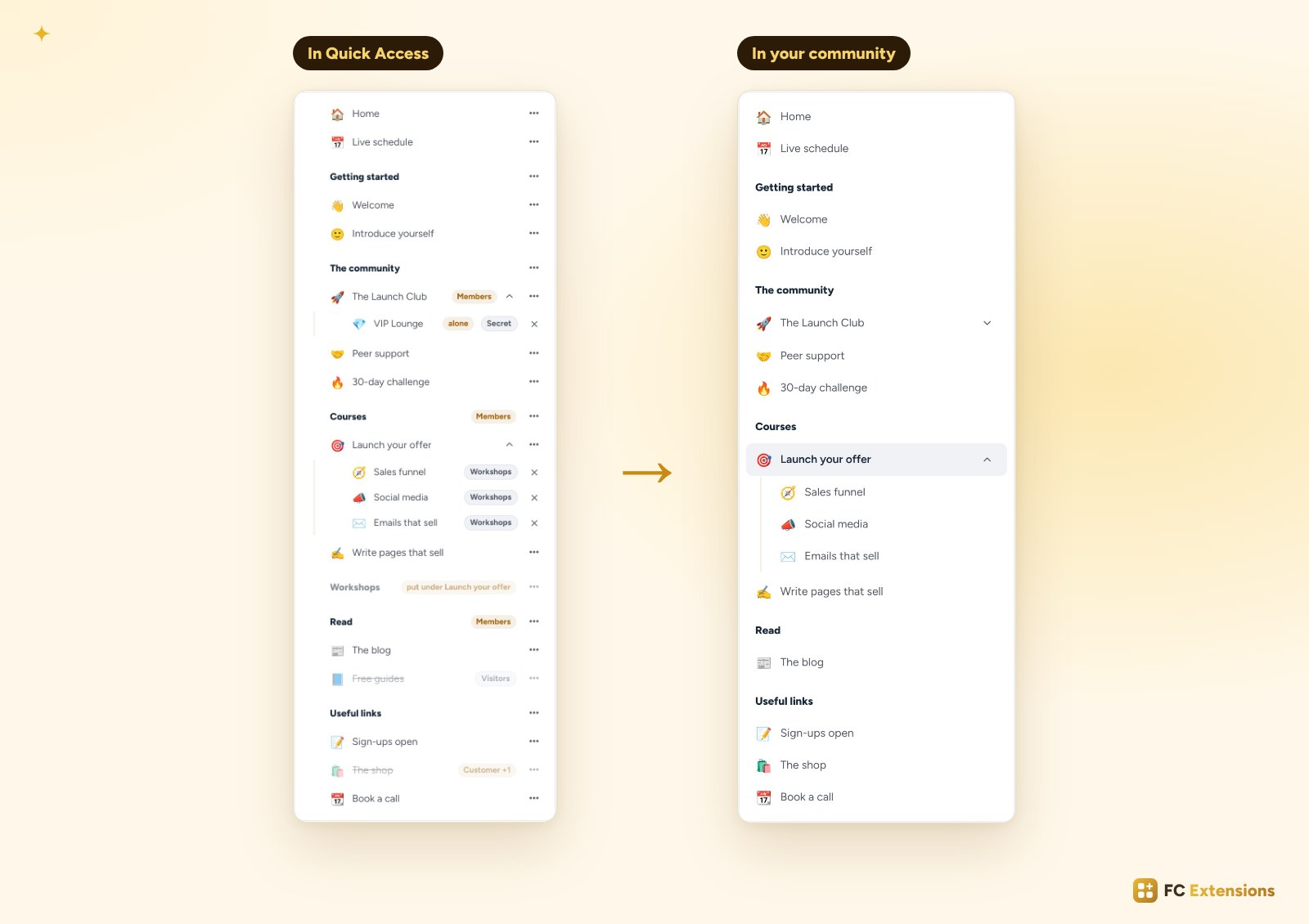
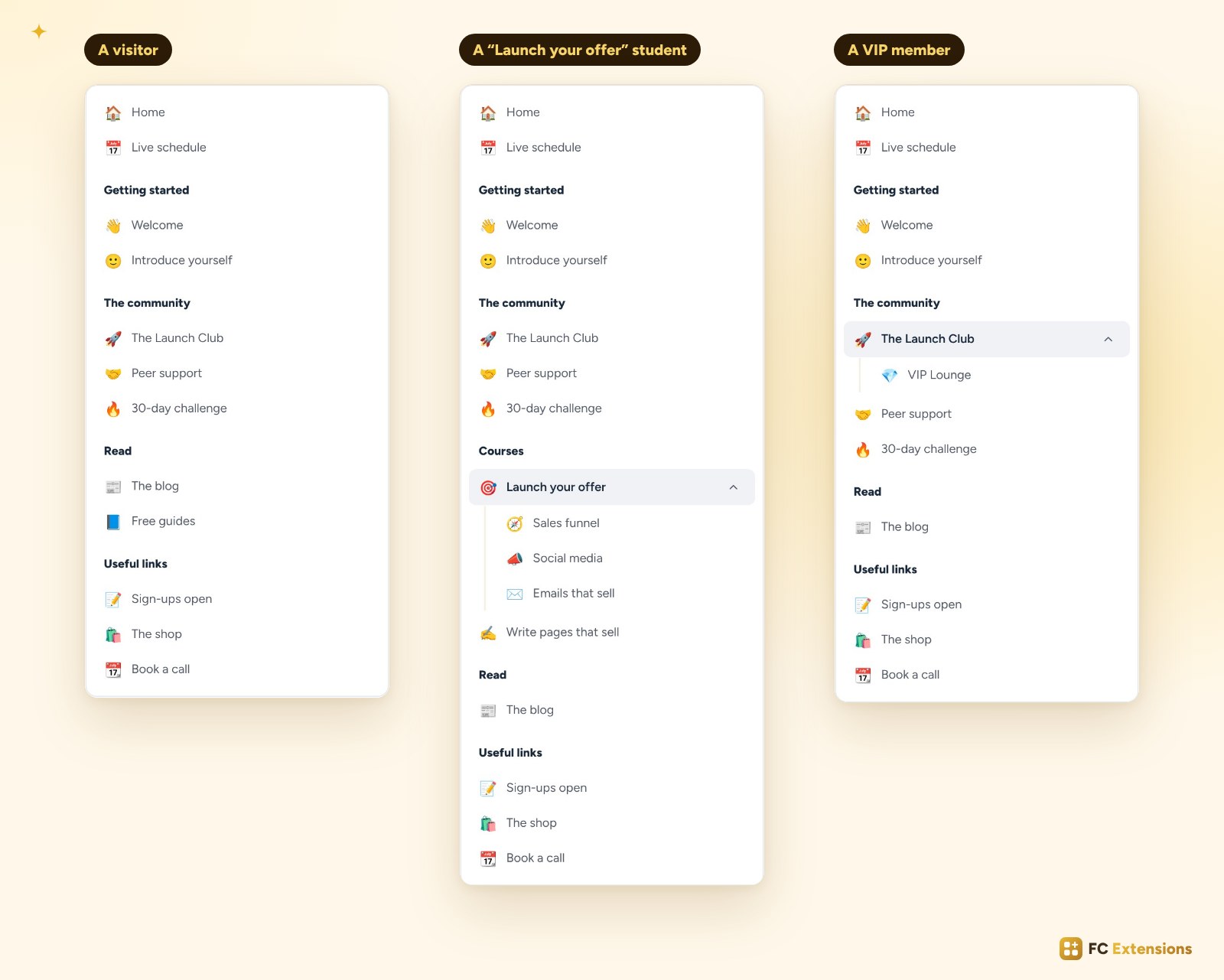
Drag one space under another and you have a submenu. Your VIP lounge sits under your main space, your workshops under your course. The menu stays short and members find things right away.
A different menu for each member
Reserve a line for a role, a FluentCRM tag or list, or a Gamification level. A visitor sees what they need to discover you, a student finds their courses, a VIP member sees their lounge.
Links that follow your calendar
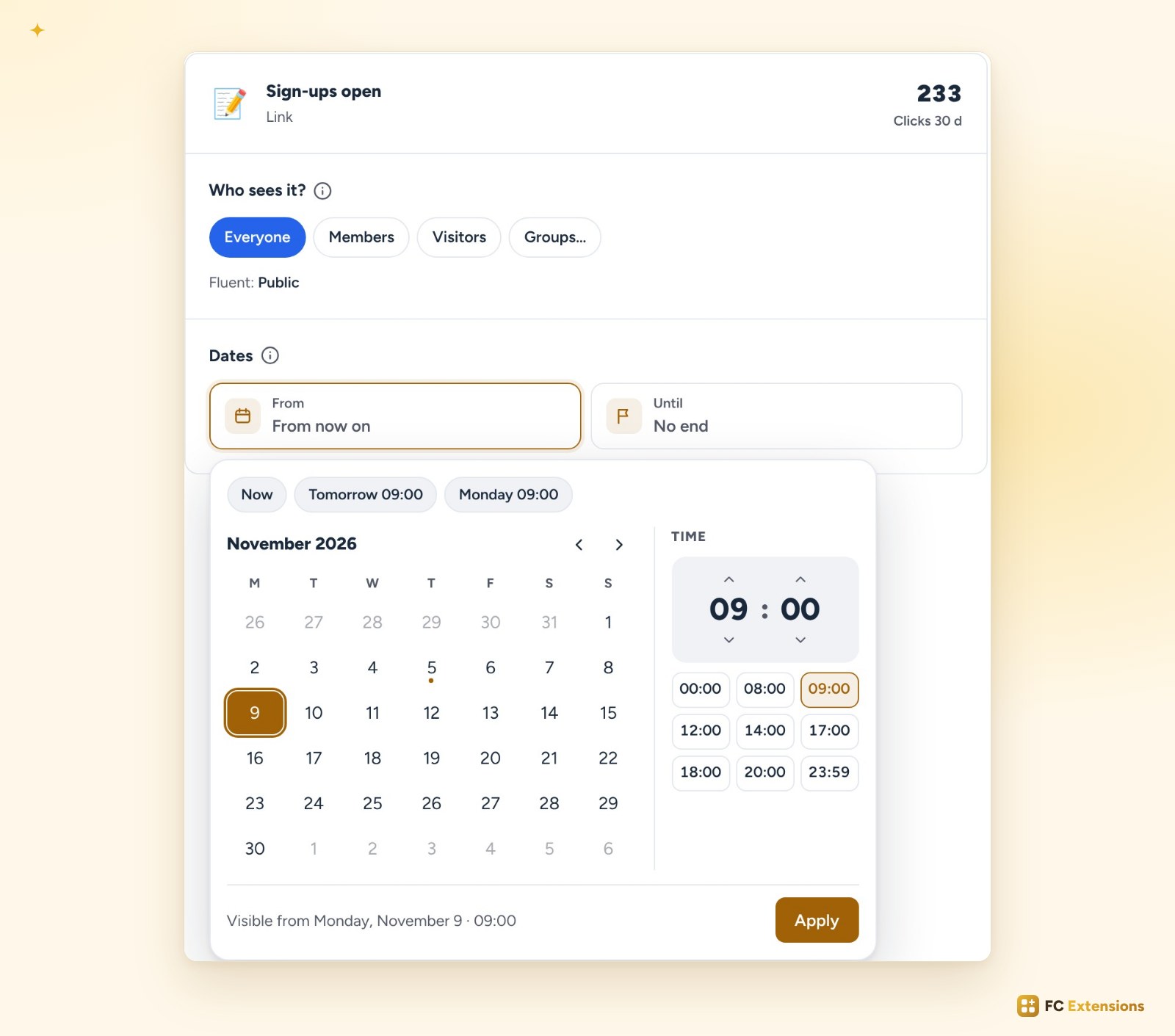
Sign-ups open Monday at 9 am? The link shows up right then, and disappears when they close. Before publishing, “Seen by” shows you each person’s menu. Afterwards, the statistics tell you which links members really click.
FC Extensions · Free extensions
A clear community from the first click
Sort Order and Quick Access 2 add to your community in seconds, with every other free extension.
- Native Fluent Community
- Courses, spaces and members
- A menu per member
- Free, forever
Go further: every extension on video and what is coming to FC Extensions. On Sdravobiz, see Writing, current offers and La Taverne.
Frequently asked questions
Is Course Order changing its name?
Yes. It is now called Sort Order and also arranges spaces, members and profiles.
Do my members see a change after the update?
No. Nothing moves for your members until you change something.
Can I create submenus without creating a group in Fluent Community?
Yes. With Quick Access 2, drag one space under another and the submenu is created.
Are Sort Order and Quick Access free?
Yes. They are part of the free FC Extensions extensions, forever.