



A yoga class every Thursday, an online masterclass, a two-day training, your members’ big annual evening. Every community lives to the rhythm of its gatherings. I wanted them to live inside the community, from the first click to the day after.
Events is the FC Extensions extension that runs your Fluent Community calendar. You publish your events, members sign up in one click, and you can sell seats. On November 8, it received its biggest update since launch, built from your ideas. The full article on fcextensions.com shows every screen.
Events: a calendar that looks like your community
Your calendar, each event page, tickets and certificates are all customized in one place, in a full-screen visual editor. Six page templates to start, from conference to webinar, and eight layouts for your event list.
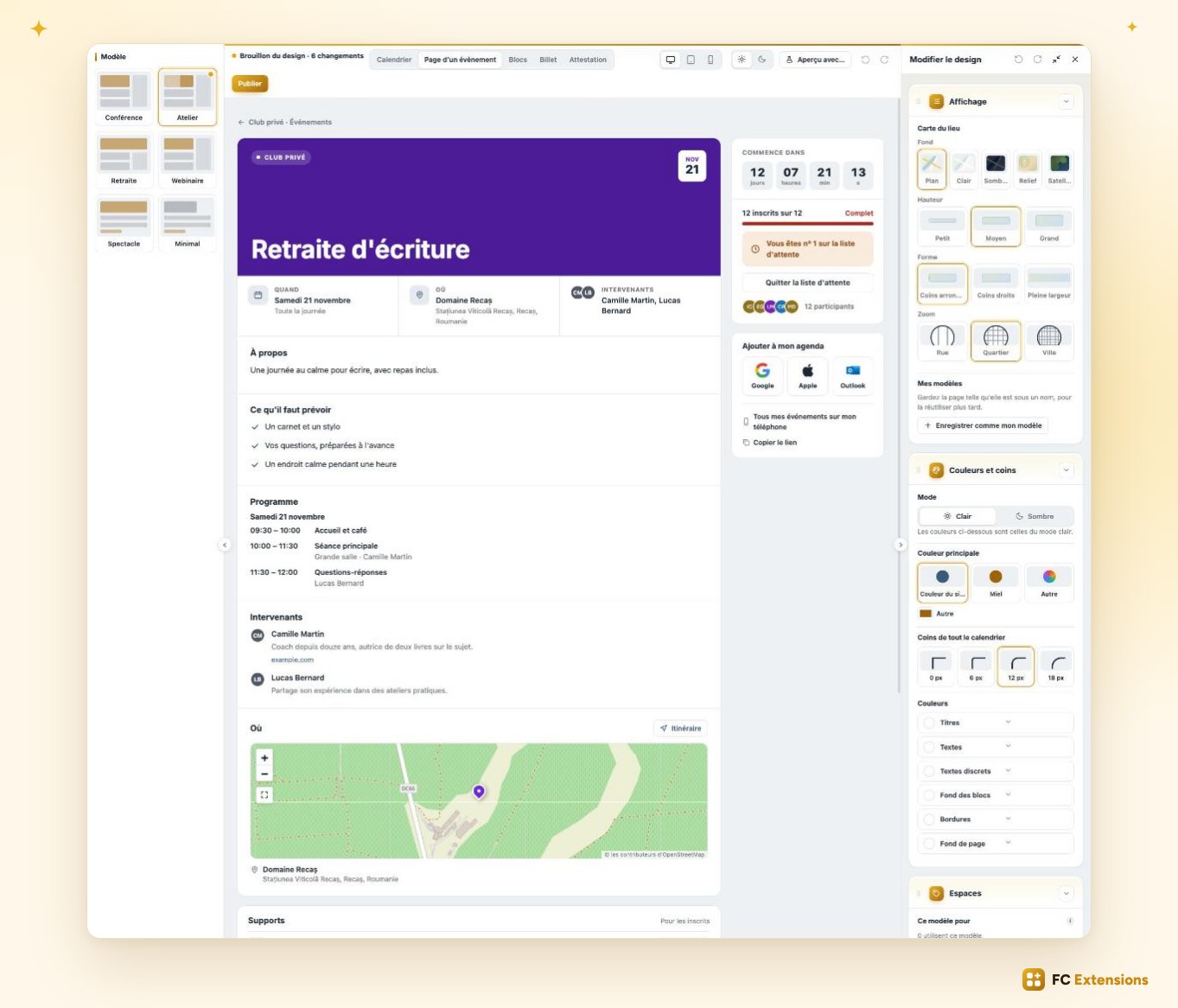
Click any element and adjust it: the date, the countdown, the seats bar, the speakers. Your colors follow your community, dark mode has its own, and each space can have its own style.
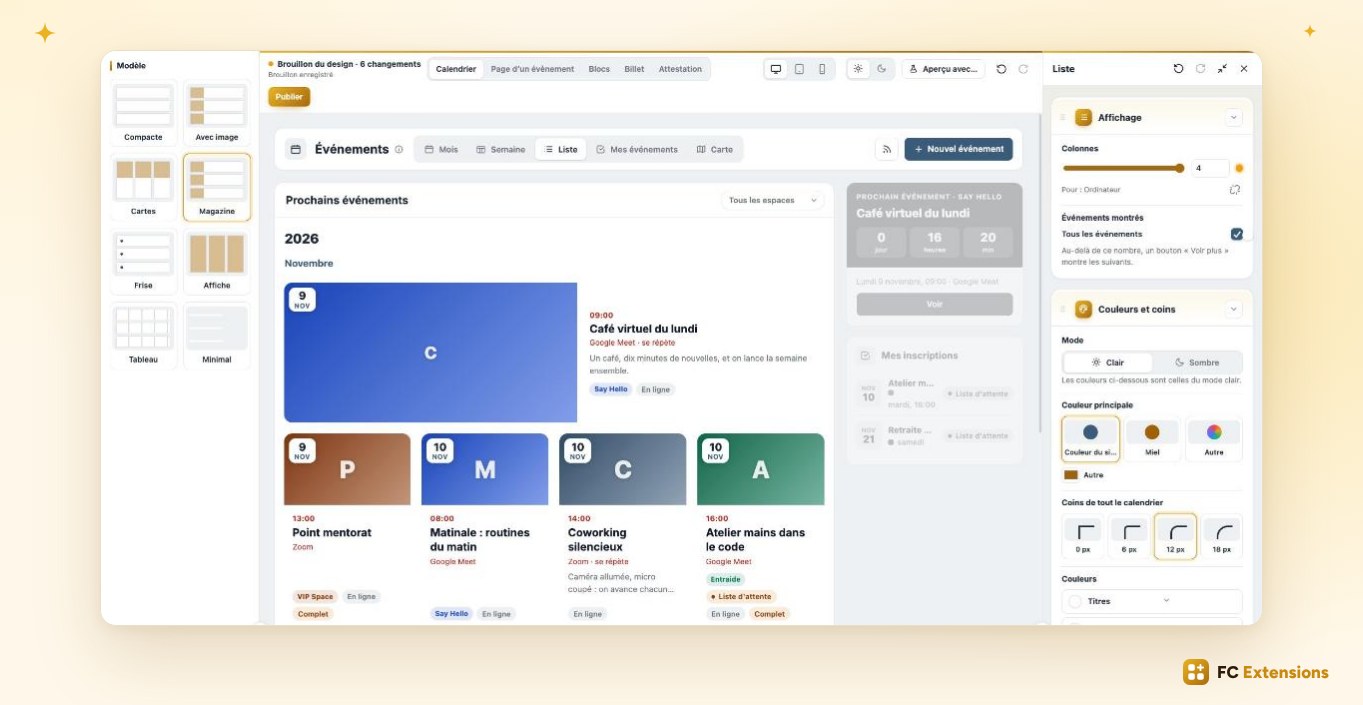
Create an event in minutes
A name, a space, a date. Once, over several days, every Thursday as a series, or dates picked one by one. Online, on site or both. Add a category, the event language, a summary, an image and even a promo video.
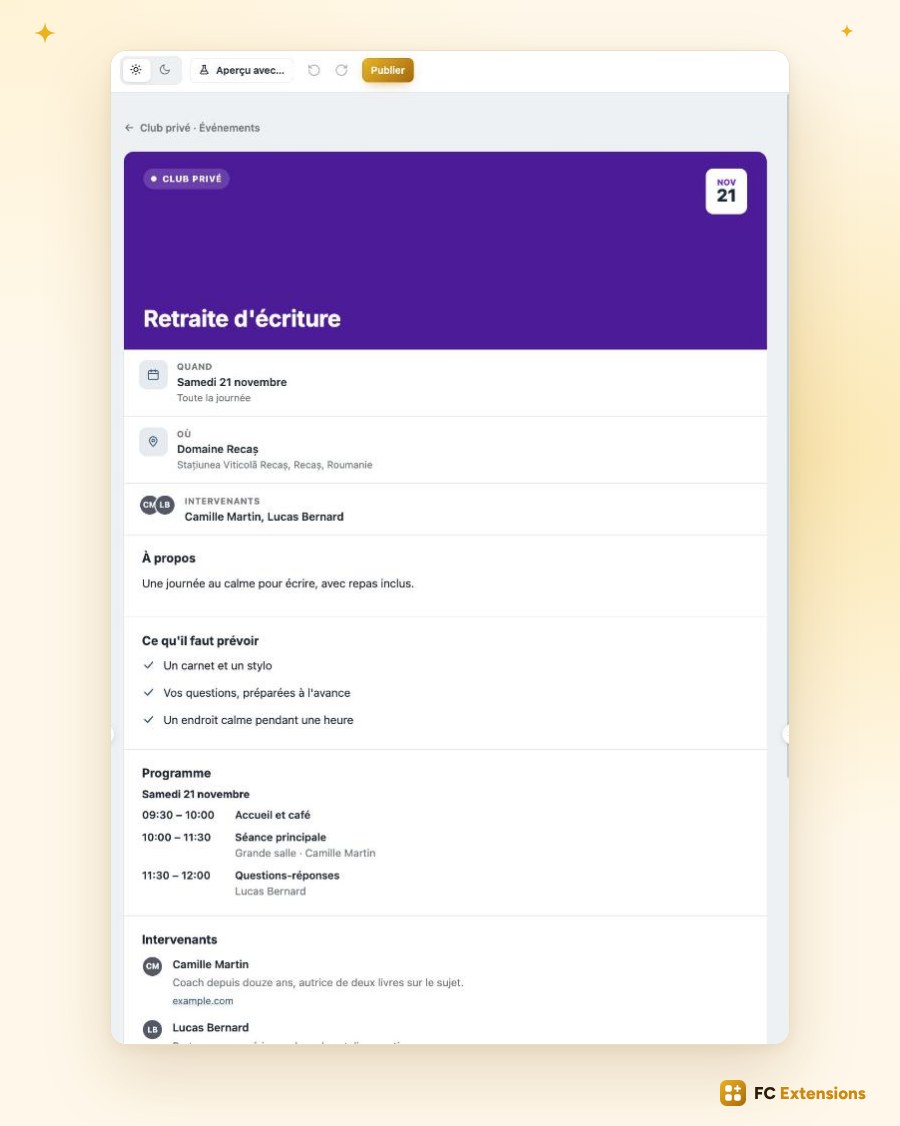
Then everything is ready with your usual settings. Add co-hosts and speakers, an FAQ, what to bring, the schedule, files and the replay. The preview shows the page exactly as members will see it.
Sell your seats, whatever the case
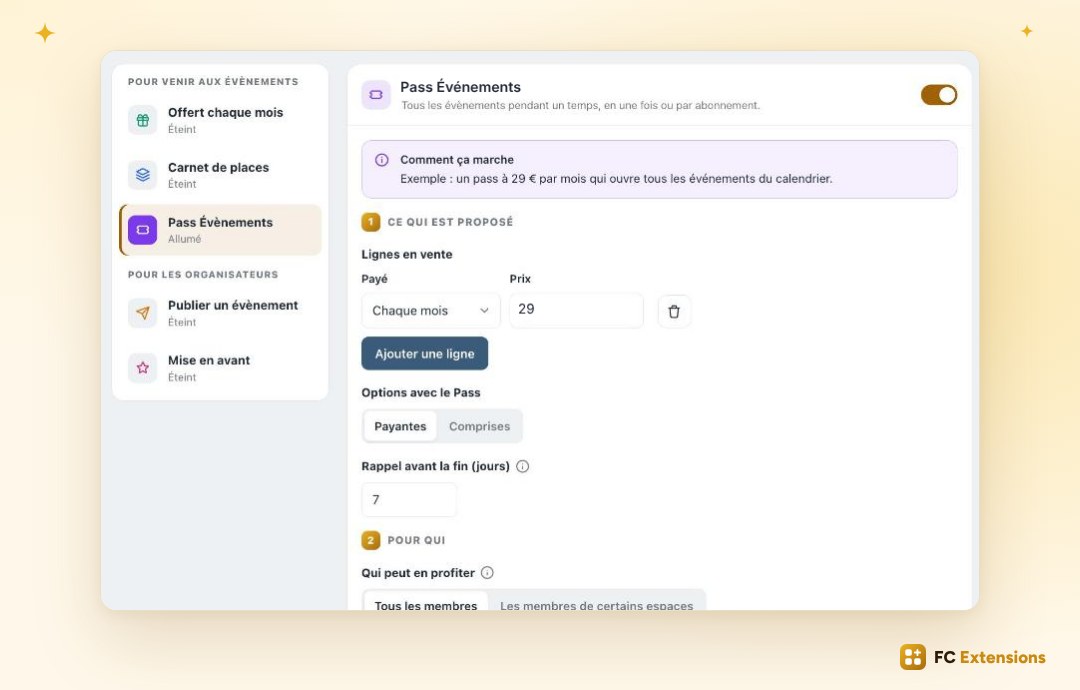
Free, single price, several rates or pay what you want: pick your starting point. Attendees pay without leaving the community, book several seats at once and add options. Visitors can even buy without creating an account.
To bring members back, offer an Events Pass, a ticket bundle or a free seat each month for your VIP members. Each offer comes with a concrete example.
QR code tickets, scanned with a phone
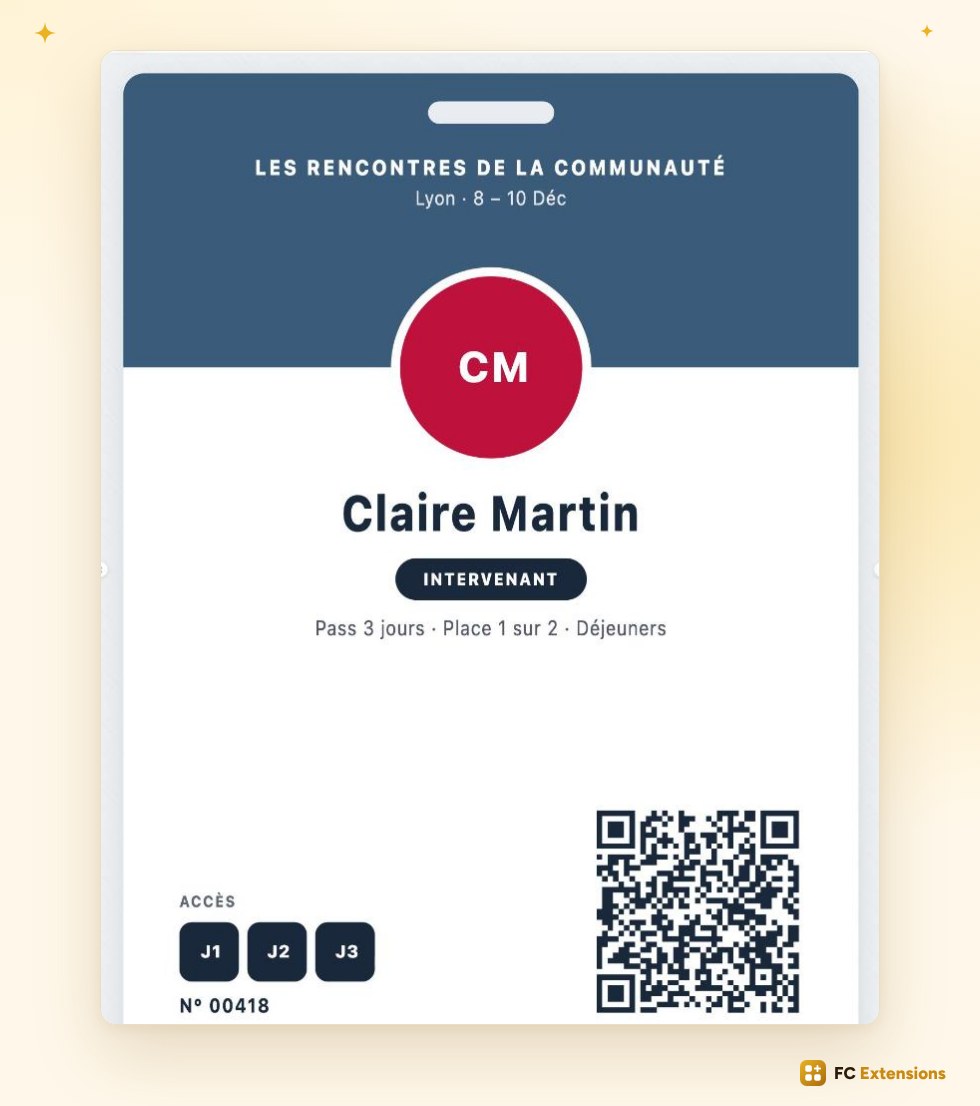
Each attendee receives a real PDF ticket in their name, with a QR code. Eight designs to choose from, from festival ticket to conference badge. At the door, your team scans with a simple phone, no app needed, and you always know who has arrived.
Attendance certificates and attendee reviews
Trainer or coach? The day after, every attendee who was there receives an attendance certificate as a PDF, with the hours attended, your signature and a verification code. Six designs, your logo, your text.

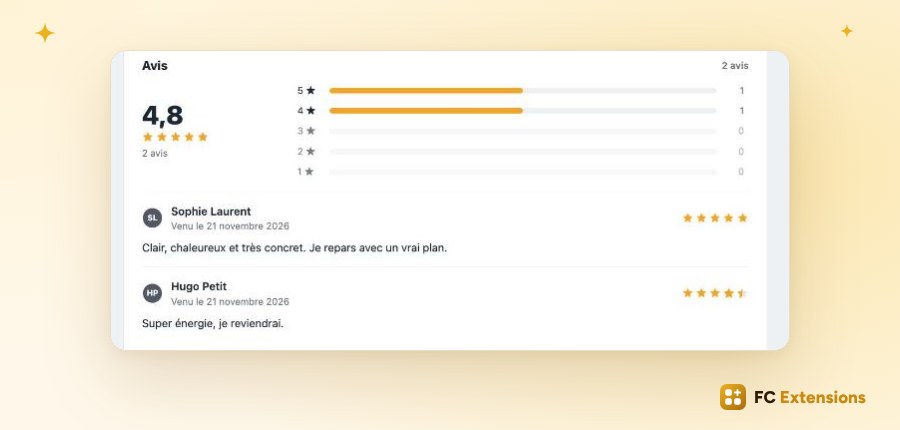
Only attendees who were present can leave a review, so every star is genuine. Reviews reassure people who hesitate, and Google can show your stars in its results.
You know what works
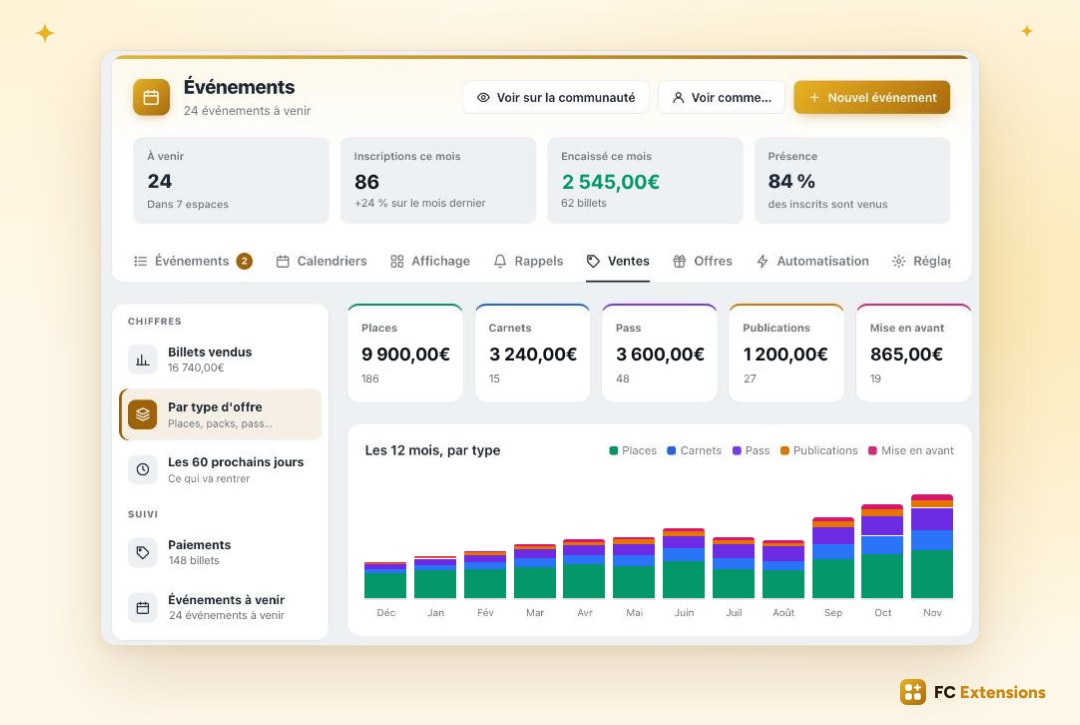
Four numbers give you the pulse of your events: what is coming, this month’s sign-ups, what you collected and the attendance rate. Each organizer has a dashboard with sign-ups, regulars and revenue.
To see how Events evolves, read what is coming to FC Extensions.
FC Extensions · Events
Prepare, sell, welcome, and stay in touch
The full article shows every Events screen, from the visual editor to the statistics.
- Visual editor
- QR code tickets
- Attendance certificates
- Genuine reviews
Go further: every extension on video and the Directory, whose places can be reused in your events. On Sdravobiz, see Writing, current offers and La Taverne.
Frequently asked questions
What is the Events extension?
An FC Extensions extension that adds a complete calendar to Fluent Community: event pages, sign-ups, ticket sales, tickets, certificates, reviews and statistics.
Do I need an app to scan tickets?
No. Your team scans the QR codes with a simple phone, nothing to install.
Who receives an attendance certificate?
Every attendee who was present, automatically, the day after the event, as a PDF.
Can visitors buy a seat without an account?
Yes. You can allow purchases without creating an account.