



On every page of your community, two places stay in front of your members. The left column to find their way, the right column to see what is happening. They are your two best showcases, and I wanted you to build them like a page.
Sidebar is a premium FC Extensions extension, released on November 13. You set up both columns in one editor, with blocks from all your extensions, and each member sees what speaks to them. The full article is on fcextensions.com.
Sidebar: a live editor, in front of your real community
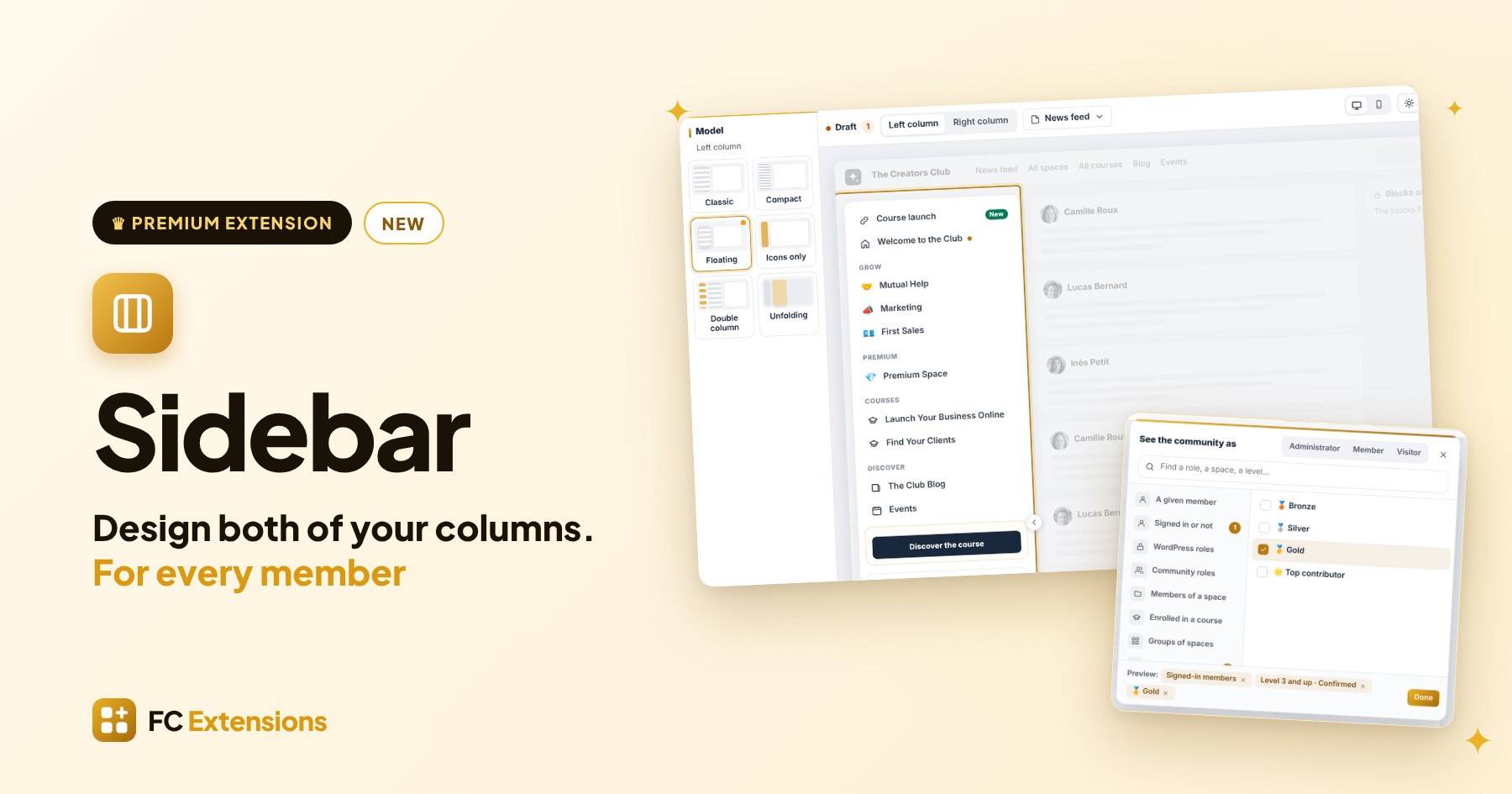
One click on “Edit columns” and you are looking at your community as members see it. Click what you want to change, and another click switches from desktop to phone. Your Quick Access and Layout settings are carried over.
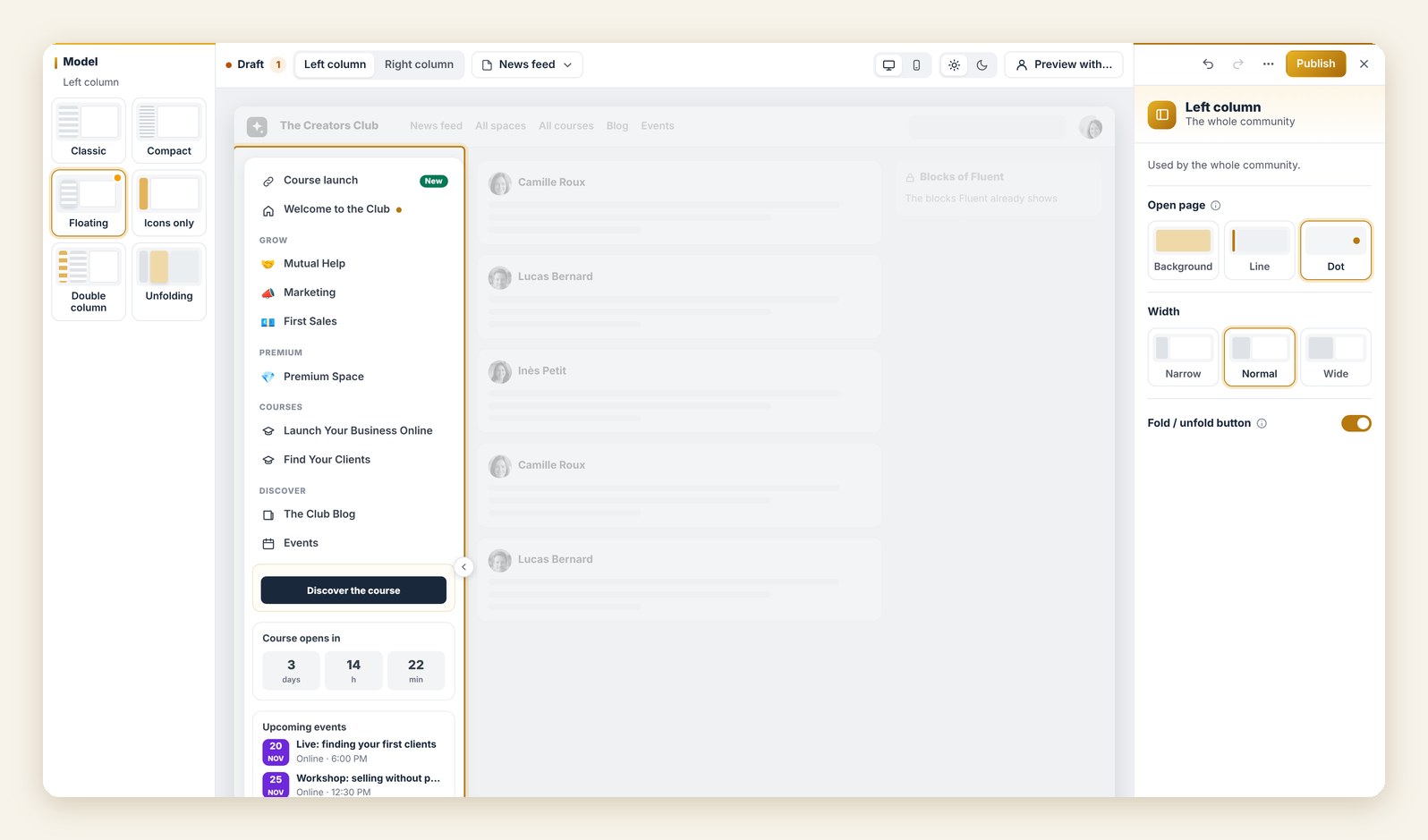
The left column, to find your way
Six templates to start, from classic to double column. Add a link, an extension page, a title or a separator, and place it by dragging. Each line can carry a label: New, Promo or Live. In a course, the column shows the lessons and the learner’s progress.
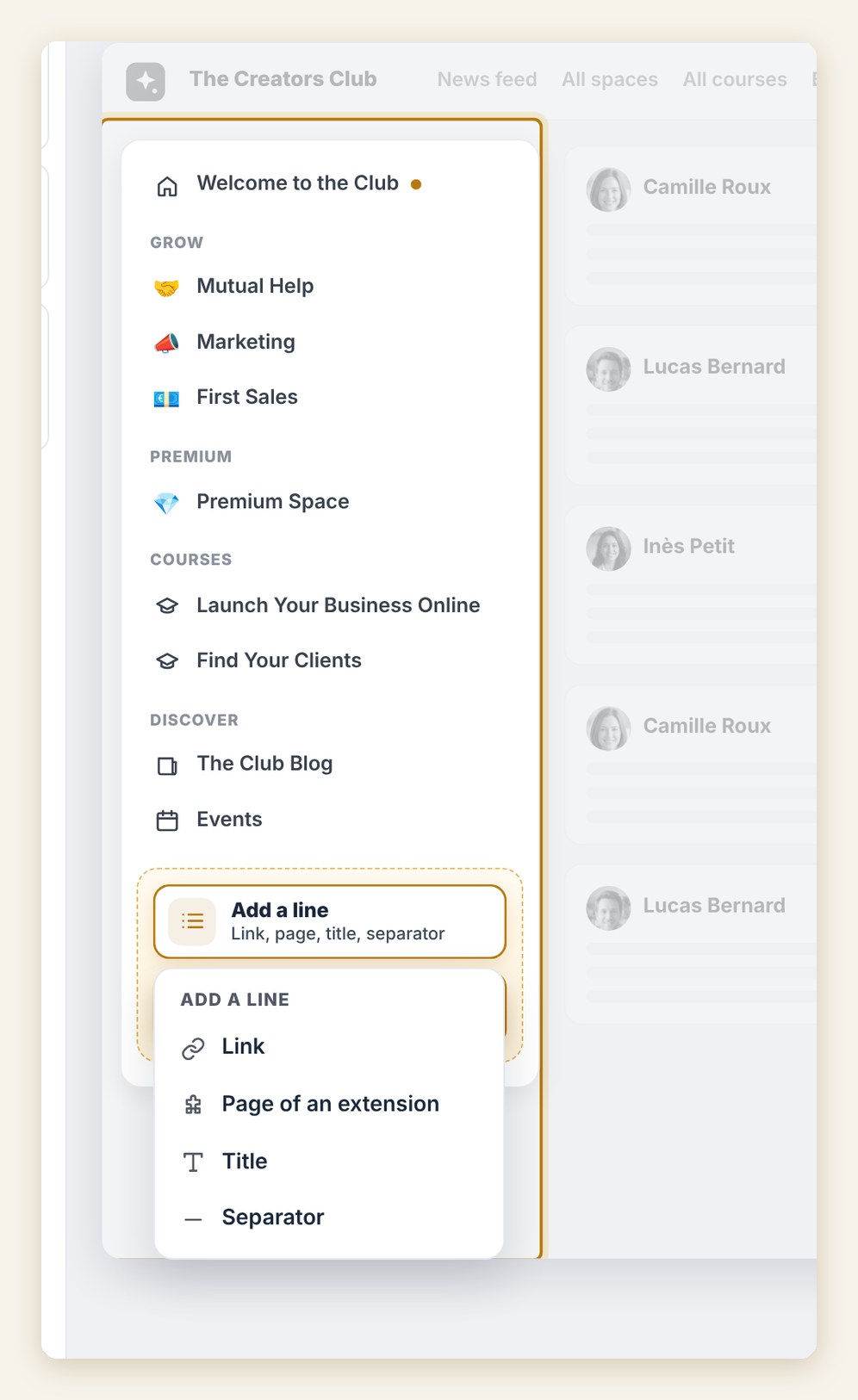
The right column, where the news lives
The right column is set page by page: the feed, spaces, courses and your extensions’ pages. Four templates fill it in one click, then you add your blocks: banner, video, events, countdown, ads, blog posts.
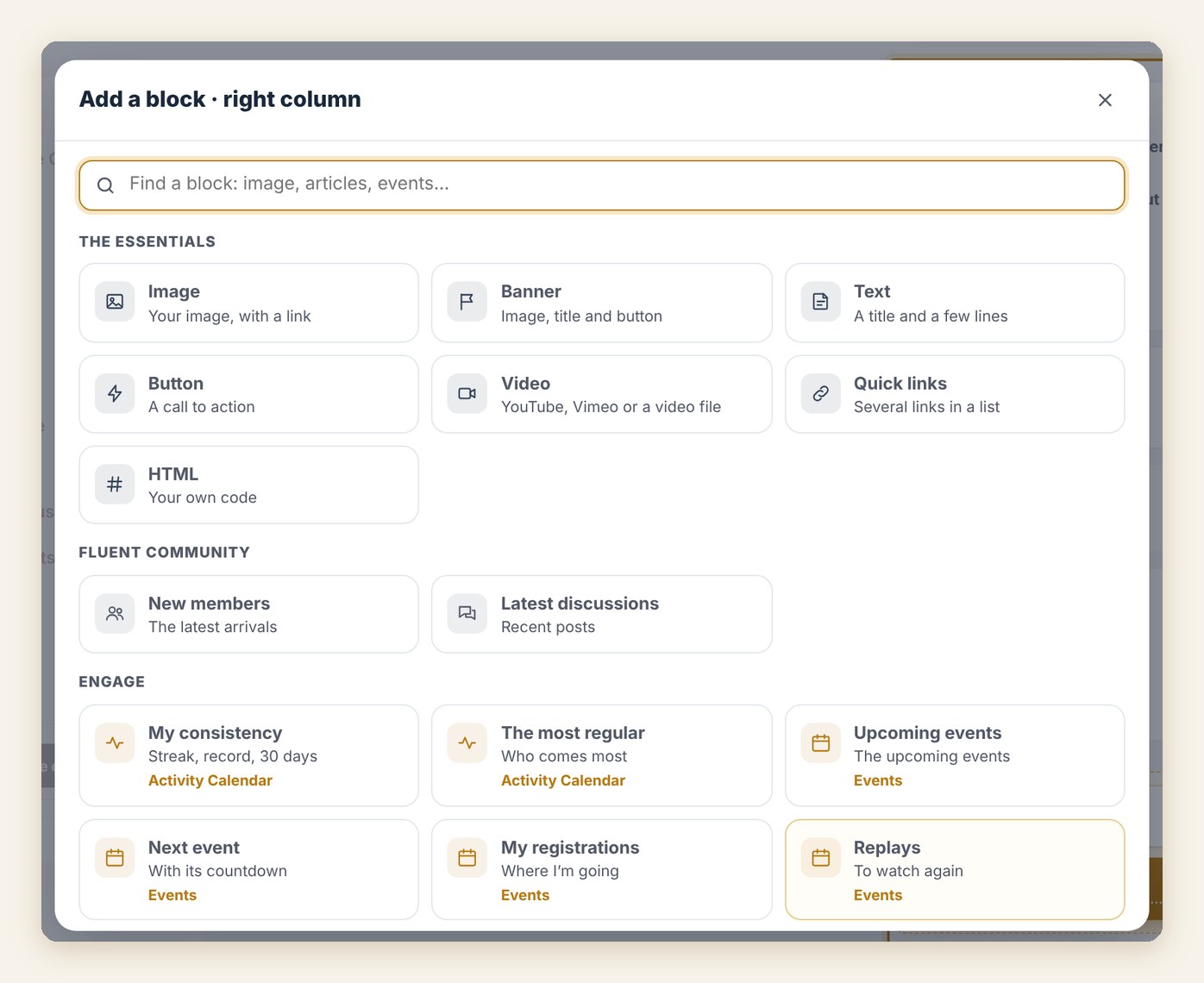
For each member, what speaks to them
Every line and every block has a “Who sees it” setting: visitors, members of a space, students of a course, level, badge, purchased offer or FluentCRM tag. The “Join the club” block only shows to people who are not members yet. “See as” shows you the result for any profile.
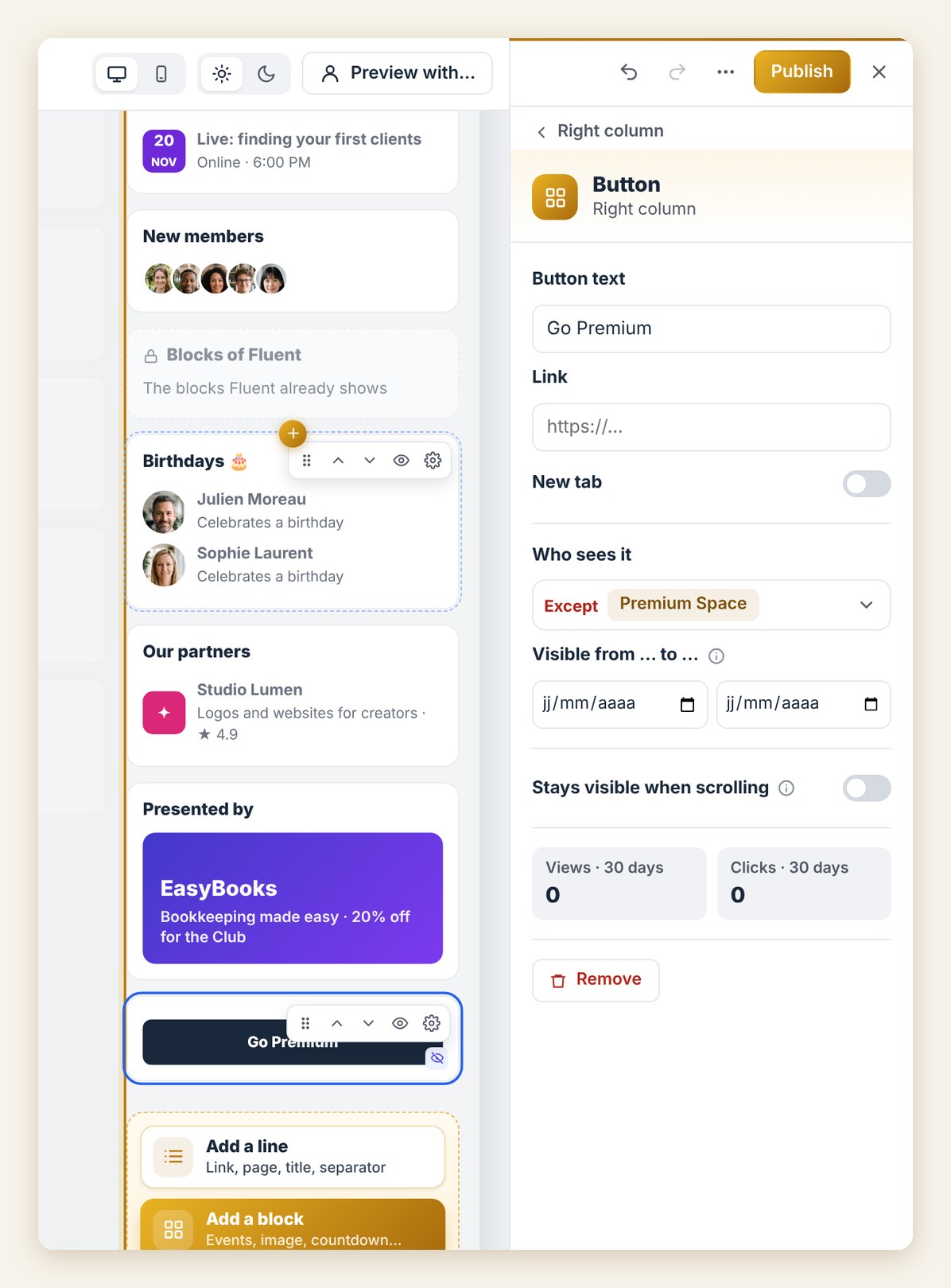
Publish when ready, then track
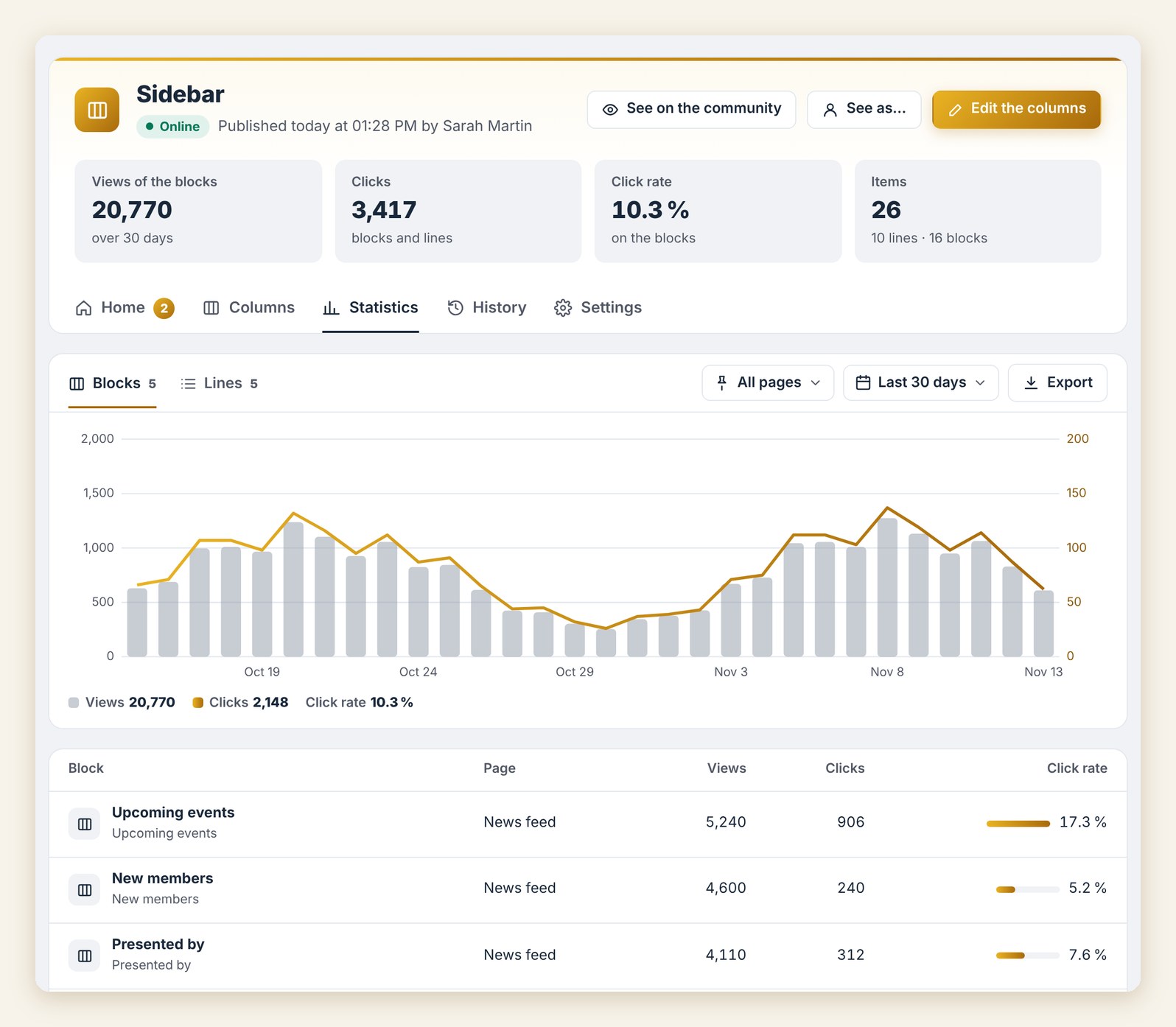
You work on a draft while members see the community as before. Publish when you are ready, and the history keeps every version. Statistics show the most clicked lines and the most viewed blocks, day by day, with no personal data.
FC Extensions · Sidebar
Your two columns, your way
Sidebar is one of the premium FC Extensions extensions.
- Live editor
- Blocks from all extensions
- An audience per block
- Stats per block
Go further: Theme Studio for your community colors and Quick Access. On Sdravobiz, see every extension on video, current offers and La Taverne.
Frequently asked questions
What is Sidebar?
A premium FC Extensions extension that builds the left and right columns of Fluent Community in a live editor.
Do I keep my Quick Access and Layout settings?
Yes. Sidebar carries them over, so you start from your community as it is.
Do members see my changes while I work?
No. You work on a draft, and nothing changes until you publish.
Can I keep the Fluent Community blocks?
Yes. Keep them and place your own around them.