



Some posts matter more than others. A masterclass for advanced members, an offer for your students, an invitation for people who have not come by in a month. Those deserve to reach exactly the right people.
Post Boost is a premium FC Extensions extension, released on November 14. Everything is set while you write: who sees your post, who receives it, when, and how it was received. The full article is on fcextensions.com.
Post Boost: an Audience button, right next to Publish
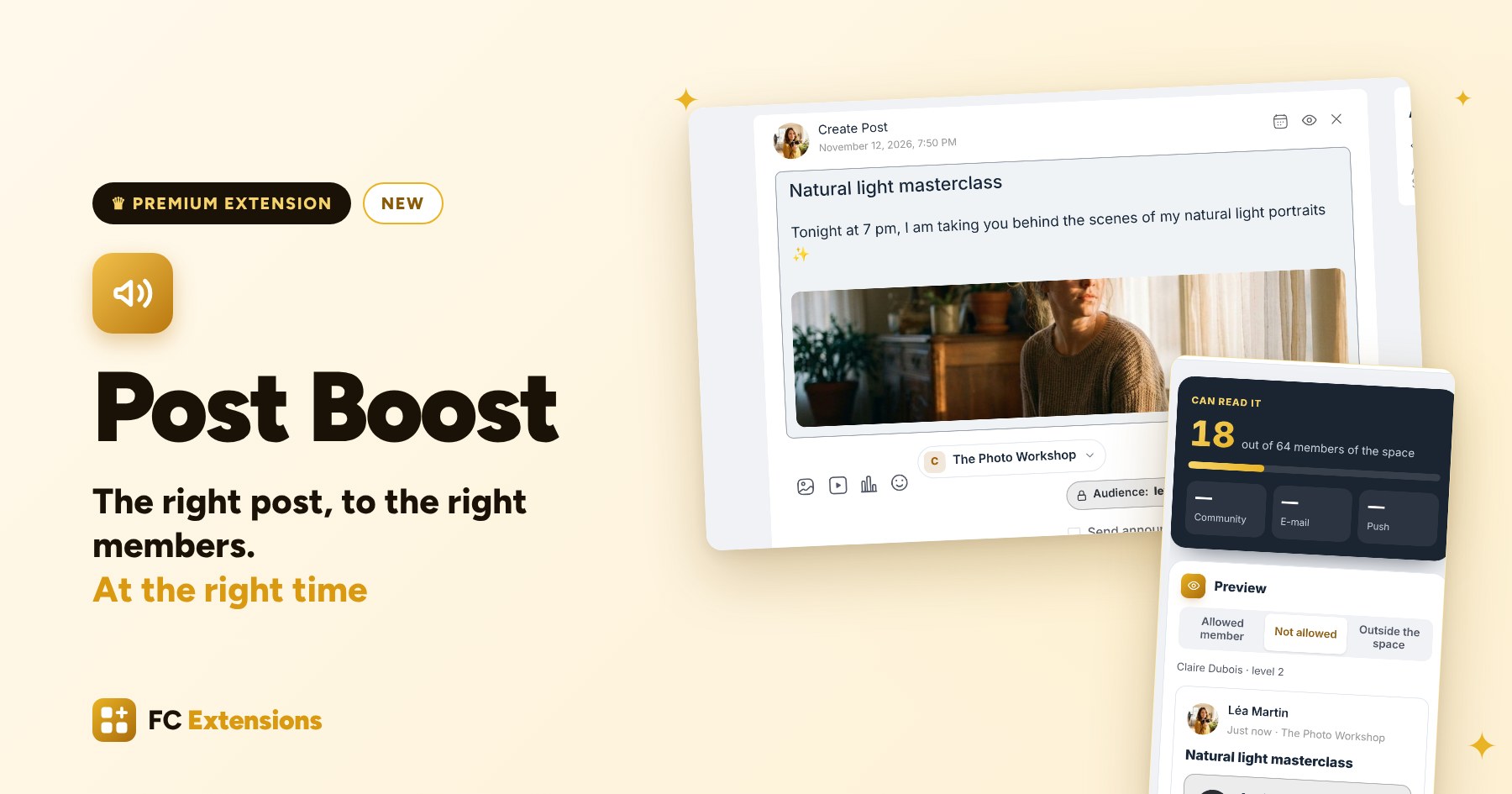
Take an example. Léa runs The Photo Workshop and is preparing a masterclass for her level 3 members. She writes her post as usual. Next to the Publish button, a new button: Audience. One click, and Post Boost opens.
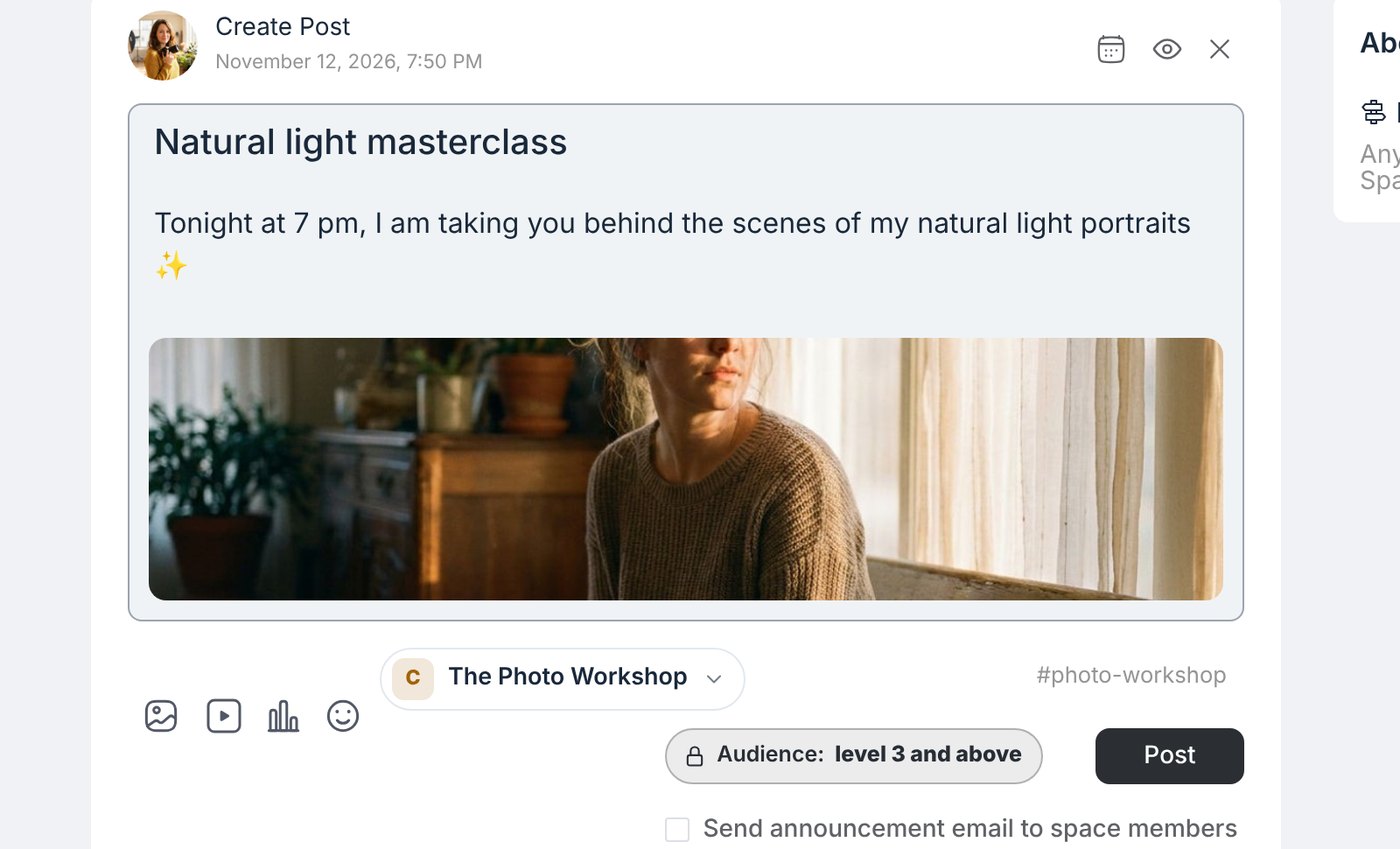
Who sees your post
Three ways to share it: for the whole space, with a padlock, or discreetly. Then choose who can read it: a level, a course, a space or a role. Post Boost tells you right away how many members are concerned. Your other extensions add their audiences, such as people registered for an event.
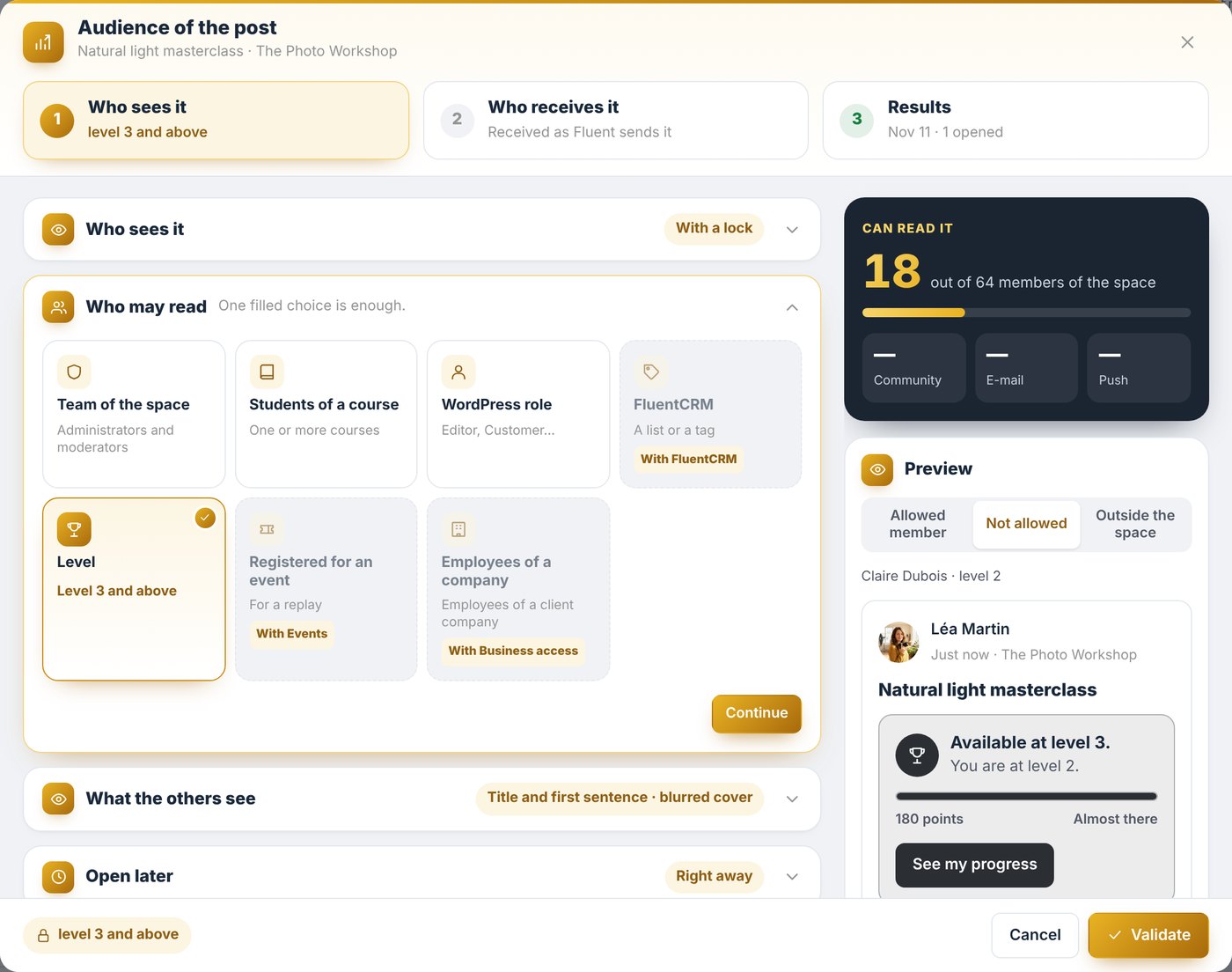
Other members see the beginning of the post, with an invitation to level up. Every reserved post becomes a good reason to progress.
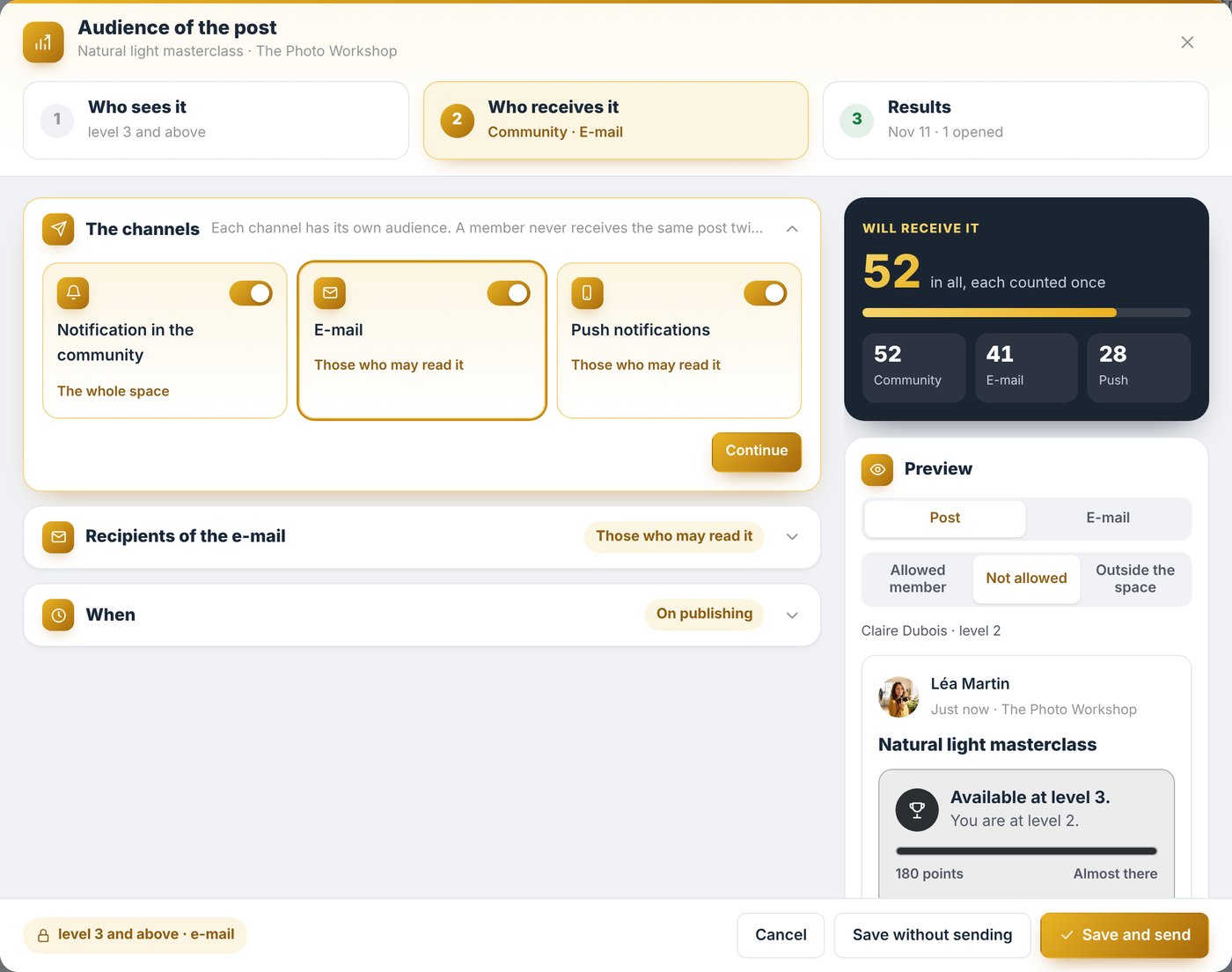
Who receives it, and when
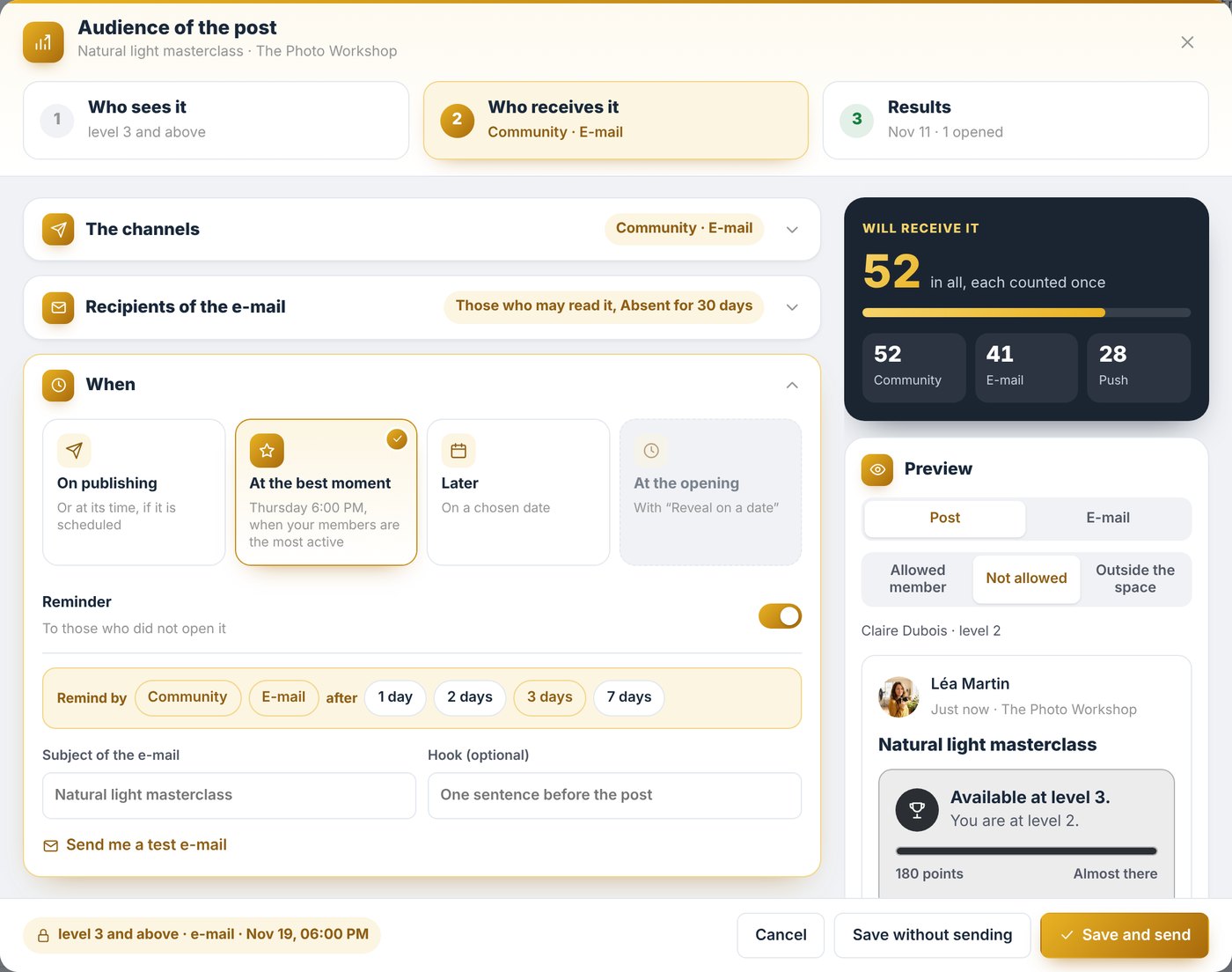
Three channels to notify members: the in-community notification, email and phone notification. For each, choose the recipients and leave out an audience in one click. The email is ready in seconds, with its preview.
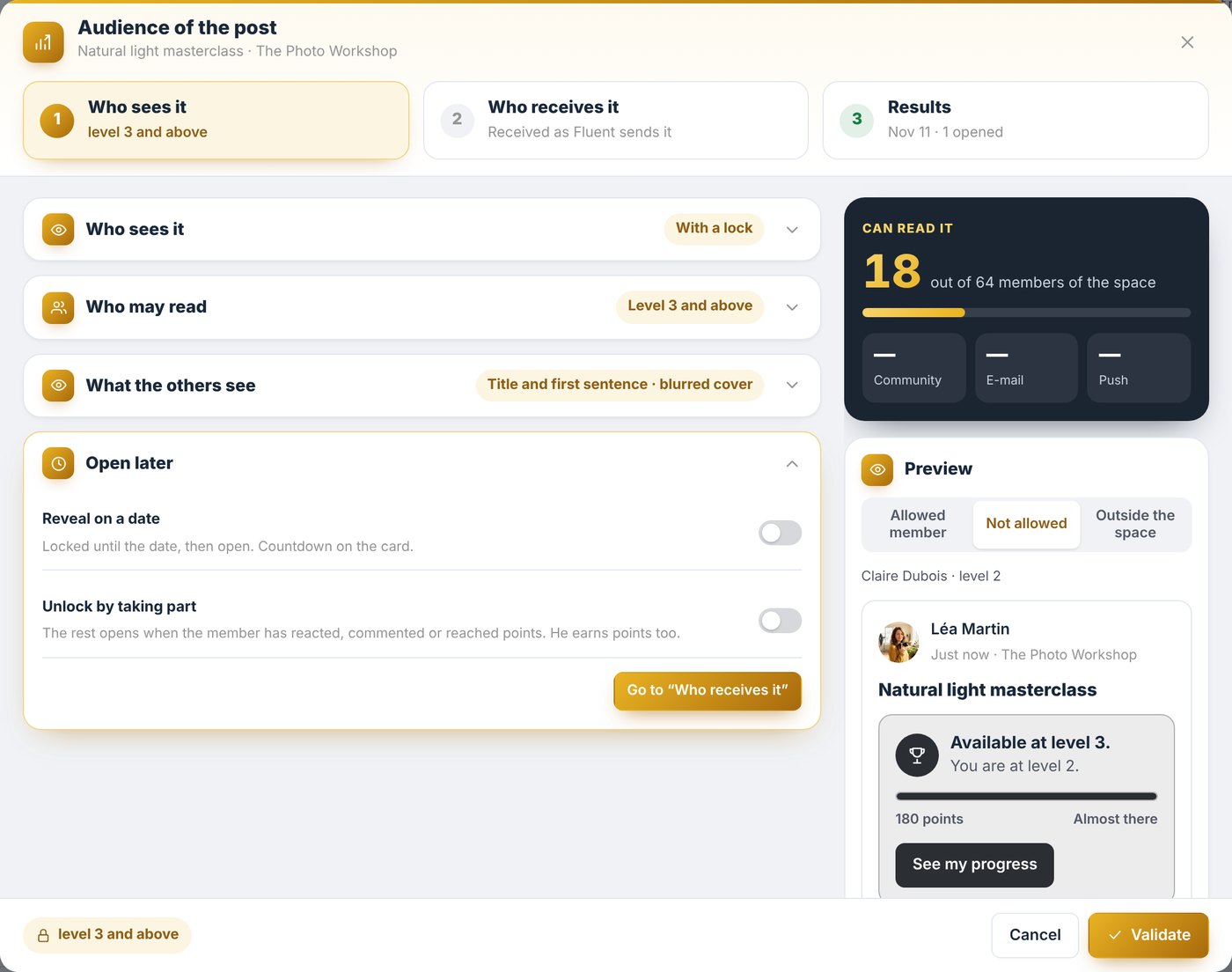
Right away, later, or at the best time: Post Boost spots when your members are most active. A reminder goes out on its own to those who missed it. A post already online can be set from its menu, without rewriting anything.
See how it was received
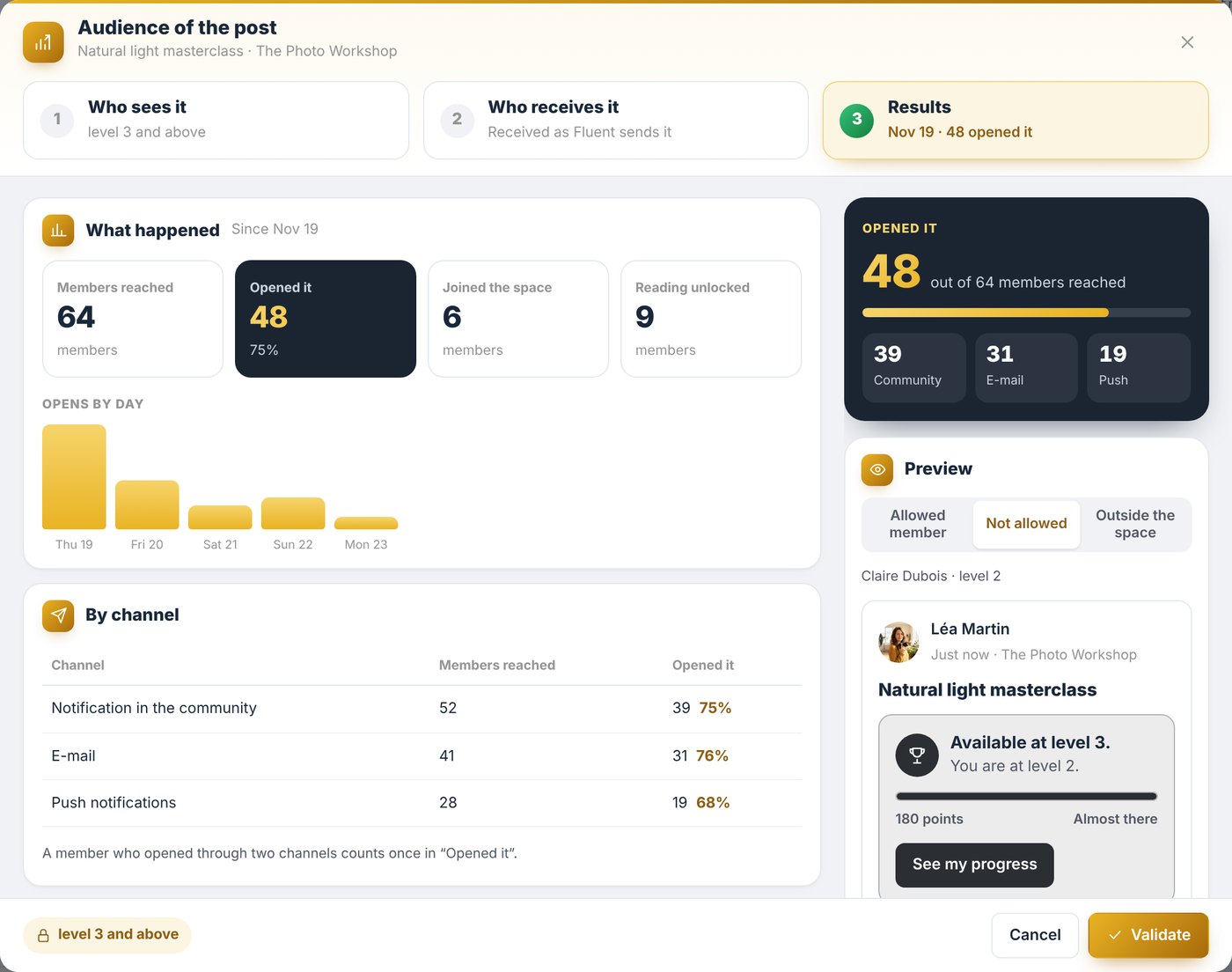
A few days later, you see how many members were notified, how many opened it and how many unlocked the reading, day by day and channel by channel. One click on Remind, and only those who have not opened it yet receive it again. These numbers stay within your team.
FC Extensions · Post Boost
The right post, to the right members, at the right time
Post Boost is one of the premium FC Extensions extensions.
- An audience per post
- Community, email, phone
- At the best time
- Day by day results
Go further: Sidebar for your columns and Writing for your articles. On Sdravobiz, see every extension on video, current offers and La Taverne.
Frequently asked questions
What is Post Boost?
A premium FC Extensions extension that sets who sees a post, who receives it and when, then shows its results.
Can I reserve a post for a level or a course?
Yes: a level, a course, a space, a role, or several at once.
Which channels notify my members?
The in-community notification, email and phone notification.
Do members see the numbers?
No. The numbers are only visible to your team.