



I’ll be straight with you: Client Vault has grown a lot since it opened in May. Almost every week, a new update added another piece.
And you told me, more than once: when you landed on the website, you didn’t always know where to start. Everything was there. It just took time to find your way around.
So I rebuilt the website from scratch. The new clientvault.pro is live, in seven languages. It gets straight to the point, it shows the real screens, and the demo opens in a few seconds. Let me show you around.
A new website to understand Client Vault in a few minutes
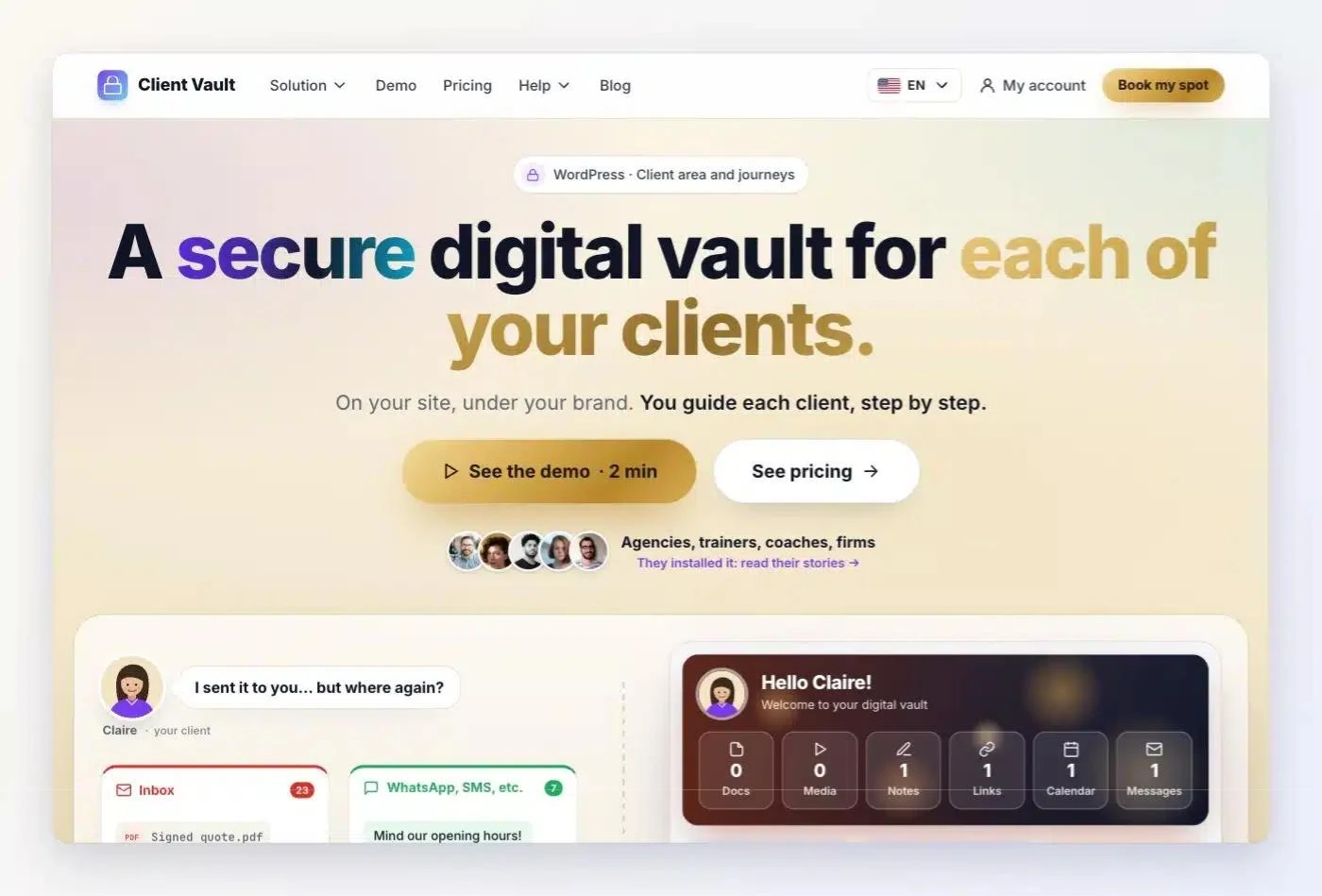
Client Vault is a WordPress plugin. It gives each of your clients a secure digital vault, on your site and under your brand. And it lets you guide them step by step, with journeys.
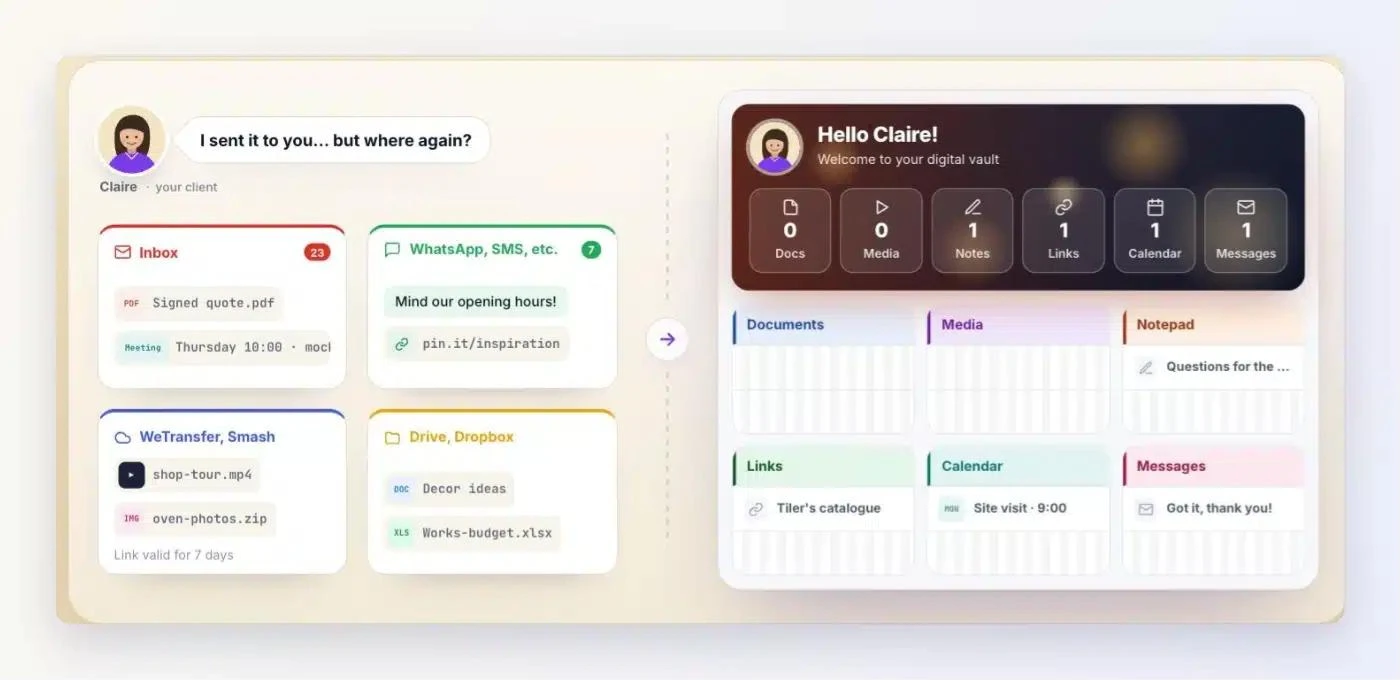
That’s exactly what the top of the home page now says. One promise, two buttons. Just below, a scene you probably know well: your client asking “I sent it to you… but where again?”
Then each feature gets its own section. Little text, the real screens of the plugin. You click, you see, you understand.
I also made it clear who each sentence is talking to. There’s you, the professional or agency who installs Client Vault. And there’s your client, the one who opens their vault. The website shows both sides, each in its place.
The same logic as every Sdravobiz website
If you already know FunnelCart or BookingLeads, you’re on familiar ground. Client Vault now follows the same structure as every website in the family.
FunnelCart sells with sales funnels on FluentCart, BookingLeads fills your calendar with appointments and leads. On the app side, Maymoune builds the mobile app for your business, and Pricati gives you an AI sales assistant. And they all come together here, on sdravobiz.com, our shared home.
On the new Client Vault website, the menu fits in five items: Solution, Demo, Pricing, Help and Blog. Under Solution, each feature has its own line, with a short description. At the bottom of the page, you’ll find the other Sdravobiz products and the language picker.
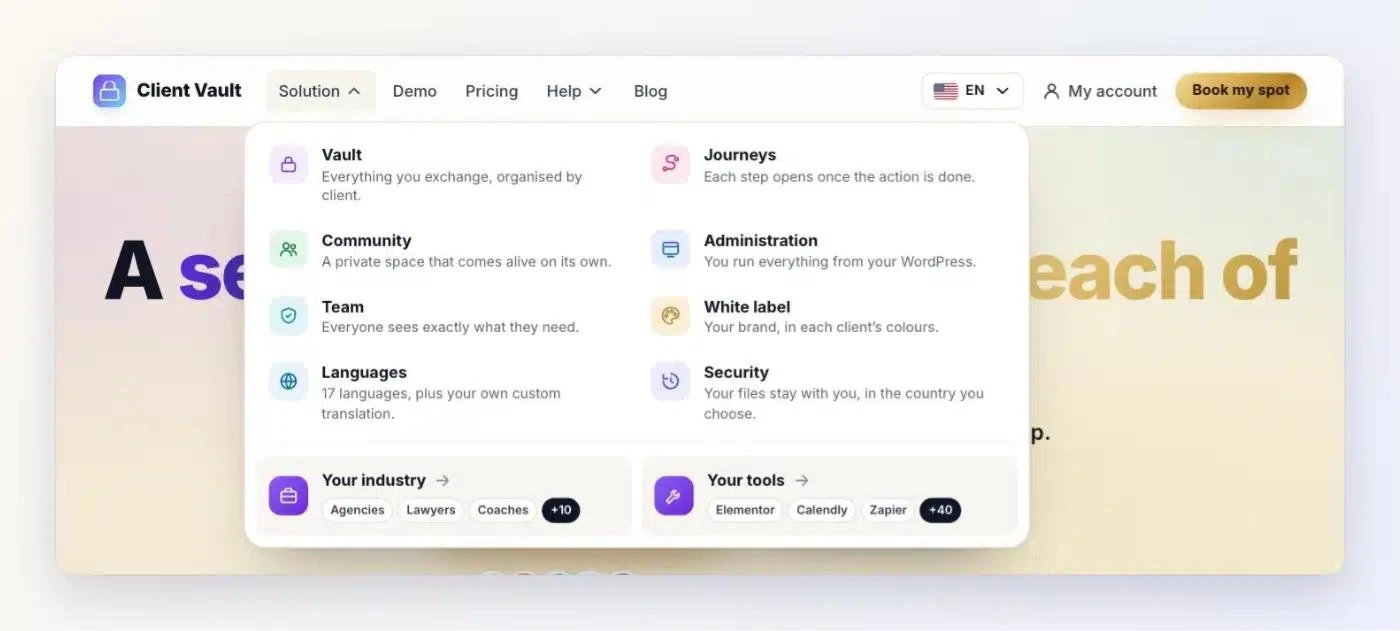
The idea is simple. Once you know your way around one of our websites, you know your way around all of them.
What Client Vault does, in plain words
A secure digital vault for each client
Each client has their own vault, on your site. Documents, photos, videos, messages, notes, links, calendar: everything you exchange with them is organised there. They can comment by text, audio or video.
No more hunting for a file between WeTransfer, WhatsApp and Google Drive. Your client has everything in one place, and so do you.
Journeys to guide each client
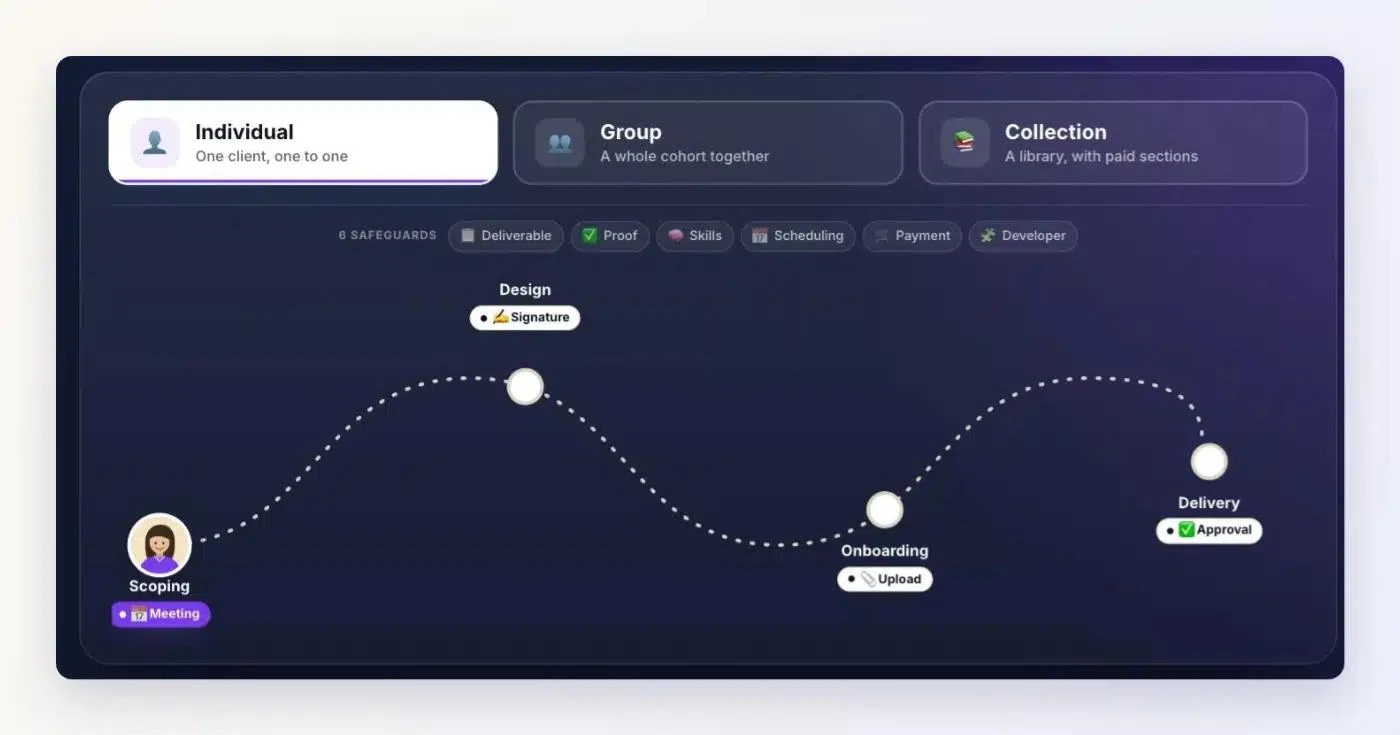
Journeys are a feature in their own right. You guide a client step by step, even with no documents in their vault. Each step opens once the requested action is done, and you approve it in one click.
You pick the format that suits you. One client, one to one, with an individual journey, a whole cohort with a group journey, or a content library with a collection.
Your tools, your brand, your data
Client Vault connects to what you already use: FluentCart, Fluent Forms, Fluent Booking, and more than 9,000 apps through Zapier, Make or n8n. It takes your name and your colours, it speaks 17 languages, and your team sees exactly what they need to see.
Above all, everything lives in your WordPress, on your server. Files are encrypted, every action is dated in a log, and no vendor ever sees your data. Your clients stay your clients.
The Client Vault demo, ready in a few seconds
It’s the request I’ve heard most: “I want to see Client Vault with my own eyes before I decide.” You’re right. You can do it right now.
On the Demo page, enter your first name and your email. A few seconds later, the real screens are in front of you: your client’s vault, journeys, the community, the admin. Click around as much as you like.
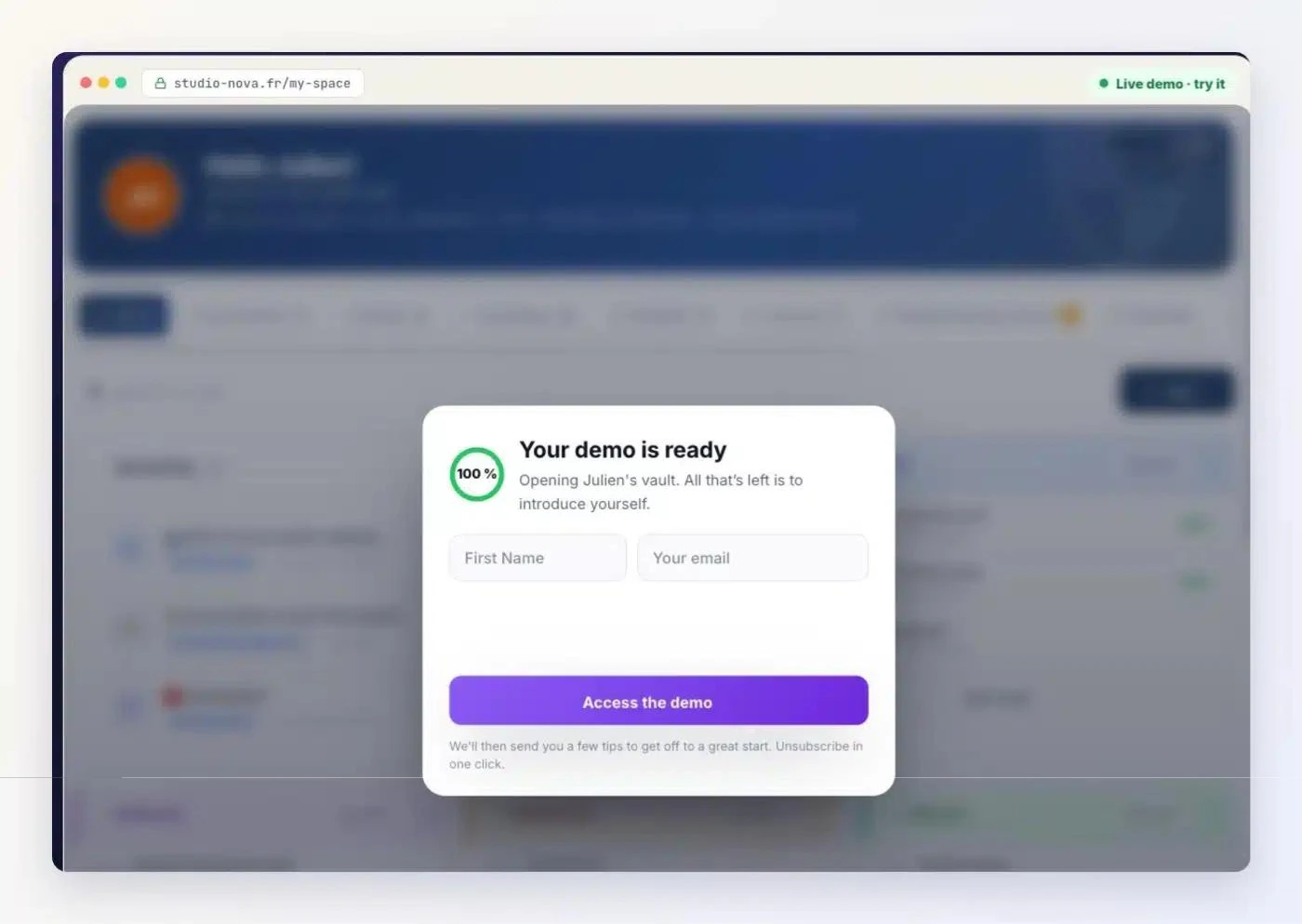
Prefer to watch? The guided video tour walks you through all of Client Vault step by step. And if you’d like to talk about your business, you can also book a video demo.
Client Vault in the Sdravobiz community
Got a question before you start? Ask it in La Taverne, the free Sdravobiz community. We talk business, AI, apps and WordPress.
Already using Client Vault? The Client Vault group brings you every new feature, and it’s where I answer your questions about the plugin.
The full story is on the Client Vault blog: the new Client Vault website, step by step. And for pricing, everything is on the Client Vault pricing page.
Also on this blog: Client Vault 20.33 and Fluent Community space pages, Maymoune’s new website, the FunnelCart launch and the BookingLeads launch. All current offers are on the Deals page.
Client Vault
Open the demo and see Client Vault in action
Your first name, your email, and the real screens open in a few seconds.
- Your client’s vault
- Journeys, step by step
- The admin inside WordPress
- Your data on your server
Frequently asked questions
What is Client Vault?
A WordPress plugin that gives each of your clients a secure digital vault, on your site and under your brand. It also lets you guide them step by step with journeys.
Why does Client Vault have a new website?
So you can understand Client Vault faster. The new website shows one feature per section, with little text and the real screens of the plugin.
How can I try Client Vault before buying it?
On the Demo page at clientvault.pro, enter your first name and your email. The real screens open in a few seconds, and you can click everywhere.
Has the Client Vault plugin changed with the website?
No, it’s the website that changed. The plugin keeps getting updates, which I present on the Client Vault blog and here, on the Sdravobiz blog.
Which languages is the new website in?
English, French, German, Spanish, Italian, Portuguese and Romanian. The plugin itself speaks 17 languages.
How are Client Vault and Sdravobiz connected?
Sdravobiz publishes Client Vault, as well as FunnelCart, BookingLeads, Maymoune and Pricati. All these websites follow the same logic, so you feel at home on each of them.