




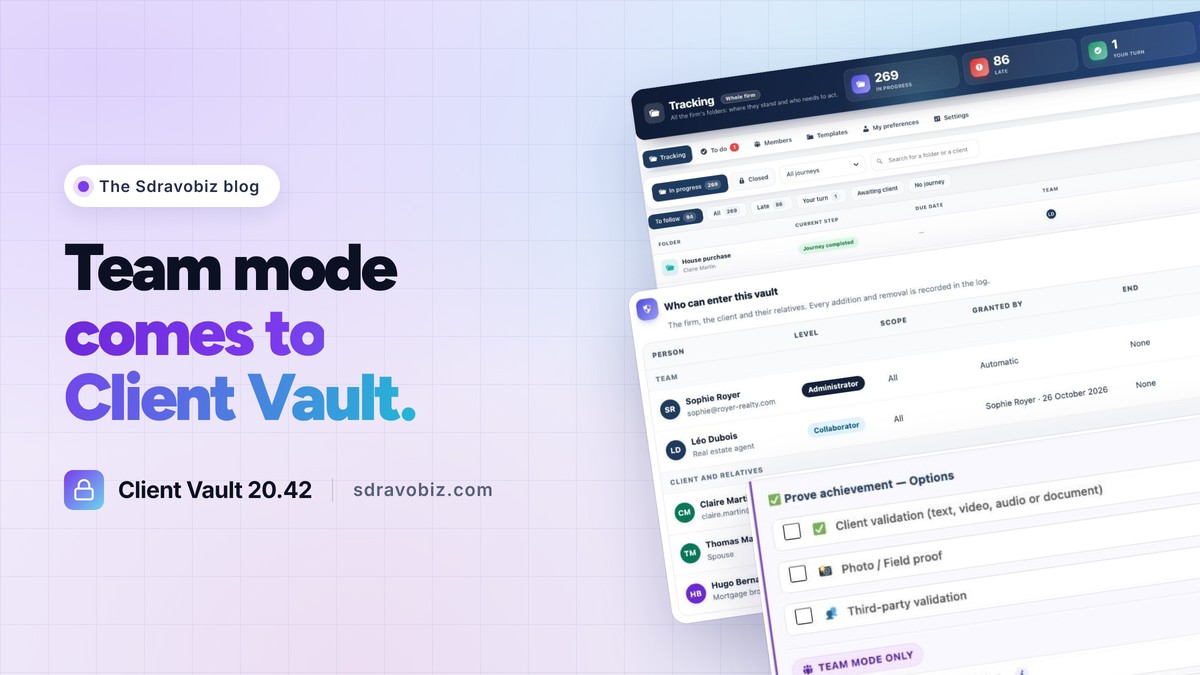
Who has access to your client’s folder, and how far? With Client Vault 20.42, the answer fits in a single table.
For those new here: Client Vault is my secure digital vault for WordPress. Your clients upload their documents there, you talk with them in the same place, and you move them forward step by step with journeys. Everything is encrypted and stays on your own server.
This version adds what many of you were waiting for: working together. It is the biggest Client Vault update to date.

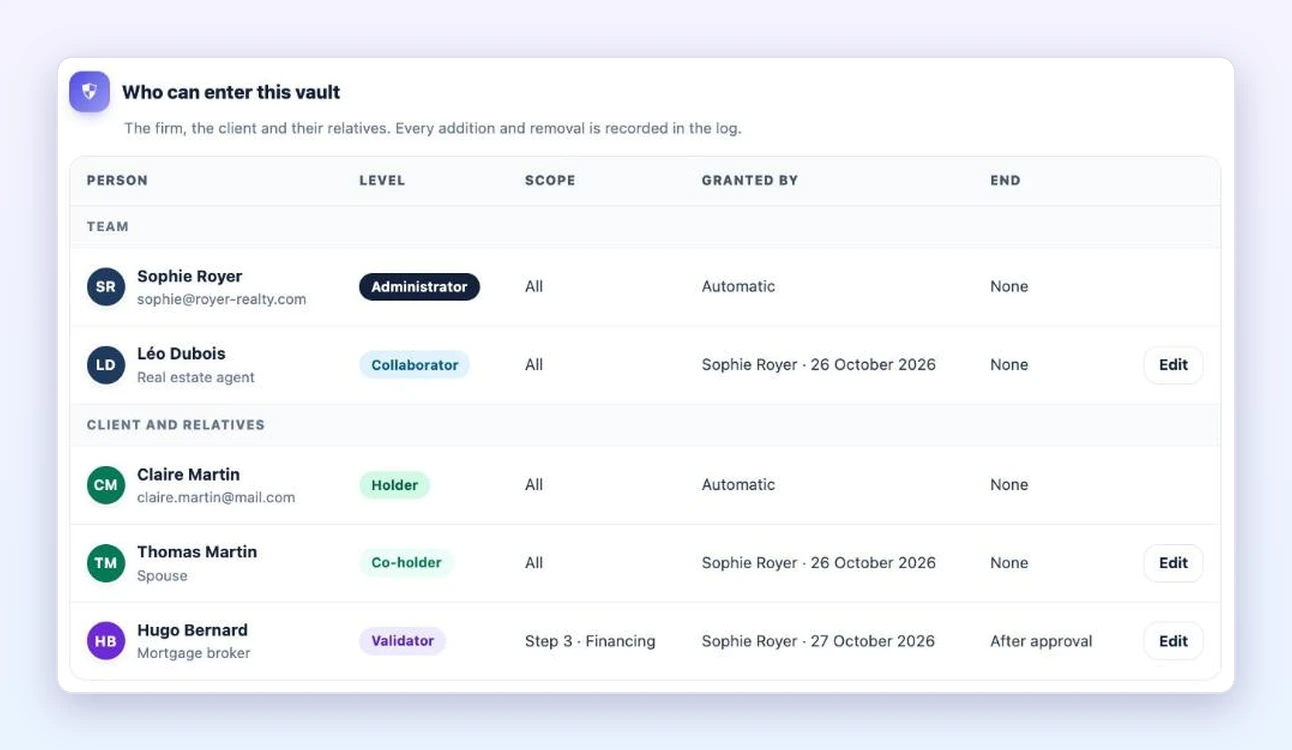
Client Vault Team mode: everyone in the same vault
You invite your colleagues, and each one follows the clients you entrust to them. Your client can open their vault to their spouse or business partner. An outside partner, a mortgage broker or an accountant, gets access to a single step and its documents.
Every access is recorded in the log, and can have an end date. Your client’s data stays in the right hands.
Every step has an owner
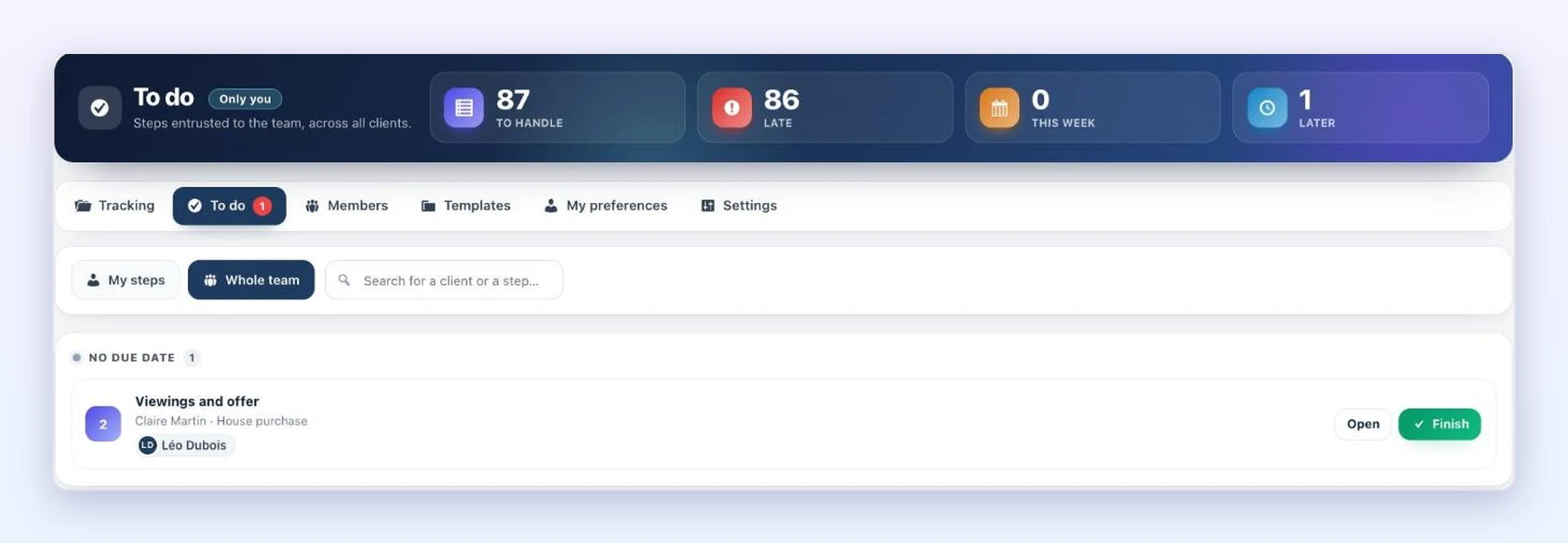
In a journey, you say who looks after each step. Each member then finds their steps, for all their clients, in their “To do” list. They finish them in one click, and the next person is notified.
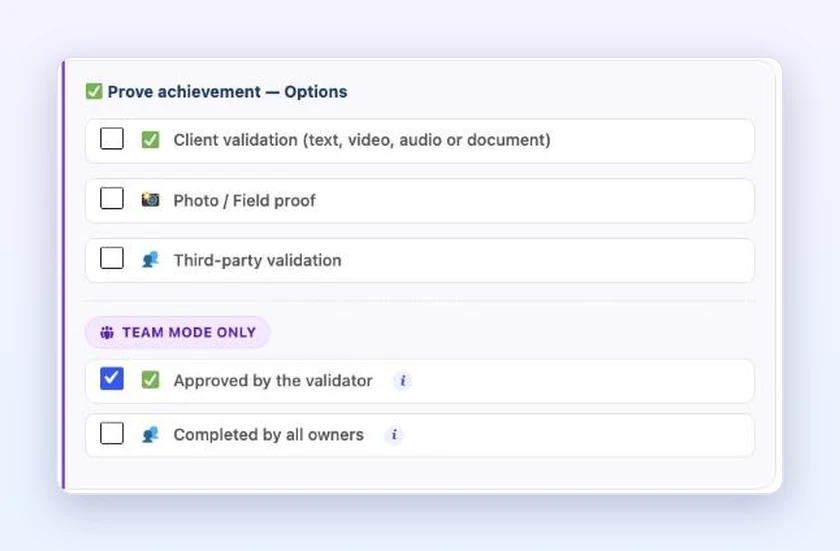
Three safeguards join the ones you already know: a validator’s approval, each owner’s share, and a completed FluentBoards task. Your journey adjusts to fit.
A partner approves a step, without seeing the rest
Your client’s mortgage broker opens the link received by email. They see their step and its documents, on a simple screen. They approve, and the next step opens by itself.
Tracking: where each folder stands, and who needs to act
The Team menu opens on Tracking. All your firm’s folders, the current step, the due date and the team. A folder that nobody follows says so clearly, with a button to assign it.
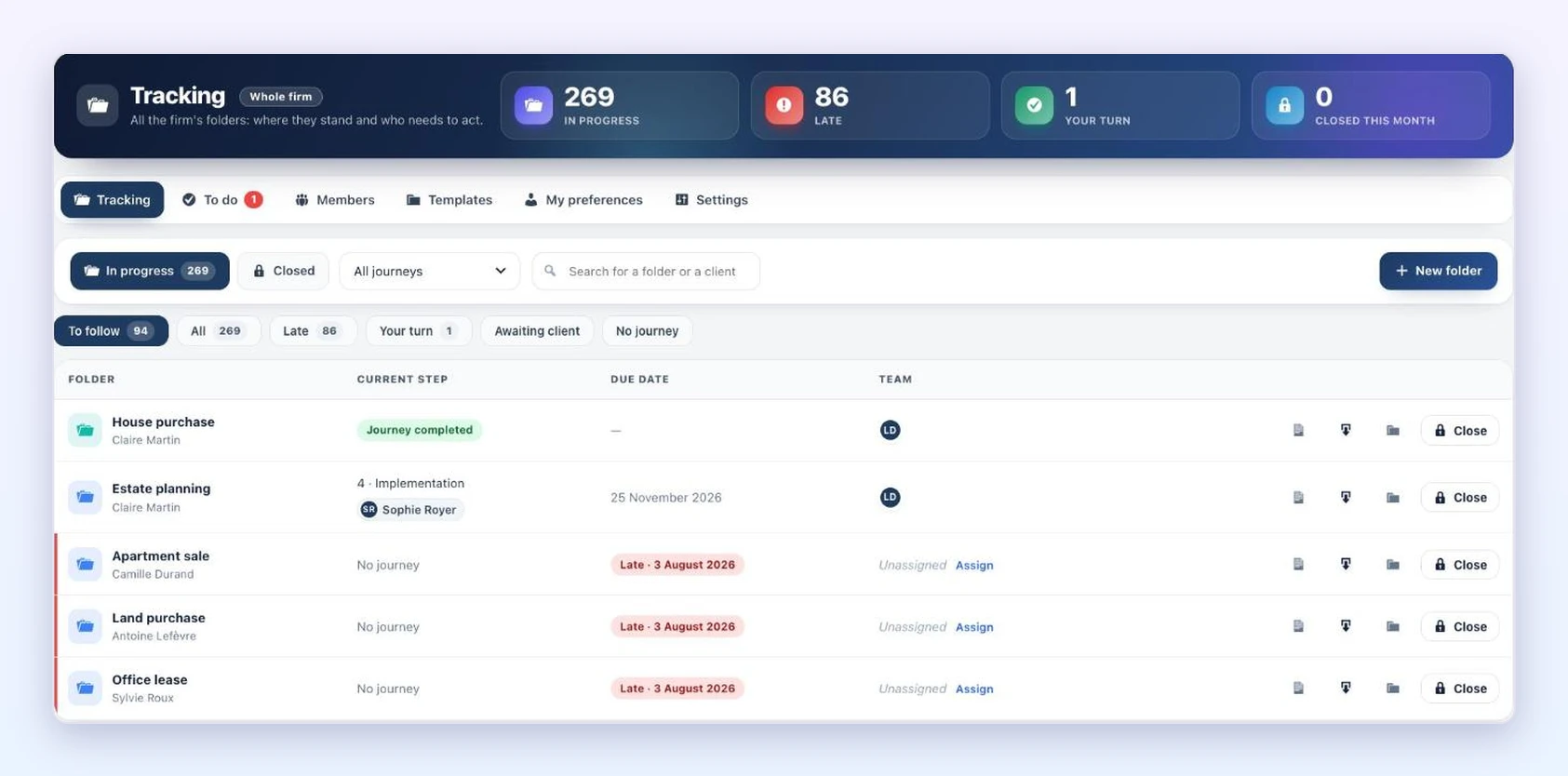
Around it, everything is designed to save you time: folder templates, folder creation from a Fluent Forms form, automatic reminders for late steps, a stand-in during an absence, and closing a folder with its archive and dated log.
Team mode on video
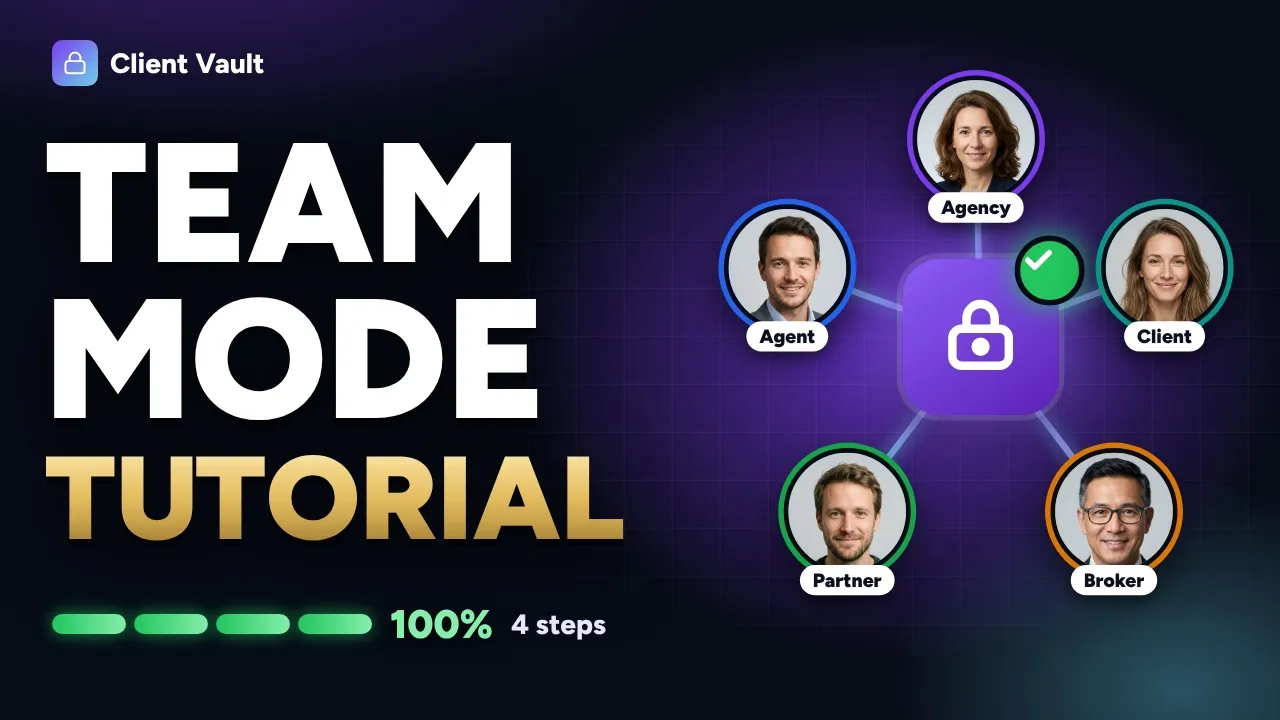
In three minutes, follow Claire and Thomas’s file at the Royer Agency: five people, one vault, and each one only sees what concerns them.
Client Vault 20.42: the update for everyone
Team mode is included in multi-site licenses. Everything else in this version benefits every user:
- a guided start, from installation to the first client;
- a simpler client space, with the next step always at the top;
- a page block that shows the vault, a specific journey or your widgets;
- interface texts that you edit yourself, with the words of your profession.
The update is waiting for you in your WordPress admin, and it is included in your license. Your clients, your documents and your settings stay in place. Every screen is shown in detail in the full article on clientvault.pro.
Client Vault 20.42
Your whole team around every client
The full article shows you Team mode, screen by screen.
- One owner per step
- Your client’s family and partners
- Tracking for every folder
- Your data stays with you
To go further: open the Client Vault demo, ready in a few seconds, or read about version 20.37. On the Sdravobiz side, find the current deals, the latest Booking Leads update, the FC Extensions ecosystem, the Client Vault group and La Taverne, the free community where we talk about it.
Frequently asked questions
What is Client Vault?
Client Vault is a secure digital vault for WordPress. Your clients find their documents, their conversations and their journeys there. Everything is encrypted and stays on your server, in the country of your choice.
What is Team mode?
It is working together in a client’s vault: your colleagues, your client, their family and their partners. Everyone sees what concerns them, and each step can have its owner.
Is Team mode included in my license?
It is included in multi-site licenses. With a single-site license, the rest of the update is available.
Does an outside partner see the whole folder?
No. As a validator, they see a single step and its documents. Their access closes as soon as they have approved.
Is the 20.42 update included in my license?
Yes. All updates are included in your Client Vault license, and your data is kept.
How much does Client Vault cost?
The details of the plans are on the pricing page.