


I’ll be direct: today is a big day for me. Booking Leads is live.
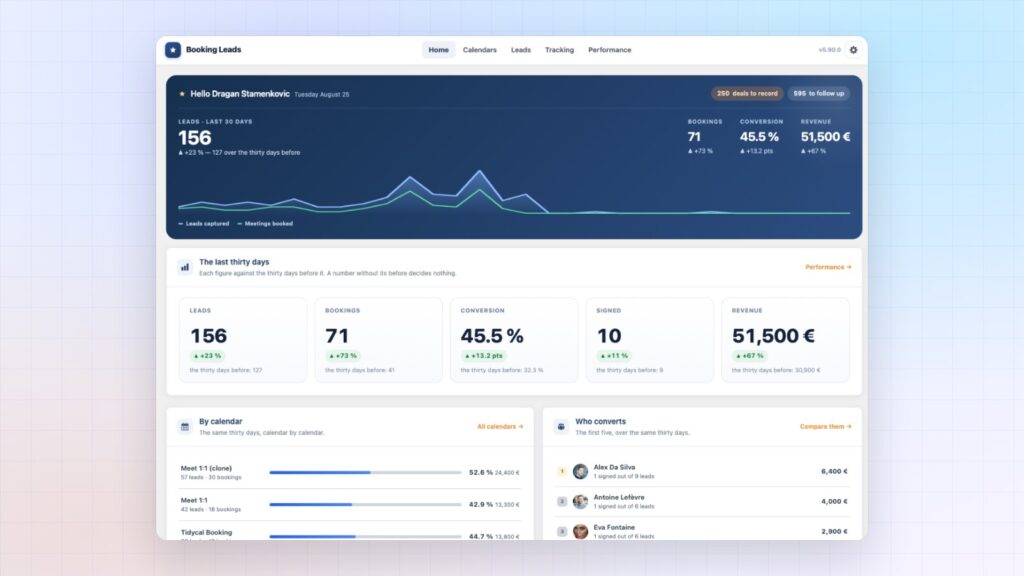
You may already know Client Vault and FunnelCart. Booking Leads completes the family. It is the WordPress plugin that turns your calendar into a machine for qualified appointments.
Why I built Booking Leads
It all started in my own business. My booking page had plenty of visitors. I was paying for that traffic, in ads and in hours of writing.
One day, I counted the visits to the page that held my calendar. Out of 100 people, barely ten booked. The others left without leaving their name.
I called it the invisible loss. A calendar shows the meetings booked. The visitors who left stay out of sight.
I tested more than fifty booking tools. They all do their job very well: confirming a meeting. The visitor who is still hesitating was waiting for another piece.
So I built the missing piece. The full story is here: why I built Booking Leads.
Booking Leads, the smart calendar for WordPress
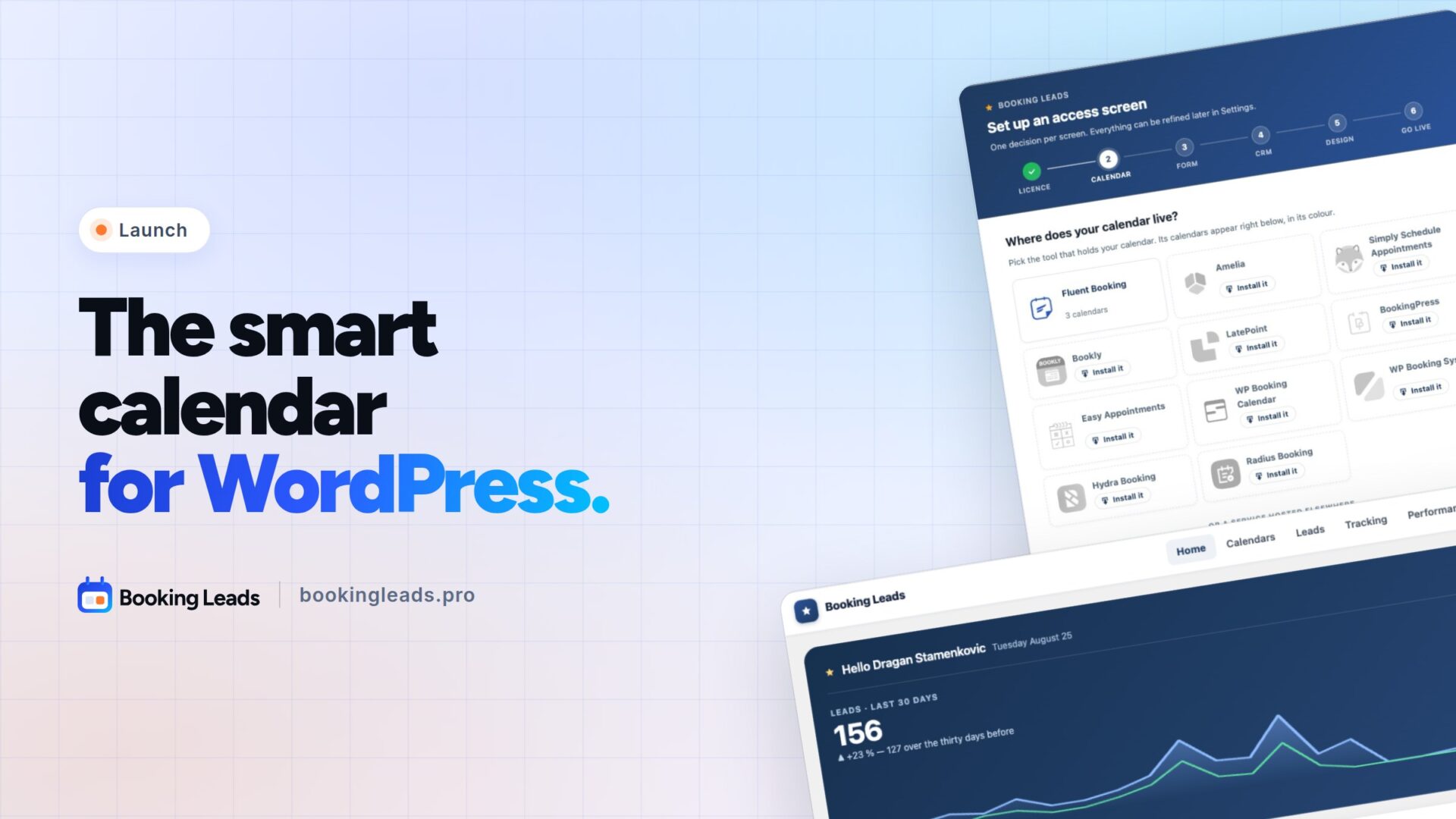
It all fits in one sentence. Booking Leads is the smart calendar that recovers your lost clients and triples your appointments.
The idea is simple. Visitors first meet an access screen. They leave their name, their email, and answer two or three questions if you wish. Then the time slots open.
This small change of order changes everything. Every person interested in you now leaves their contact details.
A safety net for every visitor
A visitor hesitates in front of the slots and closes the page? Their contact is already saved. They then receive your follow-up, written by you and sent automatically.
A telling example: out of 100 visitors, a calendar alone keeps 13. With Booking Leads, you keep 39. Same traffic, same budget, and three times more people to sell to.
Keep your calendar, Booking Leads sits in front of it
There is nothing to replace. Booking Leads plugs in front of the calendar you already use.
It supports more than ten WordPress booking plugins: Fluent Booking, Amelia, Bookly, LatePoint, BookingPress, and many more. It also works with online schedulers such as Calendly, TidyCal or Cal.com.
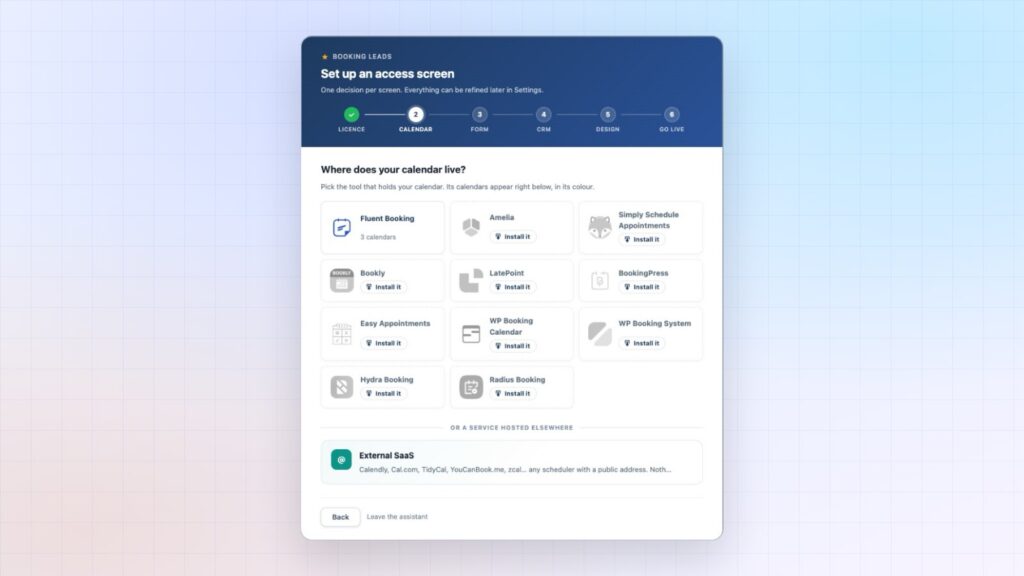
Your hours, your confirmations, your video calls and your payments keep running exactly as before. Setup takes six steps, and a few minutes are enough.
Qualified meetings, handed to the right rep
Your questions do the sorting. Each answer counts towards a score. Your criteria decide who sees the calendar, and your hours go to the people ready to buy.
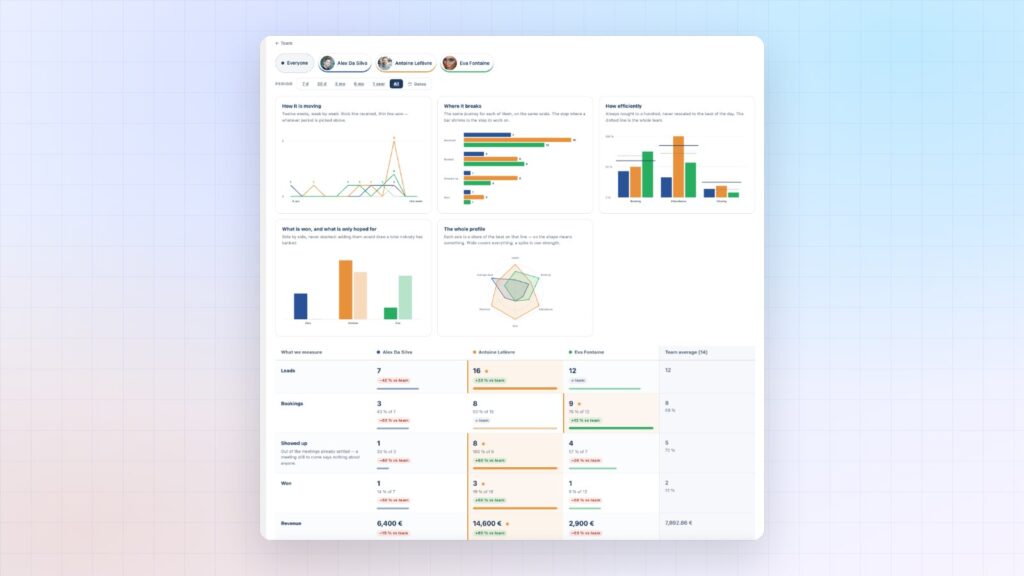
Working as a team? Booking Leads hands each lead to the right rep, based on the prospect’s answers. Round robin, least busy, or best results: you choose the rule.
Each member has their own account and sees their own meetings. You compare their results all the way to signed revenue.
A control tower, from the first click to the sale
This is my favorite part. You finally see the whole path, from the booking page to the signature.
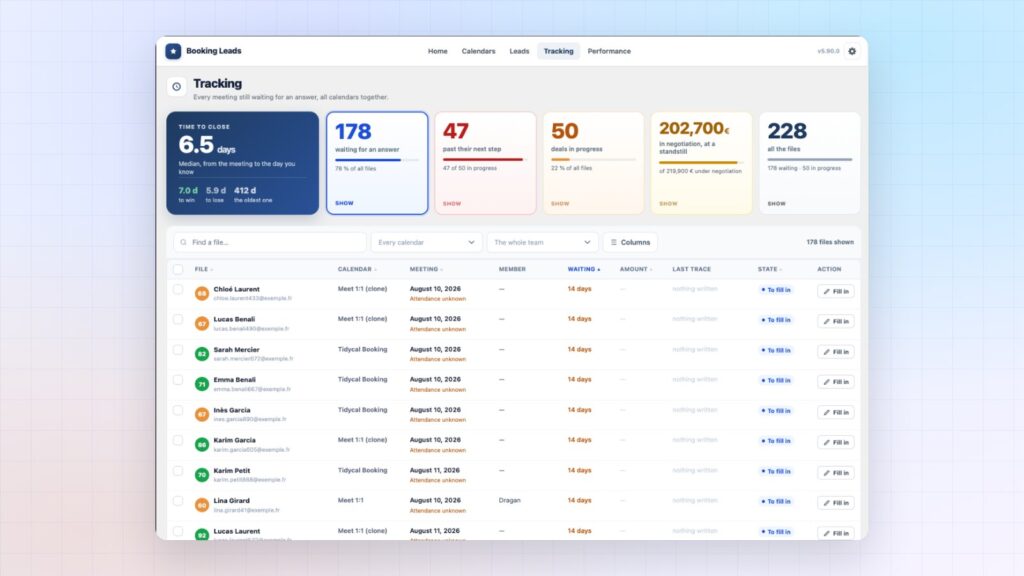
- You see how many visitors reach your calendar.
- You know which stage each prospect has reached.
- You spot the step to improve first.
- You know how much each meeting brings you.
Your contacts stay in your own WordPress database, on your hosting. Only you have access, not even me. FluentCRM is connected natively, and a webhook feeds any other CRM.
For consultants, coaches and agencies
Booking Leads is built for people who sell through meetings. Consultant, coach, trainer, closer, consulting firm: every meeting counts, and every click to your calendar pays off.
WordPress agencies benefit too. One tool for a whole portfolio of clients, whatever their calendar. White label is included, and your name replaces Booking Leads.
The Founder offer, for early supporters
To celebrate the launch, early supporters get a very special Founder offer. It has 75 seats, not one more.
You pay once, and Booking Leads is yours forever. Team accounts are included from the first plan, and the number of sites is multiplied at launch. All the details are on the pricing page.
Want to see it in action first? Book your demo: I show you Booking Leads live, on your own case. You can also watch the videos, or browse the FAQ.
Founder offer
Triple your leads, without changing your calendar
75 seats, one payment, and Booking Leads is yours forever.
- The access screen
- Qualified leads
- Team routing
- Tracking to the sale
Your feedback matters
I have three questions for you. Which calendar do you use today? How many visitors reach your booking page each month? And what would you like Booking Leads to do next?
Answer me in the Booking Leads community. Every message helps shape the product.
I put my whole heart into my plugins. So even if Booking Leads is not for you today, a quick word of encouragement always means a lot to me.
On the blog, you can also discover FunnelCart, sales funnels for FluentCart, or read what Client Vault 20.33 brings. All my current offers are gathered on the deals page.
Frequently asked questions
What is Booking Leads?
A WordPress plugin that sits in front of your calendar. It captures the visitor’s contact before the time slots, qualifies the request, hands it to the right rep, and tracks every meeting all the way to the sale.
Which calendars does Booking Leads work with?
More than ten WordPress booking plugins, including Fluent Booking, Amelia, Bookly, LatePoint and BookingPress. It also works with online schedulers such as Calendly, TidyCal or Cal.com. You keep your current calendar.
What happens to visitors who do not book?
Their contact is saved on the access screen. They then receive your follow-up, sent automatically, and you find them in your list of leads.
How much does Booking Leads cost?
During the Founder offer, you pay once and Booking Leads is yours forever. The price depends on the number of sites, never on the number of reps: see pricing.
Does Booking Leads suit a sales team?
Yes. Each member has their own account, meetings are shared out according to your rules, and you compare everyone’s results all the way to revenue.
Where are my contacts stored?
In the database of your own WordPress site, on your hosting. Only you have access.
How can I see Booking Leads before buying?
Book a demo: I present Booking Leads live, on your own case. The videos and screenshots of every screen are also on bookingleads.pro.