



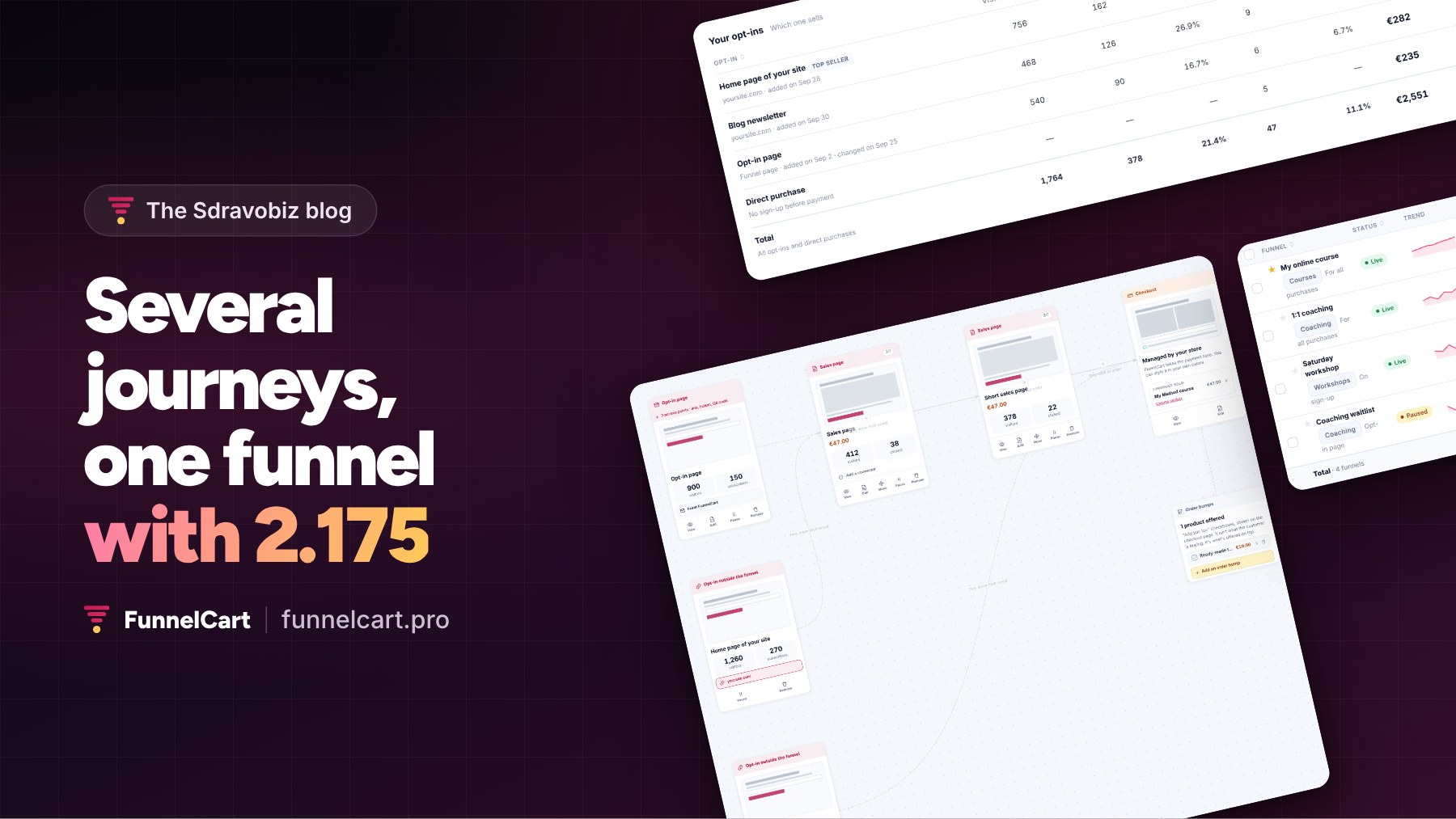
The demo form on clientvault.pro isn’t on sdravobiz.com. Yet every sign-up lands in the Client Vault funnel of my store, and I see whether the person ends up buying.
That’s what version 2.175 of FunnelCart makes possible. FunnelCart is my WordPress plugin for sales funnels in FluentCart, and this is its biggest update since launch.
FunnelCart 2.175: several journeys in one funnel
A visitor discovering your product and a subscriber who has read you for months don’t need the same pitch. With 2.175, your funnel holds several opt-ins and several sales pages, and you link them the way you want.
The newcomer reads the full sales page. The subscriber goes through a short one. Everyone reaches the same checkout, with the same order bumps and upsells. You keep one funnel, with several small funnels inside it.
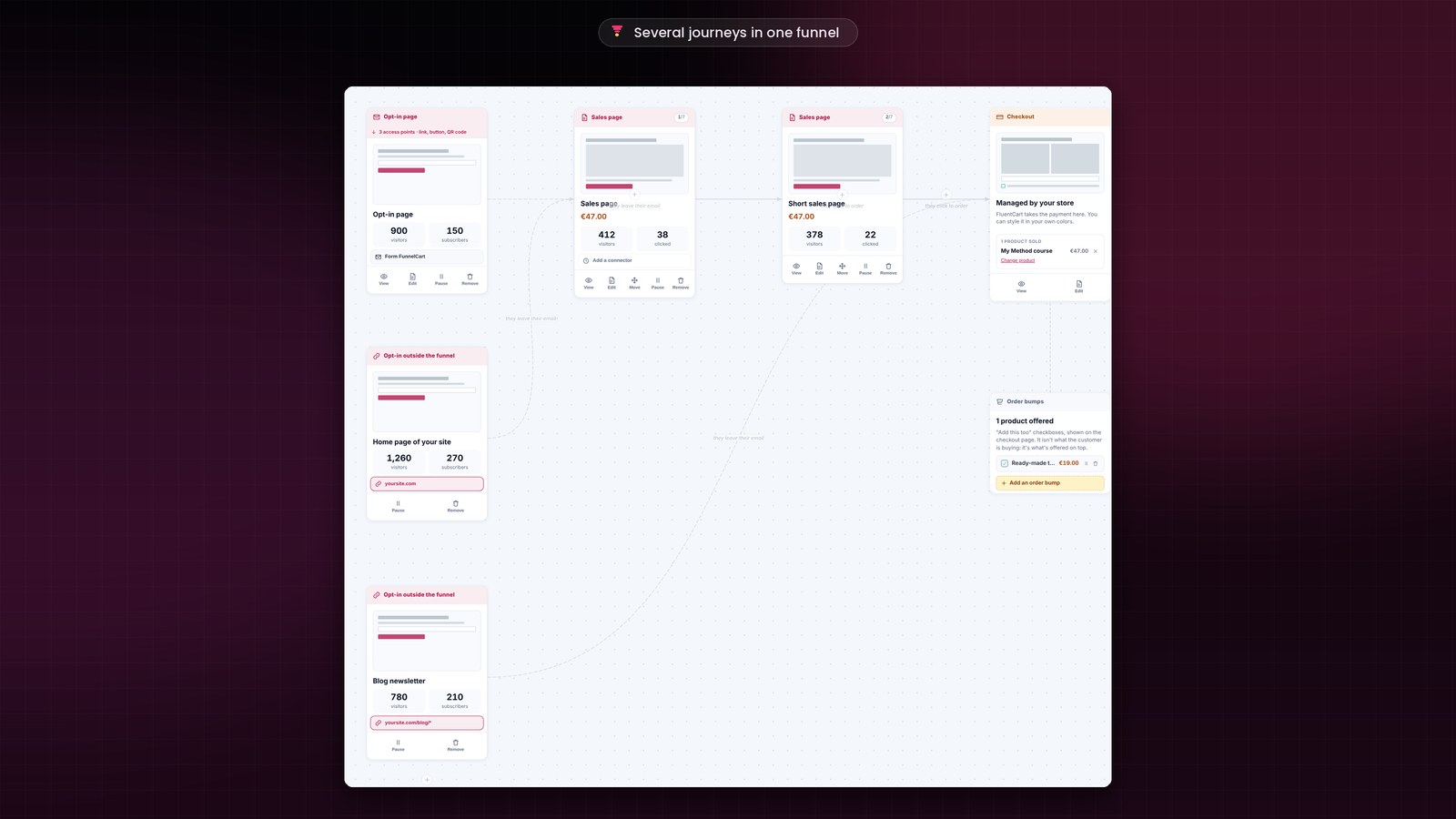
Your forms, wherever they are
Each time you add an opt-in, you choose where it lives. An opt-in page in the funnel, or an opt-in outside the funnel: your website’s home page, a blog post, another site, or an online tool through the webhook.
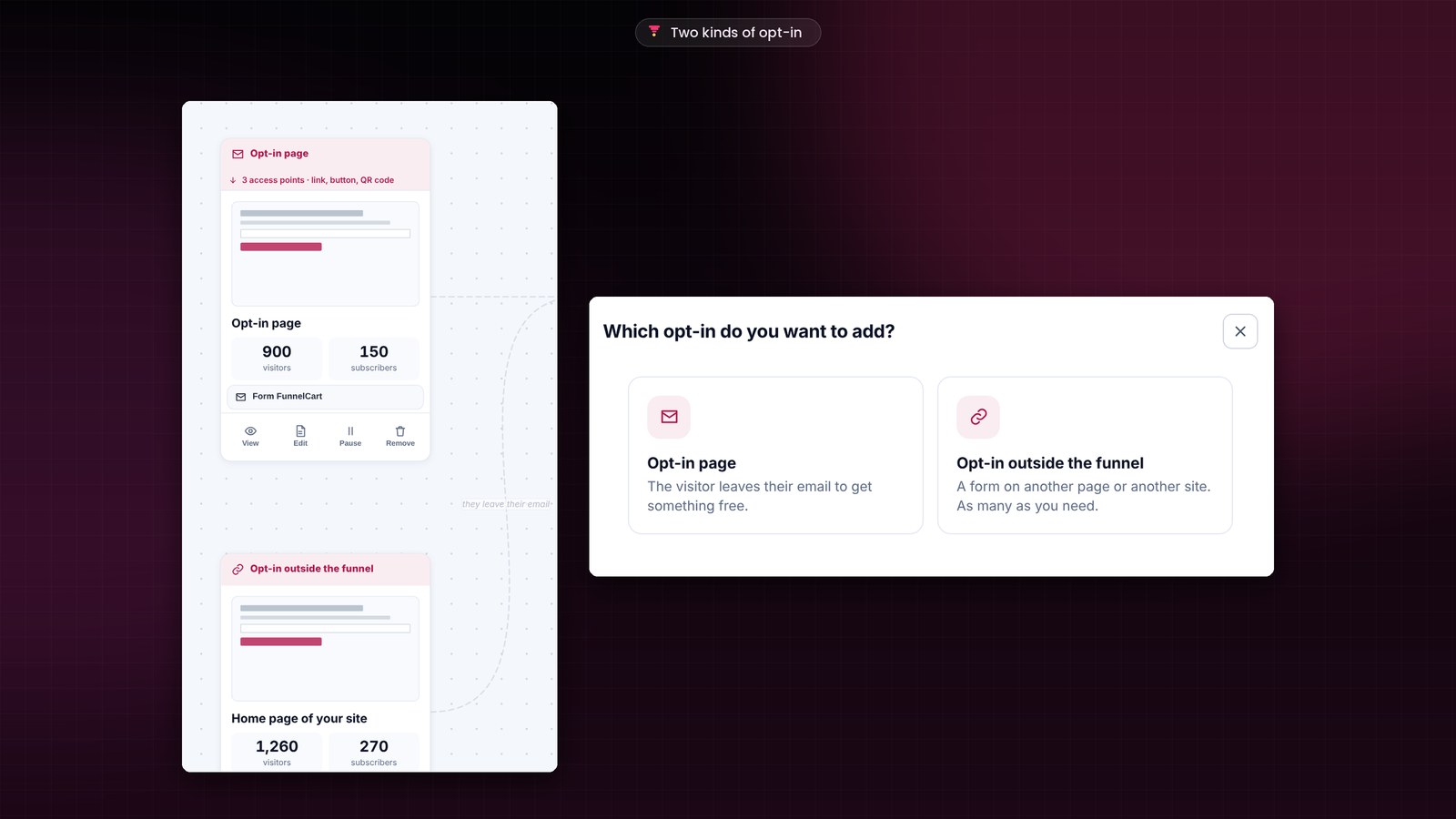
A tracking code is pasted once into the header of the site that holds the form. The funnel then counts visits and sign-ups, and it recognizes the person at checkout. Each opt-in also files its subscribers in the right lists of your CRM.
One funnel for several sites
My store sells Client Vault, Booking Leads, FunnelCart, Pricati, Maymoune, Apogée Max and my courses. Each one has its own site, and that’s where leads sign up. With 2.175, those forms feed into the funnels on sdravobiz.com. I follow each subscriber from one place, from the first click to the purchase.
If you have a showcase site, a blog and a store, they now work together.
You see which journey sells
In each funnel’s analytics, two tables put your sources side by side: “Your opt-ins” and “Your sales pages”. Visitors, subscribers, buyers, revenue, and how long it takes a subscriber to buy. The form that sells the most is marked.
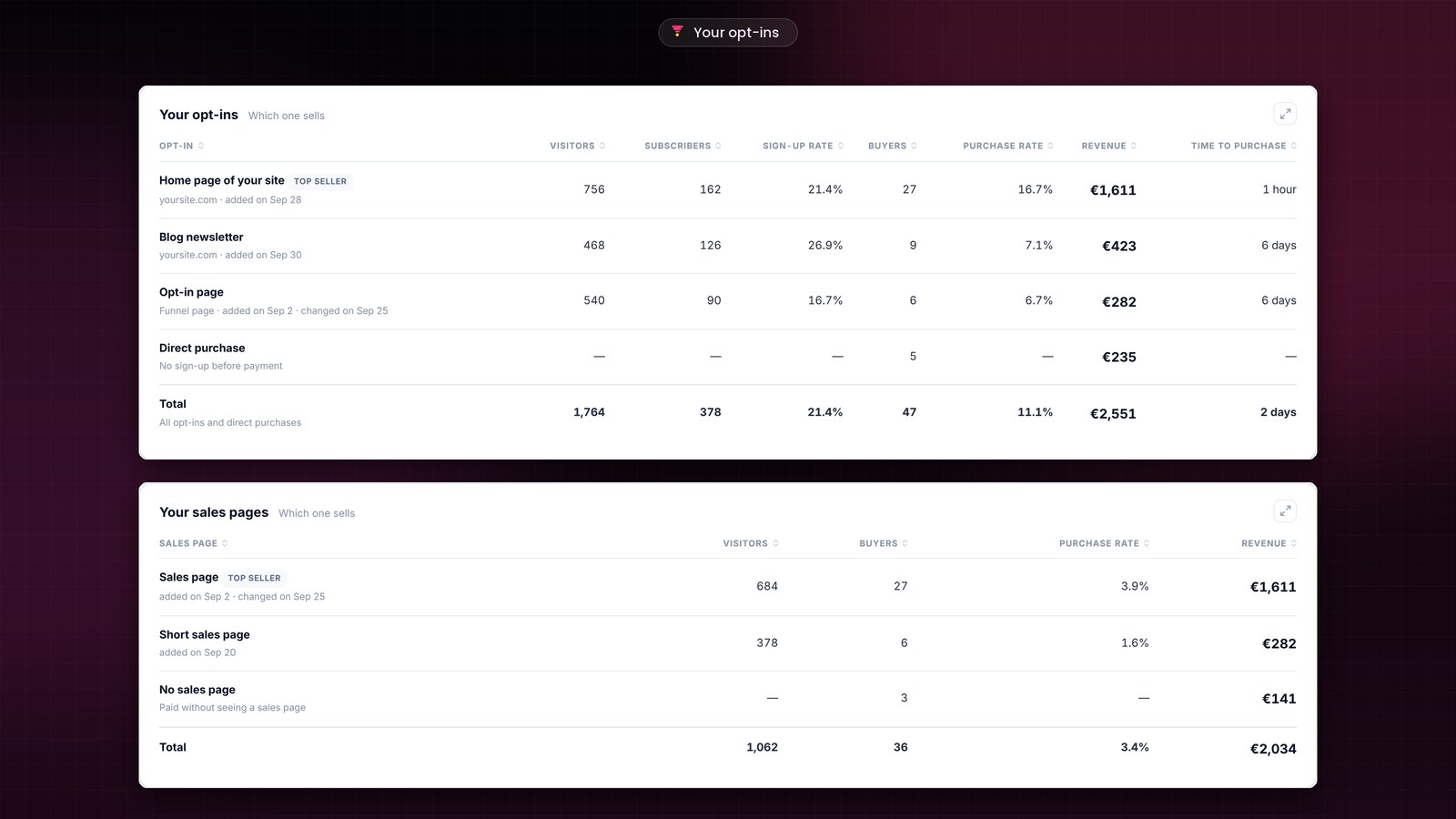
The A/B test still compares up to four versions of a page. Here, you compare whole paths: where the lead comes from, which page they read, and what they buy. Every table can also be sorted, with a Total row, and your tests can be erased down to the hour.
Installing the FunnelCart 2.175 update
Already using FunnelCart? The banner appears in your WordPress admin, and one click is enough. Your funnels, pages and settings stay in place, and the update is included in your license.
Every screen is shown in the full article on funnelcart.pro.
FunnelCart 2.175
A journey for each source of leads
The full article shows you every new feature, screen by screen.
- Several journeys
- Opt-in outside the funnel
- The journey that sells
- Sortable tables
To go further: I introduce FunnelCart, the previous update and the demo to see it in action. On the Sdravobiz side, find the current deals, the latest Client Vault update and La Taverne, the free community where we talk about it.
Frequently asked questions
What is FunnelCart?
FunnelCart is a WordPress plugin that turns your site into a sales funnel, right inside FluentCart: sales page, checkout, one-click order bump, upsell and downsell, clear analytics. The free version of FluentCart is enough.
Can I connect a form placed on another site?
Yes. You add an opt-in outside the funnel with the page address, and you paste the tracking code once into that site’s header. For an online tool, the opt-in’s webhook address takes over.
How many opt-ins and sales pages in a funnel?
As many as you need. Each one leads to the step of your choice and keeps its own numbers.
Is the 2.175 update included in my license?
Yes. Updates are included, whether you chose the one-time lifetime payment or the yearly subscription. Your funnels, leads and analytics are kept.
How much does FunnelCart cost?
The price depends on the number of sites. You choose a one-time lifetime payment or a yearly subscription, with every feature included. The details are on the pricing page.