

Quotes, sign-ups and surveys, all answered right inside your app
Hi everyone,
Picture a customer who wants a quote from you. Instead of three phone calls and a photo sent late in the evening, they open your app, fill in one friendly form, attach their picture, and everything lands in your inbox, complete and ready to read. Here is the short guide that shows how to build it: Create a form in your app: quotes, sign-ups, surveys.
With Maymoune you create your own mobile app (web, iPhone and Android), under your own name, without writing a single line of code and without an agency. A form is simply one more block in your app, and you build it piece by piece.
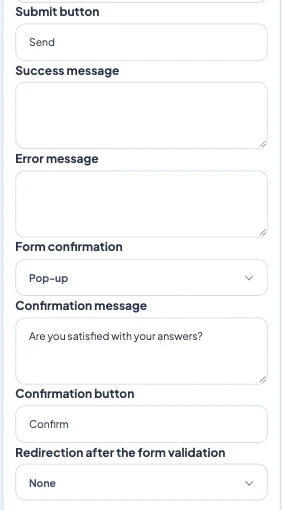
You choose among sixteen field types: text, multiple choice, dates, a price, contact details, and even a file to attach. You write the question, decide whether it is required, and your form is ready in minutes. It works beautifully for a quote request, a workshop or club sign-up, a customer satisfaction survey, or a job application with the CV attached.
Each answer arrives by email, so you reply faster, your customers feel looked after, and nothing gets lost along the way. If you would like to talk through how a form could fit your own business, the Maymoune team is happy to help.
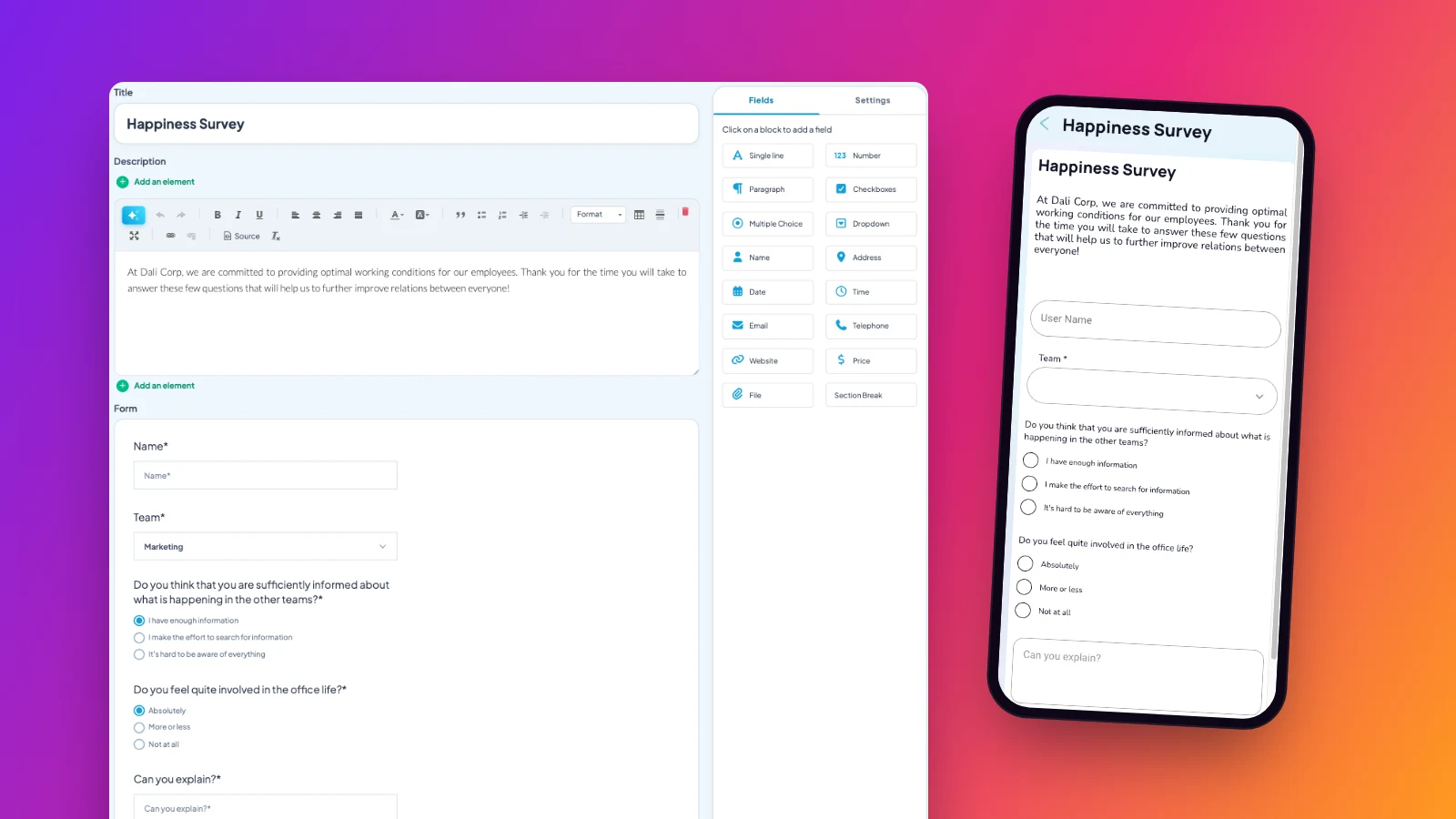
The editor on one side, the finished form on a phone on the other.
What would you love to collect from your customers with a form: quote requests, sign-ups, or feedback? Tell us below, we would love to hear your idea!
Read the full guide here: https://maymoune.com/en/app-form/?v=2

L'article est aussi disponible en français : https://maymoune.com/fr/formulaire-application-mobile/

I haven’t started using the app yet. But this seems like it could be useful for me for proposals 😉