

🌍 New free extension: SEO / GEO
I’m really happy to introduce SEO / GEO, the new free extension in FC Extensions. It was born from your questions, thank you!
Your community has everything it takes to attract new members. With SEO / GEO:
- your spaces, courses and conversations show up on Google with their real title, a description and a beautiful image;
- AI assistants like ChatGPT, Gemini, Claude or Perplexity can recommend your community;
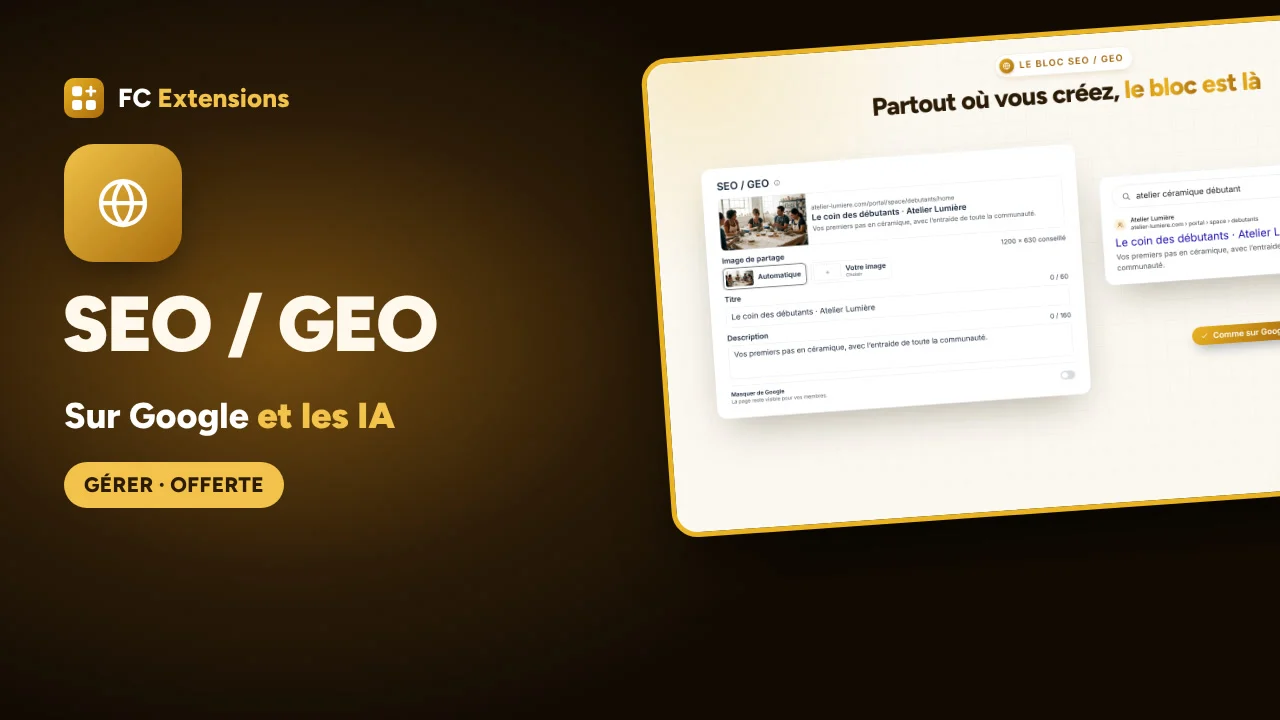
- the SEO / GEO block is there wherever you create: space, course, event, directory listing.
You first look at the result in preview, then one click puts it all online. It works with SEOPress, Yoast or Rank Math, and what is private stays private. Then you follow the health of your SEO and see how many visitors come from Google and AI.
🎬 Watch it in action in the video, then read the article:
👉 SEO / GEO: your community found on Google and recommended by AI
📖 The SEO / GEO page
It’s already in your FC Extensions. If you don’t see it under “Available now” yet, open the extension list and click Refresh the list.
So, which page of your community would you love to see first on Google? Tell me in the comments!
--
🌍 Nouvelle extension offerte : SEO / GEO
Je suis très content de vous présenter SEO / GEO, la nouvelle extension offerte de FC Extensions. Elle est née de vos questions, merci à vous !
Votre communauté a tout pour attirer de nouveaux membres. Avec SEO / GEO :
- vos espaces, vos cours et vos conversations apparaissent sur Google avec leur vrai titre, une description et une belle image ;
- les IA comme ChatGPT, Gemini, Claude ou Perplexity peuvent recommander votre communauté ;
- le bloc SEO / GEO est là partout où vous créez : espace, cours, événement, fiche d’annuaire.
Vous regardez d’abord le résultat en aperçu, puis un clic met tout en ligne. Elle s’accorde avec SEOPress, Yoast ou Rank Math, et ce qui est privé reste privé. Ensuite, vous suivez la santé de votre référencement et vous voyez combien de visiteurs arrivent de Google et des IA.
🎬 Regardez-la en action dans la vidéo, puis lisez l’article :
👉 SEO / GEO : votre communauté trouvée sur Google et recommandée par les IA
📖 La fiche SEO / GEO
Elle est déjà dans votre FC Extensions. Si vous ne la voyez pas encore dans « Disponibles », ouvrez la liste des extensions et cliquez sur Actualiser la liste.
Et vous, quelle page de votre communauté aimeriez-vous voir en premier sur Google ? Dites-le-moi en commentaire !

Wow, you’ve done an amazing job! I honestly didn’t expect you to roll out updates so quickly and introduce a new extension so soon. Truly impressive work!
I’ve already started moving all the content from my main WordPress site to the community using your extension. I’m really excited about this transition and hope it will provide my visitors with a much better experience!
One thing I’m still thinking about is permalink management when I eventually make the community my main website.
The permalinks for posts created through the Blog & Collection extension are working perfectly. However, right now, the URLs include /community/ (e.g., website.com/community/post-slug). Once the community becomes my main site, I’d like the URLs to be simply website.com/post-slug.
In that case, how would I manage the permalinks for my existing WordPress posts? I want to keep their original WordPress URLs working while also using the root domain for community posts. I’m wondering what the best approach would be to avoid URL conflicts and preserve SEO.

Hi Arif,
Thank you so much, that really means a lot! I'm glad the move to the community is going well.
No conflict to worry about. Blog & Collections lets you choose the community as your main address, and your WordPress posts then automatically point to their community version. Your search rankings are kept.
You'll find it in Blog & Collections, under the SEO / GEO tab: set "The version Google keeps" to "Community".
For any other old URL you want to keep, a simple 301 redirect to its new community address does the job, with Redirection or your SEO plugin.
Thanks again for your support!
Drag
Dragan Stamenkovic Quick Access is a great feature! Here are a few suggestions that would make it even better:
- Icons with Labels: It would be great to have an option to display labels alongside icons in the bottom menu.
- Sitewide Display: It would be useful to display the Quick Access bottom menu across the entire WordPress website, not just within the community.
- User Avatar: Could the Profile item display the user's avatar instead of a standard icon?
- Icon and Label Size: Adding options to customize icon and label sizes would be a nice improvement.
- Quick Action Button: It would be great to have a quick action button above the bottom menu, such as a + button to open the post composer. It would also be helpful to have the option to hide this button on specific pages.
These improvements would make Quick Access much more flexible and useful, especially for websites that want to provide a more app-like experience across their entire WordPress site.
Arif Hi, and thank you for your feedback.
One important point first. This thread is about the SEO / GEO extension. Your requests are about Quick Access, so they don’t belong here. Please post each request in the topic of the extension it concerns. Without this, I can’t follow requests properly.
Here are my choices for Quick Access:
- Labels under icons and icon size: no. The bar doesn’t have room for text, and the icons are already easy to read. For links with text, use the Fluent Community main menu and its submenus.
- Profile photo: it is handled by Fluent Community, not by Quick Access.
- Create button: it already exists. Click +, choose Create and place it in your bar.
- Sitewide bar and floating button: this isn’t the role of Quick Access, it’s the role of FC Pulse. The floating button is coming there soon.
- Icons by page: this isn’t planned.
You can also use the Page Builder to create your own shortcut blocks, page by page.
I design every development for the whole community, not for a single site. To keep things moving fast, please follow a simple logic: share each idea in the topic of the right extension. I review it, then I either add it directly or invite you to post it on the roadmap, so the community can vote. An idea on the roadmap is not a guarantee that it will be developed.
👉 FC Extensions roadmap
Thank you for your understanding.
Dragan Stamenkovic Thank you for the clarification! I understand your points regarding labels, icon sizes, and the profile avatar.
I'll make sure to post future feature requests in the appropriate extension topics.

This is valueeeee man🔥🔥🔥🔥
with pleasure ☀️ Enjoy 👍