

📚 The Client Vault Documentation Is Coming Together — and I Need You!
Hello everyone! 👋
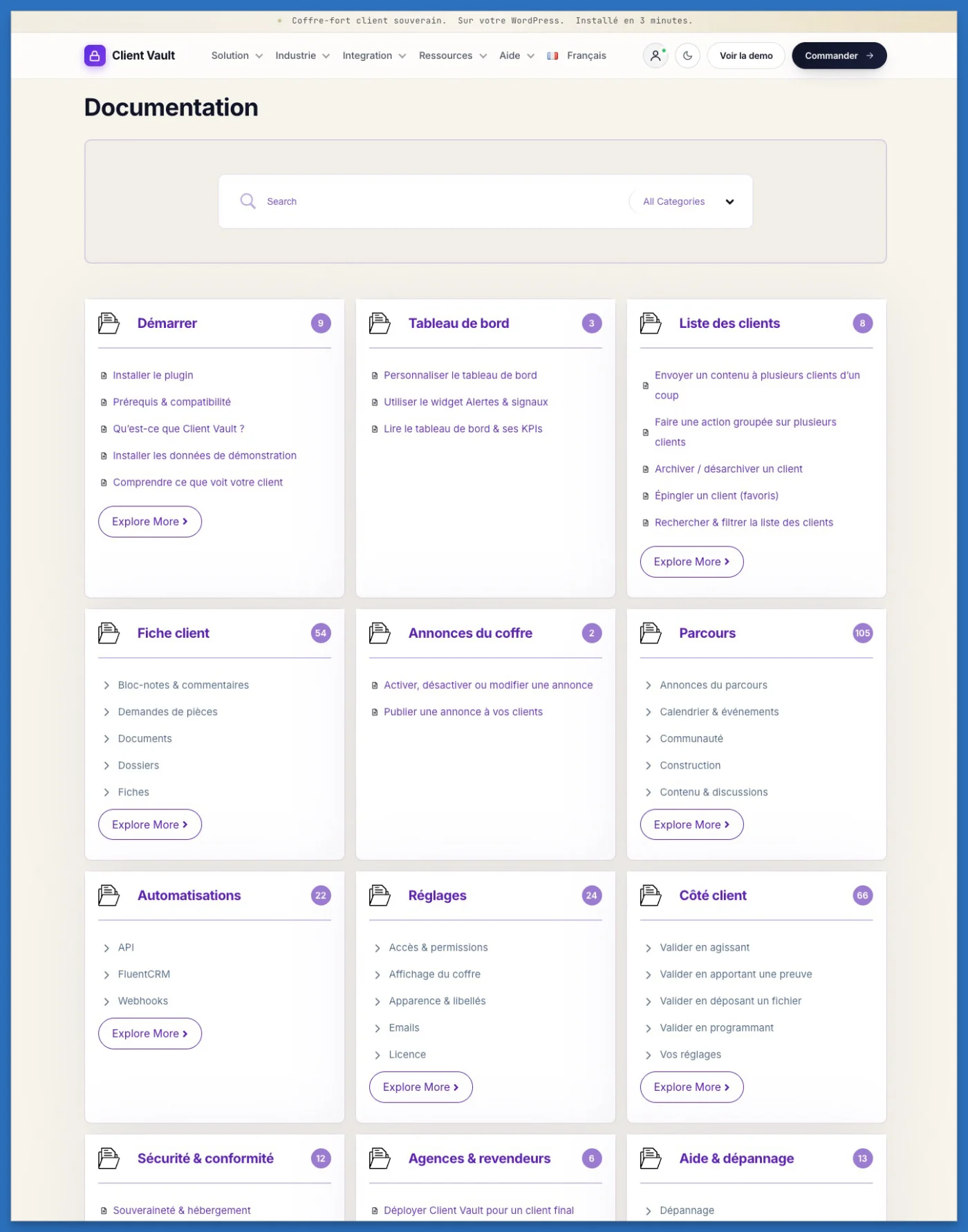
I've got great news to share: the Client Vault documentation is really taking shape — and I've fully embraced the art of detail! My goal is simple: to share everything with you, holding nothing back.
Where we are so far
To give you an idea, it already includes 325 articles across 12 categories: from installation to getting started with the vault, through journeys, automations and the client side… every feature is explained step by step.
This is where I need you 🙌
To go alongside the text, what would help you the most?
- 🖼️ Images (clear, to-the-point screenshots)
- 🎞️ Animated GIFs (the right move at a glance)
- 🎬 Short videos (the feature explained in motion)
Let me know in the comments — I'm building this documentation for you, so it should match the way you like to learn. ✍️
What's coming next 🚀
Realistically, I expect to wrap up the documentation by the end of this week.
And that's just the beginning: right after, I'm starting a free training to guide you, step by step, through installing and configuring Client Vault — whether for yourself or for your clients.
Thank you 💛
A huge thank you for your trust and your enthusiasm: you're the ones who bring this project to life.
Have a wonderful day, everyone! ☀️

Dragan Stamenkovic Great progress indeed...Looking forward to the documentation....As for feedback, I would like images for showcasing appropriate pages/settings page, etc. and short videos for showcasing setup processes and explanation of "how tos" and concepts. I am not very familiar with documentations with animated gifs..I'll need to see an example. Hope this helps.

Debo Ogunrinde Thank you for your feedback 🙏
I think a mix of photos and short videos is indeed very good. Depending on the context, one or the other, or even both, could be useful.
See you soon.