


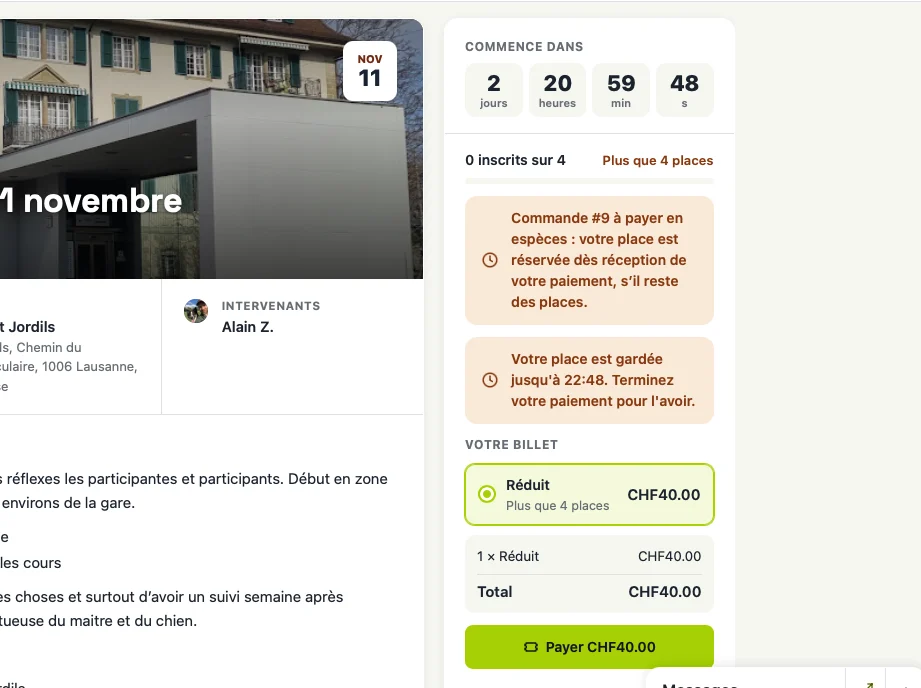
Le problème qu'il y avait eu avec une version précédente et corrigée est de retour ;)
En effet, quand on choisit cash, la personne a un temps pour payer sa place plutôt qu'automatiquement réservée comme c'était le cas dans la version précédente.
Le client reçoit un mail comme quoi c'est tout est ok...
PS : la version 2 est un vrai gros upgrade !
Hello Dragan,
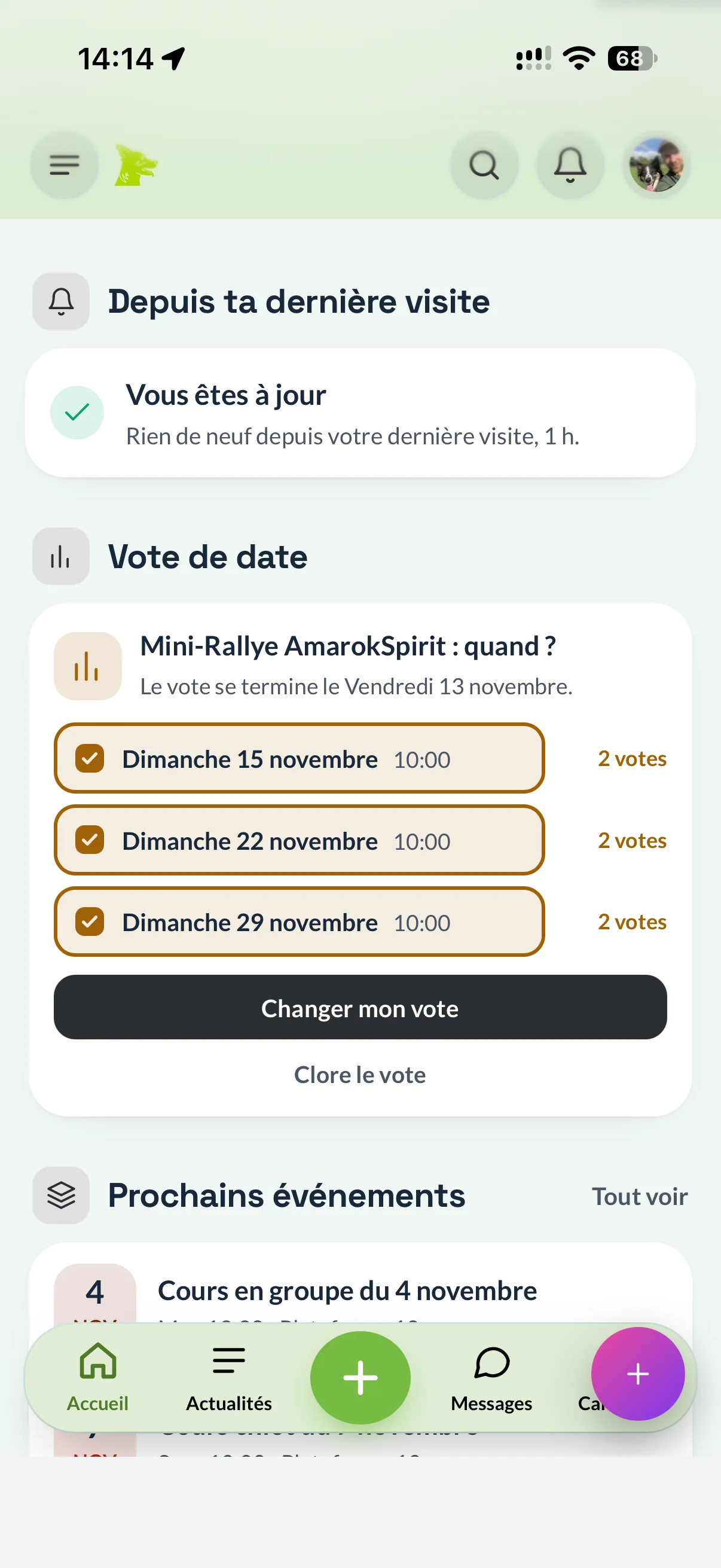
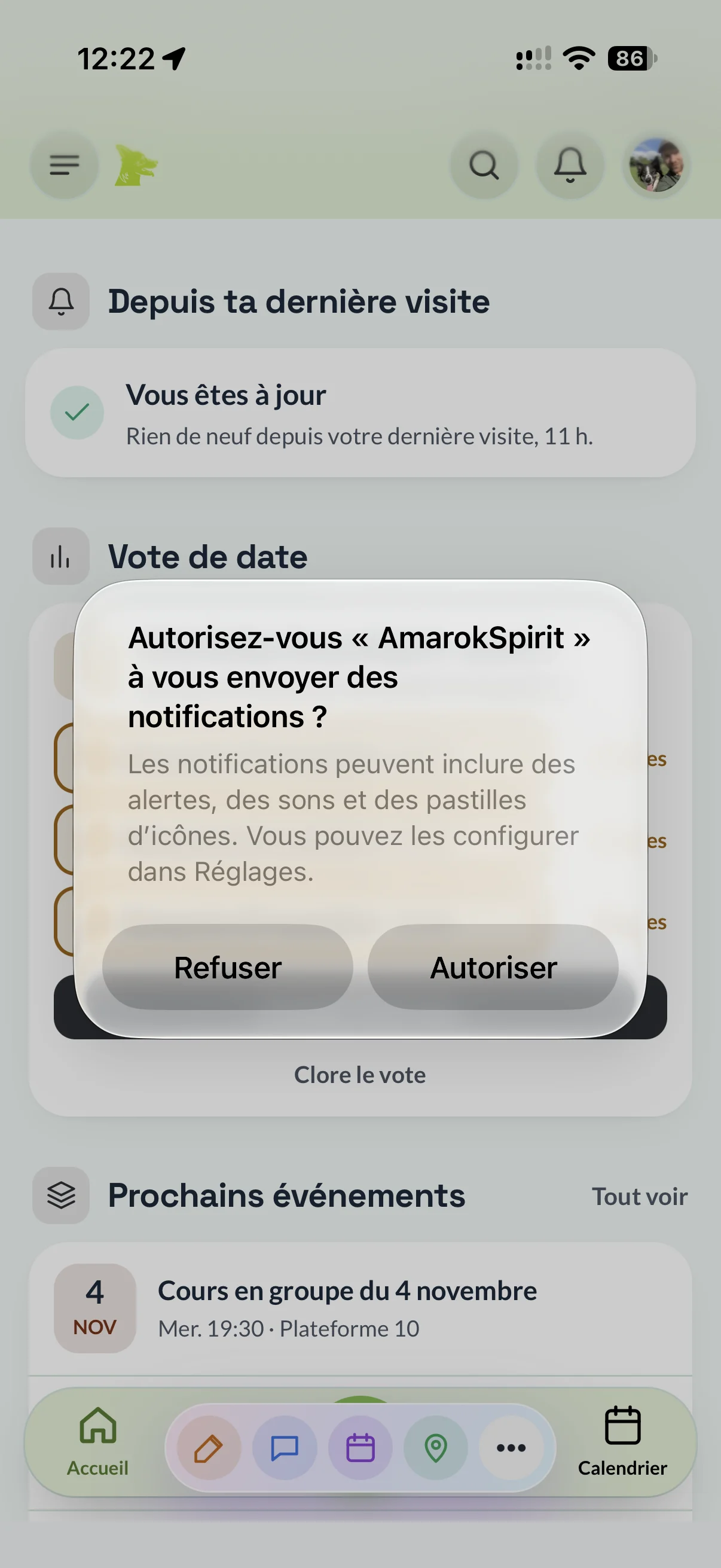
J'ai un petit souci d'affichage lorsque les deux plugins sont actifs comme tu peux le voir sur les captures d'écran ci-dessous.
Pour le plugin Writing, j'ai un autre problème : je ne peux pas faire défiler la page lorsque je veux écrire un nouvel article, et je ne peux donc pas passer par ce plugin pour écrire ou corriger rapidement un article.

Je teste le Parcours d'accueil sur ma communauté et j'ai une demande pour l'étape « Présentez-vous ».
Aujourd'hui, la publication générée affiche chaque question en titre, suivie de la réponse du membre. Le résultat ressemble à un questionnaire rempli plutôt qu'à une vraie présentation.
Serait-il possible d'ajouter une option pour masquer les questions dans la publication ? Elles resteraient visibles dans la fenêtre du membre, mais seules les réponses seraient publiées, en paragraphes successifs. La publication serait plus naturelle dans le groupe de présentation, et le nouvel inscrit resterait guidé.
Merci d'avance 🙂

Where do i find the challenges created inside gamification? I have added 3 challenges...all were created successfully, showed in running status and then disappeared from the challenges menu.

The Events extension allows us to set a price for an event, but there are two issues:
- No payment gateway or paywall: Although we can assign a price to an event, there is no mechanism to collect payment from attendees during registration.
- Event price not displayed: Even when a price is configured, it does not appear on the event page.
Ideally, paid events should display the ticket price clearly and allow attendees to complete their payment through FluentCart before their registration is confirmed.
UI and UX is great..

Dear Dragan Stamenkovic, i am currently translating Activity Calender to german language - using "LocoTranslate". Question: Would it help you to get the language file(s) - in certain format? If yes: I would be happy to donate this to the community. Thanks a lot for everything - and for your answer. Truly ... Tom, xto.chat

Hi Dragan,
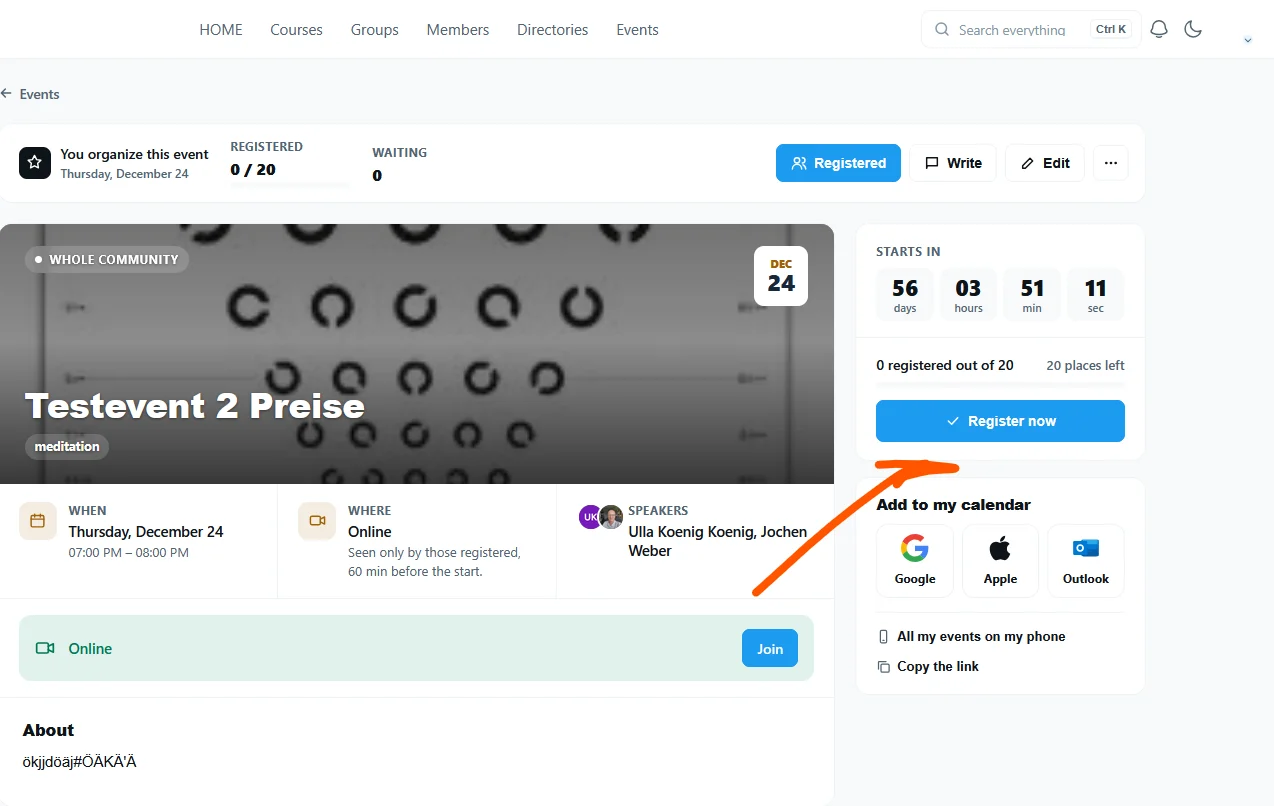
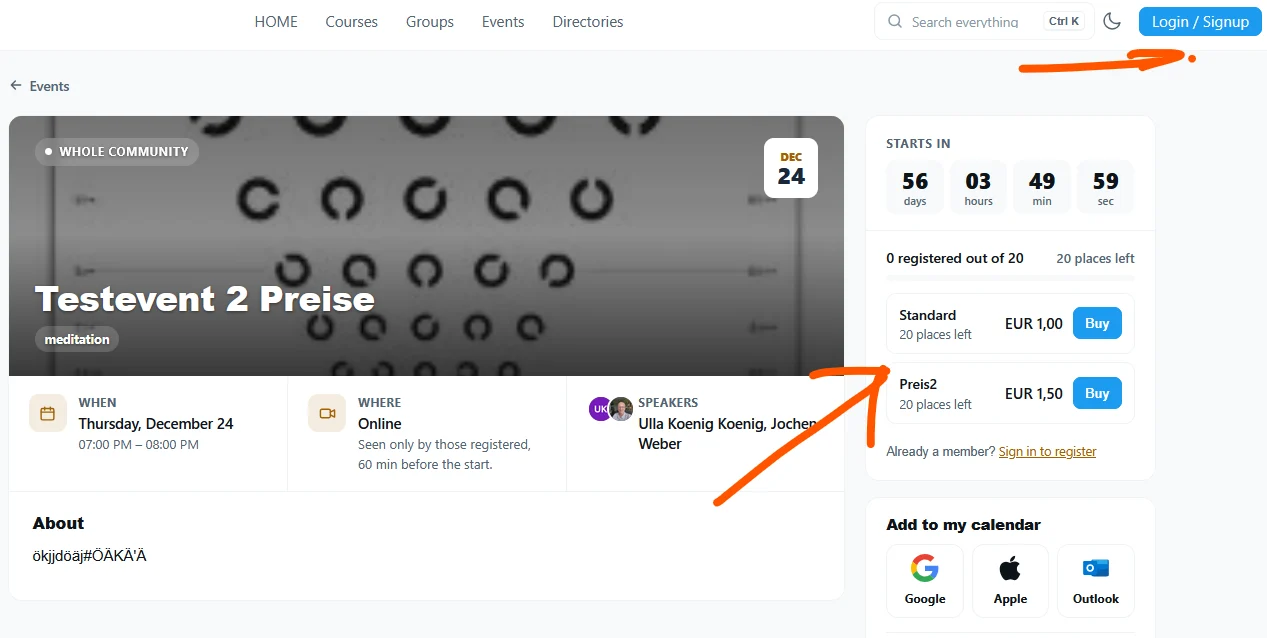
I noticed a bug in the Events extension when registering for a paid event while logged in:
- No price is displayed on the event page, including events with two pricing options.
- Clicking “I’m in” immediately confirms my spot instead of taking me to checkout.
- The confirmation email does not mention the price or that payment is still required. Only clicking a link in the email takes me to checkout.
When logged out, the price is displayed correctly and the registration flow takes me directly to payment.
For logged-in users, the price should also be clearly visible, and clicking the registration button should immediately start checkout rather than confirm a booking before payment.
I’ve attached two screenshots showing the logged-in and logged-out views.
Could you please look into this?
Hi Dragan,
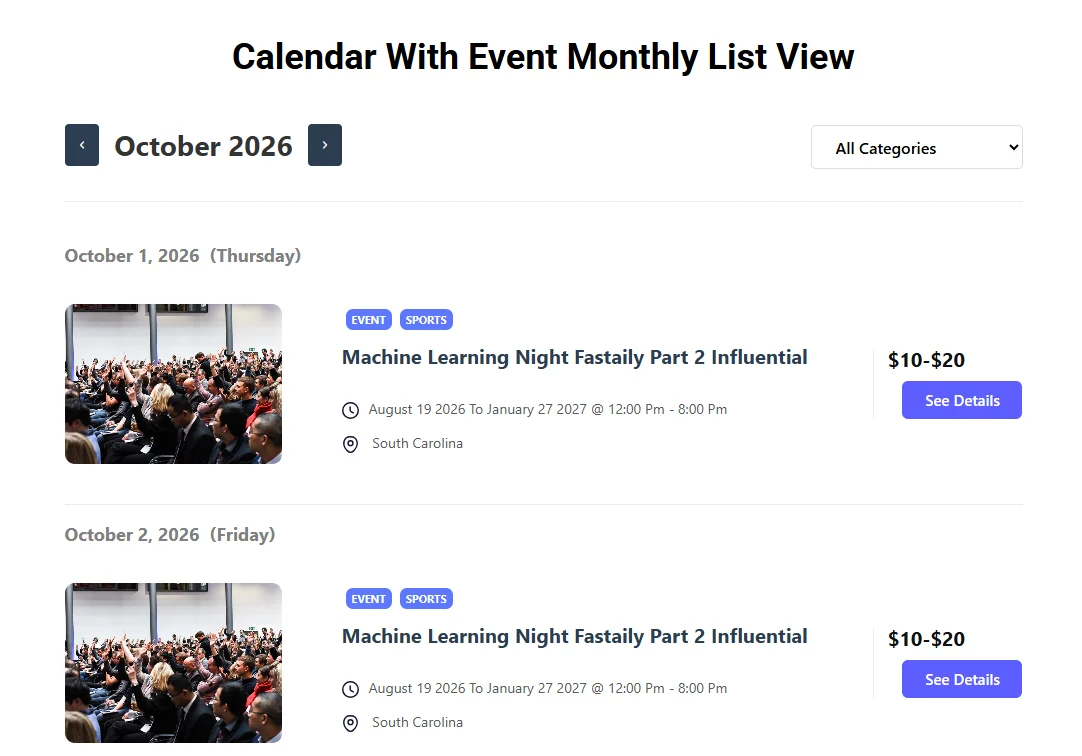
I’d like to suggest a few improvements to how events are displayed in the Events extension for FC Extensions. These would help make the event overview more informative and visually engaging:
- Featured image in the list view
It would be great to display the event’s featured image within each list item, ideally with an option to show or hide images. For events without a featured image, a placeholder image could be shown to keep the layout consistent. - Customizable event details in each list item
As an admin, I’d like to choose which event details appear in the listing—for example, the date, time, location, online/in-person format, or price. This would make it easier to tailor the overview to the community’s needs. - A dedicated excerpt field for each event
A separate field for a short event summary, independent of the full event description, would be very useful. This excerpt could optionally appear in each list item, helping members quickly understand what the event is about.
As an additional layout option, it would also be great to choose between a list view and a grid/card view, depending on whether a compact or more image-focused presentation suits the community better.
Would you consider adding these options to your roadmap?
Thanks for considering these suggestions!
Jochen
Un petit souci est apparu dans la vente des places dans le plugin événements :
- lors de la dernière mise à jour, les créneaux payants sont devenus non liés à un produit, ce qui a empêché les clients de réserver le créneau voulu
- la réservation par paiement cash ne réserve pas la place comme cela devrait être le cas et reste en attente, comme s’il fallait que l'organisateur valide le paiement
Serait-il possible d'ajouter les listes / étiquettes de Fluent CRM comme choix pour définir le prix ?
Encore un grand bravo pour le développement de cette extension qui est vraiment bien faite et ne cesse de s'améliorer.
Hi Dragan,
First, thank you for all the incredibly useful extensions you’ve created! We’re currently moving our community from BuddyBoss to FluentCommunity, and your tools are a great help during the transition.
As we set up the Events extension, we’d love to suggest three improvements:
-
Duplicate an event
A simple “Duplicate” action to reuse an existing event’s description and settings, then adjust the dates. -
Flexible dates for recurring events
A date picker where we can select or deselect individual dates—for example, using Ctrl/Cmd + click. Many of our events repeat regularly but have gaps during holidays or when a session is cancelled. Being able to exclude those dates or select a custom sequence would let us keep everything in one series, rather than creating multiple separate events. -
Configurable calendar views and a more flexible list view
It would be helpful to:- Choose the default view: List, Month, Week, etc.
- Set the date range or number of upcoming weeks displayed in the list.
- Events chronologically under year and month section headings—for example, “2027” → “January” → the available events, followed by “February”.
- Filter, sort or group events by category.
Bug report: space filter carries over from Month to List view
When we select specific spaces instead of “All Spaces” in Month view and then switch to List view, the list remains restricted to that selection. Events from other spaces are missing, and the list may be completely empty if the selected spaces have no upcoming events.
The issue is that List view does not show the space-filter options, so it is not apparent that the filter from Month view is still active, and we cannot change it there.
It would be helpful to show the active space filter and allow it to be changed directly in List view—or reset it to “All Spaces” when switching views.
Could you please check this behaviour?
Thanks again for your work and for considering these suggestions!
Best regards,
Jochen Weber
Ethical Mindfulness.org / Buddha Stiftung